
inference-hooks changedmanage-claude/inference-hooks
Nearest release: v2.1.269, published 3 hours after this site recorded the change. Shown because the two are within 24 hours of each other. Nothing here says the release caused the edit.
Recorded here
Lines+2added
Lines−2removed
From line
23
where the diff opens
First seen
14 Aug 2026
this site's first read of the page
Recorded edits24to this page, all time
The whole hunk
from line 23, old and new numbered
/
from line 23
23233. Your AI security server evaluates the content and responds with a verdict within the verdict timeout your organization configures (5 seconds by default).
24244. On `allow`, inference proceeds normally. On `deny`, the request is rejected and the user sees a blocked-by-policy message assembled from two parts: the per-request reason your AI security server supplied in the verdict's `deny_reason` field, followed by a standing message your administrators configure (for example, who to contact or where to request an exception). If your administrators haven't configured one, a built-in default directs the user to contact them. Each denial is also recorded in your organization's [Activity Feed](https://platform.claude.com/docs/en/manage-claude/compliance-activity-feed).
2525
26The following diagram traces one example (a Cowork request where Claude also calls an O365 tool) to illustrate which parts of the flow are hooked. The hooked points are the diagram's steps 1 and 5, where the prompt arrives and the tool result returns; each results in the validation exchange with your AI security server shown in steps 2 and 6.
26The following diagram traces one example (a Cowork request where Claude also calls an O365 tool) to illustrate which parts of the flow are hooked. The hooked points are the diagram's steps 1 and 6, where the prompt arrives and the tool result returns; each results in the validation exchange with your AI security server shown in steps 2–3 and 7–8.
2727
28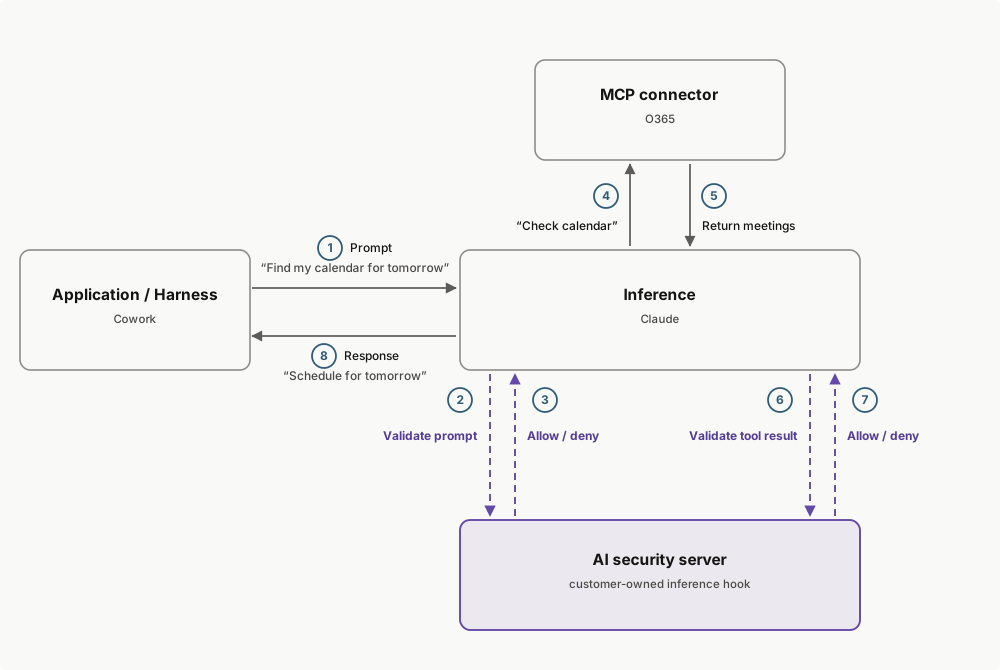
28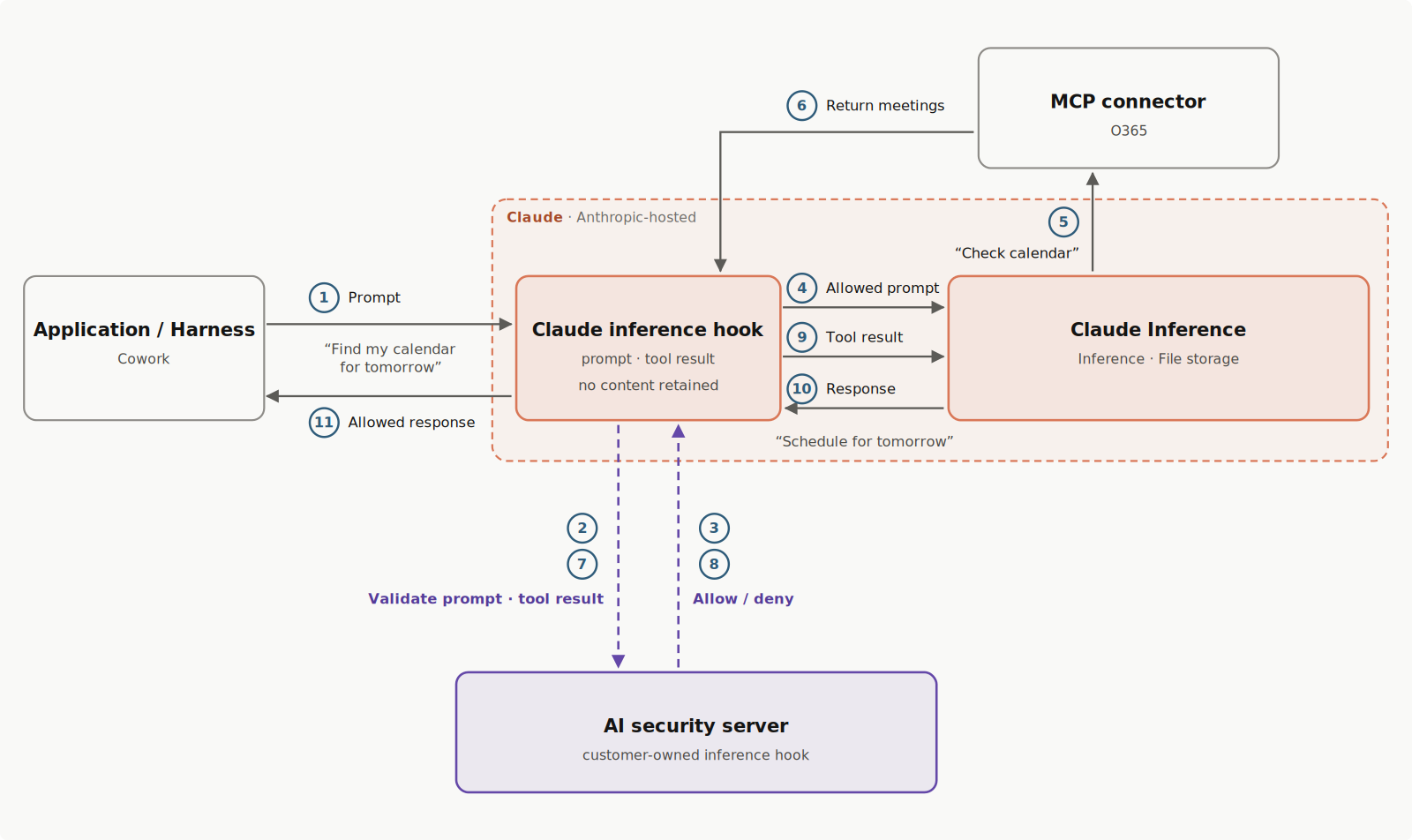
2929
3030A verdict is a small JSON object: `{"action": "allow"}` lets the request proceed, and a deny carries the user-facing reason. For the full verdict schema, see [Return a verdict](https://platform.claude.com/docs/en/manage-claude/inference-hooks-endpoint#return-a-verdict).
3131
No line in this hunk matches that.