
cmek-google-cloud-kms changedmanage-claude/cmek-google-cloud-kms
Nearest release: v2.1.281, published under an hour after this site recorded the change. Shown because the two are within 24 hours of each other. Nothing here says the release caused the edit.
Recorded here
Lines+22added
Lines−7removed
From line
55
where the diff opens
First seen
14 Aug 2026
this site's first read of the page
Recorded edits7to this page, all time
The whole hunk
from line 55, old and new numbered
/
from line 55
5555 <Step title="Create the crypto key">
5656 Create a symmetric key with the `ENCRYPT_DECRYPT` purpose. Anthropic strongly recommends HSM protection: Cloud KMS HSM keys are FIPS 140-2 Level 3 validated, and the cost delta over software keys is small.
5757
58 The `--labels` option adds the organization label, `anthropic-org-<ORGANIZATION_UUID>` with the value `true`, where `<ORGANIZATION_UUID>` is your Anthropic organization ID in lowercase. The label is required for Anthropic to validate the key.
59
60 <Note>
61 **Finding your organization ID:** Copy the **Organization ID** field under **Settings > Organization** in the Claude Console, or under **Organization settings > Organization** in claude.ai, or read the `id` field from the [Organization Info](https://platform.claude.com/docs/en/api/admin-api/organization/get-me) endpoint. Use the bare UUID, not the `org_`-prefixed ID.
62 </Note>
63
5864 ```bash
59 gcloud kms keys create <your-key-name> \
60 --project=<your-project-id> \
61 --location=<region> \
62 --keyring=<your-keyring-name> \
65 gcloud kms keys create <KEY_NAME> \
66 --project=<PROJECT_ID> \
67 --location=<REGION> \
68 --keyring=<KEYRING_NAME> \
6369 --purpose=encryption \
64 --protection-level=hsm
70 --protection-level=hsm \
71 --labels=anthropic-org-<ORGANIZATION_UUID>=true
6572 ```
6673
6774 For software protection instead, omit `--protection-level=hsm`. Nothing else in this guide changes.
from line 75
6875
6976 You can also create the key from the Google Cloud Console. Open the key ring, click **Create key**, select **Generated key**, set the purpose and algorithm to symmetric encrypt and decrypt, and choose **HSM** under protection level.
7077
71 <Frame caption="Create an HSM-protected symmetric encrypt/decrypt key.">
72 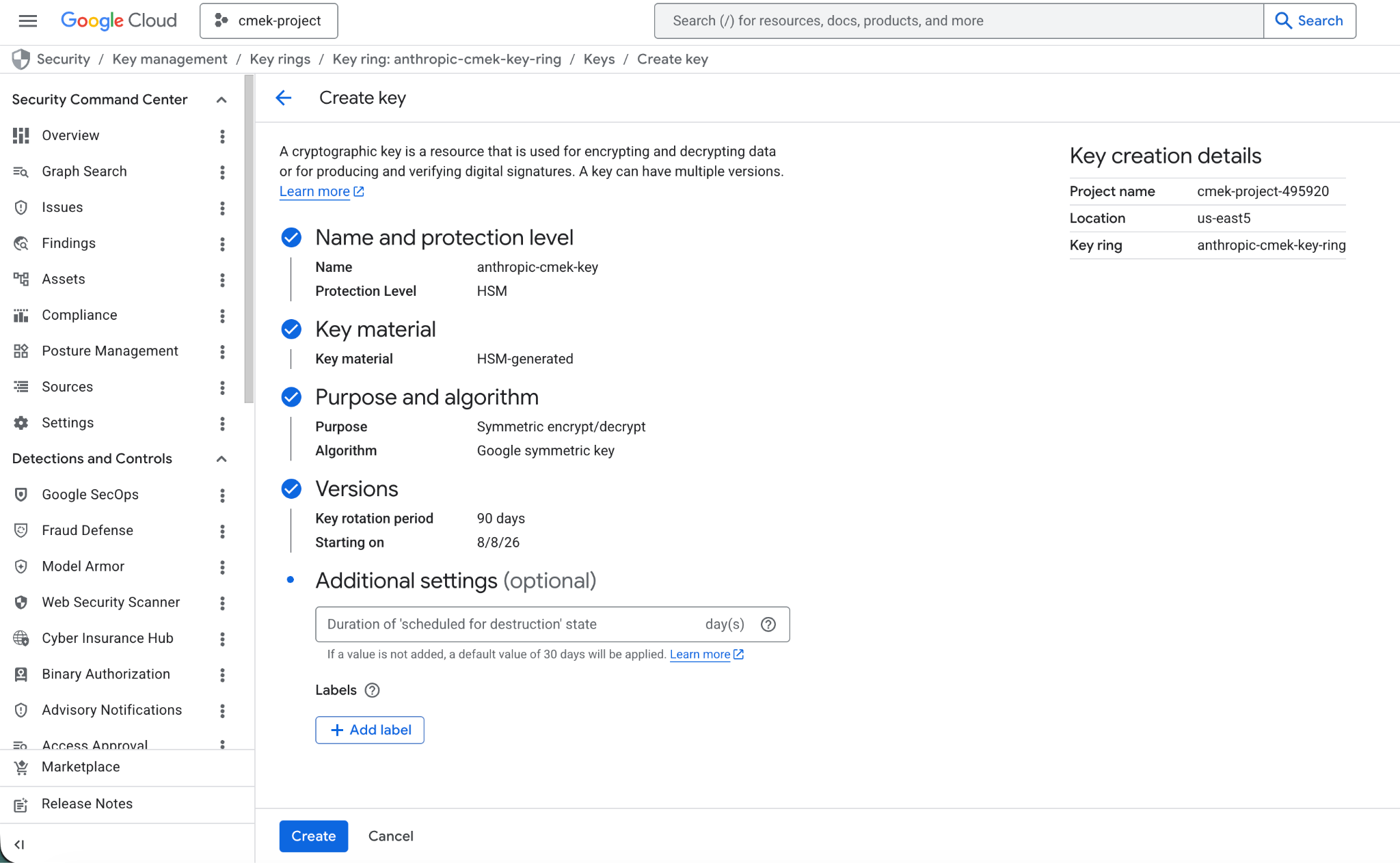
78 <Frame caption="Create an HSM-protected symmetric encrypt/decrypt key with the organization label.">
79 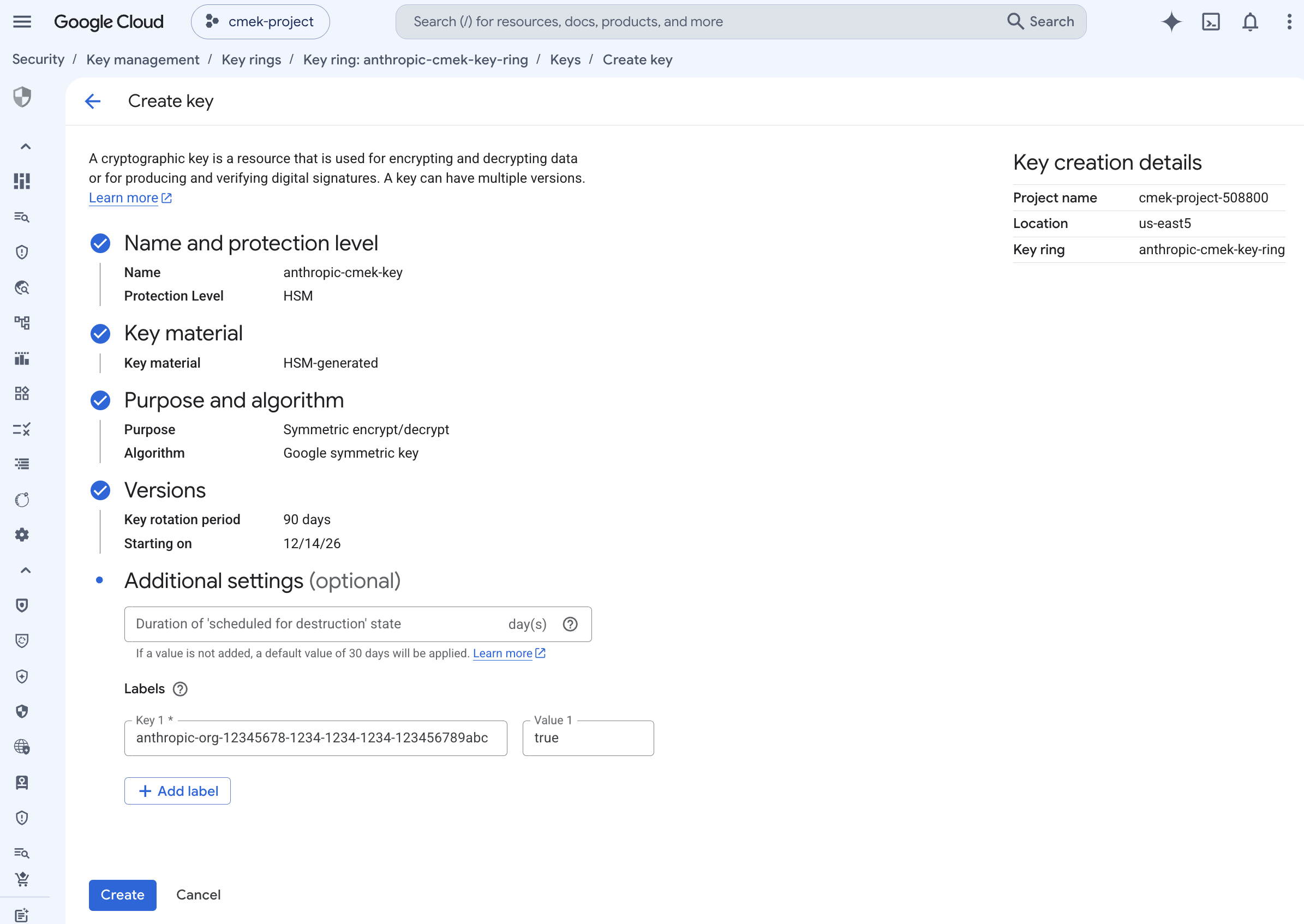
7380 </Frame>
81
82 To share one key among several Anthropic organizations, add one such label for each organization. A key can carry at most 64 labels, including your own.
83
84 <Note>
85 To add the label to a key that doesn't have it, run `gcloud kms keys update <KEY_NAME> --project=<PROJECT_ID> --location=<REGION> --keyring=<KEYRING_NAME> --update-labels=anthropic-org-<ORGANIZATION_UUID>=true`. It merges the label with any labels the key already has.
86 </Note>
7487 </Step>
7588
7689 <Step title="Grant Anthropic's service account access to the key">
from line 156
143156 <Steps>
144157 <Step title="Register the key with Anthropic">
145158 In the Claude Console, open **Settings > Encryption keys** and click **Add key**. Enter a display name, choose **Google Cloud KMS**, and click **Continue**. Paste the full key resource name into **Key resource name**, and click **Add**.
159
160 The key details step shows the organization label. Add it to the key, as [the create step](https://platform.claude.com/docs/en/manage-claude/cmek-google-cloud-kms#organization-label) describes, before you click **Add**.
146161 </Step>
147162
148163 <Step title="Validate the key">
No line in this hunk matches that.