
cmek-azure-key-vault changedmanage-claude/cmek-azure-key-vault
Nearest release: v2.1.281, published under an hour after this site recorded the change. Shown because the two are within 24 hours of each other. Nothing here says the release caused the edit.
Recorded here
Lines+24added
Lines−7removed
From line
73
where the diff opens
First seen
14 Aug 2026
this site's first read of the page
Recorded edits7to this page, all time
The whole hunk
from line 73, old and new numbered
/
from line 73
7373 <Step title="Create an RSA key in your vault">
7474 Azure Key Vault does not support symmetric key wrapping, so the key must be RSA (3072-bit or larger) with `wrapKey` and `unwrapKey` in its allowed operations.
7575
76 The `--tags` option adds the organization tag, `anthropic-org-<ORGANIZATION_UUID>` with the value `true`, where `<ORGANIZATION_UUID>` is your Anthropic organization ID in lowercase. The tag is required for Anthropic to validate the key.
77
78 <Note>
79 **Finding your organization ID:** Copy the **Organization ID** field under **Settings > Organization** in the Claude Console, or under **Organization settings > Organization** in claude.ai, or read the `id` field from the [Organization Info](https://platform.claude.com/docs/en/api/admin-api/organization/get-me) endpoint. Use the bare UUID, not the `org_`-prefixed ID.
80 </Note>
81
7682 ```bash
7783 az keyvault key create \
78 --vault-name <your-vault-name> \
79 --name <your-key-name> \
84 --vault-name <VAULT_NAME> \
85 --name <KEY_NAME> \
8086 --kty RSA --size 3072 \
81 --ops wrapKey unwrapKey
87 --ops wrapKey unwrapKey \
88 --tags anthropic-org-<ORGANIZATION_UUID>=true
8289 ```
8390
8491 For HSM-backed keys, use `--kty RSA-HSM` (requires a Premium-SKU vault). Software-protected RSA keys are acceptable for this integration.
from line 92
8592
8693 From the Portal, open your Key Vault, select **Keys**, then **Generate/Import**. Set the key type to RSA and the size to 3072 or larger. To restrict the key to wrap and unwrap only, open the key version, scroll to **Permitted operations**, and uncheck everything except **Wrap Key** and **Unwrap Key**.
8794
88 <Frame caption="Create an RSA key sized 3072 or larger.">
89 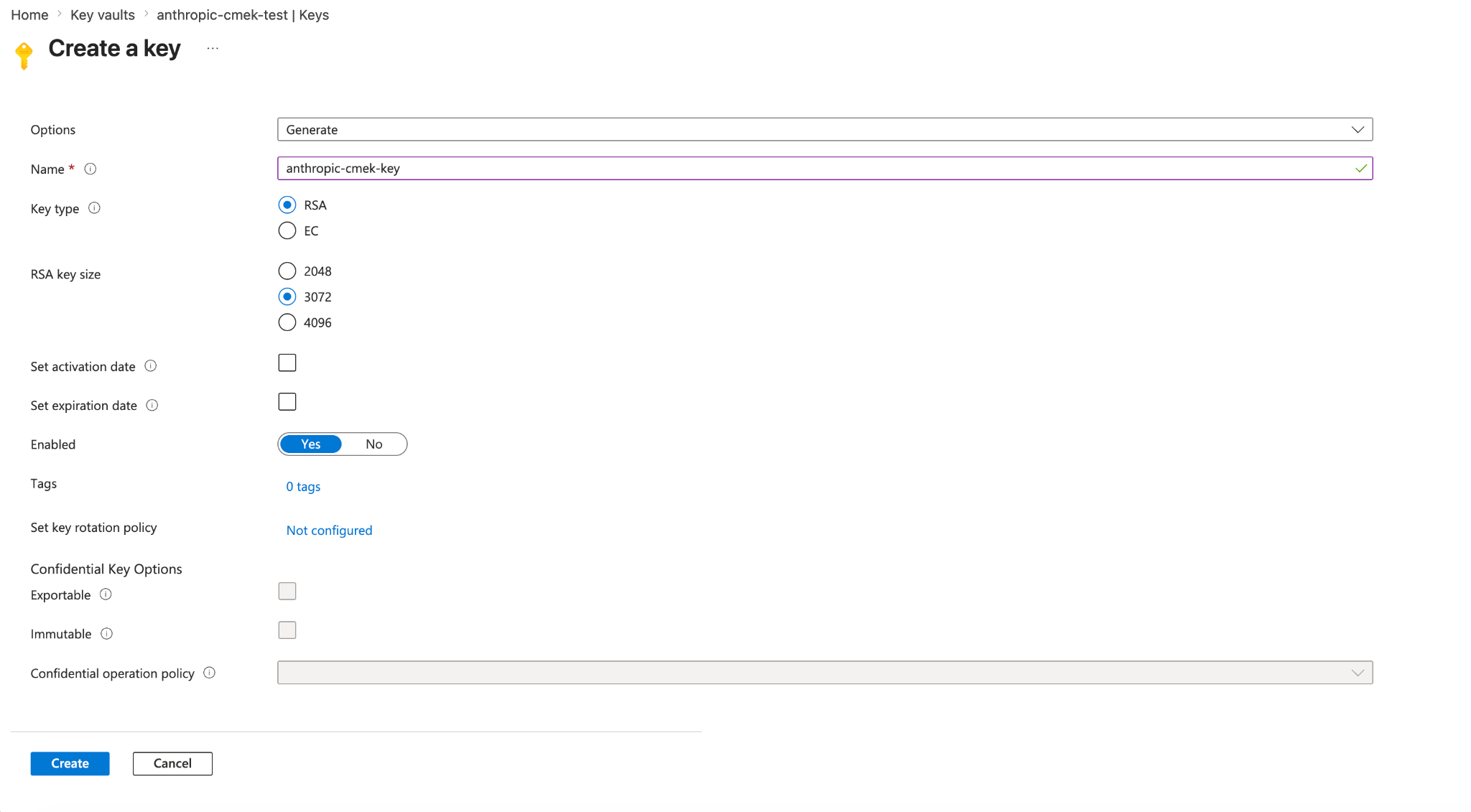
95 On the **Create a key** page, also add the organization tag under **Tags**.
96
97 <Frame caption="Create an RSA key sized 3072 or larger, with the tag anthropic-org-<ORGANIZATION_UUID> set to true.">
98 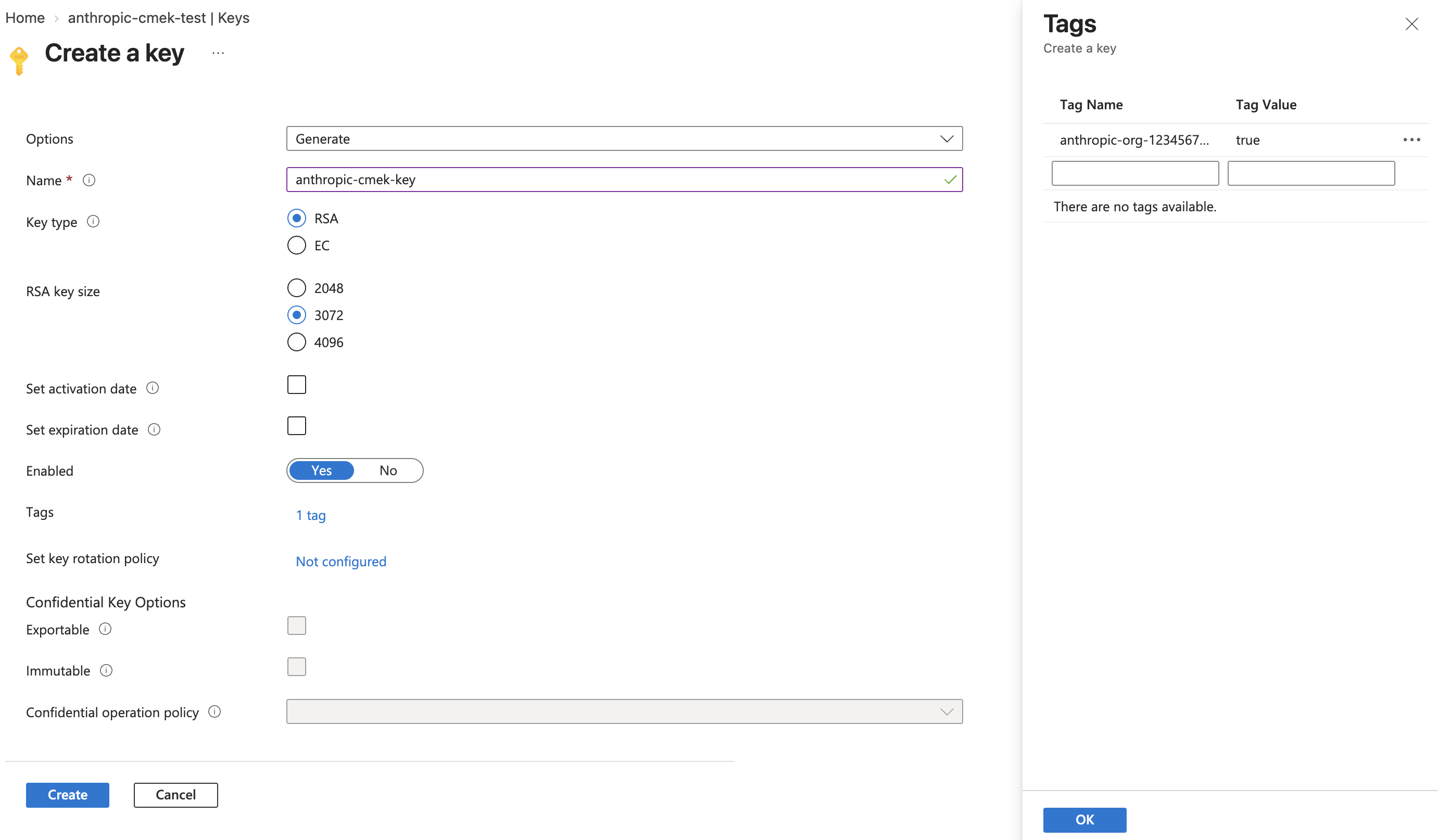
9099 </Frame>
91100
92 <Frame caption="Restrict permitted operations to Wrap Key and Unwrap Key.">
93 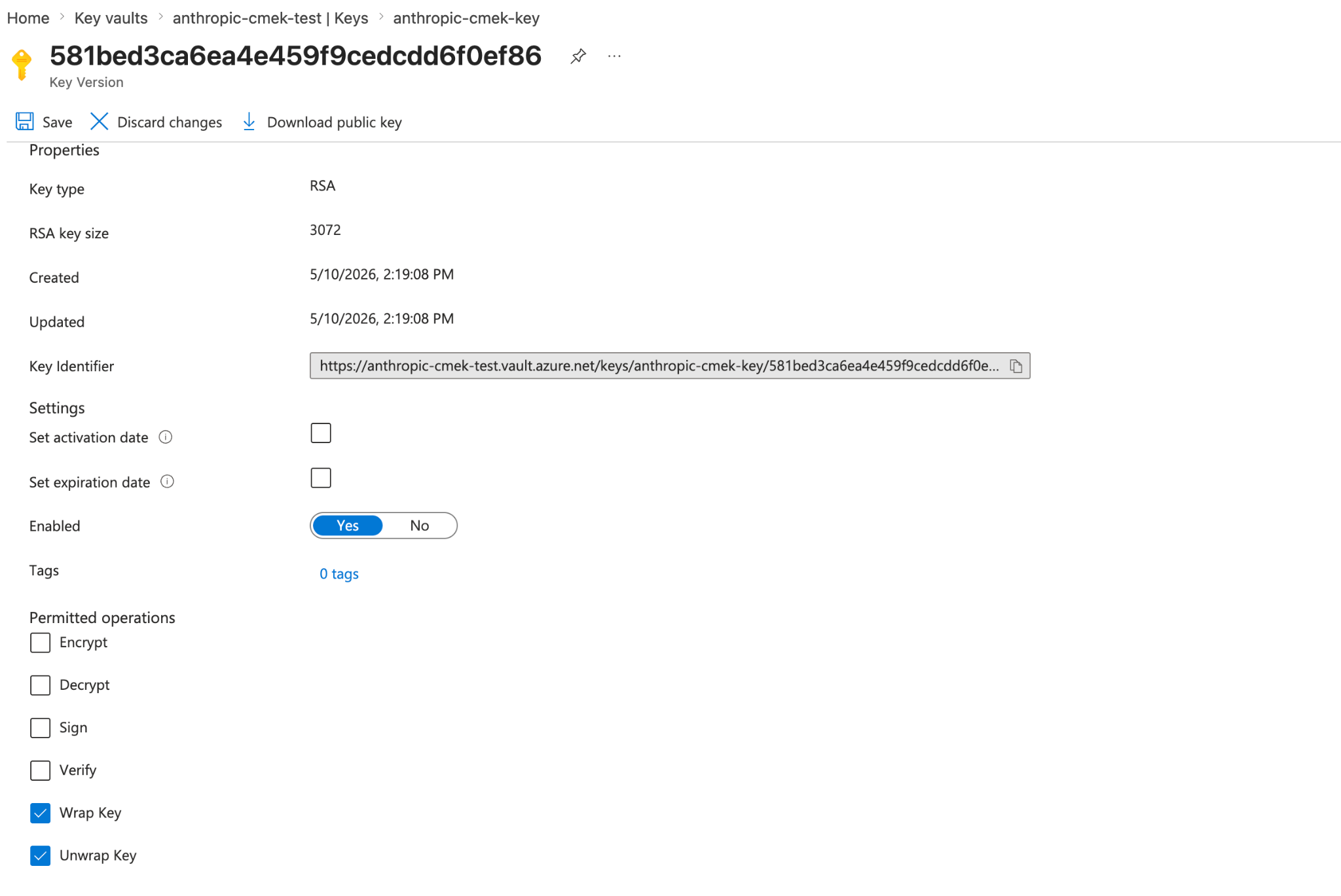
101 <Frame caption="Restrict permitted operations to Wrap Key and Unwrap Key. The key version shows the organization tag.">
102 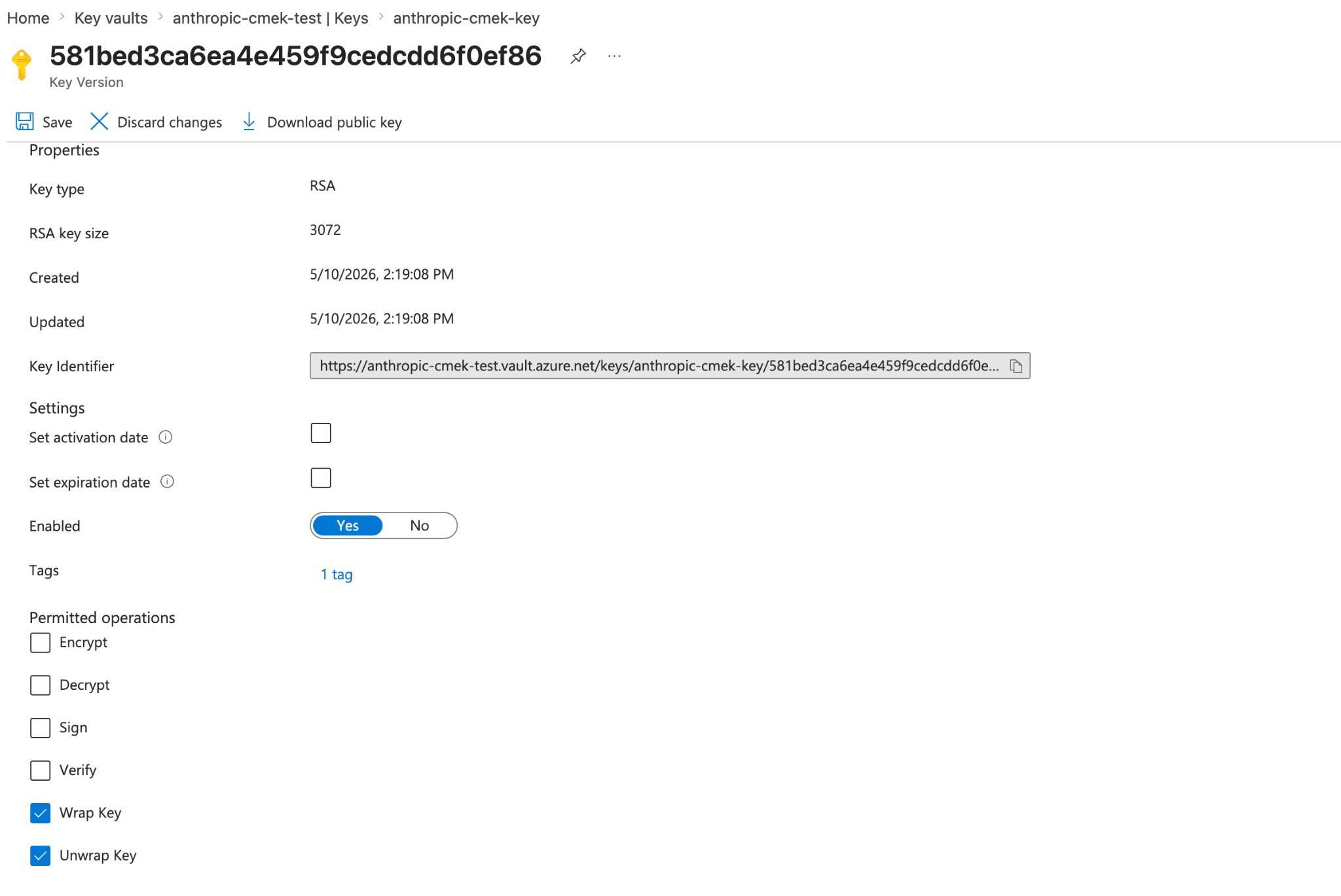
94103 </Frame>
104
105 To share one key among several Anthropic organizations, add one such tag for each organization. A key version can carry at most 15 tags, including your own.
106
107 <Note>
108 To add the tag to a key you already have, open the key's current version in the Portal, select the link next to **Tags**, add the tag, and click **Save**. With the Azure CLI, run `az keyvault key set-attributes --vault-name <VAULT_NAME> --name <KEY_NAME> --tags anthropic-org-<ORGANIZATION_UUID>=true`. Its `--tags` option replaces the version's tags, so also put each tag the version already has in `--tags`, as `name=value`. For a key in a Managed HSM, use `--hsm-name <HSM_NAME>` instead of `--vault-name`.
109 </Note>
95110 </Step>
96111
97112 <Step title="Grant the Anthropic service principal access to your key">
from line 165
150165 <Steps>
151166 <Step title="Register the key with Anthropic">
152167 In the Claude Console, open **Settings > Encryption keys** and click **Add key**. Enter a display name, choose **Azure Key Vault**, and click **Continue**. Fill in **Vault URI**, **Key name**, and **Tenant ID**, and click **Add**.
168
169 The key details step shows the organization tag. Add it to the key, as [the create step](https://platform.claude.com/docs/en/manage-claude/cmek-azure-key-vault#organization-tag) describes, before you click **Add**.
153170 </Step>
154171
155172 <Step title="Validate the key">
No line in this hunk matches that.