
One read of Claude Developer Platformapi-20260814T043121Z
565 pages moved out of 565 read.
What this read moved
501-525 of 565, page 21 of 23This capture is too large to show at once. Changes 501-525 of 565 are below, significant first; the rest are on the following screens.
manage-claude/compliance-activity-feed First recorded · 180 lines, first recorded
## Filter activities ## Paginate results ## Understand the Activity object ## Next steps
The first capture of this source. The page was already there, and this is what it said.
---
title: Query the Activity Feed
url: https://platform.claude.com/docs/en/manage-claude/compliance-activity-feed
description: Retrieve, filter, and paginate your organization's Compliance API Activity Feed.
---

<Note>
  To enable the Compliance API, see [Set up the Compliance API](https://platform.claude.com/docs/en/manage-claude/compliance-api-access).
</Note>

<Check>
  **Required scope:** `read:compliance_activities` on the Compliance Access Key or Admin API key.

  Both Compliance Access Keys (`sk-ant-api01-...`) carrying this scope and Admin API keys (`sk-ant-admin01-...`) can call the Activity Feed. See [Set up the Compliance API](https://platform.claude.com/docs/en/manage-claude/compliance-api-access) for the conditions under which each key type carries the scope.
</Check>

The Activity Feed records every authentication, chat, file, project, administrative, and platform action that occurs in your organization, in reverse chronological order. Activities are queryable within 1 minute of occurring and are retained for 6 years.

```bash cURL
curl --fail-with-body -sS \
  "https://api.anthropic.com/v1/compliance/activities?limit=1" \
  --header "x-api-key: $ANTHROPIC_COMPLIANCE_ACCESS_KEY"
```

```json Response
{
  "data": [
    {
      "id": "activity_01XyDMpzjS89pFZXqSFUBDr6",
      "created_at": "2026-04-10T08:09:10Z",
      "organization_id": "org_01Wv6QeBcDfGhJkLmNpQrSt8",
      "organization_uuid": "abcdef01-2345-6789-abcd-ef0123456789",
      "actor": {
        "type": "user_actor",
        "email_address": "[email protected]",
        "user_id": "user_01TuVwXyZaBcDeFgH2JkLmN4",
        "ip_address": "192.0.2.34",
        "user_agent": "Mozilla/5.0..."
      },
      "type": "claude_chat_created",
      "claude_chat_id": "claude_chat_01XyDMpzjS89pFZXqSFUBDr6",
      "claude_project_id": "claude_proj_01KGp4eZNug9ri4kE35RSppq"
    }
  ],
  "has_more": true,
  "first_id": "activity_01XyDMpzjS89pFZXqSFUBDr6",
  "last_id": "activity_01XyDMpzjS89pFZXqSFUBDr6"
}
```

## Filter activities

Filter by organization, actor, activity type, or a `created_at` time window using the dotted sub-parameters `created_at.gte`, `.gt`, `.lte`, and `.lt`. See the [API reference](https://platform.claude.com/docs/en/api/compliance/activities/list) for each parameter's type and accepted values.

Repeatable parameters use array-bracket query syntax: pass `activity_types[]=...`, `actor_ids[]=...`, or `organization_ids[]=...` once for each value.

```bash cURL
curl --fail-with-body -sS -G \
  "https://api.anthropic.com/v1/compliance/activities" \
  --data-urlencode "activity_types[]=claude_file_uploaded" \
  --data-urlencode "activity_types[]=claude_chat_created" \
  --data-urlencode "created_at.gte=2026-04-01T00:00:00Z" \
  --header "x-api-key: $ANTHROPIC_COMPLIANCE_ACCESS_KEY"
```

The Activity Feed produces hundreds of distinct activity types. See [Query compliance activities](https://platform.claude.com/docs/en/api/compliance/activities/list) in the API reference for the full list of values that `activity_types[]` accepts.

## Paginate results

Activities are returned newest first, with ties in `created_at` broken by activity ID, and capped at `limit` results in each response (default 100, max 5,000). See the [API reference](https://platform.claude.com/docs/en/api/compliance/activities/list) for the full response schema.

The Compliance API uses two pagination schemes depending on the endpoint family:

| Endpoint family                                                                                     | Sort order                                              | Scheme     | Parameters                                                  |
| --------------------------------------------------------------------------------------------------- | ------------------------------------------------------- | ---------- | ----------------------------------------------------------- |
| Activities                                                                                          | Newest first                                            | Cursor     | `after_id`, `before_id` (returned as `first_id`, `last_id`) |
| Chats and chat messages                                                                             | Oldest first                                            | Cursor     | `after_id`, `before_id` (returned as `first_id`, `last_id`) |
| Organizations, projects, project attachments, users, roles, role permissions, groups, group members | Endpoint-specific                                       | Page token | `page` (returned as `next_page`)                            |
| Local and remote sessions and session messages                                                      | Sessions newest first; messages oldest first by default | Page token | `page` (returned as `next_page`)                            |

Files do not paginate: they are retrieved individually by ID.

Pagination cursors and page tokens are opaque strings: pass them back unchanged. Their internal format is not stable, and parsing them will break without notice. Only one of `after_id` or `before_id` may be set in each request, and both schemes return `has_more` so you know when to stop. The session endpoints (local and remote) are the exception: they return `next_page` without `has_more`, so stop when `next_page` is `null`.

To page through activities:

* Pass the response's `last_id` as `after_id` to advance to the next page in result order. With activities sorted newest first, the next page contains older entries.
* Pass `first_id` as `before_id` to return to the previous page.
* Stop when `has_more` is `false`.

The cursor parameter sets the page direction; the endpoint's sort order sets the time direction. The same `after_id` parameter reaches older activities here. Chats sort oldest first; see [Retrieve and delete chats, files, and projects](https://platform.claude.com/docs/en/manage-claude/compliance-content-data) for the cursor semantics there.

<Note>
  **Cursors are safe to reuse on retry.** A cursor or page token from a successfully returned page remains valid; a request that fails (5xx, timeout, network error) does not advance your position. Retry the same request with the same cursor. Only move to the next cursor after you have stored the page it points past.

  Page tokens on the local session endpoints are the exception over longer pauses. On the [local session messages endpoint](https://platform.claude.com/docs/en/manage-claude/compliance-sessions#retrieve-a-local-session-transcript), a walk's `page` tokens expire 24 hours after its first page (a walk is one pass through the pages), so finish or resume within that window, or restart without the `page` parameter. On the [local session list](https://platform.claude.com/docs/en/manage-claude/compliance-sessions#retrieve-local-sessions), an older `page` token is still accepted but is re-evaluated against the current retention boundary and can skip sessions, so complete list walks within 24 hours as well.
</Note>

```bash cURL
# Fetch the first page (newest activities first) and capture its trailing cursor.
last_id=$(curl --fail-with-body -sS \
  "https://api.anthropic.com/v1/compliance/activities?limit=2" \
  --header "x-api-key: $ANTHROPIC_COMPLIANCE_ACCESS_KEY" | jq -er '.last_id')

# Pass the cursor back unchanged to fetch the next (older) page.
curl --fail-with-body -sS -G \
  "https://api.anthropic.com/v1/compliance/activities" \
  --header "x-api-key: $ANTHROPIC_COMPLIANCE_ACCESS_KEY" \
  --data-urlencode "limit=2" \
  --data-urlencode "after_id=${last_id}"
```

A production **backfill** loop pages through older activities by driving iteration off `has_more` and `last_id`:

1. Start from your stored cursor (or omit `after_id` to start from the beginning).
2. Page through with `after_id=<last_id>` until `has_more` is `false`.
3. Persist the final `last_id` only after you've stored every page it covers.

```text
cursor = stored_cursor
loop:
  if cursor is not null:
    page = GET /v1/compliance/activities?after_id={cursor}&limit=100
  else:
    page = GET /v1/compliance/activities?limit=100
  store(page.data)
  if page.last_id is not null:
    cursor = page.last_id
  if not page.has_more: break
persist(cursor)
```

## Understand the Activity object

Every entry in `data` is an Activity with this top-level shape:

| Field               | Type            | Description                                                                                                                                                                                                                                             |
| ------------------- | --------------- | ------------------------------------------------------------------------------------------------------------------------------------------------------------------------------------------------------------------------------------------------------- |
| `id`                | string          | Unique identifier for the activity.                                                                                                                                                                                                                     |
| `created_at`        | RFC 3339 string | When the activity occurred.                                                                                                                                                                                                                             |
| `organization_id`   | string or null  | Organization where the activity occurred, or `null` for events not tied to an organization (sign-in, sign-out, Compliance API calls).                                                                                                                   |
| `organization_uuid` | string or null  | Same scoping as `organization_id`, expressed as a UUID.                                                                                                                                                                                                 |
| `actor`             | Actor union     | Who or what performed the activity. See the following actor table.                                                                                                                                                                                      |
| `type`              | string          | The activity type, for example `claude_chat_created`.                                                                                                                                                                                                   |
| *additional fields* | varies          | Type-specific fields, for example `claude_chat_id` on chat events or `filename` on file events. See [Query compliance activities](https://platform.claude.com/docs/en/api/compliance/activities/list) in the API reference for the per-type field list. |

The `actor` field is a discriminated union. The `type` discriminator tells you which other fields are present:

| `actor.type`                 | When it appears                                                                                                                                                                        | Key fields                                                                                                                                            |
| ---------------------------- | -------------------------------------------------------------------------------------------------------------------------------------------------------------------------------------- | ----------------------------------------------------------------------------------------------------------------------------------------------------- |
| `user_actor`                 | A signed-in claude.ai or Claude Console user took the action.                                                                                                                          | `email_address`, `user_id`, `ip_address`, `user_agent`                                                                                                |
| `api_actor`                  | A request called the Claude API or the Compliance API with a customer-issued API key. Compliance API calls produce this actor type for both Compliance Access Keys and Admin API keys. | `api_key_id`, `ip_address`, `user_agent`                                                                                                              |
| `admin_api_key_actor`        | An organization admin used an Admin API key to manage users, invites, workspaces, or API keys.                                                                                         | `admin_api_key_id`                                                                                                                                    |
| `unauthenticated_user_actor` | An action occurred before sign-in completed, for example `sso_login_initiated`.                                                                                                        | `unauthenticated_email_address`, `ip_address`, `user_agent`                                                                                           |
| `anthropic_actor`            | Anthropic acted on the organization, for example through internal tooling.                                                                                                             | `email_address` (always `null`; present for shape consistency with `user_actor`, because Anthropic operators are not represented by individual email) |
| `scim_directory_sync_actor`  | An identity provider (such as Okta, Microsoft Entra ID, or JumpCloud) pushed a change through SCIM directory sync.                                                                     | `workos_event_id`, `directory_id`, `idp_connection_type` (nullable; for example `OktaSCIMV2`, `AzureSCIMV2`)                                          |

<Note>
  **Build forward-compatible handlers.** Pass through unrecognized `type` and `actor.type` values, and ignore fields your handler does not expect, so your integration keeps working when new activity types ship.
</Note>

## Next steps

<CardGroup cols={2}>
  <Card title="API reference" href="https://platform.claude.com/docs/en/api/compliance/activities/list">
    The full request and response schema for `GET /v1/compliance/activities`, including every supported `activity_types[]` value.
  </Card>

  <Card title="Retrieve and delete chats, files, and projects" href="https://platform.claude.com/docs/en/manage-claude/compliance-content-data">
    Query and delete the underlying content for activities you find in the feed (Compliance Access Key required).
  </Card>

  <Card title="Design your compliance integration" href="https://platform.claude.com/docs/en/manage-claude/compliance-integration-patterns">
    Choose a polling or batch consumption pattern and plan SIEM correlation.
  </Card>

  <Card title="Handle Compliance API errors" href="https://platform.claude.com/docs/en/manage-claude/compliance-errors">
    The full error catalog.
  </Card>
</CardGroup>
manage-claude/compliance-api First recorded · 123 lines, first recorded
## How the Compliance API works ## Compliance API versus related features ### Export audit logs ### Analytics API ### OpenTelemetry logging ### Inference hooks ## In this section
The first capture of this source. The page was already there, and this is what it said.
---
title: Compliance API
url: https://platform.claude.com/docs/en/manage-claude/compliance-api
description: Programmatic access to your organization's Claude activity, chats, files, projects, Claude Cowork and Claude Code sessions, and users for compliance, audit, and governance.
---

The Compliance API gives Claude Enterprise and Claude Console customers programmatic access to their organization's Activity Feed. For Claude Enterprise organizations, it also covers the directory of users, roles, and groups across every linked organization; the effective settings in force for each organization; the underlying chats, files, and projects in claude.ai organizations; and Cowork and Claude Code sessions. Security, legal, and compliance teams use it to audit activity, retrieve or delete content, and feed events into downstream tooling.

<Note>
  Two key types unlock the Compliance API. A **Compliance Access Key** (created in claude.ai) reaches every endpoint, and an **Admin API key** (created in Claude Console) reaches the Activity Feed only. See [Which key do you need?](https://platform.claude.com/docs/en/manage-claude/compliance-api-access#which-key-do-you-need) for the full key-type comparison.
</Note>

The following call returns the most recent activity event in your organization. Any key with the `read:compliance_activities` scope can make it. To create a key and grant it that scope, see [Set up the Compliance API](https://platform.claude.com/docs/en/manage-claude/compliance-api-access).

```bash cURL
curl --fail-with-body -sS \
  "https://api.anthropic.com/v1/compliance/activities?limit=1" \
  --header "x-api-key: $ANTHROPIC_COMPLIANCE_ACCESS_KEY"
```

A successful response returns a JSON object containing `data` (an array of `Activity` records), `has_more`, `first_id`, and `last_id`:

```json Response
{
  "data": [
    {
      "id": "activity_01XyDMpzjS89pFZXqSFUBDr6",
      "created_at": "2026-04-10T08:09:10Z",
      "organization_id": "org_01Wv6QeBcDfGhJkLmNpQrSt8",
      "organization_uuid": "abcdef01-2345-6789-abcd-ef0123456789",
      "actor": {
        "type": "user_actor",
        "email_address": "[email protected]",
        "user_id": "user_01TuVwXyZaBcDeFgH2JkLmN4",
        "ip_address": "192.0.2.34",
        "user_agent": "Mozilla/5.0..."
      },
      "type": "claude_chat_created",
      "claude_chat_id": "claude_chat_01XyDMpzjS89pFZXqSFUBDr6",
      "claude_project_id": "claude_proj_01KGp4eZNug9ri4kE35RSppq"
    }
  ],
  "has_more": true,
  "first_id": "activity_01XyDMpzjS89pFZXqSFUBDr6",
  "last_id": "activity_01XyDMpzjS89pFZXqSFUBDr6"
}
```

***

## How the Compliance API works

Every endpoint lives under `/v1/compliance/*` on `https://api.anthropic.com` and authenticates through the `x-api-key` header. To provision a key, see [Set up the Compliance API](https://platform.claude.com/docs/en/manage-claude/compliance-api-access).

The Activity Feed (`GET /v1/compliance/activities`) is available to any key that carries the `read:compliance_activities` scope; see [Query the Activity Feed](https://platform.claude.com/docs/en/manage-claude/compliance-activity-feed) for filters, pagination, and the full `Activity` object. The remaining endpoints require a Compliance Access Key carrying the relevant scope.

A Claude Enterprise tenant has one parent organization (the top-level container that centralizes identity) with linked organizations of two kinds: claude.ai organizations, where users chat and store content, and Claude Console organizations, where users manage Claude API workloads. For a key that covers the parent organization, the directory endpoints (organizations, users, roles, and groups) return data from every linked organization of either kind. The content endpoints (chats, files, projects, project attachments, and sessions) serve Claude Enterprise data only. The chat, file, and project endpoints return claude.ai chats, files, and projects. The session endpoints return transcripts of Cowork and Claude Code sessions on users' machines (local sessions), captured while users are signed in with their Claude Enterprise account. They also return transcripts of Cowork sessions started on claude.ai web or mobile, which run in the cloud in Anthropic-managed environments (remote sessions). A standalone Claude Console organization (one with no parent organization) is not part of a Claude Enterprise tenant; it uses Admin API keys and can query the Activity Feed only.

All `/v1/compliance/*` endpoints share a rate limit of 600 requests per minute per parent organization (for a standalone Claude Console organization, per organization). The local session endpoints count only against that shared limit, and the remote session endpoints carry a second request budget on top. See [429 Too Many Requests](https://platform.claude.com/docs/en/manage-claude/compliance-errors#429-too-many-requests) for the response headers and retry contract.

***

## Compliance API versus related features

A few adjacent features overlap with the Compliance API; here is how to choose.

### Export audit logs

The audit log export is a separate feature in [claude.ai > Organization settings > Data and privacy](https://claude.ai/admin-settings/data-privacy-controls) that lets owners and primary owners download a CSV of organization events. It's significantly narrower than the Compliance API: a capped lookback window, CSV download only, and no access to chat, file, or project content. Standardize on the Compliance API for ongoing programmatic use.

### Analytics API

Anthropic provides two analytics APIs: the Claude Enterprise Analytics API and the [Claude Code Analytics API](https://platform.claude.com/docs/en/manage-claude/claude-code-analytics-api). Both return aggregated usage and cost figures for IT, FinOps, and platform teams, whereas the Compliance API returns per-event records for security, legal, and compliance teams. The two API families answer different questions, use different keys, and are provisioned separately.

### OpenTelemetry logging

[Cowork's OpenTelemetry logging](https://support.claude.com/en/articles/14477985-monitor-claude-cowork-activity-with-opentelemetry) and [Claude Code monitoring](https://code.claude.com/docs/en/monitoring-usage) stream per-event telemetry, including token, cost, and host metadata, to a collector you run as activity happens, whereas the Compliance API returns retained per-session transcripts from Anthropic on request and works with your existing Compliance Access Key. For a side-by-side comparison, see the [Compliance API FAQ](https://platform.claude.com/docs/en/manage-claude/compliance-faq#data-coverage-and-retention).

### Inference hooks

[Inference hooks](https://platform.claude.com/docs/en/manage-claude/inference-hooks) (beta) act inline: your organization's AI security server receives each governed prompt before inference and can deny it in real time, whereas the Compliance API retrieves records after the fact and returns richer data, such as organization settings and full non-text files.

***

## In this section

<CardGroup>
  <Card href="https://platform.claude.com/docs/en/manage-claude/compliance-api-access" title="Set up the Compliance API">
    Enable the Compliance API for your organization, then create a Compliance Access Key (with scoped permissions) or an Admin API key, and learn which to use.
  </Card>

  <Card href="https://platform.claude.com/docs/en/manage-claude/compliance-activity-feed" title="Query the Activity Feed">
    Retrieve, filter, and paginate the shared Activity Feed. Supported by both key types.
  </Card>

  <Card href="https://platform.claude.com/docs/en/manage-claude/compliance-content-data" title="Retrieve and delete chats, files, and projects">
    Read chat content, files, and project attachments; delete chats, files, and projects on demand. Compliance Access Key required.
  </Card>

  <Card href="https://platform.claude.com/docs/en/manage-claude/compliance-sessions" title="Retrieve session transcripts">
    List the sessions your users run in Claude apps and agents, such as Cowork and Claude Code, and retrieve their transcripts. Compliance Access Key required.
  </Card>

  <Card href="https://platform.claude.com/docs/en/manage-claude/compliance-org-data" title="List organizations, users, roles, groups, and settings">
    Enumerate linked organizations, members, roles, and directory groups, and read each organization's effective settings.
  </Card>

  <Card href="https://platform.claude.com/docs/en/manage-claude/compliance-integration-patterns" title="Design your compliance integration">
    Choose a feed-consumption pattern, plan SIEM correlation, and decide your retention approach.
  </Card>

  <Card href="https://platform.claude.com/docs/en/manage-claude/compliance-errors" title="Handle Compliance API errors">
    Every 400, 401, 403, 404, 409, 429, and 5xx response the Compliance API returns, with the fix for each.
  </Card>

  <Card href="https://platform.claude.com/docs/en/api/compliance" title="API reference">
    Endpoint paths, parameters, and response schemas for every Compliance API call.
  </Card>

  <Card href="https://platform.claude.com/docs/en/manage-claude/compliance-faq" title="Compliance API FAQ">
    Answers to common key, scope, availability, and integration questions.
  </Card>
</CardGroup>
manage-claude/compliance-api-access First recorded · 170 lines, first recorded
## Which key do you need? ## Set up the Compliance API ## Create an Admin API key ## Check your key's scopes ## Manage and rotate keys ## Next steps
The first capture of this source. The page was already there, and this is what it said.
---
title: Set up the Compliance API
url: https://platform.claude.com/docs/en/manage-claude/compliance-api-access
description: Enable the Compliance API for your organization, then create a Compliance Access Key (with scoped permissions) or an Admin API key, and learn which to use.
---

<Note>
  Claude Enterprise organizations and eligible standalone Claude Console organizations have self-service access to the Compliance API. This page describes how to enable the Compliance API for your organization and create API keys.
</Note>

<Check>
  **Required role:** organization admin (Claude Console), or primary owner or organization owner (claude.ai).
</Check>

The Compliance API uses two key types, and which one you create depends on which Claude product your organization uses. Primary owners and organization owners create Compliance Access Keys in claude.ai; these keys unlock the full Compliance API. A primary owner's key can cover every organization under the parent organization; an organization owner's key covers their own organization only. Organization admins create Admin API keys in Claude Console; these keys unlock the [Activity Feed](https://platform.claude.com/docs/en/manage-claude/compliance-activity-feed) only.

## Which key do you need?

| Key type                                       | Created in                                                                                | Used for                                                                                                                        | Works with the Compliance API? |
| ---------------------------------------------- | ----------------------------------------------------------------------------------------- | ------------------------------------------------------------------------------------------------------------------------------- | ------------------------------ |
| **Compliance Access Key** (`sk-ant-api01-...`) | [claude.ai > Organization settings > API](https://claude.ai/admin-settings/api-access)    | Activity Feed, chats, files, projects, Cowork and Claude Code sessions, users, organization metadata, and organization settings | Yes (all endpoints)            |
| **Admin API key** (`sk-ant-admin01-...`)       | [Claude Console > Settings > Admin keys](https://platform.claude.com/settings/admin-keys) | The [Admin API](https://platform.claude.com/docs/en/manage-claude/admin-api) and the Compliance API Activity Feed               | Activity Feed only             |
| **Analytics API key**                          | [claude.ai > Organization settings > API](https://claude.ai/admin-settings/api-access)    | The Claude Enterprise Analytics API (see [Analytics APIs](https://platform.claude.com/docs/en/manage-claude/analytics-api))     | No                             |
| **Claude API key** (`sk-ant-api03-...`)        | [Claude Console > Settings > API keys](https://platform.claude.com/settings/keys)         | Calling Claude models through the [Claude API](https://platform.claude.com/docs/en/api/overview)                                | No                             |

A Claude Enterprise tenant has one **parent organization** that centralizes identity, SSO, and SCIM for every workload organization beneath it. These workload organizations are the parent's **linked organizations**.

<Warning>
  **Claude Enterprise parent organizations do not appear in Claude Console (`platform.claude.com`).** The parent carries no workloads, no Claude API keys, and no Admin API keys. Create Compliance Access Keys in claude.ai **Organization settings**, not in Claude Console.
</Warning>

## Set up the Compliance API

Setup is one flow: enable the Compliance API for your organization, then create a Compliance Access Key in claude.ai. A Claude Console organization instead [creates an Admin API key](https://platform.claude.com/docs/en/manage-claude/compliance-api-access#create-an-admin-api-key) after enablement; Admin API keys reach the [Activity Feed](https://platform.claude.com/docs/en/manage-claude/compliance-activity-feed) only.

<Warning>
  A Compliance Access Key with `read:compliance_user_data` can read every chat, file, project, and Cowork and Claude Code session transcript in every linked organization, including content the primary owner has not seen. A key with `delete:compliance_user_data` can permanently delete chats, files, and projects. Treat Compliance Access Keys like production database credentials: store them in a secrets manager, never in source control or SIEM forwarder configuration.
</Warning>

<Steps>
  <Step title="Enable the Compliance API">
    Where you enable the Compliance API depends on how your organization is set up:

    * **Claude Enterprise organizations:** The primary owner enables the Compliance API at [claude.ai > Organization settings > API](https://claude.ai/admin-settings/api-access). Enablement happens at the parent organization level and cascades to every linked organization, both claude.ai and Claude Console.
    * **Standalone Claude Console organizations:** An organization admin turns on the **Compliance API** toggle at [Claude Console > Settings > Security](https://platform.claude.com/settings/security). Enablement is self-service for eligible organizations, and the change takes effect immediately. If the **Compliance API** section is not visible, you do not have the admin role, your organization is linked to a parent organization (the Compliance API is enabled from the parent organization instead), or your organization is not eligible for self-service enablement; contact your account team or [Anthropic support](https://support.claude.com) if you are not sure which applies.
    * **Claude Console organizations linked to a parent organization:** There is nothing to turn on in Claude Console. Ask the primary owner of your parent organization to enable the Compliance API in claude.ai, or contact your account team.

    <Warning>
      **Turning the Compliance API off stops activity recording.** An organization admin can turn the Compliance API off at any time with the same **Compliance API** toggle that turns it on. While the Compliance API is off, no activity events are recorded for your organization, so the [Activity Feed](https://platform.claude.com/docs/en/manage-claude/compliance-activity-feed) receives no new events. If your organization is enrolled in [Access Transparency](https://platform.claude.com/docs/en/manage-claude/access-transparency), turning the Compliance API off also stops Access Transparency event delivery. Activity that is not recorded while the Compliance API is off cannot be recovered later. Turning the Compliance API back on resumes recording from that point forward; activity that was already recorded is not deleted. For Claude Enterprise organizations, the Compliance API setting in claude.ai also governs transcript capture for Cowork and Claude Code sessions on users' machines (local sessions): capture starts when the Compliance API is enabled and stops while it is off, and transcript content from sessions that run while it is off is not captured and cannot be recovered later.
    </Warning>

    A standalone Claude Console organization uses Admin API keys rather than Compliance Access Keys: after enablement, skip the remaining steps and [create a new Admin API key](https://platform.claude.com/docs/en/manage-claude/compliance-api-access#create-an-admin-api-key) instead. The remaining steps provision Compliance Access Keys, which are available only to organizations that are part of a Claude Enterprise tenant.
  </Step>

  <Step title="Decide the key's scope">
    A key's access is set when it is created. Decide which organizations the key covers:

    * A key for the **parent organization** can access every organization under the parent organization.
    * A key for a **single organization** can access that organization only.
  </Step>

  <Step title="Sign in with the matching role">
    Sign in to claude.ai. The primary owner of the parent organization can create a key with either scope. An organization owner can create a key restricted to their own organization only.

    If the **API** page described in the next step is not visible, or compliance scopes are unavailable when creating a key, either your role cannot create Compliance Access Keys, or the Compliance API has not been enabled for your organization yet (return to the first step).
  </Step>

  <Step title="Open API settings">
    Go to [claude.ai > Organization settings > API](https://claude.ai/admin-settings/api-access) and find the **Keys** section.
  </Step>

  <Step title="Create the key">
    Click **Create key**, name the key, and select one or more scopes from the following table. Click **Create**.

    | Scope                         | Grants                                                                                                                                                                                                                    |
    | ----------------------------- | ------------------------------------------------------------------------------------------------------------------------------------------------------------------------------------------------------------------------- |
    | `read:compliance_activities`  | Read the Activity Feed. A key covering the parent organization reads events for the parent organization and all linked organizations.                                                                                     |
    | `read:compliance_user_data`   | Read user chats, messages, files, projects, Cowork and Claude Code sessions and their transcripts, organization users, and group members                                                                                  |
    | `delete:compliance_user_data` | Delete user chats, files, and projects                                                                                                                                                                                    |
    | `read:compliance_org_data`    | Read organization metadata (names, types, roles, and groups) and the effective settings in force for organizations under the parent organization. User listings and group membership require `read:compliance_user_data`. |

    Choose the smallest scope set that your integration needs:

    * An audit pipeline that reads the Activity Feed only needs `read:compliance_activities`.
    * An eDiscovery tool that reads chats and files but never deletes them does not need `delete:compliance_user_data`.
    * If your workflow both reads and deletes, use **two keys** with separate scopes so a leaked read key cannot delete data.

    Compliance Access Key scopes are immutable after creation. To change scopes, create a new key with the scopes you want, then delete the old one.
  </Step>

  <Step title="Copy and store the secret">
    Copy the displayed secret key (starting with `sk-ant-api01-`) and store it in your secrets manager. The full secret is displayed only once.
  </Step>

  <Step title="Export the key for the examples in this guide">
    Set the key as an environment variable so the shell samples in this guide can read it:

    ```bash
    export ANTHROPIC_COMPLIANCE_ACCESS_KEY=sk-ant-api01-...
    ```
  </Step>
</Steps>

## Create an Admin API key

<Note>
  The Compliance API must already be [enabled for your Claude Console organization](https://platform.claude.com/docs/en/manage-claude/compliance-api-access#set-up-the-compliance-api) before an Admin API key can call the Activity Feed.
</Note>

Follow the steps in [Create an Admin API key](https://platform.claude.com/docs/en/manage-claude/admin-api-keys#create-a-key-for-a-claude-console-organization), then set the key as an environment variable:

```bash
export ANTHROPIC_ADMIN_KEY=sk-ant-admin01-...
```

The distinct variable name keeps the Admin API key from overwriting a Compliance Access Key if you provision both. The cURL examples in this guide read the key from `$ANTHROPIC_COMPLIANCE_ACCESS_KEY`; substitute `$ANTHROPIC_ADMIN_KEY` when calling the [Activity Feed](https://platform.claude.com/docs/en/manage-claude/compliance-activity-feed) with an Admin API key.

Admin API keys carry the `read:compliance_activities` scope only if the Compliance API was enabled for the organization at the time the key was created; see [Set up the Compliance API](https://platform.claude.com/docs/en/manage-claude/compliance-api-access#set-up-the-compliance-api). They cannot be granted any other Compliance API scope, so calls to any endpoint other than the Activity Feed return [403 Forbidden](https://platform.claude.com/docs/en/manage-claude/compliance-errors#403-forbidden).

For the same key's role in managing your Claude Console organization, see [Admin API](https://platform.claude.com/docs/en/manage-claude/admin-api).

## Check your key's scopes

To inspect the scopes on a key you already have, use one of the following signals.

* **Key prefix.** `sk-ant-admin01-` is an Admin API key (carries `read:compliance_activities` only, subject to the enablement timing in the preceding section). `sk-ant-api01-` is a Compliance Access Key; its scopes are the subset you selected at creation.
* **Settings UI.** Open the **Keys** section in [claude.ai > Organization settings > API](https://claude.ai/admin-settings/api-access), or the **Admin keys** section in [Claude Console > Settings > Admin keys](https://platform.claude.com/settings/admin-keys), and read the **Scopes** column for the key.
* **Error responses.** A call that exceeds the key's scopes returns a 403 with a message in the format `Missing required scopes. Got: [<scopes the key carries>] Needed: [<scopes the endpoint requires>]`. See [Handle Compliance API errors](https://platform.claude.com/docs/en/manage-claude/compliance-errors#403-forbidden) for the full error catalog.

```json
{
  "error": {
    "type": "permission_error",
    "message": "Missing required scopes. Got: ['read:compliance_activities'] Needed: ['read:compliance_user_data']"
  }
}
```

## Manage and rotate keys

Delete a Compliance Access Key from the same **Keys** table where you created it: go to [claude.ai > Organization settings > API](https://claude.ai/admin-settings/api-access). Delete an Admin API key from [Claude Console > Settings > Admin keys](https://platform.claude.com/settings/admin-keys).

Deleting a key takes effect on the next request: there is no grace period. Compliance Access Keys do not expire on their own.

To rotate a key without an outage:

1. Create a new key with the same scopes.
2. Update your integration to use the new key.
3. Verify the integration succeeds with the new key.
4. Delete the old key.

Pagination cursors stored before a rotation remain valid: cursors are scoped to the organization, not the key.

If a Compliance Access Key leaks, delete it immediately, audit the [Activity Feed](https://platform.claude.com/docs/en/manage-claude/compliance-activity-feed) for `compliance_api_accessed` activities by the compromised key, and rotate any downstream credentials that the leaked key could reach. Pass `activity_types[]=compliance_api_accessed` to scope the query, then in your client, keep the activities whose `actor.type` is `api_actor` and whose `actor.api_key_id` matches the compromised key; see [Understand the Activity object](https://platform.claude.com/docs/en/manage-claude/compliance-activity-feed#understand-the-activity-object) for the actor schema.

## Next steps

<CardGroup cols={2}>
  <Card title="Query the Activity Feed" href="https://platform.claude.com/docs/en/manage-claude/compliance-activity-feed">
    Read organization-wide activity events with any key that has `read:compliance_activities`.
  </Card>

  <Card title="Retrieve and delete chats, files, and projects" href="https://platform.claude.com/docs/en/manage-claude/compliance-content-data">
    Use a Compliance Access Key with `read:compliance_user_data` to retrieve claude.ai chats, files, and projects, and `delete:compliance_user_data` to delete them.
  </Card>

  <Card title="Retrieve session transcripts" href="https://platform.claude.com/docs/en/manage-claude/compliance-sessions">
    Use a Compliance Access Key with `read:compliance_user_data` to list the sessions your users run in Claude apps and agents, such as Cowork and Claude Code, and retrieve their transcripts.
  </Card>
</CardGroup>
manage-claude/compliance-content-data First recorded · 316 lines, first recorded
## Retrieve chats and messages ## Retrieve files and artifacts ## Retrieve projects and attachments ### Project files versus project documents ## Delete content ### Detach chats before deleting a project ## Next steps
The first capture of this source. The page was already there, and this is what it said.
---
title: Retrieve and delete chats, files, and projects
url: https://platform.claude.com/docs/en/manage-claude/compliance-content-data
description: Access chat content, file attachments, and projects for claude.ai organizations through the Compliance API.
---

<Note>
  The endpoints on this page are available only to Claude Enterprise organizations. They retrieve and delete claude.ai chats, files, and projects; Cowork and Claude Code session transcripts are covered on [Retrieve session transcripts](https://platform.claude.com/docs/en/manage-claude/compliance-sessions). See [Set up the Compliance API](https://platform.claude.com/docs/en/manage-claude/compliance-api-access).
</Note>

<Check>
  **Required scope:** `read:compliance_user_data` on the Compliance Access Key. The delete endpoints also require `delete:compliance_user_data`.

  **Prerequisite:** None for listing chats organization-wide. To filter the chat list to specific users, you need user IDs from [List organization users](https://platform.claude.com/docs/en/manage-claude/compliance-org-data#list-organization-users). The other endpoints on this page take resource IDs directly.
</Check>

The endpoints on this page expose Claude Enterprise chat content, file uploads, projects, and project attachments to compliance reviewers. They support eDiscovery (electronic discovery) exports, data loss prevention (DLP) enforcement, and account-deletion responses. Chat, file, and project content is retained for as long as your organization's retention policy allows. Chats that a user has soft-deleted in claude.ai remain visible through the Compliance API with `deleted_at` populated; chats that have been hard-deleted (through the Compliance API itself, or after the organization's retention window expires) are not retrievable.

Both scopes are granted only on Compliance Access Keys (`sk-ant-api01-...`) created in claude.ai; see [Set up the Compliance API](https://platform.claude.com/docs/en/manage-claude/compliance-api-access) to provision one. The `read:compliance_user_data` scope covers retrieval; `delete:compliance_user_data` is required only for the delete endpoints. The chat, file, project, and attachment endpoints are not available to Admin API keys (`sk-ant-admin01-...`); calls authenticated with an Admin API key return [403 Forbidden](https://platform.claude.com/docs/en/manage-claude/compliance-errors#403-forbidden).

Endpoints on this page paginate two ways; see [Paginate results](https://platform.claude.com/docs/en/manage-claude/compliance-activity-feed#paginate-results) for the full reference. Each section notes which scheme applies.

## Retrieve chats and messages

Use [List chats](https://platform.claude.com/docs/en/api/compliance/apps/chats/list) to page through chat metadata, then [Get chat messages](https://platform.claude.com/docs/en/api/compliance/apps/chats/messages/list) to fetch the full message content of one chat.

The chat list endpoint defaults to organization-wide scope: leave off `user_ids[]` to include every chat under your parent organization. Add `order_by=updated_at` to sort by last update time. This combination is the recommended way to export chats and keep an export current, because one paginated loop picks up both new and modified chats for every user without enumerating users first. The following request lists chats updated since a given date.

```bash cURL
curl --fail-with-body -sS -G \
  "https://api.anthropic.com/v1/compliance/apps/chats" \
  --header "x-api-key: $ANTHROPIC_COMPLIANCE_ACCESS_KEY" \
  --data-urlencode "order_by=updated_at" \
  --data-urlencode "updated_at.gte=2025-06-01T00:00:00Z" \
  --data-urlencode "limit=100"
```

```json Response
{
  "data": [
    {
      "id": "claude_chat_01H5CWunD7RpVJ5bHa8RCkja",
      "name": "Product Requirements Discussion",
      "created_at": "2026-04-10T08:09:10Z",
      "updated_at": "2026-04-10T09:10:11Z",
      "deleted_at": null,
      "href": "https://claude.ai/chat/abcdef01-2345-6789-abcd-ef0123456789",
      "model": "claude-opus-5",
      "organization_uuid": "91012d09-e48b-438e-a489-1bebfd8fa6f9",
      "project_id": "claude_proj_01KGp4eZNug9ri4kE35RSppq",
      "user": {
        "id": "user_01XyDMpzjS89pFZXqSFUBDr6",
        "email_address": "[email protected]"
      }
    }
  ],
  "has_more": true,
  "first_id": "eyJrIjogInVwZGF0ZWRfYXQiLCAidCI6ICIyMDI2LTA0LTEwVDA5OjEwOjExKzAwOjAwIiwgImlkIjogImFiY2RlZjAxLS4uLiJ9",
  "last_id": "eyJrIjogInVwZGF0ZWRfYXQiLCAidCI6ICIyMDI2LTA0LTEwVDA5OjEwOjExKzAwOjAwIiwgImlkIjogImFiY2RlZjAxLS4uLiJ9"
}
```

Results sort ascending by the `order_by` field, oldest first, with ties broken by `id`. Pagination uses the standard `first_id`/`last_id`/`has_more` cursor fields described in [Paginate results](https://platform.claude.com/docs/en/manage-claude/compliance-activity-feed#paginate-results). To walk forward toward newer chats, pass the response's `last_id` back as `after_id` on the next request.

That forward walk is also how you keep an export current across runs: persist the final page's `last_id` and resume from it as `after_id` on the next run. Because the list is ordered by `updated_at`, a chat that changes after your saved cursor reappears ahead of it, so each incremental run returns both brand-new chats and older chats that have since been modified. Process results idempotently, keyed by chat `id`, to handle those reappearances.

A few constraints apply to these organization-wide queries. Cursors are opaque and bound to the sort key, so an `after_id` issued under one `order_by` value is rejected with a 400 error under the other. Time-filter bounds must match the sort key too: pair `updated_at.*` bounds with `order_by=updated_at`, and `created_at.*` bounds with the default `order_by=created_at`. Backward pagination with `before_id` is not supported, and the `project_ids[]` filter is not available. See [List chats](https://platform.claude.com/docs/en/api/compliance/apps/chats/list) for the full filter reference.

To scope the list to specific users instead (for example, a legal hold on named custodians), pass 1–10 `user_ids[]` values. Obtain the IDs from [List organization users](https://platform.claude.com/docs/en/manage-claude/compliance-org-data#list-organization-users). User-filtered queries always sort by `created_at` (passing `order_by=updated_at` returns a 400 error) and support both `after_id` and `before_id`. Filtering by `project_ids[]` is only available in this user-filtered form.

```bash cURL
curl --fail-with-body -sS -G \
  "https://api.anthropic.com/v1/compliance/apps/chats" \
  --header "x-api-key: $ANTHROPIC_COMPLIANCE_ACCESS_KEY" \
  --data-urlencode "user_ids[]=user_01XyDMpzjS89pFZXqSFUBDr6" \
  --data-urlencode "created_at.gte=2025-06-01T00:00:00Z" \
  --data-urlencode "limit=100"
```

The list response carries chat metadata only. To pull the actual chat content, attached files, and inline artifacts (structured documents Claude generates inside a chat), follow up with the messages endpoint for each chat ID:

```bash cURL
chat_id="claude_chat_01H5CWunD7RpVJ5bHa8RCkja"

curl --fail-with-body -sS \
  "https://api.anthropic.com/v1/compliance/apps/chats/$chat_id/messages" \
  --header "x-api-key: $ANTHROPIC_COMPLIANCE_ACCESS_KEY"
```

The messages endpoint returns the chat's metadata plus a `chat_messages` array sorted by `created_at`. When `limit` is omitted, the full message set is returned in one response; pass `limit`, `after_id`, or `before_id` to page through very long chats. The endpoint also accepts `created_at.*` and `updated_at.*` range bounds (`gt`, `gte`, `lt`, `lte`) and an `order` parameter (`asc` or `desc`). See [Get chat messages](https://platform.claude.com/docs/en/api/compliance/apps/chats/messages/list) for the full parameter list. For user messages, `created_at` is when the message was sent; for assistant messages, it is when Claude finished generating the message. Each message carries its text content and, when present, any uploaded files (typically on user messages), any tool-generated files, and any artifacts the assistant produced or updated (typically on assistant messages):

```json Response
{
  "id": "claude_chat_01H5CWunD7RpVJ5bHa8RCkja",
  "name": "Product Requirements Discussion",
  "created_at": "2026-04-10T08:09:10Z",
  "updated_at": "2026-04-10T09:10:11Z",
  "deleted_at": null,
  "href": "https://claude.ai/chat/abcdef01-2345-6789-abcd-ef0123456789",
  "model": "claude-opus-5",
  "organization_uuid": "91012d09-e48b-438e-a489-1bebfd8fa6f9",
  "project_id": "claude_proj_01KGp4eZNug9ri4kE35RSppq",
  "user": {
    "id": "user_01XyDMpzjS89pFZXqSFUBDr6",
    "email_address": "[email protected]"
  },
  "chat_messages": [
    {
      "id": "claude_chat_msg_01VnBPkLmtj7YdW5QrXKEA8c",
      "role": "user",
      "created_at": "2026-04-10T08:09:10Z",
      "content": [
        {
          "type": "text",
          "text": "Can you help me draft requirements for our new dashboard feature?"
        }
      ],
      "files": [
        {
          "id": "claude_file_01UaT9wBcDfGhJkLmNpQrSv7",
          "filename": "dashboard_mockup_v1.pdf",
          "mime_type": "application/pdf"
        }
      ]
    },
    {
      "id": "claude_chat_msg_01M8tFcHwbQ2kY6NpEjRZv4D",
      "role": "assistant",
      "created_at": "2026-04-10T08:09:11Z",
      "content": [
        {
          "type": "text",
          "text": "I'd be happy to help you draft requirements for your dashboard feature..."
        }
      ],
      "generated_files": [
        {
          "id": "claude_gen_file_01TbR8wAcCeFhJkLnPqStUvX",
          "filename": "requirements_summary.csv",
          "mime_type": "text/csv"
        }
      ],
      "artifacts": [
        {
          "id": "claude_artifact_01HqRsTuVwXyZa2BcDeFgH4J",
          "version_id": "claude_artifact_version_01KmNpQrSt3UvWxYz5AbCdEfG",
          "title": "Dashboard Requirements Draft",
          "artifact_type": "text/markdown"
        }
      ]
    }
  ],
  "has_more": false,
  "first_id": "eyJtc2dfdXVpZCI6ICIwZjcwYjA2Ni0uLi4ifQ==",
  "last_id": "eyJtc2dfdXVpZCI6ICJhNGUwYjE3Mi0uLi4ifQ=="
}
```

`files`, `generated_files`, and `artifacts` can each be `null` on a given message. `files` are binary uploads (PDFs, images, spreadsheets) the user attached to the message. `generated_files` are binary files the assistant created during the conversation through tool use (for example, PDFs, spreadsheets, or slide decks). `artifacts` are versioned documents (for example, code or markdown) the assistant generated or updated in its response; an artifact can be revised across multiple assistant turns in the same chat, and each revision appears as a new `version_id` under the same artifact `id`. Pass each entry's `id` (or `version_id` for artifacts) to the matching content endpoint in [Retrieve files and artifacts](https://platform.claude.com/docs/en/manage-claude/compliance-content-data#retrieve-files-and-artifacts) to download it.

## Retrieve files and artifacts

Files and artifacts are downloaded by ID, not listed independently. The IDs come from the chat messages endpoint in [Retrieve chats and messages](https://platform.claude.com/docs/en/manage-claude/compliance-content-data#retrieve-chats-and-messages) (the `files`, `generated_files`, and `artifacts` arrays on each message) or, for project-level uploads, from the [project attachments endpoint](https://platform.claude.com/docs/en/manage-claude/compliance-content-data#retrieve-projects-and-attachments).

Pick the endpoint that matches your ID type and the data you need. The same file content endpoint serves both chat files and project files.

| You have                       | You want                                | Use this endpoint                                                                                                          |
| ------------------------------ | --------------------------------------- | -------------------------------------------------------------------------------------------------------------------------- |
| `claude_file_*` ID             | The file's binary content               | [Download file content](https://platform.claude.com/docs/en/api/compliance/apps/chats/files/download)                      |
| `claude_file_*` ID             | The file's metadata only                | [Get file metadata](https://platform.claude.com/docs/en/api/compliance/apps/chats/files/retrieve)                          |
| `claude_gen_file_*` ID         | A tool-generated file's binary content  | [Download a Claude-generated file](https://platform.claude.com/docs/en/api/compliance/apps/chats/generated_files/download) |
| `claude_gen_file_*` ID         | A tool-generated file's metadata only   | [Get generated-file metadata](https://platform.claude.com/docs/en/api/compliance/apps/chats/generated_files/retrieve)      |
| `claude_artifact_version_*` ID | One artifact version's text             | [Download artifact content](https://platform.claude.com/docs/en/api/compliance/apps/artifacts/download)                    |
| `claude_artifact_version_*` ID | The artifact version's metadata only    | [Get artifact metadata](https://platform.claude.com/docs/en/api/compliance/apps/artifacts/retrieve)                        |
| `claude_proj_doc_*` ID         | A project document's plain-text content | [Get project document content](https://platform.claude.com/docs/en/api/compliance/apps/projects/documents/retrieve)        |
| `claude_proj_doc_*` ID         | A project document's metadata only      | [Get project document metadata](https://platform.claude.com/docs/en/api/compliance/apps/projects/documents/metadata)       |

The file content endpoint streams the original upload as a chunked binary response with these headers:

* `Content-Disposition: attachment; filename*=utf-8''<percent-encoded filename>` carries the original upload file name in RFC 5987 extended form. The extended form is used for every file name, not only non-ASCII ones.
* `Content-Type` carries the upload's MIME type.
* `Content-MD5` carries the file's MD5 digest, base64-encoded as specified in RFC 1864.
* `Transfer-Encoding: chunked` is always set.

```bash cURL
file_id="claude_file_01UaT9wBcDfGhJkLmNpQrSv7"

curl --fail-with-body -sS -OJ \
  --header "x-api-key: $ANTHROPIC_COMPLIANCE_ACCESS_KEY" \
  "https://api.anthropic.com/v1/compliance/apps/chats/files/$file_id/content"
```

The `-OJ` flags tell curl to save the response under the file name from `Content-Disposition`, which is the original file name the user uploaded.

The artifact content endpoint returns the text body of one artifact version. Pass the `version_id` from one of the entries in an assistant message's `artifacts` array, not the artifact's stable `id`. Each new version of an artifact has its own `version_id`, and the Compliance API serves the exact bytes of that version.

## Retrieve projects and attachments

Projects bundle related chats together with custom instructions, knowledge base content, and attached files or text documents. The Compliance API exposes project metadata, project details, and the list of attachments belonging to a project.

* [List projects](https://platform.claude.com/docs/en/api/compliance/apps/projects/list)
* [Get project details](https://platform.claude.com/docs/en/api/compliance/apps/projects/retrieve)
* [List project attachments](https://platform.claude.com/docs/en/api/compliance/apps/projects/attachments/list)
* [Get project document content](https://platform.claude.com/docs/en/api/compliance/apps/projects/documents/retrieve)

Project results are sorted by creation date ascending. Attachment results are sorted by `created_at` ascending, with ties broken by `id`. Project list and attachment list responses paginate with an opaque `next_page` page token instead of the `first_id`/`last_id` cursors used by chats and the Activity Feed. Pass the token back as the `page` query parameter on the next request.

### Project files versus project documents

A project attachment is one of two distinct shapes, identified by the `type` discriminator on each entry:

Entries with `type` of `project_file` are binary uploads (PDFs, images, spreadsheets) whose IDs start with `claude_file_`; download them with [Download file content](https://platform.claude.com/docs/en/api/compliance/apps/chats/files/download). Entries with `type` of `project_doc` are plain-text documents (always `text/plain`) whose IDs start with `claude_proj_doc_`; fetch them with [Get project document content](https://platform.claude.com/docs/en/api/compliance/apps/projects/documents/retrieve).

A consumer that walks the attachment list must branch on `type` and call the matching content endpoint for each entry. The following request lists one page of attachments; paginate by passing `next_page` back as the `page` parameter until `has_more` is `false`.

```bash cURL
project_id="claude_proj_01KGp4eZNug9ri4kE35RSppq"

curl --fail-with-body -sS -G \
  "https://api.anthropic.com/v1/compliance/apps/projects/$project_id/attachments" \
  --header "x-api-key: $ANTHROPIC_COMPLIANCE_ACCESS_KEY"
```

```json Response
{
  "data": [
    {
      "id": "claude_file_01UaT9wBcDfGhJkLmNpQrSv7",
      "created_at": "2026-04-10T08:09:10Z",
      "filename": "dashboard_mockup_v1.pdf",
      "mime_type": "application/pdf",
      "type": "project_file"
    },
    {
      "id": "claude_proj_doc_01YnT8sBcWvUtXzQpMkRfDgH",
      "created_at": "2026-04-10T08:09:11Z",
      "filename": "requirements.md",
      "mime_type": "text/plain",
      "type": "project_doc"
    }
  ],
  "has_more": false,
  "next_page": null
}
```

## Delete content

<Warning>
  Every successful delete is permanent and immediate. There is no recovery window.
</Warning>

The Compliance API exposes hard-delete endpoints for chats, files, project documents, and entire projects. A hard-deleted chat cannot be restored, and it stops appearing in list responses afterward (whereas a chat soft-deleted from claude.ai still appears with `deleted_at` populated).

* [Delete chat](https://platform.claude.com/docs/en/api/compliance/apps/chats/delete): also removes the chat's messages and any files attached to those messages.
* [Delete file](https://platform.claude.com/docs/en/api/compliance/apps/chats/files/delete): handles both chat files and project files.
* [Delete project document](https://platform.claude.com/docs/en/api/compliance/apps/projects/documents/delete): removes a single project document by ID.
* [Delete project](https://platform.claude.com/docs/en/api/compliance/apps/projects/delete): see [Detach chats before deleting a project](https://platform.claude.com/docs/en/manage-claude/compliance-content-data#detach-chats-before-deleting-a-project).

All four endpoints require the `delete:compliance_user_data` scope, which is granted separately from the read scope when the Compliance Access Key is created.

The following request deletes one chat. The same pattern applies to the other delete endpoints; only the URL changes.

```bash cURL
# WARNING: This operation PERMANENTLY deletes the chat, all of its messages,
# and any attached files. Deletion is immediate and cannot be undone. It
# requires the `delete:compliance_user_data` scope, which is granted separately
# from `read:compliance_user_data` when the Compliance Access Key is created.
# Ensure you have explicit authorization before running this.

chat_id="claude_chat_01H5CWunD7RpVJ5bHa8RCkja"

curl --fail-with-body -sS -X DELETE \
  "https://api.anthropic.com/v1/compliance/apps/chats/$chat_id" \
  --header "x-api-key: $ANTHROPIC_COMPLIANCE_ACCESS_KEY"
```

```json Response
{
  "id": "claude_chat_01H5CWunD7RpVJ5bHa8RCkja",
  "type": "claude_chat_deleted"
}
```

Each successful delete returns a small confirmation envelope with an `id` and a `type` discriminator. The chat endpoint returns `claude_chat_deleted`; check the `type` field before treating the delete as confirmed. See the response schema on each delete endpoint's [API reference](https://platform.claude.com/docs/en/api/compliance/apps) page for the exact `type` value the other endpoints return.

### Detach chats before deleting a project

A project cannot be deleted while any chats remain attached to it. The API returns 409 with this body:

```json
{
  "error": {
    "type": "conflict_error",
    "message": "The \"claude_proj_01KGp4eZNug9ri4kE35RSppq\" project cannot be deleted as it has chats attached to it. Delete or detach all chats, and try deleting the project again."
  }
}
```

To resolve, list the project's chats with `GET /v1/compliance/apps/chats?user_ids[]={user_id}&project_ids[]={project_id}` (the `project_ids[]` filter requires at least one `user_ids[]` value; enumerate IDs through [List organization users](https://platform.claude.com/docs/en/manage-claude/compliance-org-data#list-organization-users)), delete each one with `DELETE /v1/compliance/apps/chats/{claude_chat_id}` (or move it out of the project from claude.ai), and then retry the project delete.
Cut at 300 lines. The page has the rest.
manage-claude/compliance-errors First recorded · 394 lines, first recorded
## 400 Bad Request ### Invalid timestamp format ### Invalid limit ### Invalid pagination ID ## 401 Unauthorized ### Invalid API key ## 403 Forbidden ### Insufficient scope: Activity Feed ### Insufficient scope: organization data ### Retired scope: organization settings ### Insufficient scope: user data ### Insufficient scope: delete ## 404 Not Found ### Chat not found ### File not found ### Project not found ### Project document not found ### Local session not found ### Remote session not found ### Organization, role, or group not found ### Organization settings not available ## 409 Conflict ### Project has attached chats ## 429 Too Many Requests ## 500 Internal Server Error ### Local sessions temporarily unavailable ## Next steps
The first capture of this source. The page was already there, and this is what it said.
---
title: Handle Compliance API errors
url: https://platform.claude.com/docs/en/manage-claude/compliance-errors
description: Every Compliance API error message with cause and fix, organized by HTTP status code.
---
<Note>
To enable the Compliance API, see [Set up the Compliance API](https://platform.claude.com/docs/en/manage-claude/compliance-api-access).
</Note>
This page lists the response messages each documented Compliance API endpoint returns, the cause, and the fix.
The Compliance API returns errors in the standard [Anthropic error format](https://platform.claude.com/docs/en/api/errors): a non-2xx status code, a `request-id` response header, and a JSON body with an `error` object containing `type` and `message`. Include the `request-id` header value when you escalate to support.
```json
{
"error": {
"type": "authentication_error",
"message": "The API key provided is invalid or has been revoked."
}
}
```
On this page, local sessions run on users' machines and remote sessions run in the cloud; see [Retrieve session transcripts](https://platform.claude.com/docs/en/manage-claude/compliance-sessions).
Match on `error.type`, not on the message string. Messages are stable enough to copy into runbooks but might be reworded over time; the type values are part of the API contract. The local session endpoints have a few documented exceptions where responses that share a type are told apart by their message; each is called out where it applies.
The following table tells you at a glance whether to retry. Each section that follows shows the verbatim error body and the fix.
| Status | Retry? | When |
| -------------------------------------------------------------------------------------------------------------------------- | --------------------------- | -------------------------------------------------------------------------------------------------------------------------------------------------------------------------------------------------------------------------------------------------------------------------------------------------------------------------------------------------------------------------------------------------------------------------------------------------------------------------------------------------------------------------------------------------------------------------------------------------------------------------------------------------------------------------------------------------- |
| [400 Bad Request](https://platform.claude.com/docs/en/manage-claude/compliance-errors#400-bad-request) | No | Fix the request and resend. |
| [401 Unauthorized](https://platform.claude.com/docs/en/manage-claude/compliance-errors#401-unauthorized) | No | Fix or rotate the key, then resend. |
| [403 Forbidden](https://platform.claude.com/docs/en/manage-claude/compliance-errors#403-forbidden) | No | Add the missing scope or use the right key type, then resend. |
| [404 Not Found](https://platform.claude.com/docs/en/manage-claude/compliance-errors#404-not-found) | Usually no | The resource was deleted or never existed; remove it from your queue. Exceptions: on the local session endpoints, the message `Local sessions are not available.` (returned on every call, including the list) means the endpoints are currently unavailable to your parent organization, not that a session is gone; keep your queued IDs and see [Local session not found](https://platform.claude.com/docs/en/manage-claude/compliance-errors#local-session-not-found). A remote session still in `pending` status 404s on its messages endpoint until it starts; see [Remote session not found](https://platform.claude.com/docs/en/manage-claude/compliance-errors#remote-session-not-found). |
| [409 Conflict](https://platform.claude.com/docs/en/manage-claude/compliance-errors#409-conflict) | No | The request conflicts with the resource's current state; resolve the conflict (such as detaching child resources), then retry. |
| [429 Too Many Requests](https://platform.claude.com/docs/en/manage-claude/compliance-errors#429-too-many-requests) | Yes, after `retry-after` | Wait the seconds in `retry-after`, then retry; do not advance your cursor. |
| [500 Internal Server Error](https://platform.claude.com/docs/en/manage-claude/compliance-errors#500-internal-server-error) | Depends on `x-should-retry` | Check the `x-should-retry` response header before retrying. |
| [502, 503, 504, 529](https://platform.claude.com/docs/en/manage-claude/compliance-errors#500-internal-server-error) | Yes, with backoff | Transient; retry with exponential backoff. Exception: one local session 503 is data-dependent and can persist; see [Local sessions temporarily unavailable](https://platform.claude.com/docs/en/manage-claude/compliance-errors#local-sessions-temporarily-unavailable). |
## 400 Bad Request
The request was syntactically valid but contained a parameter the server rejected. Fix the parameter and retry.
### Invalid timestamp format
**Type:** `invalid_request_error`
```text wrap
The `created_at.gte` parameter contains an invalid timestamp format. Timestamps must be provided in RFC 3339 format e.g., "2024-03-01T00:00:00Z". Got "2024-01-01".
```
**Cause:** A `created_at.*` or `updated_at.*` value (`.gte`, `.gt`, `.lte`, `.lt`) could not be parsed as a datetime. The message names the parameter that failed and echoes the value that was sent.
**Fix:** Send a full RFC 3339 timestamp including time and time zone, for example, `2024-03-01T00:00:00Z` or `2024-03-01T00:00:00+00:00`.
The local session list (`GET /v1/compliance/apps/sessions/local`) also returns a 400 `invalid_request_error` when both time bounds are supplied and `created_at.lt` is not strictly after `created_at.gte`. The body reads:
```text wrap
created_at.lt must be strictly after created_at.gte.
```
Send a `created_at.lt` later than `created_at.gte`, or omit one of the bounds.
### Invalid limit
**Type:** `invalid_request_error`
```text wrap
The limit parameter must be between 1 and 1000, inclusive. Got 1500.
```
**Cause:** The `limit` query parameter was outside the accepted range. The bound named in the message reflects the maximum for the specific endpoint that was called.
**Fix:** Send a `limit` within the range the endpoint accepts. Each list endpoint has its own `limit` range; see the parameter constraints on the corresponding [Compliance API reference](https://platform.claude.com/docs/en/api/compliance) page.
The session transcript endpoints (`GET /v1/compliance/apps/sessions/local/{session_id}/messages` and `GET /v1/compliance/apps/sessions/remote/{session_id}/messages`) validate their truncation parameters the same way: `tool_use_input_max_bytes` and `tool_result_max_bytes` each accept a positive byte count or `-1` (the server maximum), so a value such as `0` returns the same 400 `invalid_request_error`.
### Invalid pagination ID
**Type:** `invalid_request_error`
```text wrap
Invalid `after_id`. No activity found for `after_id` "activity_invalid123"
```
**Cause:** The `after_id` or `before_id` cursor could not be decoded as an opaque cursor or parsed as an activity ID.
**Fix:** Treat pagination cursors as opaque strings. Always copy the `first_id` or `last_id` value returned by the previous page; stop when `has_more` is `false`. Do not construct cursors from object IDs.
The directory, project, and session endpoints (organizations, users, roles, role permissions, groups, group members, projects, project attachments, local and remote sessions, and session messages) paginate with an opaque `page` token rather than `after_id` and `before_id`. The same advice applies: pass the `next_page` value from the previous response unchanged, and stop when `has_more` is `false` (or, on the session endpoints, which return no `has_more`, when `next_page` is `null`). A malformed `page` token returns the same 400 `invalid_request_error` as a malformed `after_id` or `before_id`.
The two paginated local session endpoints (the list and the messages endpoint) return the following 400 `invalid_request_error` for any `page` value they cannot decode, for example a token that was truncated or altered after you stored it, or one issued by a different endpoint or under a different parent organization. On the local session messages endpoint (`GET /v1/compliance/apps/sessions/local/{session_id}/messages`), each `page` cursor is also bound to the session and `order` it was issued for, so a cursor issued for a different session or sort order returns the same body:
```text wrap
The page parameter is not a valid cursor for this request.
```
Cursors on the messages endpoint also expire 24 hours after the walk (one pass through the pages) began. An expired cursor returns:
```text wrap
The page cursor has expired. Restart the walk without a page parameter; results will reflect the current retention boundary.
```
For the first body, resend the unmodified `next_page` value from the previous response to the endpoint and session that issued it. For an expired cursor, restart without a `page` parameter; the new walk reflects the retention boundary in effect when it starts, so messages that aged out of the retention period in the meantime are no longer returned (see [Retrieve a local session transcript](https://platform.claude.com/docs/en/manage-claude/compliance-sessions#retrieve-a-local-session-transcript)).
## 401 Unauthorized
The `x-api-key` header was missing or did not match a known key. A valid key with the wrong scopes returns [403 Forbidden](https://platform.claude.com/docs/en/manage-claude/compliance-errors#403-forbidden) instead.
### Invalid API key
**Type:** `authentication_error`
```text wrap
The API key provided is invalid or has been revoked.
```
**Cause:** The key in `x-api-key` does not exist, has been deleted, or has been disabled. A missing or empty `x-api-key` header returns the same body, so check both your secret store and the key's revocation status.
**Fix:** Confirm the key value, check that it has not been deleted in claude.ai (Compliance Access Keys) or Claude Console (Admin API keys), and confirm it is enabled. See [Set up the Compliance API](https://platform.claude.com/docs/en/manage-claude/compliance-api-access).
## 403 Forbidden
The key in `x-api-key` is valid but does not carry the scope the endpoint requires. The verbatim message lists the scopes the key carries (`Got:`) and the scopes the endpoint requires (`Needed:`), so you can confirm what the key carries without rechecking Claude Console or claude.ai. Compliance Access Key scopes are immutable after creation, so each insufficient-scope fix directs you to create a new key rather than edit the existing one.
### Insufficient scope: Activity Feed
**Type:** `permission_error`
```text wrap
Missing required scopes. Got: ['read:compliance_user_data'] Needed: ['read:compliance_activities']
```
**Cause:** A key without `read:compliance_activities` was used to call `GET /v1/compliance/activities`. There are two common paths to this error:
* A Compliance Access Key (`sk-ant-api01-...`) was created without the `read:compliance_activities` scope.
* A Claude Console Admin API key (`sk-ant-admin01-...`) was created while the Compliance API was not enabled for the organization. Keys created while the Compliance API was not enabled do not carry the scope; see [Set up the Compliance API](https://platform.claude.com/docs/en/manage-claude/compliance-api-access#set-up-the-compliance-api).
**Fix:** Compliance Access Key scopes are immutable after creation. Create a new key that includes `read:compliance_activities`, or use a Claude Console Admin API key. See [Which key do you need?](https://platform.claude.com/docs/en/manage-claude/compliance-api-access#which-key-do-you-need) for the conditions under which an Admin API key carries this scope.
### Insufficient scope: organization data
**Type:** `permission_error`
```text wrap
Missing required scopes. Got: ['read:compliance_user_data'] Needed: ['read:compliance_org_data']
```
**Cause:** A key without `read:compliance_org_data` was used to call an organizations, roles, groups, or effective-settings endpoint. There are two common paths to this error:
* A Compliance Access Key (`sk-ant-api01-...`) was created without the `read:compliance_org_data` scope.
* A Claude Console Admin API key (`sk-ant-admin01-...`) was used. Admin API keys carry only `read:compliance_activities` and cannot read organization metadata.
**Fix:** [Create a new Compliance Access Key](https://platform.claude.com/docs/en/manage-claude/compliance-api-access#set-up-the-compliance-api) with `read:compliance_org_data` selected. Admin API keys cannot read organization metadata; the Compliance Access Key is required.
### Retired scope: organization settings
**Type:** `permission_error`
```text wrap
Missing required scopes. Got: ['read:compliance_org_settings'] Needed: ['read:compliance_org_data']
```
**Cause:** The `read:compliance_org_settings` scope was retired on June 30, 2026. `GET /v1/compliance/organizations/{organization_id}/settings` now requires `read:compliance_org_data`, the same scope as the other organization endpoints, and the retired scope no longer authorizes anything. A Compliance Access Key that carries only `read:compliance_org_settings` returns this error on every call to the settings endpoint, even though the key worked before the retirement. The retired scope can no longer be selected or granted when creating a key.
**Fix:** Compliance Access Key scopes are immutable after creation. [Create a new Compliance Access Key](https://platform.claude.com/docs/en/manage-claude/compliance-api-access#set-up-the-compliance-api) with `read:compliance_org_data` selected, update your integration to use it, then delete the old key. A key that already carries `read:compliance_org_data` is unaffected by the retirement.
### Insufficient scope: user data
**Type:** `permission_error`
```text wrap
Missing required scopes. Got: ['read:compliance_activities'] Needed: ['read:compliance_user_data']
```
**Cause:** A key without `read:compliance_user_data` was used to call a chats, messages, files, projects, sessions, organization users, or group-members endpoint. There are two common paths to this error:
* A Compliance Access Key (`sk-ant-api01-...`) was created without the `read:compliance_user_data` scope.
* A Claude Console Admin API key (`sk-ant-admin01-...`) was used. Admin API keys carry only `read:compliance_activities` and cannot be granted `read:compliance_user_data`, so they cannot call the chat, file, project, project attachment, session, user, or group-member endpoints.
**Fix:** Use a [Compliance Access Key](https://platform.claude.com/docs/en/manage-claude/compliance-api-access#set-up-the-compliance-api) created in claude.ai with `read:compliance_user_data` selected. If the request really should be Activity Feed only, point the Admin API key at `GET /v1/compliance/activities` instead.
### Insufficient scope: delete
**Type:** `permission_error`
```text wrap
Missing required scopes. Got: ['read:compliance_user_data'] Needed: ['delete:compliance_user_data']
```
**Cause:** A Compliance Access Key without `delete:compliance_user_data` was used to call a `DELETE` endpoint on chats, files, or projects.
**Fix:** [Create a new Compliance Access Key](https://platform.claude.com/docs/en/manage-claude/compliance-api-access#set-up-the-compliance-api) with `delete:compliance_user_data` selected. The delete scope is separate from `read:compliance_user_data` so that read-only audit keys cannot delete content.
## 404 Not Found
The endpoint resolved but the resource ID does not exist or has already been deleted. Compliance API deletes are immediate and permanent, so a 404 on a previously known ID usually means the content was hard-deleted through a Compliance API delete call or removed by a retention policy. The session endpoints add two cases. On the local session endpoints, a separate 404 message, `Local sessions are not available.`, is returned on every call (including the list) while the endpoints are unavailable to your parent organization; it does not depend on the session ID and can be temporary. See [Local session not found](https://platform.claude.com/docs/en/manage-claude/compliance-errors#local-session-not-found). On the remote session endpoints, a session that is still being provisioned (`status` of `pending`) has no transcript yet, so its messages endpoint 404s until the session starts. See [Remote session not found](https://platform.claude.com/docs/en/manage-claude/compliance-errors#remote-session-not-found). The activity-type strings cited in each Fix (for example, `claude_chat_created`) are values you can pass to the Activity Feed `activity_types[]` filter; see [Query compliance activities](https://platform.claude.com/docs/en/api/compliance/activities/list) for every supported value.
### Chat not found
**Type:** `not_found_error`
```text wrap
Chat claude_chat_01H5CWunD7RpVJ5bHa8RCkja not found.
```
**Cause:** The chat ID in the path does not match a chat readable through the Compliance API. The chat might have been hard-deleted through a previous Compliance API call or removed by your organization's retention policy, or it might belong to an organization the calling key cannot read. Chats that a user soft-deleted in claude.ai do not return 404; they remain readable with `deleted_at` populated.
**Fix:** Confirm the chat ID against a recent `claude_chat_created` or `claude_chat_viewed` activity. If the activity is recent and the read still fails, the chat has been hard-deleted (through this API or by retention-policy expiry) or belongs to an organization outside your key's scope.
### File not found
**Type:** `not_found_error`
```text wrap
No file found with provided id, or it has already been deleted.
```
**Cause:** The file ID does not exist or has been deleted. This error applies to both chat-attached files (`claude_file_...`) and project files.
**Fix:** Reconcile against recent `claude_file_uploaded` or `claude_file_deleted` activities. If the file was deleted, the binary is gone; the activity record remains in the feed for the 6-year retention window.
### Project not found
**Type:** `not_found_error`
```text wrap
No project is found with the provided id.
```
**Cause:** The project ID does not exist or has been deleted.
**Fix:** Reconcile against recent `claude_project_created` or `claude_project_deleted` activities. The Activity Feed continues to expose the project's lifecycle events even after the project itself is gone.
### Project document not found
**Type:** `not_found_error`
```text wrap
No project document found with provided id, or it has already been deleted.
```
**Cause:** The project document ID does not exist or has been deleted. This error applies to text project documents (`claude_proj_doc_...`), not to project files.
**Fix:** Use `GET /v1/compliance/apps/projects/{project_id}/attachments` to list current attachments. If the document is missing, it was deleted; retrieve it through a `claude_project_document_uploaded` activity record if you only need the metadata.
### Local session not found
**Type:** `not_found_error`
```text wrap
Local session not found.
```
**Cause:** The session ID passed to `GET /v1/compliance/apps/sessions/local/{session_id}` or `GET /v1/compliance/apps/sessions/local/{session_id}/messages` does not match a local session readable through the Compliance API. Both endpoints return this one message, without distinguishing the cause, when the ID is not a session in an organization your key can read (including IDs that belong to another parent organization), when the session never existed, when [zero data retention](https://platform.claude.com/docs/en/manage-claude/api-and-data-retention#zero-data-retention-zdr-scope) is in effect for the session, or when all of the session's activity has aged past the retention period that applies to the organization that ran it. The `Local session not found.` response has no transient form, because local sessions have no provisioning (`pending`) state; compare [Remote session not found](https://platform.claude.com/docs/en/manage-claude/compliance-errors#remote-session-not-found), where a `pending` session 404s until it starts. A session ID that is not a well-formed `clls_` identifier returns [400 Bad Request](https://platform.claude.com/docs/en/manage-claude/compliance-errors#400-bad-request) instead.
The local session endpoints, including the list endpoint, return a different 404 message, `Local sessions are not available.`, while the endpoints themselves are unavailable to your parent organization. That response does not depend on the session ID; no customer-side key, scope, or setting changes it, and it can be temporary. Both responses carry the `not_found_error` type; the message text is what tells them apart.
**Fix:** Confirm the session ID against `GET /v1/compliance/apps/sessions/local`; see [Sessions on users' machines](https://platform.claude.com/docs/en/manage-claude/compliance-sessions#retrieve-local-sessions). If the session no longer appears in the list, its content has aged past retention (or the session is otherwise no longer in an organization your key can read) and its transcript is not retrievable; remove the ID from your queue. If every call, including the list, returns `Local sessions are not available.`, keep your queued session IDs and retry on your next scheduled run; if the response persists, contact your Anthropic representative and include the `request-id` response header.
### Remote session not found
**Type:** `not_found_error`
```text wrap
Remote session not found.
```
**Cause:** The session ID passed to `GET /v1/compliance/apps/sessions/remote/{session_id}/messages` does not match a session transcript readable through the Compliance API. This occurs when the session ID (`cse_...`) does not exist or the session has been deleted, when the session belongs to an organization your key cannot read, or when the session's `status` is still `pending`: a pending session has no transcript yet, so the messages endpoint returns 404 until the session starts. A session ID that is not a well-formed `cse_` identifier returns [400 Bad Request](https://platform.claude.com/docs/en/manage-claude/compliance-errors#400-bad-request) instead.
**Fix:** Confirm the session ID and its `status` against `GET /v1/compliance/apps/sessions/remote`; see [Sessions in the cloud](https://platform.claude.com/docs/en/manage-claude/compliance-sessions#retrieve-remote-sessions). If the session is `pending`, retry after it leaves that status. If the session no longer appears in the list, it has been deleted and its transcript is not retrievable.
### Organization, role, or group not found
**Type:** `not_found_error`
```text wrap
The "ce86b5f3-7c16-48b3-a9f3-e1d2c4b8a0f1" organization does not exist or the requester is not authorized to access it.
```
The organization, role, and group endpoints return a 404 `not_found_error` in the standard error format. The organization message names the `org_uuid`; the role and group messages are generic (`Role not found.`, `Group not found.`). This occurs when a path ID (`org_uuid`, `role_id`, or `group_id`) does not exist or no longer belongs to a tree the calling key can read.
**Cause:** The ID in the path does not match a record readable through the Compliance API. Roles and groups can be deleted, and organizations can be unlinked from the parent tree.
**Fix:** Verify the ID against the corresponding list endpoint, and reconcile against recent organization, role, or group activities in the [Activity Feed](https://platform.claude.com/docs/en/manage-claude/compliance-activity-feed).
### Organization settings not available
**Type:** `not_found_error`
```text wrap
organization `91012d09-e48b-438e-a489-1bebfd8fa6f9` not found in this organization's hierarchy
```
**Cause:** `GET /v1/compliance/organizations/{organization_id}/settings` returns this 404 in three cases that intentionally share the same body so the response does not reveal whether an organization exists: the `organization_id` is not one of your parent's linked organizations, the value is not a valid UUID, or the settings endpoint is not yet enabled for your parent organization.
**Fix:** Verify the ID against [List organizations](https://platform.claude.com/docs/en/api/compliance/organizations/list). If a known-good organization ID still returns 404, the settings endpoint is not yet enabled for your parent organization; contact your Anthropic representative.
## 409 Conflict
Cut at 300 lines. The page has the rest.
manage-claude/compliance-faq First recorded · 155 lines, first recorded
## Access and scopes ## Data coverage and retention ## Integration and pagination
The first capture of this source. The page was already there, and this is what it said.
---
title: Compliance API FAQ
url: https://platform.claude.com/docs/en/manage-claude/compliance-faq
description: Answers to common questions about Compliance API access, scopes, retention, and integration.
---
<Note>
To enable the Compliance API, see [Set up the Compliance API](https://platform.claude.com/docs/en/manage-claude/compliance-api-access).
</Note>
## Access and scopes
<AccordionGroup>
<Accordion title="Who can enable the Compliance API?">
For a Claude Enterprise organization, the primary owner enables the Compliance API at [claude.ai > Organization settings > API](https://claude.ai/admin-settings/api-access), and enablement cascades from the parent organization to every linked organization. For an eligible standalone Claude Console organization (one with no parent organization), an organization admin enables it at [Claude Console > Settings > Security](https://platform.claude.com/settings/security). A Claude Console organization that is linked to a parent organization does not enable the Compliance API itself; it is enabled from the parent organization. See [Set up the Compliance API](https://platform.claude.com/docs/en/manage-claude/compliance-api-access#set-up-the-compliance-api) for the steps.
</Accordion>
<Accordion title="Can I turn the Compliance API off after enabling it in Claude Console?">
Yes. For a standalone Claude Console organization, an organization admin can turn the **Compliance API** toggle off at [Claude Console > Settings > Security](https://platform.claude.com/settings/security), the same place it is turned on. While the Compliance API is off, no activity events are recorded for your organization, so the [Activity Feed](https://platform.claude.com/docs/en/manage-claude/compliance-activity-feed) receives no new events. If your organization is enrolled in [Access Transparency](https://platform.claude.com/docs/en/manage-claude/access-transparency), turning the Compliance API off also stops Access Transparency event delivery. Activity that is not recorded while the Compliance API is off cannot be recovered later. Turning the Compliance API back on resumes recording from that point forward; activity that was already recorded is not deleted.
</Accordion>
<Accordion title="Does turning the Compliance API off delete events that were already captured?">
No. Turning the Compliance API off stops new activity events from being recorded, but it does not delete events that were already captured while it was on. Recording resumes from the point the Compliance API is turned back on.
</Accordion>
<Accordion title="Is turning the Compliance API off in Claude Console recorded anywhere?">
Yes. When the Compliance API is turned off (or back on) in Claude Console, the change is recorded as an organization settings-updated activity in the [Activity Feed](https://platform.claude.com/docs/en/manage-claude/compliance-activity-feed), so your audit trail shows who changed the setting and when. This activity is an exception to the recording stop: the disable is recorded even though no other activity is recorded while the Compliance API is off.
</Accordion>
<Accordion title="Why doesn't my parent organization appear in Claude Console when creating an Admin API key?">
This is expected. A Claude Enterprise parent organization centralizes identity across all linked organizations; it does not carry workloads, and it does not appear in Claude Console at all. Claude Console only ever shows the Claude Console organizations linked beneath the parent.
To call the Compliance API, you create one of two key types instead:
* **For full Compliance API access ([Activity Feed](https://platform.claude.com/docs/en/manage-claude/compliance-activity-feed) plus chats, files, projects, sessions, users, organization metadata, and organization settings),** the primary owner of the parent organization (or an organization owner, for a key restricted to their own organization only) creates a [Compliance Access Key](https://platform.claude.com/docs/en/manage-claude/compliance-api-access#set-up-the-compliance-api) in claude.ai.
* **For Activity Feed access only,** an organization admin in your Claude Console organization creates an [Admin API key](https://platform.claude.com/docs/en/manage-claude/compliance-api-access#create-an-admin-api-key) in Claude Console. The Compliance API must already be enabled for the organization, and the admin must create the Admin API key while the Compliance API is enabled for it to carry the `read:compliance_activities` scope.
</Accordion>
<Accordion title="Can I use my regular Claude API key with the Compliance API?">
No. A Claude API key (`sk-ant-api03-...`) authenticates calls to Claude models on the Claude API; it does not authenticate calls to `/v1/compliance/*`. The Compliance API accepts only Compliance Access Keys (`sk-ant-api01-...`) and Admin API keys (`sk-ant-admin01-...`). See [Which key do you need?](https://platform.claude.com/docs/en/manage-claude/compliance-api-access#which-key-do-you-need) for the full mapping.
</Accordion>
<Accordion title="Why does my Admin API key return 403 on chat or file endpoints?">
Admin API keys carry a fixed `read:compliance_activities` scope, which authorizes the Activity Feed only. Every other Compliance API endpoint requires a scope that only a Compliance Access Key created in claude.ai can carry. Calling a content or directory endpoint with an Admin API key returns a 403 naming the scope that endpoint family requires: `read:compliance_user_data` for chats, files, projects, project attachments, sessions, users, and group members, and `read:compliance_org_data` for organizations, roles, groups, and effective organization settings. For example, listing chats returns the following response.
```json Response
{
"error": {
"type": "permission_error",
"message": "Missing required scopes. Got: ['read:compliance_activities'] Needed: ['read:compliance_user_data']"
}
}
```
To access content endpoints, the primary owner of your parent organization (or an organization owner, for their own organization only) must [create a Compliance Access Key](https://platform.claude.com/docs/en/manage-claude/compliance-api-access#set-up-the-compliance-api) with `read:compliance_user_data` (and `delete:compliance_user_data` for deletes), or `read:compliance_org_data` for organization, role, group, and effective-settings endpoints. See [Handle Compliance API errors](https://platform.claude.com/docs/en/manage-claude/compliance-errors#403-forbidden) for the full per-endpoint catalog.
</Accordion>
</AccordionGroup>
## Data coverage and retention
<AccordionGroup>
<Accordion title="How far back does the Activity Feed go?">
The Activity Feed retains 6 years of organization activity, and new events are queryable within 1 minute of occurring. Activity Feed retention is independent of your organization's content retention policy: chat, file, and project content follows the retention rules configured for your organization (indefinite by default).
</Accordion>
<Accordion title="Does the Activity Feed include prompt or message content?">
No. The Activity Feed records who did what and when (authentication, chat creation, file uploads, project changes, administrative actions, and similar resource events), but it does not capture the prompt text or model responses inside chats or messages.
To retrieve message bodies and file contents, use the chat, message, and file endpoints with a Compliance Access Key carrying `read:compliance_user_data`. The same key and scope retrieve transcripts of Cowork and Claude Code sessions on users' machines through the [local session endpoints](https://platform.claude.com/docs/en/manage-claude/compliance-sessions#retrieve-local-sessions), and transcripts of Cowork sessions in the cloud through the [remote session endpoints](https://platform.claude.com/docs/en/manage-claude/compliance-sessions#retrieve-remote-sessions). These endpoints serve Claude Enterprise content only; Claude Console workloads, and Claude API workloads authenticated with an API key, expose administrative and resource events through the Activity Feed but do not expose prompt text or model responses through the Compliance API.
</Accordion>
<Accordion title="Do Cowork and Claude Code sessions appear in the Compliance API?">
Yes. Cowork sessions in Claude Desktop that run on users' machines, and Claude Code sessions in the terminal, in Claude Desktop, or in an IDE extension, are captured while users are signed in with their Claude Enterprise account and are available through the [local session endpoints](https://platform.claude.com/docs/en/manage-claude/compliance-sessions#retrieve-local-sessions). Cowork sessions started on claude.ai web or mobile, which run in the cloud in Anthropic-managed environments, are available through the [remote session endpoints](https://platform.claude.com/docs/en/manage-claude/compliance-sessions#retrieve-remote-sessions). Each family has a list endpoint that returns session metadata and a messages endpoint that returns the session transcript (user prompts, assistant responses, and tool calls and results). The local family adds a third endpoint that retrieves one session's metadata. All of these endpoints use your existing Compliance Access Key with `read:compliance_user_data`; no new key or scope is needed.
Local sessions are captured as their requests reach the Claude API, so nothing is installed on the device, and on-device activity that never reaches the API is not captured. Claude Code sessions authenticated with a Claude Console API key, Claude Code sessions run through a third-party cloud platform (Amazon Bedrock, Google Cloud, or Microsoft Foundry), and Claude Code on the web are not captured. Claude Code on the web also runs in the cloud in Anthropic-managed environments, but it is not a remote session; the remote session endpoints return Cowork sessions only. Organizations with [HIPAA readiness](https://platform.claude.com/docs/en/manage-claude/api-and-data-retention#hipaa-readiness) enabled get no local session data, and sessions for which [zero data retention (ZDR)](https://platform.claude.com/docs/en/manage-claude/api-and-data-retention#zero-data-retention-zdr-scope) is in effect are excluded.
The local and remote session endpoints are in beta.
</Accordion>
<Accordion title="What do Cowork and Claude Code session transcripts include?">
Local and remote session transcripts both carry user prompts, assistant responses, and tool calls and results. For local sessions (Cowork and Claude Code on users' machines), that is what Claude was asked to do and what it returned, not what happened on the device.
| Data | Local sessions (on users' machines) | Remote sessions (in the cloud) |
| --------------------------------- | -------------------------------------------------------------------------------------------------------------------------------------------------------------------------------------------------------------------------------------------------------------- | ----------------------------------------------------------------------------------------------------------------------------------------------------------------------- |
| User prompts | Yes; returned as `text` blocks. | Yes; returned as `text` blocks. |
| Assistant responses | Yes; text output only. | Yes; text output only. |
| Tool calls and results | Yes; each `tool_use` input and each `text` entry in a `tool_result` is truncated to 10,000 bytes by default (up to about 1 MiB each on request). | Yes; each `tool_use` input and each `text` entry in a `tool_result` is truncated to 10,000 bytes by default (up to about 1 MiB each on request). |
| File contents and file names | Yes; text that Claude reads through tools appears in the transcript, subject to the same truncation. Images, PDFs, and other binary or structured content appear only as placeholder `text` blocks. File names appear in tool-call inputs and outputs. | Yes; file contents and file names appear in the transcript through tool-call inputs and outputs (text only; other content is omitted). |
| Artifacts | Yes; generated content appears inside tool-call inputs in the transcript. | Yes; generated content appears inside tool-call inputs in the transcript. |
| Skills | Yes; skill content appears when the client sends it as message content, and it is not distinguished from other user text. | Yes; skill content appears in the transcript. |
| Session metadata | Yes; owner (`user.id` and email address), organization, workspace, `product_surface`, and `created_at`, from the list and retrieve endpoints. Local sessions carry no `status` or `updated_at`. | Yes; owner, organization, status, timestamps, and `product_surface`, from the list endpoint. |
| Thinking blocks | No. | No. |
| Images and other non-text content | No; each image, PDF, or other binary or structured block appears as a placeholder `text` block (for example, `[image content not shown]`) with `truncated` set to `true`. Raw file bytes are never returned. | No; non-text blocks are omitted, and raw file bytes are never returned. |
| Token usage, cost, and latency | No; use [Cowork's OpenTelemetry logging](https://support.claude.com/en/articles/14477985-monitor-claude-cowork-activity-with-opentelemetry) or [Claude Code monitoring](https://code.claude.com/docs/en/monitoring-usage) for usage and performance telemetry. | No; use [OpenTelemetry logging](https://support.claude.com/en/articles/14477985-monitor-claude-cowork-activity-with-opentelemetry) for usage and performance telemetry. |
See [Sessions on users' machines](https://platform.claude.com/docs/en/manage-claude/compliance-sessions#retrieve-local-sessions) and [Sessions in the cloud](https://platform.claude.com/docs/en/manage-claude/compliance-sessions#retrieve-remote-sessions) for the endpoints and parameters.
</Accordion>
<Accordion title="How does session coverage compare with OpenTelemetry logging (OTEL) for Cowork and Claude Code?">
[Cowork's OpenTelemetry logging](https://support.claude.com/en/articles/14477985-monitor-claude-cowork-activity-with-opentelemetry) and [Claude Code monitoring](https://code.claude.com/docs/en/monitoring-usage) overlap with the session endpoints but answer different needs: OTEL streams per-event telemetry to infrastructure you run as activity happens, whereas the Compliance API lets you retrieve retained per-session transcripts from Anthropic after the fact.
| | Local sessions (on users' machines) | Remote sessions (in the cloud) | OpenTelemetry logging |
| --------------------------------------------------------- | --------------------------------------------------------------------------------------------------------------------------- | ---------------------------------------------------------------------------------- | ------------------------------------------------------------------------------------------------------------- |
| Delivery | Pull: query and export over HTTPS | Pull: query and export over HTTPS | Push: streamed to your OTLP collector |
| Setup | Works with your existing Compliance Access Key | Works with your existing Compliance Access Key | Admin configures an OTLP endpoint and content-capture settings |
| Infrastructure | Anthropic-hosted | Anthropic-hosted | You run the collector and storage |
| Retention | 6 years by default, or your organization's custom conversation retention period when a finite one is set; held by Anthropic | 6 years, held by Anthropic | Your infrastructure, your policies |
| User prompts and assistant responses | Yes | Yes | Yes, subject to content-capture settings |
| Tool inputs | Truncated to 10,000 bytes per input by default; up to about 1 MiB on request | Truncated to 10,000 bytes per input by default; up to about 1 MiB on request | Truncated summaries |
| Tool result content | Each text entry truncated to 10,000 bytes by default; up to about 1 MiB on request | Each text entry truncated to 10,000 bytes by default; up to about 1 MiB on request | Metadata such as size and success; Claude Code can also capture content with an optional, size-capped setting |
| File contents | Yes, through transcript tool calls (text only; other content appears as a placeholder) | Yes, through transcript tool calls (text only; other content is omitted) | File paths; Claude Code can also capture contents with an optional, size-capped setting |
| Host and device metadata (terminal type, workspace paths) | No | No | Yes |
| Token usage and cost | No | No | Yes |
OTEL events and Compliance API records share organization and user identifiers, so you can join them.
</Accordion>
<Accordion title="Is deleted content recoverable through the Compliance API?">
No. Deletes performed through the Compliance API are immediate, permanent, and not recoverable. Chats that a user deleted through claude.ai are soft-deleted: they remain visible through the Compliance API with `deleted_at` populated until your organization's retention window expires or you hard-delete them through this API. Pull any content you need to retain (for legal hold or archival) before issuing a `DELETE` request.
</Accordion>
<Accordion title="What does the Compliance API not capture?">
The Compliance API has known coverage boundaries: the Activity Feed records resource events but not prompt or response text, Claude Console and Claude API workloads authenticated with an API key expose no message content at all, and content removed by your retention policy or by a hard delete is not recoverable. For the full coverage boundaries and delivery contract, see [Delivery guarantees and completeness](https://platform.claude.com/docs/en/manage-claude/compliance-integration-patterns#delivery-guarantees-and-completeness).
Cowork and Claude Code session transcripts have boundaries of their own. Local sessions are captured only as their requests reach the Claude API, so on-device activity that never reaches the API is not captured. Claude Code sessions authenticated with a Claude Console API key, Claude Code sessions run through a third-party cloud platform (Amazon Bedrock, Google Cloud, or Microsoft Foundry), and Claude Code on the web are not captured either; organizations with HIPAA readiness enabled get no local session data; and sessions for which zero data retention is in effect are excluded. No session transcript, local or remote, includes thinking blocks or tool definitions. Organizations that use [customer-managed encryption keys](https://platform.claude.com/docs/en/manage-claude/cmek) see local session metadata but no transcript content.
</Accordion>
</AccordionGroup>
## Integration and pagination
<AccordionGroup>
<Accordion title="How do I correlate Compliance API records with my SIEM?">
Join `Activity` records to your SIEM on `actor.user_id`, `actor.email_address`, `actor.ip_address`, and `created_at`. See [Design your compliance integration](https://platform.claude.com/docs/en/manage-claude/compliance-integration-patterns#correlate-with-your-siem) for the join-key table and consumption patterns.
</Accordion>
<Accordion title="Can one customer have multiple organizations under one parent?">
Yes. A Claude Enterprise parent organization can have many linked organizations, including a mix of claude.ai organizations and Claude Console organizations (for example, separate production and staging Claude Console organizations). Identity, SSO, and SCIM are shared across the parent; billing, members, projects, and API keys remain separate for each organization. Compliance API enablement happens at the parent organization level and cascades to all linked organizations, and a Compliance Access Key that covers the parent organization and carries `read:compliance_org_data` can enumerate every organization beneath the parent through `GET /v1/compliance/organizations`.
</Accordion>
<Accordion title="Are activities returned in order, and how do I detect when I have caught up to real time?">
Activities are returned newest first, with ties in `created_at` broken by activity ID. To catch up, walk pages forward by `before_id` until `has_more` is `false`; that final response's `first_id` is your new cursor and you have reached the present. The full loop, including initial backfill and the safety conditions on cursor persistence, is in [Cursor-driven incremental reads](https://platform.claude.com/docs/en/manage-claude/compliance-integration-patterns#cursor-driven-incremental-reads).
</Accordion>
<Accordion title="How do I get a sandbox to test the Compliance API?">
To test only the [Activity Feed](https://platform.claude.com/docs/en/manage-claude/compliance-activity-feed), you do not need a Claude Enterprise organization: an organization admin can [enable the Compliance API](https://platform.claude.com/docs/en/manage-claude/compliance-api-access#set-up-the-compliance-api) on an eligible standalone Claude Console test organization and query the feed with a new Admin API key. If the **Compliance API** section is not visible in that organization's Security settings, the organization is not eligible for self-service enablement.
To test every endpoint, set up a Claude Enterprise sandbox organization linked to a Claude Console organization under the same parent. This lets the sandbox exercise both the Activity Feed (through an Admin API key) and the chat, file, project, and session endpoints (through a Compliance Access Key).
1. **Provision the Claude Enterprise organization.** Contact your Anthropic representative to set up a Claude Enterprise sandbox organization. On an existing Claude Enterprise organization, the primary owner can [enable the Compliance API directly in claude.ai](https://platform.claude.com/docs/en/manage-claude/compliance-api-access#set-up-the-compliance-api).
2. **Create the Claude Console organization.** Create a Claude Console organization yourself at `platform.claude.com` using the same email address.
3. **Link the two organizations.** Sign in as the primary owner of the Claude Enterprise organization, go to [claude.ai > Organization settings > Identity and access](https://claude.ai/admin-settings/identity), and use **Merge Organizations** to link the two under a shared parent.
Once linked, follow [Set up the Compliance API](https://platform.claude.com/docs/en/manage-claude/compliance-api-access) to create keys and start querying. Test organizations use the same enablement process as production organizations.
</Accordion>
</AccordionGroup>
manage-claude/compliance-integration-patterns First recorded · 171 lines, first recorded
## Choose a feed-consumption pattern ### Window polling ### Cursor-driven incremental reads ## Correlate with your SIEM ## Plan content retention ### Delivery guarantees and completeness ## Next steps
The first capture of this source. The page was already there, and this is what it said.
---
title: Design your compliance integration
url: https://platform.claude.com/docs/en/manage-claude/compliance-integration-patterns
description: Choose between polling and cursor-driven Activity Feed consumption, correlate Compliance API events with your SIEM, and plan retention.
---

<Note>
  To enable the Compliance API, see [Set up the Compliance API](https://platform.claude.com/docs/en/manage-claude/compliance-api-access).
</Note>

<Check>
  **Required scope:** `read:compliance_activities` on the Compliance Access Key or Admin API key.
</Check>

A production Compliance API integration makes three design choices: how it consumes the Activity Feed, how its output correlates with your security information and event management (SIEM) system, and where long-term copies of activity and content live. These choices are independent of the endpoints themselves; this page helps you evaluate the tradeoffs.

This page assumes you have read the following pages:

* [Query the Activity Feed](https://platform.claude.com/docs/en/manage-claude/compliance-activity-feed), which defines the parameters and pagination contract referenced throughout.
* [Retrieve and delete chats, files, and projects](https://platform.claude.com/docs/en/manage-claude/compliance-content-data), which defines the chat, file, and project endpoints and the `deleted_at` semantics referenced in [Plan content retention](https://platform.claude.com/docs/en/manage-claude/compliance-integration-patterns#plan-content-retention).
* [Retrieve session transcripts](https://platform.claude.com/docs/en/manage-claude/compliance-sessions), which defines the local and remote session endpoints.

## Choose a feed-consumption pattern

The Activity Feed supports two consumption patterns: periodic window polling bounded by `created_at.gte` and `created_at.lt`, and cursor-driven incremental reads that persist a cursor from one response and pass it on the next request. Both return identical `Activity` objects; the difference is the state your client persists between calls.

Both patterns share these constraints:

* Activities are queryable within 1 minute of occurring and retained for 6 years.
* The maximum `limit` for each page is 5,000.
* Cursor values are opaque strings that you must not parse.
* Requests are limited to 600 per minute per [parent organization](https://platform.claude.com/docs/en/manage-claude/compliance-api#how-the-compliance-api-works), shared across every key, every linked organization, and every `/v1/compliance/*` endpoint; unlike the local session endpoints, the remote session endpoints carry a second request budget on top. See [429 Too Many Requests](https://platform.claude.com/docs/en/manage-claude/compliance-errors#429-too-many-requests) for the response headers and retry contract.

| Pattern                         | Choose when                                                                                                                                                                                                     |
| ------------------------------- | --------------------------------------------------------------------------------------------------------------------------------------------------------------------------------------------------------------- |
| Window polling                  | Your pipeline runs on a fixed schedule, you prefer stateless workers, and you can tolerate replaying or overlapping windows                                                                                     |
| Cursor-driven incremental reads | You want the lowest latency between an activity occurring and your pipeline ingesting it, you want to avoid re-reading pages you already drained, and you have a durable place to persist a cursor between runs |

### Window polling

Set `created_at.lt` at least 1 minute in the past so that every activity in the window is already queryable. Use `created_at.gte` for the lower bound and `created_at.lt` for the upper bound so that consecutive windows tile without gaps or overlap; reuse the previous window's `lt` value as the next window's `gte`.

```bash cURL
curl --fail-with-body -sS -G \
  "https://api.anthropic.com/v1/compliance/activities" \
  --header "x-api-key: $ANTHROPIC_COMPLIANCE_ACCESS_KEY" \
  --data-urlencode "created_at.gte=2026-04-20T07:00:00Z" \
  --data-urlencode "created_at.lt=2026-04-20T08:00:00Z" \
  --data-urlencode "limit=5000"
```

When the response has `has_more: true`, the window contains more than one page of activities. Either page within the window by passing the response's `last_id` as `after_id` on the next request (stopping when `has_more` is `false`), or choose a smaller time window. See [Paginate results](https://platform.claude.com/docs/en/manage-claude/compliance-activity-feed#paginate-results) for the full contract.

Even with clean tiling, an activity that indexes after its window has closed never appears in a later window. Deduplicate on the activity `id` and either widen each new window so it overlaps the previous one by a few minutes or run a periodic reconciliation pass that re-queries an older window.

<Warning>
  A `created_at.lt` bound too close to the present silently and permanently drops late-indexed activities: once `created_at.gte` advances past them, no later window can recover them. Treat the 1-minute queryability figure as the documented indexing lag, not a soft recommendation.
</Warning>

### Cursor-driven incremental reads

```bash cURL
first_id="activity_01XyDMpzjS89pFZXqSFUBDr6"  # first_id from a previous response

curl --fail-with-body -sS -G \
  "https://api.anthropic.com/v1/compliance/activities" \
  --header "x-api-key: $ANTHROPIC_COMPLIANCE_ACCESS_KEY" \
  --data-urlencode "limit=5000" \
  --data-urlencode "before_id=$first_id"
```

Page through until `has_more` is `false`, then persist `first_id` from the final response and pass it unchanged as `before_id` on the next run to retrieve activities newer than the saved cursor. To walk in the opposite direction for a backfill, persist `last_id` and pass it as `after_id` instead. For the full cursor-vs-page-token reference and retry semantics, see [Paginate results](https://platform.claude.com/docs/en/manage-claude/compliance-activity-feed#paginate-results).

A production **catch-up** loop fetches activities recorded since your last poll by driving iteration off `has_more` and `first_id`:

```text
cursor = stored_cursor
loop:
  page = GET /v1/compliance/activities?before_id={cursor}&limit=5000
  store(page.data)
  if page.first_id is not null:
    cursor = page.first_id
  if not page.has_more: break
persist(cursor)
```

Cursors survive key rotation; see [Manage and rotate keys](https://platform.claude.com/docs/en/manage-claude/compliance-api-access#manage-and-rotate-keys).

<Warning>
  Each page is adjacent to the cursor you pass: the loop walks forward toward the present, one page at a time. Do not treat a single response as caught up while `has_more` is `true`. Persist the cursor only after `has_more` is `false`; the unfetched pages are the newer ones between this response's `first_id` and the present, and they stay unread until you finish the loop or run again.
</Warning>

## Correlate with your SIEM

Each `Activity` carries fields you can join against events already in your SIEM (Splunk, Datadog, Microsoft Sentinel, Cribl, or similar):

| Compliance API field  | Join target                                     |
| --------------------- | ----------------------------------------------- |
| `actor.user_id`       | Your identity provider's stable user identifier |
| `actor.email_address` | Directory email when a stable ID is unavailable |
| `actor.ip_address`    | Network, VPN, and endpoint logs                 |
| `created_at`          | Time-window correlation across any source       |

`actor.user_id` and `actor.email_address` are present when `actor.type` is `user_actor`; check the discriminator before reading them. `user_id` is a stable, opaque identifier for the user account: it is consistent across every Compliance API endpoint and activity payload, and it does not change when the user's email or display name changes. Use `user_id`, not `email_address`, as the primary join key.

Calls to the Compliance API itself emit `compliance_api_accessed` activities. Ingest these alongside other activity types so your SIEM records who queried compliance data, and when. Pass `activity_types[]=compliance_api_accessed` to scope the query, then in your client, read `actor.api_key_id` from each activity whose `actor.type` is `api_actor` to attribute the access to a specific Compliance Access Key or Admin API key.

## Plan content retention

Five retention horizons govern what you can retrieve later:

| Data                                                    | Retained for                                                                                             | Controlled by                                                        |
| ------------------------------------------------------- | -------------------------------------------------------------------------------------------------------- | -------------------------------------------------------------------- |
| Activity Feed records                                   | 6 years                                                                                                  | Anthropic                                                            |
| Chat, file, and project content                         | Your organization's claude.ai retention policy                                                           | Your organization                                                    |
| Local session transcripts (sessions on users' machines) | 6 years by default, or your organization's custom conversation retention period when a finite one is set | Anthropic by default; your organization when it sets a custom period |
| Remote session transcripts (sessions in the cloud)      | 6 years                                                                                                  | Anthropic                                                            |
| Content hard-deleted through the Compliance API         | Not retained; deletion is immediate and permanent                                                        | The caller of the `DELETE` endpoint                                  |

For how the rest of the Claude Platform handles retention, see [API and data retention](https://platform.claude.com/docs/en/manage-claude/api-and-data-retention).

Decide between export-and-archive and on-demand API retrieval as follows:

* If your legal-hold or audit horizon exceeds 6 years for activity metadata or session transcripts, export Activity Feed pages and session transcripts to your own archive as you ingest them.
* If your content-retention policy is shorter than your eDiscovery horizon, export chat and file content before the retention window expires; the Compliance API cannot return content that retention has already removed. The same applies to local session transcripts, which follow your organization's custom conversation retention period when a finite one is set, even when that period is shorter than 6 years. The local session endpoints stop returning messages older than your organization's current period as soon as the setting changes, and lengthening the period later does not restore transcripts that have already expired, so export any transcript you must keep beyond it.
* If a workflow might issue a Compliance API hard-delete (for example, DLP enforcement), retrieve and archive the target content first. There is no recovery window after a hard-delete; soft-deletes from claude.ai remain retrievable with `deleted_at` populated, but Compliance API deletes do not.

In every other case, rely on direct API retrieval and avoid maintaining a parallel copy.

### Delivery guarantees and completeness

Treat the Activity Feed as **at-least-once**: a correctly paginated traversal returns every activity at least once, but a retry after a partial failure can re-deliver activities you already stored. Deduplicate on the activity `id` field.

The list endpoints do not return a `total_count` field or a checksum. To attest that an export run is complete, log:

* The starting cursor and the terminal `last_id`.
* The number of records exported.
* The run timestamp and the `request-id` of the final page.

The content endpoints (chats, files, projects, project attachments, and local and remote session transcripts) serve Claude Enterprise data only. The Activity Feed surfaces administrative and resource events organization-wide. The Compliance API does not include:

* Prompt text or model responses from Claude Console, or from Claude API workloads authenticated with an API key.
* On-device activity in local sessions that is never sent to Anthropic, such as local files that Claude did not read.
* Claude Code usage authenticated with a Claude Console API key, run through a third-party cloud platform (Amazon Bedrock, Google Cloud, or Microsoft Foundry), or run in Claude Code on the web.
* Local sessions from organizations with [HIPAA readiness](https://platform.claude.com/docs/en/manage-claude/api-and-data-retention#hipaa-readiness) enabled, and local sessions for which [zero data retention](https://platform.claude.com/docs/en/manage-claude/api-and-data-retention#zero-data-retention-zdr-scope) is in effect.
* Thinking blocks, and images or other binary content, inside session transcripts (transcripts carry user prompts, assistant responses, and tool activity only; local session transcripts show a placeholder `text` block where binary content was omitted).
* The system prompt of local sessions (a marker message stands in for it).
* Tool definitions and MCP server configuration in session transcripts (local or remote), and citation metadata on `text` blocks in local session transcripts.
* Transcript content for local sessions in organizations that use [customer-managed encryption keys](https://platform.claude.com/docs/en/manage-claude/cmek) (session metadata is still listed).
* Content removed by your organization's retention policy.
* Content hard-deleted through the Compliance API.

See the [Compliance API FAQ](https://platform.claude.com/docs/en/manage-claude/compliance-faq#data-coverage-and-retention) for more on what the Compliance API does and does not capture.

For chain of custody, store the exported records with provenance metadata: source endpoint, query parameters, run timestamp, and a content hash of each record.

## Next steps

<CardGroup cols={2}>
  <Card title="Query the Activity Feed" href="https://platform.claude.com/docs/en/manage-claude/compliance-activity-feed">
    Filter parameters, pagination, and the `Activity` object schema.
  </Card>

  <Card title="Retrieve and delete chats, files, and projects" href="https://platform.claude.com/docs/en/manage-claude/compliance-content-data">
    The chat, file, and project endpoints, including hard delete.
  </Card>

  <Card title="Retrieve session transcripts" href="https://platform.claude.com/docs/en/manage-claude/compliance-sessions">
    List the sessions your users run in Claude apps and agents, such as Cowork and Claude Code, and retrieve their transcripts.
  </Card>
</CardGroup>
manage-claude/compliance-org-data First recorded · 278 lines, first recorded
## List organizations ## List organization users ## List roles ## List groups and members ## Get effective organization settings ## Next steps
The first capture of this source. The page was already there, and this is what it said.
---
title: List organizations, users, roles, groups, and settings
url: https://platform.claude.com/docs/en/manage-claude/compliance-org-data
description: Enumerate organizations under your parent organization (their users, roles, and groups) and read each organization's effective settings through the Compliance API.
---

<Note>
  To enable the Compliance API, see [Set up the Compliance API](https://platform.claude.com/docs/en/manage-claude/compliance-api-access).
</Note>

<Check>
  **Required scope:** `read:compliance_org_data` on the Compliance Access Key. The user and group-member endpoints require `read:compliance_user_data` instead.

  Compliance Access Keys (`sk-ant-api01-...`) created in claude.ai are the only key type accepted; see [Set up the Compliance API](https://platform.claude.com/docs/en/manage-claude/compliance-api-access) to provision one. Calls authenticated with an Admin API key (`sk-ant-admin01-...`) return [403 Forbidden](https://platform.claude.com/docs/en/manage-claude/compliance-errors#403-forbidden).
</Check>

The endpoints on this page expose the directory side of a Claude Enterprise organization: its linked organizations, the users in each one, the roles defined on each, and its role-based access control (RBAC) or SCIM (System for Cross-domain Identity Management)-provisioned groups and their members. Use them to seed eDiscovery user lists, build reporting dashboards, and reconcile group membership against an external system of record. A Compliance Access Key that covers the parent organization returns data from every linked organization underneath, so a single key reaches the entire tree. The [effective-settings endpoint](https://platform.claude.com/docs/en/manage-claude/compliance-org-data#get-effective-organization-settings) complements the directory: it returns the data-privacy, security, and capability settings actually in force for one organization.

## List organizations

The [List organizations](https://platform.claude.com/docs/en/api/compliance/organizations/list) endpoint returns every organization under the parent the key is bound to.

The following call lists every organization under your parent. The response is a `data` array of organization records sorted by `created_at` ascending, plus `has_more` and `next_page` for pagination. When `has_more` is `true`, pass the returned `next_page` token back unchanged as the `page` query parameter on your next request. See [List organizations](https://platform.claude.com/docs/en/api/compliance/organizations/list) in the API reference for the `limit` and `page` parameter defaults and ranges.

```bash cURL
curl --fail-with-body -sS \
  "https://api.anthropic.com/v1/compliance/organizations" \
  -H "x-api-key: $ANTHROPIC_COMPLIANCE_ACCESS_KEY"
```

```json Response
{
  "data": [
    {
      "uuid": "91012d09-e48b-438e-a489-1bebfd8fa6f9",
      "name": "Acme Engineering",
      "created_at": "2025-06-01T10:00:00Z"
    },
    {
      "uuid": "5a1b2c3d-4e5f-6789-abcd-ef0123456789",
      "name": "Acme Legal",
      "created_at": "2025-07-15T14:30:00Z"
    }
  ],
  "has_more": false,
  "next_page": null
}
```

The `uuid` field is the canonical identifier for downstream lookups. The following table maps it to the other organization identifiers across the Compliance API:

| Field                | Where                                                                                                                                                                                                                                                                                                                                                                                                                                    | Relationship to `uuid`                                                                                                                                    |
| -------------------- | ---------------------------------------------------------------------------------------------------------------------------------------------------------------------------------------------------------------------------------------------------------------------------------------------------------------------------------------------------------------------------------------------------------------------------------------- | --------------------------------------------------------------------------------------------------------------------------------------------------------- |
| `{org_uuid}`         | Path parameter on per-organization endpoints on this page                                                                                                                                                                                                                                                                                                                                                                                | Same value                                                                                                                                                |
| `organization_uuid`  | Activity Feed, chat, project, and session records                                                                                                                                                                                                                                                                                                                                                                                        | Same value; join on these two fields directly                                                                                                             |
| `organization_id`    | Activity Feed, chat, and project records                                                                                                                                                                                                                                                                                                                                                                                                 | Same organization, `org_`-prefixed. Deprecated on chat and project records; use `organization_uuid` instead.                                              |
| `organization_ids[]` | Filter on [Query the Activity Feed](https://platform.claude.com/docs/en/manage-claude/compliance-activity-feed), [Retrieve chats and messages](https://platform.claude.com/docs/en/manage-claude/compliance-content-data#retrieve-chats-and-messages), and the [remote session list](https://platform.claude.com/docs/en/manage-claude/compliance-sessions#retrieve-remote-sessions) (the local session list has no organization filter) | Accepts `uuid` or the `org_`-prefixed form                                                                                                                |
| `organization_id`    | [Effective organization settings](https://platform.claude.com/docs/en/manage-claude/compliance-org-data#get-effective-organization-settings) response                                                                                                                                                                                                                                                                                    | Same value, bare UUID; this response does **not** use the `org_`-prefixed form that `organization_id` carries on Activity Feed, chat, and project records |

Most other Anthropic APIs use the `org_`-prefixed form.

To track organization-membership changes over time, relist this endpoint periodically, following the `next_page` token through every page on each pass. The Activity Feed also surfaces membership events through the `org_deletion_requested`, `org_deleted_via_bulk`, `org_parent_join_proposal_created`, and `org_join_proposal_decided` activity types; see [Query the Activity Feed](https://platform.claude.com/docs/en/manage-claude/compliance-activity-feed).

## List organization users

The [List organization users](https://platform.claude.com/docs/en/api/compliance/organizations/users/list) endpoint returns a paginated list of user records for one organization.

This endpoint requires `read:compliance_user_data`, not `read:compliance_org_data`. Create the Compliance Access Key with both scopes when you intend to use it for directory enumeration; otherwise the call returns [403 Forbidden](https://platform.claude.com/docs/en/manage-claude/compliance-errors#403-forbidden).

See [List organization users](https://platform.claude.com/docs/en/api/compliance/organizations/users/list) in the API reference for the `limit` and `page` query parameter defaults and ranges.

Results are sorted by organization join date ascending. Unlike the Activity Feed's `before_id`/`after_id` cursors (see [Paginate results](https://platform.claude.com/docs/en/manage-claude/compliance-activity-feed#paginate-results)), the directory endpoints paginate with a `next_page` token: when `has_more` is `true`, pass `next_page` back unchanged as the `page` query parameter on the next request.

```bash cURL
org_uuid="91012d09-e48b-438e-a489-1bebfd8fa6f9"

curl --fail-with-body -sS -G \
  "https://api.anthropic.com/v1/compliance/organizations/$org_uuid/users" \
  -H "x-api-key: $ANTHROPIC_COMPLIANCE_ACCESS_KEY" \
  --data-urlencode "limit=500"
```

```json Response
{
  "data": [
    {
      "id": "user_01XyDMpzjS89pFZXqSFUBDr6",
      "full_name": "Priya Sharma",
      "email": "[email protected]",
      "organization_role": "admin",
      "created_at": "2025-06-01T10:00:00Z"
    }
  ],
  "has_more": true,
  "next_page": "page_8aW5kZXgicG9zaXRpb25fdG9rZW5fOTE0"
}
```

The user IDs returned here are the same `user_...` identifiers accepted by the [Query the Activity Feed](https://platform.claude.com/docs/en/manage-claude/compliance-activity-feed) `actor_ids[]` filter and the `user_ids[]` filters on [Retrieve chats and messages](https://platform.claude.com/docs/en/manage-claude/compliance-content-data#retrieve-chats-and-messages) and the [remote session list](https://platform.claude.com/docs/en/manage-claude/compliance-sessions#retrieve-remote-sessions); the [local session list](https://platform.claude.com/docs/en/manage-claude/compliance-sessions#retrieve-local-sessions) has no user filter, so attribute local sessions by the `user.id` on each session object. The `organization_role` field carries the user's built-in membership level within the listed organization (one of `admin`, `billing`, `claude_code_user`, `developer`, `managed`, `membership_admin`, `owner`, `primary_owner`, or `user`), an axis independent of any custom RBAC role assignments returned by [List roles](https://platform.claude.com/docs/en/manage-claude/compliance-org-data#list-roles). A typical eDiscovery flow lists users for one or more organizations, filters against your own external records, and feeds the resulting IDs into chat and project queries.

A user only appears here while they are an active member of the organization. Removed users are dropped from the list immediately. Their historical activity remains queryable through the Activity Feed for the full retention window, indexed by the same `user_...` ID.

## List roles

The [List Compliance Roles](https://platform.claude.com/docs/en/api/compliance/organizations/roles/list) endpoint returns a paginated list of role records defined on one organization, and [Get Compliance Role](https://platform.claude.com/docs/en/api/compliance/organizations/roles/retrieve) returns one role by ID.

Both role endpoints require `read:compliance_org_data`. The list endpoint accepts the same `limit` and `page` parameters as the [organization users endpoint](https://platform.claude.com/docs/en/manage-claude/compliance-org-data#list-organization-users).

```bash cURL
org_uuid="91012d09-e48b-438e-a489-1bebfd8fa6f9"

curl --fail-with-body -sS \
  "https://api.anthropic.com/v1/compliance/organizations/${org_uuid}/roles" \
  -H "x-api-key: $ANTHROPIC_COMPLIANCE_ACCESS_KEY"
```

```json Response
{
  "data": [
    {
      "id": "rbac_role_01N2pQrS8tUvWxYz5AbCdEfGh",
      "name": "Compliance Reviewer",
      "description": "Read-only access to chat and project content for legal review.",
      "created_at": "2025-06-01T10:00:00Z",
      "updated_at": "2025-06-15T14:30:00Z"
    }
  ],
  "has_more": false,
  "next_page": null
}
```

See the [List Compliance Roles](https://platform.claude.com/docs/en/api/compliance/organizations/roles/list) response schema for the full role record shape. To list the permissions currently granted to a role, use [List Compliance Role Permissions](https://platform.claude.com/docs/en/api/compliance/organizations/roles/permissions/list). To audit historical role assignments and permission changes, query the RBAC activity types (for example, `rbac_role_assigned` and `rbac_role_permission_added`) through the Activity Feed; see [Filter activities](https://platform.claude.com/docs/en/manage-claude/compliance-activity-feed#filter-activities).

## List groups and members

The [List Compliance Groups](https://platform.claude.com/docs/en/api/compliance/groups/list) endpoint returns a paginated list of RBAC and SCIM-provisioned groups, and [Get Compliance Group](https://platform.claude.com/docs/en/api/compliance/groups/retrieve) returns one group by ID. The [List Compliance Group Members](https://platform.claude.com/docs/en/api/compliance/groups/members/list) endpoint returns the members of one group.

The group list and retrieval endpoints require `read:compliance_org_data`. The members endpoint requires `read:compliance_user_data`. Create the key with both scopes to walk groups end to end. Both list endpoints accept the same `limit` and `page` parameters as the [organization users endpoint](https://platform.claude.com/docs/en/manage-claude/compliance-org-data#list-organization-users).

See the [List Compliance Groups](https://platform.claude.com/docs/en/api/compliance/groups/list) response schema for the full group record shape. The `roles` array lists role IDs assigned to the group, matching IDs from [List roles](https://platform.claude.com/docs/en/manage-claude/compliance-org-data#list-roles). `source_type` is the discriminator between groups created manually through claude.ai (`direct`) and groups synced from an external identity provider through SCIM (`scim`).

List groups, then for each group list its members:

```bash cURL
curl --fail-with-body -sS -G \
  "https://api.anthropic.com/v1/compliance/groups" \
  -H "x-api-key: $ANTHROPIC_COMPLIANCE_ACCESS_KEY"
```

```json Response
{
  "data": [
    {
      "id": "rbac_group_01P9qRsTuVwXyZa2BcDeFgHjK",
      "name": "Engineering",
      "description": "Engineering team members",
      "source_type": "scim",
      "roles": ["rbac_role_01N2pQrS8tUvWxYz5AbCdEfGh"],
      "created_at": "2025-06-01T10:00:00Z",
      "updated_at": "2025-06-15T14:30:00Z"
    }
  ],
  "has_more": false,
  "next_page": null
}
```

For each group ID, list its members:

```bash cURL
group_id="rbac_group_01P9qRsTuVwXyZa2BcDeFgHjK"

curl --fail-with-body -sS -G \
  "https://api.anthropic.com/v1/compliance/groups/$group_id/members" \
  -H "x-api-key: $ANTHROPIC_COMPLIANCE_ACCESS_KEY"
```

```json Response
{
  "data": [
    {
      "user_id": "user_01XyDMpzjS89pFZXqSFUBDr6",
      "email": "[email protected]",
      "created_at": "2025-06-01T10:00:00Z",
      "updated_at": "2025-06-15T14:30:00Z"
    }
  ],
  "has_more": false,
  "next_page": null
}
```

See the [List Compliance Group Members](https://platform.claude.com/docs/en/api/compliance/groups/members/list) response schema for the full member record shape. The `user_id` field is the same `user_...` identifier that the Activity Feed, chat list, and remote session list accept; it also matches `user.id` on local session objects and on user-owned remote session objects (agent-owned remote sessions carry the human's ID in `started_by_user.id` instead). To get a member's full name, look it up through the organization users list.

## Get effective organization settings

The [Get effective organization settings](https://platform.claude.com/docs/en/api/compliance/organizations/settings/retrieve) endpoint returns the settings in force for one organization under your parent: the enforced state after regulatory restrictions (such as HIPAA), feature-availability rules, organization-type defaults, and inter-feature dependencies are applied, which can differ from what an administrator configured. Use it to attest that retention windows, content redaction, single sign-on enforcement, the IP allowlist, and session-duration controls match your documented baseline, without administrator Console access.

This endpoint requires `read:compliance_org_data`; a key without that scope returns [403 Forbidden](https://platform.claude.com/docs/en/manage-claude/compliance-errors#403-forbidden). The target must be one of the parent's linked organizations: the parent organization itself is not a valid target. An unknown organization, an organization ID that is not a valid UUID, an organization outside your parent's tree, and a parent organization that does not yet have access to this endpoint all return the same [404 Not Found](https://platform.claude.com/docs/en/manage-claude/compliance-errors#404-not-found), so a 404 does not reveal whether an organization exists. The settings endpoint is enabled per parent organization separately from the rest of the Compliance API; if every request returns 404, contact your Anthropic representative.

<Note>
  Before June 30, 2026, this endpoint required the separate `read:compliance_org_settings` scope. That scope has been retired: it can no longer be selected or granted when creating a key, and a key that carries only the retired scope returns [403 Forbidden](https://platform.claude.com/docs/en/manage-claude/compliance-errors#403-forbidden). Create a new Compliance Access Key with `read:compliance_org_data` instead.
</Note>

```bash cURL
org_uuid="91012d09-e48b-438e-a489-1bebfd8fa6f9"

curl --fail-with-body -sS \
  "https://api.anthropic.com/v1/compliance/organizations/$org_uuid/settings" \
  -H "x-api-key: $ANTHROPIC_COMPLIANCE_ACCESS_KEY"
```

The response is a list of typed setting rows, and which rows appear varies by organization: a setting the organization's administrators cannot change, because it is controlled by Anthropic policy or not available to the organization, is omitted from the list. Treat a missing row as "not controllable by this organization's administrators", not as "off". The following abridged example shows three of the rows a response can contain:

```json Response
{
  "type": "effective_organization_settings",
  "organization_id": "91012d09-e48b-438e-a489-1bebfd8fa6f9",
  "settings": [
    {
      "name": "data_retention_periods",
      "type": "data_retention",
      "value": {
        "chat": {
          "type": "fixed",
          "timescale": "day",
          "duration": 90
        }
      }
    },
    {
      "name": "content_redaction_enabled",
      "type": "boolean",
      "value": true
    },
    {
      "name": "ip_allowlist_ip_ranges",
      "type": "string_list",
      "value": ["10.0.0.0/8", "203.0.113.0/24"]
    }
  ],
  "api_keys": [
    {
      "type": "compliance_api_key",
      "id": "apikey_01Hx7k2mP9nQ4rS6tU8vW0xY",
      "name": "Compliance Export Key",
      "scopes": ["read:compliance_activities", "read:compliance_org_data"],
      "is_active": true,
      "created_at": "2026-03-14T09:30:00Z",
      "created_by_id": "user_01Jz3a4bC5dE6fG7hI8jK9lM",
      "expires_at": null
    }
  ]
}
```

Each row carries `name`, `type`, and `value`; the `type` field (`boolean`, `integer`, `string_list`, `provisioning_mode`, or `data_retention`) tells you the shape of `value`. The full list of setting names, and the `value` schema for each type, is in [Get effective organization settings](https://platform.claude.com/docs/en/api/compliance/organizations/settings/retrieve) in the API reference.

The `api_keys` array lists every Compliance Access Key configured for your parent organization, so the same list is returned regardless of which linked organization you query. Each entry carries the key's `type` (`compliance_api_key`), `id`, `name`, `scopes`, `is_active` flag, `created_at` and `expires_at` timestamps, and `created_by_id` (the ID of the user who created the key; may be `null`). The key's secret value is never returned. Deactivated keys are included with `is_active: false` so you can review keys that previously had access, and keys that carry only the retired `read:compliance_org_settings` scope remain in the list for audit and cleanup visibility even though that scope no longer grants access.

The top-level `organization_id` is the organization's bare UUID: the same value as `uuid` in the organizations list, not the `org_`-prefixed form that `organization_id` carries on Activity Feed, chat, and project records (see the [organization identifier table](https://platform.claude.com/docs/en/manage-claude/compliance-org-data#list-organizations)).

Rows reflect the enforced state rather than the last-stored configuration: for example, `sso_provisioning_mode` reports a configured SCIM mode only while directory sync is enabled, `ip_allowlist_enabled` is `true` only while the allowlist is on and has at least one active range, and `code_execution_network_egress_enabled` is `false` whenever code execution is off.

The response reflects the state at read time; nothing is snapshotted. Changes to most of these settings surface as events in the [Activity Feed](https://platform.claude.com/docs/en/manage-claude/compliance-activity-feed); use this endpoint for the current resolved state and the feed to audit who changed what, and when.

## Next steps

<CardGroup cols={2}>
  <Card title="Compliance organizations API reference" href="https://platform.claude.com/docs/en/api/compliance/organizations">
    The full request and response schema for every organization, user, role, group, and settings endpoint.
  </Card>

  <Card title="Handle Compliance API errors" href="https://platform.claude.com/docs/en/manage-claude/compliance-errors">
    Verbatim error payloads and the fix for each.
  </Card>
</CardGroup>
manage-claude/compliance-sessions First recorded · 424 lines, first recorded
## Sessions on users' machines (local sessions) ### Retrieve a local session transcript ## Sessions in the cloud (remote sessions) ### Retrieve a remote session transcript ## Retention and deletion ## Next steps
The first capture of this source. The page was already there, and this is what it said.
---
title: Retrieve session transcripts
url: https://platform.claude.com/docs/en/manage-claude/compliance-sessions
description: List the sessions your users run in Claude apps and agents, such as Claude Cowork and Claude Code, and retrieve their transcripts through the Compliance API.
---

<Note>
  The endpoints on this page are available only to Claude Enterprise organizations and are in beta. They work with the same Compliance Access Key and `read:compliance_user_data` scope as the [chat, file, and project endpoints](https://platform.claude.com/docs/en/manage-claude/compliance-content-data); no new key, scope, setting, or client update is required. See [Set up the Compliance API](https://platform.claude.com/docs/en/manage-claude/compliance-api-access).
</Note>

<Check>
  **Required scope:** `read:compliance_user_data` on the Compliance Access Key.

  **Prerequisite:** None for listing sessions organization-wide. To filter the remote session list (sessions in the cloud) to specific users, you need user IDs from [List organization users](https://platform.claude.com/docs/en/manage-claude/compliance-org-data#list-organization-users); the local session list has no user filter.
</Check>

The endpoints on this page expose transcripts of the sessions your users run in Claude apps and agents (today, Cowork and Claude Code) from your Claude Enterprise organizations to compliance reviewers. Each session is a single conversation with Claude; its transcript is the sequence of user prompts, assistant responses, and tool calls and results in that conversation. The endpoints support eDiscovery (electronic discovery) exports and data loss prevention (DLP) enforcement.

The Compliance API groups sessions into two endpoint families according to where they run: local session endpoints for sessions on users' machines, and remote session endpoints for sessions that run in the cloud in Anthropic-managed environments. Both families are read-only, and neither is available to Admin API keys (`sk-ant-admin01-...`): calls authenticated with an Admin API key return [403 Forbidden](https://platform.claude.com/docs/en/manage-claude/compliance-errors#403-forbidden).

The following table maps each product, and where it runs, to the endpoint family that returns its sessions and the `product_surface` value that identifies them in responses. Products are added to this table as coverage expands.

| Product and where it runs                                                                                  | Endpoint family                                                  | `product_surface` |
| ---------------------------------------------------------------------------------------------------------- | ---------------------------------------------------------------- | ----------------- |
| Cowork in Claude Desktop, running on the user's machine                                                    | Local session endpoints (`/v1/compliance/apps/sessions/local`)   | `cowork`          |
| Claude Code in the terminal, in Claude Desktop, or in an IDE extension, running on the user's machine      | Local session endpoints                                          | `claude_code`     |
| Cowork sessions started on claude.ai web or mobile, running in the cloud in Anthropic-managed environments | Remote session endpoints (`/v1/compliance/apps/sessions/remote`) | `cowork_remote`   |

Capture of local sessions is tied to the Compliance API being enabled for your organization and applies while users are signed in with their Claude Enterprise account. The session endpoints do not return the following:

* Claude Code sessions authenticated with a Claude Console API key, or run through a third-party cloud platform such as Amazon Bedrock, Google Cloud, or Microsoft Foundry.
* Claude Code on the web. It also runs in the cloud in Anthropic-managed environments, but it is not a remote session; the remote session endpoints return Cowork sessions only.
* Local sessions in organizations with [HIPAA readiness](https://platform.claude.com/docs/en/manage-claude/api-and-data-retention#hipaa-readiness) enabled. No local session data is captured, so the local session endpoints return no sessions for those organizations.
* Local sessions for which [zero data retention (ZDR)](https://platform.claude.com/docs/en/manage-claude/api-and-data-retention#zero-data-retention-zdr-scope) is in effect. These sessions are excluded from list results, and the retrieve and messages endpoints return 404 for them.

The following table summarizes how [local sessions](https://platform.claude.com/docs/en/manage-claude/compliance-sessions#retrieve-local-sessions) and [remote sessions](https://platform.claude.com/docs/en/manage-claude/compliance-sessions#retrieve-remote-sessions) differ.

|                          | Local sessions (on users' machines)                                                                      | Remote sessions (in the cloud)                                          |
| ------------------------ | -------------------------------------------------------------------------------------------------------- | ----------------------------------------------------------------------- |
| Endpoints                | List, retrieve, and messages endpoints under `/v1/compliance/apps/sessions/local`                        | List and messages endpoints under `/v1/compliance/apps/sessions/remote` |
| ID prefix                | `clls_`                                                                                                  | `cse_`                                                                  |
| List filters             | `created_at` range only                                                                                  | Organization, user, and `created_at` range                              |
| Lifecycle fields         | None: no `status` or `updated_at`                                                                        | `status`, `updated_at`                                                  |
| Retention                | 6 years by default, or your organization's custom conversation retention period when a finite one is set | 6 years                                                                 |
| Rate limits              | Shared Compliance API limit only                                                                         | Shared Compliance API limit plus a second request budget                |
| Deletion through the API | No                                                                                                       | No                                                                      |

## Sessions on users' machines (local sessions)

Local sessions run on users' machines while they are signed in with their Claude Enterprise account: today, Cowork in Claude Desktop, and Claude Code in the terminal, in Claude Desktop, or in an IDE extension.

The Compliance API exposes local sessions through three endpoints: `GET /v1/compliance/apps/sessions/local` lists session metadata, `GET /v1/compliance/apps/sessions/local/{session_id}` retrieves one session's metadata, and `GET /v1/compliance/apps/sessions/local/{session_id}/messages` returns one session's transcript. All three require the `read:compliance_user_data` scope and count only against the shared Compliance API rate limit; they are not subject to the second request budget that applies to the remote session endpoints. See [429 Too Many Requests](https://platform.claude.com/docs/en/manage-claude/compliance-errors#429-too-many-requests). If local sessions are not available to your parent organization, all three endpoints return 404 with the message `Local sessions are not available.` (see [Local session not found](https://platform.claude.com/docs/en/manage-claude/compliance-errors#local-session-not-found)); while session listings or captured content are temporarily unavailable, they return 503 (see [Local sessions temporarily unavailable](https://platform.claude.com/docs/en/manage-claude/compliance-errors#local-sessions-temporarily-unavailable)).

For local sessions, Anthropic records each conversation server-side as its requests reach the Claude API; nothing is installed on the device, and nothing is collected beyond the requests the client already sends to the Claude API. Local session transcripts show what Claude was asked to do and what it returned, not what happened on the device. File and network activity is visible only through the tool calls and tool results in the transcript, so activity that never reaches the API (for example, local files the session never sent) is not captured.

In organizations that use [customer-managed encryption keys](https://platform.claude.com/docs/en/manage-claude/cmek), local sessions are listed and retrievable as usual, but transcript content is not currently returned; each message comes back with its content marked unavailable (see [Retrieve a local session transcript](https://platform.claude.com/docs/en/manage-claude/compliance-sessions#retrieve-a-local-session-transcript) for how such messages are marked).

The list endpoint returns session metadata, with no transcript content, for every linked organization your key can read. Unlike the remote session list, it has no organization or user filters: bound the results in time with the `created_at.gte` and `created_at.lt` parameters. Both take RFC 3339 timestamps with a required UTC offset, and when both are supplied, `created_at.lt` must be strictly after `created_at.gte` or the request returns [400 Bad Request](https://platform.claude.com/docs/en/manage-claude/compliance-errors#400-bad-request). New sessions and messages appear in results after a short processing delay, typically within minutes; a session that is missing immediately after it starts is not necessarily uncaptured. The following request lists sessions created since a given date.

```bash cURL
curl --fail-with-body -sS -G \
  "https://api.anthropic.com/v1/compliance/apps/sessions/local" \
  --header "x-api-key: $ANTHROPIC_COMPLIANCE_ACCESS_KEY" \
  --data-urlencode "created_at.gte=2026-07-01T00:00:00Z" \
  --data-urlencode "limit=100"
```

```json Response
{
  "data": [
    {
      "type": "compliance_local_session",
      "id": "clls_01HxKpLmNoPqRsTuVwXyZaBc",
      "organization_uuid": "9a1e0000-0000-0000-0000-000000000000",
      "workspace_id": "wrkspc_01SvYKoWVRVHoEbwESNvzYdR",
      "user": {
        "id": "user_01GpKpLmNoPqRsTuVwXyZaBc",
        "email_address": "[email protected]"
      },
      "product_surface": "cowork",
      "created_at": "2026-07-09T14:02:11Z"
    },
    {
      "type": "compliance_local_session",
      "id": "clls_01HyLqMnOpQrStUvWxYzAbCd",
      "organization_uuid": "9a1e0000-0000-0000-0000-000000000000",
      "workspace_id": null,
      "user": {
        "id": "user_01HqRsTuVwXyZaBcDeFgHiJk",
        "email_address": null
      },
      "product_surface": "claude_code",
      "created_at": "2026-07-08T09:15:43Z"
    }
  ],
  "next_page": "page_AAEfQx7mPdLkq9Rt2VwHbZk"
}
```

Results are sorted in reverse chronological order (newest first) by `created_at`, with ties broken in a fixed server-side order, and capped at `limit` results per response (default 100, max 500). The endpoint paginates forward only with `page` and `next_page` tokens (see [Paginate results](https://platform.claude.com/docs/en/manage-claude/compliance-activity-feed#paginate-results)): pass the response's `next_page` value back as the `page` query parameter on the next request, and stop when `next_page` is `null`. The response has no `has_more` field. Complete a list walk within 24 hours of starting it; an older list cursor is still accepted but is re-evaluated against the current retention boundary, so sessions whose oldest retained activity is about to age out of the retention period can be skipped.

In each session object, `user.id` is always set and survives account deletion; `user.email_address` is `null` when the user's account has been deleted or the user is no longer a member of an organization your key can read. `workspace_id` is `null` when the session was not associated with a workspace. A local session corresponds to one client session ID: starting a new conversation in the client, or clearing its context, begins a new session record. Treat `id` values as opaque strings; the format may change without notice.

Local sessions carry no `status` and no `updated_at`: a local session has no server-side lifecycle, and its visibility is governed by retention instead. A local session is captured as the series of Claude API calls (inference calls) that the client makes during the session, and retention applies to each captured call individually. `created_at` is the timestamp of the session's earliest retained call (UTC). As older calls age past the retention period, `created_at` advances accordingly, and once every call in a session has aged out, the session is no longer returned. Because `created_at` can shift between runs, deduplicate on `id` when you re-walk the list over time. A session's `created_at` does not move later as the session continues, and there is no `updated_at`, so a session that gains messages after you first export it does not reappear in a later `created_at` window. To keep transcripts current, re-list a trailing window at least as long as your longest-running sessions on each run and re-fetch the transcripts of the sessions it returns, deduplicating messages on `id`.

The list is built from session activity metadata, so it can include sessions whose transcript content was not captured, for example sessions that ran before capture began for your organization (as far back as your retention period allows); the transcript of such a session returns each message with its content marked unavailable (see [Retrieve a local session transcript](https://platform.claude.com/docs/en/manage-claude/compliance-sessions#retrieve-a-local-session-transcript)).

Captured local session content is stored for 6 years from capture by default. If the organization that ran the session has set a finite custom conversation retention period in [claude.ai > Organization settings > Data and privacy](https://claude.ai/admin-settings/data-privacy-controls), that period applies instead, whether it is shorter or longer than the default; when the organization has more than one custom retention period configured, the shortest applies. A change to that setting takes effect in two different ways: the endpoints stop returning activity older than the organization's current period as soon as the setting changes, whereas each captured message is stored for the period that was in effect when it was captured, so lengthening the period later does not restore content that has already expired.

To fetch one session's metadata directly, pass its ID to `GET /v1/compliance/apps/sessions/local/{session_id}`. The response is the same session object the list endpoint returns, with no envelope and no transcript content. A malformed session ID returns [400 Bad Request](https://platform.claude.com/docs/en/manage-claude/compliance-errors#400-bad-request). A single [404 Not Found](https://platform.claude.com/docs/en/manage-claude/compliance-errors#404-not-found) covers four cases that the response does not distinguish: the session is not in an organization your key can read (including sessions under another parent organization), it does not exist, zero data retention is in effect for it, or every call in it has aged past retention.

`product_surface` (string or `null`) identifies the product that created the session: `cowork` for Cowork sessions running on the user's machine in Claude Desktop, and `claude_code` for Claude Code sessions. New values appear as coverage expands.

<Note>
  **Build forward-compatible handlers.** Pass through unrecognized `product_surface` values, and ignore fields your handler does not expect, so your integration keeps working as new product surfaces ship.
</Note>

### Retrieve a local session transcript

The messages endpoint returns the session's transcript, reconstructed from the captured Claude API calls: user prompts, assistant text, tool calls, and the text portions of tool results, all returned as they were sent apart from size truncation. Nothing masks URLs, credentials, or personal data in that content, so treat transcripts as sensitive. The transcript omits or replaces the following:

* Thinking blocks are never included.
* The request's system prompt is never returned. A marker message reading `[system prompt content not shown]` stands in for it (normally once per session; a session with no captured content carries no marker).
* Tool definitions and MCP server configuration are not part of the transcript.
* Images, PDFs, and other binary or structured blocks are not returned. Each appears as a `text` block reading `[<block type> content not shown]` (for example, `[image content not shown]`) with `truncated` set to `true`. Non-text items inside a tool result are replaced by one `[N non-text item(s) not shown]` entry, and the tool result block's `truncated` is `true`.
* Citation metadata on `text` blocks is omitted, and the affected block carries `truncated` set to `true`.

Project instruction files such as `CLAUDE.md` appear as ordinary user-role content. Skill content appears when the client sends it as message content and is not distinguished from other user text. For a coverage summary and a comparison with OpenTelemetry logging for Cowork and Claude Code, see the [Compliance API FAQ](https://platform.claude.com/docs/en/manage-claude/compliance-faq#data-coverage-and-retention).

```bash cURL
session_id="clls_01HxKpLmNoPqRsTuVwXyZaBc"

curl --fail-with-body -sS \
  "https://api.anthropic.com/v1/compliance/apps/sessions/local/$session_id/messages" \
  --header "x-api-key: $ANTHROPIC_COMPLIANCE_ACCESS_KEY"
```

```json Response
{
  "session": {
    "type": "compliance_local_session",
    "id": "clls_01HxKpLmNoPqRsTuVwXyZaBc",
    "organization_uuid": "9a1e0000-0000-0000-0000-000000000000",
    "workspace_id": "wrkspc_01SvYKoWVRVHoEbwESNvzYdR",
    "user": {
      "id": "user_01GpKpLmNoPqRsTuVwXyZaBc",
      "email_address": null
    },
    "product_surface": "cowork",
    "created_at": "2026-07-09T14:02:11Z"
  },
  "data": [
    {
      "type": "compliance_local_session_message",
      "id": "clsm_01J4KpLmNoPqRsTuVwXyZaBa",
      "role": "user",
      "created_at": "2026-07-09T14:02:11Z",
      "provenance": {
        "type": "synthetic_marker"
      },
      "content": [
        {
          "type": "text",
          "text": "[system prompt content not shown]",
          "truncated": true
        }
      ]
    },
    {
      "type": "compliance_local_session_message",
      "id": "clsm_01J4KpLmNoPqRsTuVwXyZaBc",
      "role": "user",
      "created_at": "2026-07-09T14:02:11Z",
      "provenance": null,
      "content": [
        {
          "type": "text",
          "text": "Fix the failing test in tests/auth_test.py",
          "truncated": false
        }
      ]
    },
    {
      "type": "compliance_local_session_message",
      "id": "clsm_01J4KpLmNoPqRsTuVwXyZaBd",
      "role": "assistant",
      "created_at": "2026-07-09T14:02:11Z",
      "provenance": null,
      "content": [
        {
          "type": "text",
          "text": "I'll read the test file first.",
          "truncated": false
        },
        {
          "type": "tool_use",
          "id": "toolu_01AbCdEfGhIjKlMnOpQrSt",
          "name": "Read",
          "input": "{\"file_path\":\"tests/auth_test.py\"}",
          "truncated": false
        }
      ]
    },
    {
      "type": "compliance_local_session_message",
      "id": "clsm_01J4KpLmNoPqRsTuVwXyZaBe",
      "role": "user",
      "created_at": "2026-07-09T14:02:38Z",
      "provenance": null,
      "content": [
        {
          "type": "tool_result",
          "tool_use_id": "toolu_01AbCdEfGhIjKlMnOpQrSt",
          "name": "Read",
          "is_error": false,
          "content": [
            {
              "type": "text",
              "text": "def test_login_expiry():\n    ..."
            }
          ],
          "truncated": false
        }
      ]
    },
    {
      "type": "compliance_local_session_message",
      "id": "clsm_01J4KpLmNoPqRsTuVwXyZaBf",
      "role": "assistant",
      "created_at": "2026-07-09T14:02:38Z",
      "provenance": null,
      "content": [
        {
          "type": "text",
          "text": "The test was asserting on a stale expiry timestamp. I've updated it.",
          "truncated": false
        }
      ]
    }
  ],
  "next_page": null
}
```

The response embeds a `session` envelope alongside the paginated `data` array. The first record in this example is the marker that stands in for the request's system prompt; its `provenance` is described later in this section. On this endpoint `user.email_address` is always `null`: the messages endpoint does not resolve email addresses, so a `null` here does not mean the user's account was deleted. To attribute a session to an email address, join `user.id` against the [list endpoint](https://platform.claude.com/docs/en/manage-claude/compliance-sessions#retrieve-local-sessions) or the retrieve endpoint (`GET /v1/compliance/apps/sessions/local/{session_id}`).

Messages are returned oldest first by default; pass `order=desc` to reverse. Pagination uses the same `page`/`next_page` scheme as the list endpoint, with a `limit` default of 100 and a max of 1,000. A page can end early when the response reaches its size limit, so a page with fewer than `limit` messages does not mean you have reached the end; keep paginating until `next_page` is `null`. Page cursors are bound to the session and sort order they were issued under, and a walk's cursors expire 24 hours after its first page: an expired cursor returns [400 Bad Request](https://platform.claude.com/docs/en/manage-claude/compliance-errors#400-bad-request) telling you to restart without the `page` parameter, and the restarted walk reflects the current retention boundary. A cursor issued for a different session or `order` also returns 400, as an invalid cursor.

Each message carries a `role` (`user` or `assistant`) and a `content` array of `text`, `tool_use`, and `tool_result` blocks. A `text` block carries `text` and `truncated`. A `tool_use` block carries `id`, `name`, `input`, and `truncated`, where `input` is a JSON-encoded string rather than an object. A `tool_result` block carries `tool_use_id`, `name`, `is_error`, a `content` array of `text` entries, and `truncated`. MCP tool calls and results, and most server tool calls and results, are normalized into these same `tool_use` and `tool_result` shapes; any other block type appears as a `[<block type> content not shown]` placeholder. A message `id` is stable while the turn is retained. Every message reconstructed from the same inference call carries that call's timestamp, so consecutive messages often share a `created_at` value; preserve the returned order rather than re-sorting by timestamp.

Each message also carries a `provenance` field describing how its content was captured. `provenance` is `null` for verified content captured by the Claude API, which is the common case. Otherwise it is an object whose `type` marks the exception:

* `content_unavailable` means the content cannot be returned. The `content` array is empty, and `provenance.reason` states why. `not_captured` means no content is available for the turn; it does not prove that no record was stored, because content withheld by a storage-side access policy is reported with the same reason (for example, in organizations that use [customer-managed encryption keys](https://platform.claude.com/docs/en/manage-claude/cmek#disabled-or-modified)), and individual turns within an otherwise captured session can be unavailable for other data-handling reasons and carry the same reason. `cmek_key_revoked` is reserved for content encrypted under your organization's customer-managed key when that key is unavailable (for example, revoked); it is not currently returned, so handle it for forward compatibility. `retention_elapsed` means the content aged past retention. `oversize` means a single message exceeded the per-message size bound; the message is still returned, with an empty `content` array.
* `client_asserted` marks assistant messages that the client supplied as conversation history and that could not be matched to a captured response; their authorship is not verified.
* `synthetic_marker` marks records generated by the endpoint itself, such as the marker that stands in for the system prompt. When the client rewrites or compacts its conversation history mid-session (for example, after context compaction), the transcript inserts a marker message at that point and continues with the new content the client sent; when your organization has a finite retention period, the rewritten history itself is withheld (a second marker notes this) and only the latest user turn and what follows are shown.

Marker and client-asserted messages begin with a bracketed explanatory `text` block flagged `truncated: true`, for example `[system prompt content not shown]`. Treat these records as present but unavailable or unverified rather than missing, and tolerate unrecognized `provenance` types and reasons.

Two parameters cap how many bytes of each tool block are returned: `tool_use_input_max_bytes` and `tool_result_max_bytes`, both defaulting to 10,000 bytes. Pass `-1` for the server maximum (about 1 MiB per string); `0` returns [400 Bad Request](https://platform.claude.com/docs/en/manage-claude/compliance-errors#400-bad-request), and values above the maximum are clamped to it. A string cut off by either cap is cut on a character boundary and has an in-band suffix appended (for example, `…[truncated; pass tool_result_max_bytes=-1 for the server max]`), and its block carries `"truncated": true`. A truncated `tool_use` `input` is therefore no longer valid JSON, so parse tool inputs only from untruncated blocks (or raise the cap and refetch). Blocks of type `text` are always capped at the same server maximum of about 1 MiB; no parameter raises it, and a `text` block at the bound also carries `"truncated": true`.

Transcript content honors the retention period described under [Sessions on users' machines](https://platform.claude.com/docs/en/manage-claude/compliance-sessions#retrieve-local-sessions). When the start of a session has aged past it, the transcript begins with a single `content_unavailable` placeholder with `reason` of `retention_elapsed`, and the retained messages follow. When every call in a session has aged out, the messages endpoint returns [404 Not Found](https://platform.claude.com/docs/en/manage-claude/compliance-errors#404-not-found), as it does for sessions in organizations your key cannot read, sessions that do not exist, and sessions for which zero data retention is in effect. A malformed session ID returns [400 Bad Request](https://platform.claude.com/docs/en/manage-claude/compliance-errors#400-bad-request).

## Sessions in the cloud (remote sessions)

Cowork sessions started on claude.ai web or mobile run in the cloud in Anthropic-managed environments. The Compliance API exposes these remote sessions through two endpoints: `GET /v1/compliance/apps/sessions/remote` lists session metadata, and `GET /v1/compliance/apps/sessions/remote/{session_id}/messages` returns one session's transcript. Both require the `read:compliance_user_data` scope, and both count against the shared Compliance API rate limit plus a second request budget specific to these endpoints; see [429 Too Many Requests](https://platform.claude.com/docs/en/manage-claude/compliance-errors#429-too-many-requests).

The list endpoint defaults to organization-wide scope: leave off `organization_ids[]` to include every claude.ai organization your key can read, or pass up to 500 values to narrow the scope. To scope the list to specific users instead, pass 1–10 `user_ids[]` values (obtain the IDs from [List organization users](https://platform.claude.com/docs/en/manage-claude/compliance-org-data#list-organization-users)); the filter matches the session's owning user, so agent-owned sessions are excluded whenever `user_ids[]` is set. Bound the results in time with `created_at` range parameters (`gte`, `gt`, `lt`, `lte`, in RFC 3339 format). There is no `updated_at` filter. The following request lists sessions created since a given date.

```bash cURL
curl --fail-with-body -sS -G \
  "https://api.anthropic.com/v1/compliance/apps/sessions/remote" \
  --header "x-api-key: $ANTHROPIC_COMPLIANCE_ACCESS_KEY" \
  --data-urlencode "created_at.gte=2026-06-01T00:00:00Z" \
  --data-urlencode "limit=100"
```

```json Response
{
  "data": [
    {
      "id": "cse_01WpQrStUvXyZaBcDeFgHjK6",
      "organization_uuid": "91012d09-e48b-438e-a489-1bebfd8fa6f9",
      "user": {
        "id": "user_01XyDMpzjS89pFZXqSFUBDr6",
        "email_address": "[email protected]"
      },
      "agent_id": null,
      "started_by_user": null,
      "status": "active",
      "created_at": "2026-07-01T17:04:05Z",
      "updated_at": "2026-07-01T18:00:41Z",
      "product_surface": "cowork_remote",
      "claude_project_id": "claude_proj_01KGp4eZNug9ri4kE35RSppq"
    },
    {
      "id": "cse_01TkNpRsUvWxYzAbCdEfGhJ4",
      "organization_uuid": "91012d09-e48b-438e-a489-1bebfd8fa6f9",
      "user": null,
      "agent_id": "cagt_01MnPqRsTuVwXyZaBcDeFgH8",
      "started_by_user": {
Cut at 300 lines. The page has the rest.
manage-claude/data-residency First recorded · 324 lines, first recorded
## Inference geo ### API usage ### Response ### Model availability ### Workspace-level restrictions ## Workspace geo ## Pricing ## Batch API support ## Migration from legacy opt-outs ### What changed ### What happened to your workspace ### If you want to use global routing ### Pricing impact ## Current limitations ## Next steps
The first capture of this source. The page was already there, and this is what it said.
---
title: Data residency
url: https://platform.claude.com/docs/en/manage-claude/data-residency
description: Manage where model inference runs and where data is stored with geographic controls.
---

Data residency controls let you manage where your data is processed and stored. Two independent settings govern this:

* **Inference geo:** Controls where model inference runs, on a per-request basis. Set through the `inference_geo` API parameter or as a workspace default.
* **Workspace geo:** Controls where data is stored at rest and where endpoint processing (such as image transcoding and code execution) happens. Configured at the workspace level in the [Claude Console](https://platform.claude.com).

<Note>
  [Claude Managed Agents](https://platform.claude.com/docs/en/managed-agents/overview) supports geographic pinning at the agent level: `inference_geo` on an [agent's model configuration](https://platform.claude.com/docs/en/managed-agents/agent-setup#pin-the-inference-geo) pins the geography that serves model requests for sessions running that agent, with [per-session overrides](https://platform.claude.com/docs/en/managed-agents/sessions#pin-the-inference-geo-for-a-session) at session create. Agents without a pin follow the workspace's default inference geo on each request. Managed Agents also respects the Workspace geo configured in Console, and with [self-hosted sandboxes](https://platform.claude.com/docs/en/managed-agents/self-hosted-sandboxes), tool execution and the sandbox filesystem stay on infrastructure you control.
</Note>

## Inference geo

<Note>
  For how zero data retention (ZDR) applies to this feature, see [API and data retention](https://platform.claude.com/docs/en/manage-claude/api-and-data-retention).
</Note>

The `inference_geo` parameter controls where model inference runs for a specific API request. Add it to any `POST /v1/messages` call.

| Value      | Description                                                                                     |
| ---------- | ----------------------------------------------------------------------------------------------- |
| `"global"` | Default. Inference may run in any available geography for optimal performance and availability. |
| `"us"`     | Inference runs only in US-based infrastructure.                                                 |

### API usage

<CodeGroup>
  ```bash cURL
  curl https://api.anthropic.com/v1/messages \
    -H "x-api-key: $ANTHROPIC_API_KEY" \
    -H "anthropic-version: 2023-06-01" \
    -H "content-type: application/json" \
    -d '{
      "model": "claude-opus-5",
      "max_tokens": 1024,
      "inference_geo": "us",
      "messages": [{
        "role": "user",
        "content": "Summarize the key points of this document."
      }]
    }'
  ```

  ```bash CLI
  ant messages create \
    --model claude-opus-5 \
    --max-tokens 1024 \
    --inference-geo us \
    --message '{role: user, content: "Summarize the key points of this document."}' \
    --transform '{content.#(type=="text").text,usage.inference_geo}' --format yaml
  ```

  ```python Python
  client = anthropic.Anthropic()

  response = client.messages.create(
      model="claude-opus-5",
      max_tokens=1024,
      inference_geo="us",
      messages=[
          {"role": "user", "content": "Summarize the key points of this document."}
      ],
  )

  for block in response.content:
      if block.type == "text":
          print(block.text)
  # Check where inference actually ran
  print(f"Inference geo: {response.usage.inference_geo}")
  ```

  ```typescript TypeScript
  const client = new Anthropic();

  const response = await client.messages.create({
    model: "claude-opus-5",
    max_tokens: 1024,
    inference_geo: "us",
    messages: [
      {
        role: "user",
        content: "Summarize the key points of this document."
      }
    ]
  });

  const textBlock = response.content.find(
    (block): block is Anthropic.TextBlock => block.type === "text"
  );
  console.log(textBlock?.text);
  // Check where inference actually ran
  console.log(`Inference geo: ${response.usage.inference_geo}`);
  ```

  ```csharp C#
  var client = new AnthropicClient();

  var response = await client.Messages.Create(
      new MessageCreateParams
      {
          Model = Model.ClaudeOpus5,
          MaxTokens = 1024,
          InferenceGeo = "us",
          Messages =
          [
              new() { Role = Role.User, Content = "Summarize the key points of this document." },
          ],
      }
  );

  foreach (var block in response.Content)
  {
      if (block.TryPickText(out var textBlock))
      {
          Console.WriteLine(textBlock.Text);
      }
  }

  // Check where inference actually ran
  Console.WriteLine($"Inference geo: {response.Usage.InferenceGeo}");
  ```

  ```go Go
  client := anthropic.NewClient()

  message, err := client.Messages.New(context.Background(), anthropic.MessageNewParams{
  	Model:        anthropic.ModelClaudeOpus5,
  	MaxTokens:    1024,
  	InferenceGeo: anthropic.String("us"),
  	Messages: []anthropic.MessageParam{
  		anthropic.NewUserMessage(anthropic.NewTextBlock("Summarize the key points of this document.")),
  	},
  })
  if err != nil {
  	log.Fatal(err)
  }

  for _, block := range message.Content {
  	if textBlock, ok := block.AsAny().(anthropic.TextBlock); ok {
  		fmt.Println(textBlock.Text)
  	}
  }
  // Check where inference actually ran
  fmt.Printf("Inference geo: %s\n", message.Usage.InferenceGeo)
  ```

  ```java Java
  AnthropicClient client = AnthropicOkHttpClient.fromEnv();

  Message response = client.messages().create(
          MessageCreateParams.builder()
                  .model(Model.CLAUDE_OPUS_5)
                  .maxTokens(1024L)
                  .inferenceGeo("us")
                  .addUserMessage("Summarize the key points of this document.")
                  .build());

  response.content().stream()
          .flatMap(block -> block.text().stream())
          .forEach(textBlock -> IO.println(textBlock.text()));
  // Check where inference actually ran
  IO.println("Inference geo: " + response.usage().inferenceGeo().get());
  ```

  ```php PHP
  $client = new Client();

  $response = $client->messages->create(
      model: 'claude-opus-5',
      maxTokens: 1024,
      inferenceGeo: 'us',
      messages: [
          ['role' => 'user', 'content' => 'Summarize the key points of this document.'],
      ],
  );

  foreach ($response->content as $block) {
      if ($block->type === 'text') {
          echo $block->text, PHP_EOL;
      }
  }
  // Check where inference actually ran
  echo "Inference geo: {$response->usage->inferenceGeo}\n";
  ```

  ```ruby Ruby
  client = Anthropic::Client.new

  response = client.messages.create(
    model: "claude-opus-5",
    max_tokens: 1024,
    inference_geo: "us",
    messages: [
      {role: "user", content: "Summarize the key points of this document."}
    ]
  )

  response.content.each do |block|
    puts block.text if block.type == :text
  end
  # Check where inference actually ran
  puts "Inference geo: #{response.usage.inference_geo}"
  ```
</CodeGroup>

### Response

The response `usage` object includes an `inference_geo` field indicating where inference ran:

```json Output
{
  "usage": {
    "input_tokens": 25,
    "output_tokens": 150,
    "inference_geo": "us"
  }
}
```

### Model availability

The `inference_geo` parameter is supported on Claude 4.6 and later models. Requests with `inference_geo` on Claude Opus 4.5, Claude Sonnet 4.5, Claude Haiku 4.5, or earlier models return a 400 error.

<Note>
  The `inference_geo` parameter is available on the Claude API (first-party) and [Claude Platform on AWS](https://platform.claude.com/docs/en/build-with-claude/claude-platform-on-aws). On Amazon Bedrock and Google Cloud, the inference region is determined by the endpoint URL or inference profile, so `inference_geo` is not applicable. On [Claude in Microsoft Foundry](https://platform.claude.com/docs/en/build-with-claude/claude-in-microsoft-foundry), `inference_geo` is likewise not applicable: deployments hosted on Azure can instead use the US Data Zone Standard deployment type, which keeps inference within the United States. The `inference_geo` parameter is also not available through the [OpenAI SDK compatibility endpoint](https://platform.claude.com/docs/en/cli-sdks-libraries/libraries/openai-sdk).
</Note>

### Workspace-level restrictions

Workspace settings also support restricting which inference geos are available:

* **`allowed_inference_geos`:** Restricts which geos a workspace can use. If a request specifies an `inference_geo` not in this list, the API returns an error.
* **`default_inference_geo`:** Sets the fallback geo when `inference_geo` is omitted from a request. Individual requests can override this by setting `inference_geo` explicitly.

These settings can be configured through the Console or the [Admin API](https://platform.claude.com/docs/en/manage-claude/admin-api) under the `data_residency` field.

## Workspace geo

Workspace geo is set when you create a workspace and can't be changed afterward. Currently, `"us"` is the only available workspace geo.

To set workspace geo, create a new workspace in the [Console](https://platform.claude.com):

1. Go to **Settings** > **Workspaces**.
2. Create a new workspace.
3. Select the workspace geo.

<Note>
  **Claude Platform on AWS:** Workspace geo is not configurable. Claude Managed Agents sessions on this platform run with an effective Workspace geo of `"us"`, which is currently the only available workspace geo. See [Claude Platform on AWS](https://platform.claude.com/docs/en/build-with-claude/claude-platform-on-aws) for data residency considerations specific to that platform.
</Note>

## Pricing

Data residency pricing varies by model generation:

* **Claude 4.6 and later models:** US-only inference (`inference_geo: "us"`) is priced at 1.1x the standard rate across all token pricing categories (input tokens, output tokens, cache writes, and cache reads).
* **Global routing** (`inference_geo: "global"`): Standard pricing applies.
* **Older models:** Don't support `inference_geo` (see [Model availability](https://platform.claude.com/docs/en/manage-claude/data-residency#model-availability)); standard pricing applies. Requests that include the parameter return a 400 error.

This pricing applies to the Claude API (first-party) and Claude Platform on AWS. On Claude in Microsoft Foundry, the same 1.1x multiplier applies to deployments hosted on Azure that use the US Data Zone Standard deployment type. Partner-operated platforms (Bedrock and Google Cloud) have their own regional pricing. See [Data residency pricing](https://platform.claude.com/docs/en/about-claude/pricing#data-residency-pricing) for details.

The same multiplier applies to [Claude Managed Agents](https://platform.claude.com/docs/en/managed-agents/overview): when an agent's [model configuration](https://platform.claude.com/docs/en/managed-agents/agent-setup) pins `inference_geo` to `"us"`, model requests in sessions running that agent are priced at 1.1x the standard rate.

<Note>
  If you have a [Priority Tier](https://platform.claude.com/docs/en/api/service-tiers) commitment, the 1.1x multiplier for US-only inference also affects how tokens are counted against your Priority Tier capacity. Each token consumed with `inference_geo: "us"` draws down 1.1 tokens from your committed TPM, consistent with how other pricing multipliers (such as prompt caching) affect burndown rates.
</Note>

## Batch API support

The `inference_geo` parameter is supported on the [Batch API](https://platform.claude.com/docs/en/build-with-claude/batch-processing). Each request in a batch can specify its own `inference_geo` value.

## Migration from legacy opt-outs

If your organization previously opted out of global routing to keep inference in the US, your workspace has been automatically configured with `allowed_inference_geos: ["us"]` and `default_inference_geo: "us"`. No code changes are required. Your existing data residency requirements continue to be enforced through the new geo controls.

### What changed

The legacy opt-out was an organization-level setting that restricted all requests to US-based infrastructure. The new data residency controls replace this with two mechanisms:

* **Per-request control:** The `inference_geo` parameter lets you specify `"us"` or `"global"` on each API call, giving you request-level flexibility.
* **Workspace controls:** The `default_inference_geo` and `allowed_inference_geos` settings in the Console let you enforce geo policies across all keys in a workspace.

### What happened to your workspace

Your workspace was migrated automatically:

| Legacy setting                   | New equivalent                                                  |
| -------------------------------- | --------------------------------------------------------------- |
| Global routing opt-out (US only) | `allowed_inference_geos: ["us"]`, `default_inference_geo: "us"` |

All API requests using keys from your workspace continue to run on US-based infrastructure. No action is needed to maintain your current behavior.

### If you want to use global routing

If your data residency requirements have changed and you want to take advantage of global routing for better performance and availability, update your workspace's inference geo settings to include `"global"` in the allowed geos and set `default_inference_geo` to `"global"`. See [Workspace-level restrictions](https://platform.claude.com/docs/en/manage-claude/data-residency#workspace-level-restrictions) for details.

### Pricing impact
Cut at 300 lines. The page has the rest.
manage-claude/inference-hooks First recorded · 93 lines, first recorded
## How Inference hooks work ## Use cases ## Current limitations ## Availability ## Inference hooks versus the Compliance API ## In this section
The first capture of this source. The page was already there, and this is what it said.
---
title: Inference hooks
url: https://platform.claude.com/docs/en/manage-claude/inference-hooks
description: Send each governed prompt to your organization's AI security server for an allow or deny verdict before inference proceeds.
---
<Note>
Inference hooks are in beta and available to Claude Enterprise organizations. Configuring them requires the `organization:manage` permission in claude.ai, which the built-in Admin, Owner, and Primary owner roles hold; see [Configure Inference hooks](https://platform.claude.com/docs/en/manage-claude/inference-hooks-configuration).
</Note>
Inference hooks let a Claude Enterprise organization route every governed prompt through an AI security server, an HTTPS service that the organization or its security vendor operates, before inference runs. When a user submits a prompt, Anthropic sends the conversation transcript to your AI security server and waits for an allow or deny verdict; a denied request never reaches the model. Security and compliance teams use Inference hooks to enforce data policies inline, and developers build the AI security server that evaluates each request.
Because the hook runs on Anthropic's servers, after the request leaves the client and before the model runs, it applies to every governed request uniformly, with nothing to install or deploy on user devices.
Today the only hook event is `prompt`, which fires once per governed inference request, before inference begins. Response-side enforcement is planned as a later event.
***
## How Inference hooks work
1. A user submits a prompt on a governed surface.
2. Anthropic sends an HTTPS `POST` to your organization's configured AI security server endpoint. The request body carries the conversation transcript, and each request is signed according to the [Standard Webhooks](https://www.standardwebhooks.com/) specification once your organization generates its signing secret, so your server can verify it came from Anthropic.
3. Your AI security server evaluates the content and responds with a verdict within the verdict timeout your organization configures (5 seconds by default).
4. On `allow`, inference proceeds normally. On `deny`, the request is rejected and the user sees a blocked-by-policy message assembled from two parts: the per-request reason your AI security server supplied in the verdict's `deny_reason` field, followed by a standing message your administrators configure (for example, who to contact or where to request an exception). If your administrators haven't configured one, a built-in default directs the user to contact them. Each denial is also recorded in your organization's [Activity Feed](https://platform.claude.com/docs/en/manage-claude/compliance-activity-feed).
The following diagram traces one example (a Cowork request where Claude also calls an O365 tool) to illustrate which parts of the flow are hooked. The hooked points are the diagram's steps 1 and 5, where the prompt arrives and the tool result returns; each results in the validation exchange with your AI security server shown in steps 2 and 6.
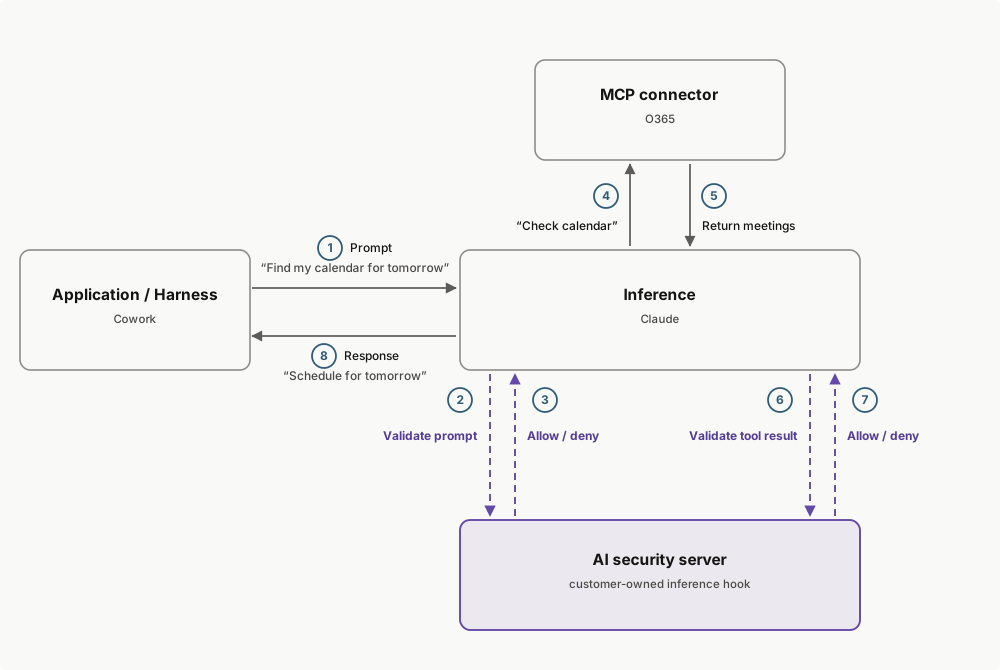
A verdict is a small JSON object: `{"action": "allow"}` lets the request proceed, and a deny carries the user-facing reason. For the full verdict schema, see [Return a verdict](https://platform.claude.com/docs/en/manage-claude/inference-hooks-endpoint#return-a-verdict).
Your AI security server sees what the user sees: transcript text, tool calls and their results, and text extracted from attachments. It never receives raw file or image bytes, system prompts, or Anthropic-internal context.
If your AI security server is unreachable, returns an error, or doesn't respond within the timeout, your organization's failure handling setting decides the outcome: block the request, or allow it to proceed without inspection.
Enforcement can roll out at your pace, so nobody has to be blocked on day one: shadow mode observes verdicts on live traffic without blocking anything, a rollout percentage inspects a chosen fraction of requests, and exclusions exempt members of chosen roles entirely. See [Configure Inference hooks](https://platform.claude.com/docs/en/manage-claude/inference-hooks-configuration).
For the full request and response schemas, signature verification, and operational details, see [Develop an integration](https://platform.claude.com/docs/en/manage-claude/inference-hooks-endpoint).
***
## Use cases
* **Data loss prevention (DLP).** Forward the transcript to your DLP scanner and deny prompts that carry regulated or classified material. This is the most common deployment.
* **Real-time transcript archival.** Archive each transcript as it arrives and always return `allow`, as a push-based alternative to polling the [Compliance API](https://platform.claude.com/docs/en/manage-claude/compliance-api).
* **Prompt telemetry.** Measure how your organization uses Claude, at the moment of use.
* **Policy engines.** Enforce your own rules before inference: model allowlists, project-scoped restrictions, or working-hours controls.
***
## Current limitations
* Attachments are represented by metadata and extracted text. Raw file and image bytes are never sent, so image-only content (for example, a screenshot of a document) is not inspected.
* Verdicts are allow or deny. Rewriting or redacting a prompt is not supported.
* Platform organizations (API access through the Claude Platform) are out of scope.
***
## Availability
Inference hooks are available to Claude Enterprise organizations. Configuring them requires the `organization:manage` permission, which the built-in Admin, Owner, and Primary owner roles hold, as does any custom role granted it.
One hook governs conversations across claude.ai, Cowork, and Claude Code sessions in your Claude Enterprise organization, whether they run on the web, in the desktop app, or in the CLI. Inference hooks are not available on Amazon Bedrock or Google Cloud.
Governed requests are the inference requests behind the user's conversation. Ancillary requests, such as conversation title generation, aren't sent to your endpoint, and system prompts and tool definitions are never included in what is sent. Voice mode is not covered.
***
## Inference hooks versus the Compliance API
Both features serve security, legal, and compliance teams at Claude Enterprise organizations.
| | Inference hooks | Compliance API |
| ------------ | --------------------------------------------------- | ---------------------------------------------------------------------------------------------------------------------- |
| When it acts | Inline, before inference runs | After the fact |
| What it does | Allows or denies each governed request in real time | Retrieves activity, chats, files, projects, Cowork and Claude Code session transcripts, and users for audit and export |
| Direction | Anthropic calls your AI security server | You call Anthropic's API |
Use Inference hooks to stop a request before it reaches the model, and the [Compliance API](https://platform.claude.com/docs/en/manage-claude/compliance-api) to audit what happened afterward.
***
## In this section
<CardGroup>
<Card href="https://platform.claude.com/docs/en/manage-claude/inference-hooks-configuration" title="Configure Inference hooks">
Allow Inference hooks for your organization, set up and test your AI security server, choose failure handling, and enforce verdicts.
</Card>
<Card href="https://platform.claude.com/docs/en/manage-claude/inference-hooks-endpoint" title="Develop an Inference hooks integration">
The request and verdict schemas, signature verification, operational semantics, and integration patterns for building the AI security server.
</Card>
</CardGroup>
manage-claude/inference-hooks-configuration First recorded · 152 lines, first recorded
## Before you begin ## Set up Inference hooks ## Shadow mode ## Exclusions ## Custom blocked prompt message ## Monitor your AI security server ## Circuit breaker ## Rotate your signing secret ## Audit trail ## Turn Inference hooks off ## Next steps
The first capture of this source. The page was already there, and this is what it said.
---
title: Configure Inference hooks
url: https://platform.claude.com/docs/en/manage-claude/inference-hooks-configuration
description: Allow Inference hooks for your Claude Enterprise organization, connect your AI security server, and control enforcement, failure handling, and rollout.
---

<Note>
  Inference hooks are in beta and available to Claude Enterprise organizations. Configuring them requires the `organization:manage` permission, which the built-in Admin, Owner, and Primary owner roles hold, as does any custom role granted it.
</Note>

Inference hooks send prompts from your organization to an AI security server you choose, and hold each request for an allow or deny verdict before Claude processes it. This page walks through turning the feature on, connecting your server, and controlling enforcement. For what Inference hooks are and when to use them, see the [Inference hooks overview](https://platform.claude.com/docs/en/manage-claude/inference-hooks). For building the AI security server itself, see [Develop an Inference hooks integration](https://platform.claude.com/docs/en/manage-claude/inference-hooks-endpoint).

## Before you begin

You need:

* The `organization:manage` permission in claude.ai. The built-in **Admin**, **Owner**, and **Primary owner** roles hold it, as does any custom role it has been granted.
* An AI security server HTTPS endpoint that accepts verdict requests: an `https://` URL on port 443, on a publicly routable host, reachable without redirects. For the full [hosting requirements](https://platform.claude.com/docs/en/manage-claude/inference-hooks-endpoint#receive-a-request), and to build the server and verify signed requests, see [Develop an Inference hooks integration](https://platform.claude.com/docs/en/manage-claude/inference-hooks-endpoint).

## Set up Inference hooks

There are three enforcement states: **off** (**Enforce verdicts** is off: your AI security server is never contacted and prompts are not inspected), **shadow** (**Enforce verdicts** is on with **Mode** set to **Shadow mode**: your AI security server receives prompts and returns verdicts, and nothing is blocked), and **enforcing** (**Enforce verdicts** is on with **Mode** set to **Allow the request** or **Block the request**: a deny blocks the request). The following steps take a new configuration from off to enforcing.

<Steps>
  <Step title="Allow Inference hooks for your organization">
    Go to claude.ai > **Organization settings** > **Data and privacy** and find the **Inference hooks** section. Turn on **Allow for your organization**.

    Turning this on unlocks the Inference hooks settings page and always forces **Enforce verdicts** off, so allowing the feature never starts inspection by itself: even a configuration that previously had enforcement on stays uninspected until you turn **Enforce verdicts** back on in the final step.
  </Step>

  <Step title="Open the Inference hooks settings page">
    Still in **Data and privacy**, open the **Inference hooks** section to reach the Inference hooks settings page. It lives under Data and privacy rather than as its own entry in the settings nav, so its breadcrumb reads **Data and privacy / Inference hooks**. Until you save an endpoint, the page warns that prompts aren't being inspected yet, and **Enforce verdicts** stays off with a **Requires endpoint** badge.
  </Step>

  <Step title="Configure your endpoint">
    Click **Configure** to open the **Configure endpoint** dialog and fill in:

    * **Endpoint URL:** the `https://` URL that receives verdict requests. Only `https://` URLs are accepted.
    * **Custom request headers:** up to 16 static headers sent with every verdict request so your AI security server can authenticate the caller. Header values are stored encrypted and never shown again; after saving, only the header names are displayed. Because values are write-only, saving any change to the headers requires re-entering every value. Changing the endpoint URL clears all stored header values so your credentials are never sent to a new destination; re-enter them after a URL change. Header names must use standard HTTP token characters with `-` rather than `_`, and must not collide with reserved names (request-framing headers such as `Content-*` and `Host`, proxy and cookie headers, client-address headers such as `X-Forwarded-*`, the `webhook-*` signature headers, and the `X-Anthropic-*` prefix). Values must be printable ASCII.

    The dialog covers only those two fields plus **Test connection**; it doesn't ask about failure handling, which you choose in step 6. Once an endpoint is saved, the button reads **Edit**.
  </Step>

  <Step title="Test the connection">
    Click **Test connection**. Claude sends a synthetic test prompt to the URL and headers currently in the form, not the saved values, so re-enter any stored header values before testing. On success, the result reports whether your AI security server returned an allow or a deny verdict for the test prompt, which surfaces a deny-everything default before you start enforcing.

    Common failure results:

    | Result                 | What to check                                                                                                                                         |
    | ---------------------- | ----------------------------------------------------------------------------------------------------------------------------------------------------- |
    | URL rejected           | The URL failed a structural check. Use an `https://` URL on port 443.                                                                                 |
    | Private or internal IP | The host resolves to a private or internal address. Use a publicly routable host.                                                                     |
    | Timeout                | The AI security server did not return a verdict within the timeout.                                                                                   |
    | Transport error        | DNS resolution, the TLS handshake, or the connection failed.                                                                                          |
    | Non-200 status         | The AI security server responded with a status other than 200. Verdicts must come back as HTTP 200; redirects are not followed and count as failures. |
    | Unparseable response   | The AI security server responded, but the body is not a valid verdict.                                                                                |
  </Step>

  <Step title="Save and store your signing secret">
    Save the endpoint configuration. The first save generates your webhook signing secret and reveals it once. Copy it and store it securely before closing the dialog: the secret cannot be retrieved later, only [rotated](https://platform.claude.com/docs/en/manage-claude/inference-hooks-configuration#rotate-your-signing-secret).

    Your AI security server uses this secret to verify the signature on every request it receives. For the verification procedure, see [Verify the signature](https://platform.claude.com/docs/en/manage-claude/inference-hooks-endpoint#verify-the-signature).
  </Step>

  <Step title="Choose failure handling and timeout">
    Under **Failure handling**, set **Mode** to choose what happens while the AI security server is unreachable or verdicts time out:

    * **Block the request:** stop inference when your AI security server can't deliver a verdict (fail closed).
    * **Allow the request:** let the request proceed to the model without inspection (fail open).

    The dropdown's third option, **Shadow mode**, is a rollout tool rather than a failure policy; see [Shadow mode](https://platform.claude.com/docs/en/manage-claude/inference-hooks-configuration#shadow-mode).

    Then set **Prompt verdict timeout (ms)**: 1 to 10,000ms, with a default of 5,000ms. The budget covers the entire exchange, and a slower verdict counts as an unreachable server, so set the lowest value your server can reliably meet.

    Changes in this section save as you make them. On first save, the defaults are **Allow the request** and 5,000ms.
  </Step>

  <Step title="Choose a rollout percentage">
    Under **Rollout**, set **Requests inspected (%)** to run inspection on a percentage of requests while you bring your AI security server up. The value ranges from 0 to 100: 100 inspects everything, and 0 turns inspection off.

    Each request rolls once for its whole conversation turn, so a single conversation can be partially inspected across turns. Requests outside the sampled percentage proceed without inspection, even when failure handling is set to **Block the request**.
  </Step>

  <Step title="Turn on Enforce verdicts">
    To evaluate verdicts against live traffic without blocking anyone at first, set **Mode** to **Shadow mode** (step 6) before turning on enforcement; see [Shadow mode](https://platform.claude.com/docs/en/manage-claude/inference-hooks-configuration#shadow-mode).

    Turn on **Enforce verdicts** to gate Claude on your AI security server's verdict for every governed prompt, then confirm in the dialog, which restates your failure handling choice. Allow about a minute for the change to reach every Anthropic server; requests already in flight finish under the old setting. Turning it off stops prompts from being sent to your AI security server, again within about a minute; your configuration is kept.
  </Step>
</Steps>

## Shadow mode

Shadow mode runs your hook against live traffic without blocking anything. Your AI security server receives governed prompts and returns verdicts exactly as it would when enforcing, but nothing is blocked: every request proceeds to the model, even when your server denies it or can't be reached, and the end user sees nothing. Use it to tune your policy against your organization's real traffic before you start enforcing.

To use shadow mode, set **Mode** to **Shadow mode** under **Failure handling**, then turn on **Enforce verdicts** so prompts flow to your AI security server. While it is active, the settings page shows a **Shadow mode — not blocking** badge. To leave shadow mode, set **Mode** back to **Allow the request** or **Block the request**; verdicts are enforced again once enforcement is on.

## Exclusions

Under **Exclusions**, select roles whose members are not covered by Inference hooks: their prompts are never sent to your AI security server. Only custom roles your organization created can be excluded; the built-in roles aren't offered. Pick them in the role selector, whose placeholder reads **Select roles to exclude**, and manage who holds each role from the roles admin page (**Manage roles**); changing exclusions requires identity management permission. The list is empty by default, and with no roles excluded, every governed request is inspected.

Exclusion applies to a user's interactive sessions; traffic authenticated by machine credentials is always inspected. If Claude can't resolve a requester's role membership, the request fails closed with a retryable error rather than proceeding uninspected. Changes to the exclusion list are recorded in the audit trail.

## Custom blocked prompt message

Under **Custom blocked prompt message**, set custom text of up to 500 characters that is appended to the error an end user sees when your AI security server denies a request (typically who to contact or where to request an exception). The final message is your AI security server's per-request `deny_reason` (when present), a blank line, then this text. With no custom text configured, a built-in default directs the user to contact their administrators; you can also switch the appended message off entirely so the user sees only the `deny_reason`.

## Monitor your AI security server

The endpoint health area of the Inference hooks settings page shows:

* **Endpoint status:** Healthy, Tripped, Not enforcing, or Not configured before an endpoint is saved.
* **Failures per minute:** webhook failures over the last two minutes, averaged.
* **Block rate:** denials as a share of your AI security server's verdicts, shown while the rollout percentage is below 100.
* **Circuit breaker tripped:** when the breaker last tripped, if it has.
* **Recent errors:** each entry is reduced to a timestamp, an error type, and a one-line reason. Entries never include request content or your endpoint URL.

The panel is best-effort: if Anthropic cannot read the counters it shows zero failures and no errors rather than an error of its own, so a healthy-looking panel is not by itself proof that your AI security server is healthy. **Failures per minute** counts every failure, including the network and DNS errors that never trip the circuit breaker, so it can be high while **Circuit breaker tripped** stays empty.

## Circuit breaker

Sustained webhook failures attributable to your AI security server trip the circuit breaker, which stops enforcement: your server is no longer contacted, and your **Failure handling** choice applies to every inspected request. With **Block the request** selected, users in your organization are blocked until you act. When the breaker trips, administrators are also notified in the claude.ai notification center.

To recover, fix the server, then turn **Enforce verdicts** back on to reset the breaker.

## Rotate your signing secret

Click **Rotate secret** under **Request signing** to replace your signing secret. Rotation is an immediate cutover: the new secret is generated and revealed once, the old secret can no longer be retrieved, and no request is ever signed with both secrets, so there is no overlap period to rely on.

Requests signed with the previous secret can still arrive briefly after rotation; [Verify the signature](https://platform.claude.com/docs/en/manage-claude/inference-hooks-endpoint#verify-the-signature) covers how your AI security server should handle the switchover.

## Audit trail

Inference hooks activity is recorded in your organization's [Activity Feed](https://platform.claude.com/docs/en/manage-claude/compliance-activity-feed): configuration changes, denials, and requests that proceeded without inspection under your failure handling setting. Denial records carry identifiers that let you join each denial to the matching record in your own system.

## Turn Inference hooks off

There are two levels of off:

* **Enforce verdicts** off, on the Inference hooks settings page: within about a minute, prompts from your organization stop being sent to your AI security server; requests already in flight finish under the old setting. The settings page stays available, so use this to pause enforcement while you work on your AI security server.
* **Allow for your organization** off, in **Data and privacy** settings: prompts are no longer inspected, and the Inference hooks settings become unavailable until you turn it back on. Your endpoint configuration, custom headers, and signing secret are kept either way; turning it back on forces **Enforce verdicts** off, so turn enforcement on again when you are ready.

## Next steps

<CardGroup cols={2}>
  <Card title="Develop an Inference hooks integration" href="https://platform.claude.com/docs/en/manage-claude/inference-hooks-endpoint">
    Build the AI security server: the request and verdict schemas, signature verification, and operational semantics.
  </Card>

  <Card title="Inference hooks overview" href="https://platform.claude.com/docs/en/manage-claude/inference-hooks">
    What Inference hooks are, how the verdict round trip works, and what gets sent to your AI security server.
  </Card>
</CardGroup>
manage-claude/inference-hooks-endpoint First recorded · 736 lines, first recorded
## Get a first verdict round trip ## Receive a request ## The prompt frame ### Content blocks ### What the transcript contains ### Source values ## Return a verdict ## Verify the signature ## Operational semantics ### Timeout and retry ### Webhook failures ### Circuit breaker ### Latency ### Source IP addresses ## Forward compatibility ## Design your integration ## Next steps
The first capture of this source. The page was already there, and this is what it said.
---
title: Develop an Inference hooks integration
url: https://platform.claude.com/docs/en/manage-claude/inference-hooks-endpoint
description: Build the AI security server that receives signed Inference hooks requests, verifies them, and returns allow or deny verdicts.
---

<Note>
  Inference hooks are in beta and available to Claude Enterprise organizations. Field names, request shapes, and headers may change before general availability.
</Note>

An Inference hooks integration is an AI security server: an HTTPS service that Anthropic calls. For each governed request, your server receives a signed `POST` carrying the conversation transcript and responds with an allow or deny verdict. This page documents the protocol for building that server: the request and verdict schemas, signature verification, and the operational contract.

For turning Inference hooks on and pointing them at your endpoint, see [Configure Inference hooks](https://platform.claude.com/docs/en/manage-claude/inference-hooks-configuration). For what Inference hooks are and when to use them, see the [Inference hooks overview](https://platform.claude.com/docs/en/manage-claude/inference-hooks).

## Get a first verdict round trip

The smallest working integration is a server that reads each request and allows it. Run one of the following servers, expose it at a public `https://` URL (for example, behind a TLS-terminating reverse proxy or a tunnel), then have your administrator [set it as the endpoint and test the connection](https://platform.claude.com/docs/en/manage-claude/inference-hooks-configuration): the **Test connection** result reports the allow verdict your server returned.

<CodeGroup exclude="shell">
  ```python Python
  # Run with: python server.py
  from http.server import BaseHTTPRequestHandler, ThreadingHTTPServer


  class VerdictHandler(BaseHTTPRequestHandler):
      protocol_version = "HTTP/1.1"  # keep the connection open between verdicts

      def do_POST(self):
          # Drain the body; transcripts can be megabytes.
          self.rfile.read(int(self.headers.get("Content-Length", 0)))
          verdict = b'{"action": "allow"}'
          self.send_response(200)
          self.send_header("Content-Type", "application/json")
          self.send_header("Content-Length", str(len(verdict)))
          self.end_headers()
          self.wfile.write(verdict)


  ThreadingHTTPServer(("", 8000), VerdictHandler).serve_forever()
  ```

  ```typescript TypeScript
  // Run with: node server.ts
  import { createServer } from "node:http";

  createServer((request, response) => {
    // Drain the body before answering; transcripts can be megabytes.
    request.resume();
    request.on("end", () => {
      response.writeHead(200, { "Content-Type": "application/json" });
      response.end('{"action": "allow"}');
    });
  }).listen(8000);
  ```

  ```csharp C#
  #:sdk Microsoft.NET.Sdk.Web
  #:property PublishAot=false
  // Run with: dotnet run server.cs

  var app = WebApplication.Create();

  app.MapPost("/{**path}", async (HttpRequest request) =>
  {
      // Drain the body; transcripts can be megabytes.
      await request.Body.CopyToAsync(Stream.Null);
      return Results.Text("""{"action": "allow"}""", "application/json");
  });

  app.Run("http://0.0.0.0:8000");
  ```

  ```go Go
  // Run with: go run server.go
  package main

  import (
  	"io"
  	"log"
  	"net/http"
  )

  func main() {
  	http.HandleFunc("POST /", func(writer http.ResponseWriter, request *http.Request) {
  		// Drain the body so the connection can be reused; transcripts can be megabytes.
  		io.Copy(io.Discard, request.Body)
  		writer.Header().Set("Content-Type", "application/json")
  		writer.Write([]byte(`{"action": "allow"}`))
  	})
  	log.Fatal(http.ListenAndServe(":8000", nil))
  }
  ```

  ```java Java
  // Run with: java VerdictServer.java
  import com.sun.net.httpserver.HttpServer;

  void main() throws IOException {
      HttpServer server = HttpServer.create(new InetSocketAddress(8000), 0);
      server.createContext("/", exchange -> {
          // Drain the body without buffering it; transcripts can be megabytes.
          exchange.getRequestBody().transferTo(OutputStream.nullOutputStream());
          byte[] verdict = "{\"action\": \"allow\"}".getBytes(StandardCharsets.UTF_8);
          exchange.getResponseHeaders().set("Content-Type", "application/json");
          exchange.sendResponseHeaders(200, verdict.length);
          try (OutputStream responseBody = exchange.getResponseBody()) {
              responseBody.write(verdict);
          }
      });
      server.setExecutor(Executors.newVirtualThreadPerTaskExecutor());
      server.start();
  }
  ```

  ```php PHP
  <?php
  // Run with: php -S 0.0.0.0:8000 server.php

  // Drain the body; transcripts can be megabytes.
  file_get_contents('php://input');

  http_response_code(200);
  header('Content-Type: application/json');
  echo '{"action": "allow"}';
  ```

  ```ruby Ruby
  # webrick is a regular gem in Ruby 3.4: gem install webrick, or add gem "webrick".
  # Run with: ruby server.rb
  require "webrick"

  server = WEBrick::HTTPServer.new(Port: 8000)
  server.mount_proc("/") do |request, response|
    request.body # Drain the body; transcripts can be megabytes.
    response.status = 200
    response["Content-Type"] = "application/json"
    response.body = '{"action": "allow"}'
  end
  server.start
  ```
</CodeGroup>

<Note>
  These servers accept every request, including unsigned ones. Add [signature verification](https://platform.claude.com/docs/en/manage-claude/inference-hooks-endpoint#verify-the-signature) before you enforce.
</Note>

## Receive a request

Anthropic sends an HTTPS `POST` to the URL your administrator configures. The whole configured URL is the endpoint: there is no fixed path suffix, so choose any path that suits your server.

Host your AI security server where Anthropic can reach it: an `https://` URL on port 443, on a publicly routable host (private, loopback, and carrier-grade NAT ranges are refused at connect time), with a certificate that validates against the public CA trust store, responding without redirects. The configured URL must be the final destination. [Configure Inference hooks](https://platform.claude.com/docs/en/manage-claude/inference-hooks-configuration) covers how your administrator sets and tests the URL.

Every request carries these fixed headers, along with any [custom request headers](https://platform.claude.com/docs/en/manage-claude/inference-hooks-configuration) your administrator configured and, once your organization has a signing secret, the `webhook-*` signature headers described in [Verify the signature](https://platform.claude.com/docs/en/manage-claude/inference-hooks-endpoint#verify-the-signature):

| Header            | Value              |
| ----------------- | ------------------ |
| `Content-Type`    | `application/json` |
| `User-Agent`      | `anthropic-dlp/1`  |
| `Accept-Encoding` | `identity`         |

There is one hook event today: the prompt frame, sent once per governed inference request, before inference begins. Anthropic holds the request until your AI security server responds or the verdict timeout elapses.

## The prompt frame

The request body is a JSON object with these fields:

| Field        | Type           | Description                                                                                                                                                                                                                                                              |
| ------------ | -------------- | ------------------------------------------------------------------------------------------------------------------------------------------------------------------------------------------------------------------------------------------------------------------------ |
| `type`       | string         | The hook event. Always `"prompt"` today; other event types will be introduced in the future, so handle an unrecognized value gracefully (see [Forward compatibility](https://platform.claude.com/docs/en/manage-claude/inference-hooks-endpoint#forward-compatibility)). |
| `request_id` | string         | Opaque per-inference-call identifier for correlation. Equals the `webhook-id` header.                                                                                                                                                                                    |
| `tenant_id`  | string or null | Opaque identifier for the organization the request belongs to.                                                                                                                                                                                                           |
| `actor`      | object         | The principal the request is attributed to, discriminated on `type` (`"user"` is the only value sent today): `id` (a tagged identifier, stable across requests for the same account) and `email_address` (when available). Both `id` and `email_address` can be null.    |
| `source`     | object         | The originating application: `application` (see [Source values](https://platform.claude.com/docs/en/manage-claude/inference-hooks-endpoint#source-values)).                                                                                                              |
| `messages`   | array          | The conversation transcript up to the point of inference. See [Content blocks](https://platform.claude.com/docs/en/manage-claude/inference-hooks-endpoint#content-blocks).                                                                                               |
| `session_id` | string or null | Opaque conversation identifier, when one exists. Don't parse it. For Claude Code it is a best-effort, client-asserted session identifier.                                                                                                                                |
| `model`      | string or null | Public model identifier for this request, when available.                                                                                                                                                                                                                |
| `metadata`   | object         | Reserved extension map of string keys to string values, sent empty today. Require nothing from it, and tolerate its absence, its presence, and any keys that appear.                                                                                                     |

<Note>
  Requests currently also carry deprecated legacy aliases of some of these fields. Read the field names documented on this page and ignore any others; the aliases exist only for earlier integrations.
</Note>

An example request body:

```json
{
  "type": "prompt",
  "request_id": "req_abc123",
  "tenant_id": "11111111-1111-1111-1111-111111111111",
  "actor": {
    "type": "user",
    "id": "user_01AbCdEfGhIjKlMnOpQrStUv",
    "email_address": "[email protected]"
  },
  "source": {
    "application": "claude-ai"
  },
  "session_id": "22222222-2222-2222-2222-222222222222",
  "model": "claude-sonnet-4-5",
  "messages": [
    {
      "role": "user",
      "content": [
        {
          "type": "text",
          "text": "Summarize the attached report."
        },
        {
          "type": "attachment",
          "file_name": "q2-report.pdf",
          "media_type": "application/pdf",
          "size_bytes": 48213,
          "text": "Q2 revenue grew 14% quarter over quarter..."
        }
      ]
    }
  ],
  "metadata": {}
}
```

### Content blocks

Each entry in `messages` has a `role` of `user` or `assistant` (tool results appear under the `user` role, matching the public Messages API content model) and a `content` array of blocks discriminated by `type`:

| Block `type`  | Fields                                                                                                                                                                                                                                                                                                                                                                                       |
| ------------- | -------------------------------------------------------------------------------------------------------------------------------------------------------------------------------------------------------------------------------------------------------------------------------------------------------------------------------------------------------------------------------------------- |
| `text`        | `text`: the text content.                                                                                                                                                                                                                                                                                                                                                                    |
| `tool_use`    | `id`: the identifier the matching tool result references. `tool_name`: the tool's name. `input`: the arguments the model passed to the tool.                                                                                                                                                                                                                                                 |
| `tool_result` | `content`: the tool's output as text, with parts joined by newlines; binary parts such as images are replaced by placeholder markers, and raw bytes are never sent. `is_error`: whether the tool call failed. `tool_name`: the tool's name, so a policy can condition on tool identity without cross-referencing an earlier block. `tool_use_id`: the `id` of the matching `tool_use` block. |
| `attachment`  | `file_name`: the original file name or path. `media_type`: the attachment's media type. `size_bytes`: the size of the original file. `text`: the text content of the attachment when available, such as extracted document text, an audio transcript, or link metadata. Raw attachment bytes are never sent.                                                                                 |

A block whose `type` you don't recognize is a forward-compatible addition. The only field it guarantees is `type`; your policy may inspect whatever other fields are present, but must not reject the request because of an unrecognized type.

### What the transcript contains

The transcript is the conversation as the end user sees it, up to the point of inference: transcript text, tool calls and their results, extracted attachment text, and prior turns. It never includes system prompts, tool definitions, Anthropic-internal context, Claude's hidden reasoning, or raw file bytes.

A turn whose every block is excluded is omitted entirely, so don't assume strict user and assistant alternation.

Transcripts are sent untruncated, so a long conversation with large attachments produces a large request body, up to an upper bound of 10 MB. Raise your server's body limit to accept that ceiling. Several common defaults are much smaller, including nginx `client_max_body_size` at 1 MB and Express `express.json()` at 100 kB, and a rejected body counts as a webhook failure, so under **Allow the request** failure handling an oversized prompt would reach the model uninspected.

### Source values

`source.application` is an open string, not a closed enum. Known values are `claude-ai` and `claude-code`; [connection tests](https://platform.claude.com/docs/en/manage-claude/inference-hooks-configuration) use `config-test`. New values may appear, and your server must not reject a request because of one it doesn't recognize.

Treat `source.application` as advisory routing metadata, not a trust boundary: don't rest a security-critical policy decision on it alone.

## Return a verdict

Respond with HTTP 200 and a JSON verdict body for both outcomes; the `action` field discriminates. To allow the request:

```json
{
  "action": "allow"
}
```

To deny it:

```json
{
  "action": "deny",
  "deny_reason": "This prompt appears to contain customer payment card data, which your organization's policy does not allow.",
  "reference_id": "scan_01HXPT4R9V"
}
```

| Field          | Constraints                                                     | Semantics                                                                                                                                                                                                                                                                                           |
| -------------- | --------------------------------------------------------------- | --------------------------------------------------------------------------------------------------------------------------------------------------------------------------------------------------------------------------------------------------------------------------------------------------- |
| `action`       | `"allow"` or `"deny"`; required                                 | `allow` lets inference proceed; `deny` rejects it.                                                                                                                                                                                                                                                  |
| `deny_reason`  | string or null; at most 500 characters, longer values truncated | Shown to the end user when `action` is `deny`; ignored on `allow`.                                                                                                                                                                                                                                  |
| `reference_id` | string or null; at most 50 characters from `[A-Za-z0-9._:/-]`   | Your own identifier for this evaluation. It's recorded on the denial's `inference_hooks_request_denied` [compliance activity](https://platform.claude.com/docs/en/manage-claude/compliance-activity-feed) and never shown to the end user. Keep it opaque: no request content and no personal data. |

A deny is never discarded over a formatting problem: an oversize `deny_reason` is truncated, a malformed `reference_id` is silently dropped, and the `action` is still honored.

The reverse doesn't hold. Anything other than HTTP 200 with a parseable verdict is a webhook failure, and your organization's [failure handling](https://platform.claude.com/docs/en/manage-claude/inference-hooks-configuration) applies instead of a verdict. In particular:

* Don't signal a deny with an error status. A non-200 response is a failure, not a deny.
* Any `action` value other than `allow` or `deny` is treated as a webhook failure.

Anthropic reads at most 64 KiB of the response body, and the body must be uncompressed. Redirects are not followed, and cookies are ignored. Unknown fields in the verdict body are ignored, so you can return a richer object alongside the fields documented here.

## Verify the signature

Requests are signed per the [Standard Webhooks](https://www.standardwebhooks.com/) specification, using three headers. Anthropic sends the header names in lowercase, and proxies are free to re-case them, so look them up case-insensitively.

| Header              | Contents                                                                                                                                                                                                         |
| ------------------- | ---------------------------------------------------------------------------------------------------------------------------------------------------------------------------------------------------------------- |
| `webhook-id`        | Unique identifier for this delivery. Equals the body's `request_id`. Use it as an idempotency key and as the first component of the signed payload.                                                              |
| `webhook-timestamp` | Unix time in seconds, as a decimal string, when the request was signed. Reject a timestamp more than five minutes from your server's clock, in either direction.                                                 |
| `webhook-signature` | One or more space-separated `v1,<base64>` values, each an HMAC-SHA256 over `{webhook-id}.{webhook-timestamp}.{raw body bytes}`. Accept the request if any value matches yours, using a constant-time comparison. |

Two details cause most verification bugs:

* **Verify raw bytes.** Compute the HMAC over the body exactly as received, before any JSON parsing or re-encoding.
* **Decode the secret with a standard base64 decoder.** The signing secret is the value after the `whsec_` prefix, encoded with the standard base64 alphabet (`+` and `/`), as is the signature in the header. A URL-safe decoder derives the wrong key bytes whenever the secret contains `+` or `/`, which is most of the time.

Once your organization has a signing secret, every request Anthropic sends is signed, and [enabling Inference hooks requires one](https://platform.claude.com/docs/en/manage-claude/inference-hooks-configuration), so reject any request that arrives unsigned. One exception: a connection test sent before your organization's first save arrives unsigned, because the signing secret doesn't exist yet. Accept unsigned requests until your administrator confirms the secret exists, then reject them.
Cut at 300 lines. The page has the rest.
manage-claude/rate-limits-api First recorded · 196 lines, first recorded
## Quick start ## Organization rate limits ### Key concepts ### List all organization rate limits ### Look up the limits for a specific model ## Workspace rate limits ## Filtering by group type ## Pagination ## Frequently asked questions ### Which model strings appear in the `models` list? ### What does it mean if a group is missing from the workspace response? ### Can I update rate limits with this API? ## See also
The first capture of this source. The page was already there, and this is what it said.
---
title: Rate Limits API
url: https://platform.claude.com/docs/en/manage-claude/rate-limits-api
description: Programmatically query your organization's API rate limits with the Rate Limits API.
---

<Tip>
  **The Admin API is unavailable for individual accounts.** To collaborate with teammates and add members, set up your organization in **Console → Settings → Organization**.
</Tip>

The Rate Limits API provides programmatic access to the rate limits configured for your organization and its workspaces. This is the same information shown on the [Rate limits](https://platform.claude.com/settings/limits) page in the Claude Console.

Use this API to:

* **Keep gateways and proxies in sync:** Read your current limits at startup and on a schedule instead of hardcoding values that drift when Anthropic adjusts them.
* **Power internal alerting:** Compare usage data from the [Usage and Cost API](https://platform.claude.com/docs/en/manage-claude/usage-cost-api) against your configured limits.
* **Audit workspace configuration:** Verify that workspace overrides match what your provisioning automation expects.

<Check>
  **Admin API key required.** These endpoints require an Admin API key, which is different from a standard Claude API key. See [Create an Admin API key](https://platform.claude.com/docs/en/manage-claude/admin-api-keys) to find where to create one for your organization type and which scopes to select.
</Check>

## Quick start

List the rate limits configured for your organization:

```bash cURL
curl "https://api.anthropic.com/v1/organizations/rate_limits" \
  --header "anthropic-version: 2023-06-01" \
  --header "x-api-key: $ANTHROPIC_ADMIN_KEY"
```

## Organization rate limits

The `/v1/organizations/rate_limits` endpoint returns the rate limits applied at the organization level for the Messages API and its supporting resources. Limits for other products, such as [Claude Managed Agents](https://platform.claude.com/docs/en/managed-agents/overview), are not included.

### Key concepts

* **Rate limit groups:** Each entry in the response represents one rate limit group. Model rate limits are grouped so that several model versions share a single set of limits, and other groups cover resources such as the Message Batches API, the Files API, the Token Counting API, agent skills, and the web search tool.
* **`group_type`:** Identifies which category of limits the entry covers. See [Filtering by group type](https://platform.claude.com/docs/en/manage-claude/rate-limits-api#filtering-by-group-type) for the list of values.
* **`models` list:** For `model_group` entries, the `models` field lists every model ID and alias that counts against that group's limits. Use this list to look up which group any model string falls under. For other group types, `models` is `null`.
* **`limits` list:** Each group carries a list of `{type, value}` pairs. The `type` field identifies the limiter (such as `requests_per_minute`, `input_tokens_per_minute`, or `output_tokens_per_minute`) and `value` is the configured limit. See [Rate limits](https://platform.claude.com/docs/en/api/rate-limits) for how each limiter is measured and enforced.

For complete parameter details and response schemas, see the [Organization Rate Limits API reference](https://platform.claude.com/docs/en/api/admin/rate_limits/list).

### List all organization rate limits

```bash cURL
curl "https://api.anthropic.com/v1/organizations/rate_limits" \
  --header "anthropic-version: 2023-06-01" \
  --header "x-api-key: $ANTHROPIC_ADMIN_KEY"
```

```json
{
  "data": [
    {
      "type": "rate_limit",
      "group_type": "model_group",
      "models": ["claude-opus-5"],
      "limits": [
        { "type": "requests_per_minute", "value": 4000 },
        { "type": "input_tokens_per_minute", "value": 10000000 },
        { "type": "output_tokens_per_minute", "value": 800000 }
      ]
    },
    {
      "type": "rate_limit",
      "group_type": "model_group",
      "models": [
        "claude-opus-4-5",
        "claude-opus-4-5-20251101",
        "claude-opus-4-6",
        "claude-opus-4-7",
        "claude-opus-4-8"
      ],
      "limits": [
        { "type": "requests_per_minute", "value": 4000 },
        { "type": "input_tokens_per_minute", "value": 10000000 },
        { "type": "output_tokens_per_minute", "value": 800000 }
      ]
    },
    {
      "type": "rate_limit",
      "group_type": "batch",
      "models": null,
      "limits": [{ "type": "enqueued_batch_requests", "value": 500000 }]
    }
  ],
  "next_page": null
}
```

### Look up the limits for a specific model

Pass any model ID or alias as the `model` query parameter to return only the entry that contains it:

```bash cURL
curl "https://api.anthropic.com/v1/organizations/rate_limits?model=claude-opus-5" \
  --header "anthropic-version: 2023-06-01" \
  --header "x-api-key: $ANTHROPIC_ADMIN_KEY"
```

If the model string doesn't match any group, the endpoint returns a 404 error. The `model` parameter is supported on the organization endpoint only; the workspace endpoint doesn't accept it.

## Workspace rate limits

The `/v1/organizations/workspaces/{workspace_id}/rate_limits` endpoint returns the rate limit overrides configured for a single workspace.

The response only includes overrides, so anything missing from it is inherited from the organization:

* A group that is absent from `data` has no workspace override at all. The workspace inherits the organization-level limits for that group (it is not unlimited).
* Within a group that is present, a limiter type that is absent from `limits[]` has no workspace override for that limiter. The workspace inherits the organization value for it.
* For each limiter that is present, `org_limit` is the organization-level value for the same limiter, or `null` if the organization has no configured limit for that limiter type.

For complete parameter details and response schemas, see the [Workspace Rate Limits API reference](https://platform.claude.com/docs/en/api/admin/workspaces/rate_limits/list).

<Tip>
  To retrieve your organization's workspace IDs, use the [List Workspaces](https://platform.claude.com/docs/en/api/admin/workspaces/list) endpoint, or find them in the [Claude Console](https://platform.claude.com/settings/workspaces). The default workspace cannot have rate limit overrides, so it has no entry on this endpoint; use the organization endpoint to read its limits.
</Tip>

```bash cURL
curl "https://api.anthropic.com/v1/organizations/workspaces/wrkspc_01JwQvzr7rXLA5AGx3HKfFUJ/rate_limits" \
  --header "anthropic-version: 2023-06-01" \
  --header "x-api-key: $ANTHROPIC_ADMIN_KEY"
```

```json
{
  "data": [
    {
      "type": "workspace_rate_limit",
      "group_type": "model_group",
      "models": ["claude-opus-5"],
      "limits": [
        { "type": "requests_per_minute", "value": 1000, "org_limit": 4000 },
        { "type": "input_tokens_per_minute", "value": 500000, "org_limit": 10000000 }
      ]
    },
    {
      "type": "workspace_rate_limit",
      "group_type": "model_group",
      "models": [
        "claude-opus-4-5",
        "claude-opus-4-5-20251101",
        "claude-opus-4-6",
        "claude-opus-4-7",
        "claude-opus-4-8"
      ],
      "limits": [
        { "type": "requests_per_minute", "value": 1000, "org_limit": 4000 },
        { "type": "input_tokens_per_minute", "value": 500000, "org_limit": 10000000 }
      ]
    }
  ],
  "next_page": null
}
```

## Filtering by group type

Both endpoints accept an optional `group_type` query parameter that restricts the response to a single category:

```bash cURL
curl "https://api.anthropic.com/v1/organizations/rate_limits?group_type=batch" \
  --header "anthropic-version: 2023-06-01" \
  --header "x-api-key: $ANTHROPIC_ADMIN_KEY"
```

Valid values are `model_group`, `batch`, `token_count`, `files`, `skills`, and `web_search`.

## Pagination

Both endpoints accept a `page` query parameter and return a `next_page` field. Responses are currently always a single page, so `next_page` is `null`. Loop on `next_page` so your client paginates correctly without changes when the response grows.

## Frequently asked questions

### Which model strings appear in the `models` list?

Every model ID and alias that counts against the group, including dated IDs (such as `claude-sonnet-4-5-20250929`) and undated aliases (such as `claude-sonnet-4-5`). Look up any model string you pass to the Messages API and you'll find it in exactly one `model_group` entry.

### What does it mean if a group is missing from the workspace response?

The workspace has no override for that group and inherits the organization-level limit. Query the organization endpoint to see the inherited values.

### Can I update rate limits with this API?

No. To set workspace rate limits, open the workspace in the [Claude Console](https://platform.claude.com/settings/workspaces) and use the **Rate limits** tab.

## See also

* [Rate limits](https://platform.claude.com/docs/en/api/rate-limits)
* [Admin API](https://platform.claude.com/docs/en/manage-claude/admin-api)
* [Admin API reference](https://platform.claude.com/docs/en/api/admin)
* [Workspaces](https://platform.claude.com/docs/en/manage-claude/workspaces)
* [Usage and Cost API](https://platform.claude.com/docs/en/manage-claude/usage-cost-api)
manage-claude/spend-limits-api First recorded · 350 lines, first recorded
## Overview ## Prerequisites ## Quick start ## Key concepts ### The spend limit hierarchy ### Period ### Amounts and currency ### Increase request lifecycle ## Rate limiting ## Pagination ## Serializing list parameters ## Error responses ## Spend limits ### List each member's effective spend limit ### Get a single spend limit ### Set a per-user override ### Remove a per-user override ## Spend limit increase requests ### List increase requests ### Get a single increase request ### Approve an increase request ### Deny an increase request ## Example workflows ### Automate the increase-request review flow ### Identify members close to their spend limit ### Find members with rapidly changing usage ## Frequently asked questions ### Does setting a spend limit directly resolve a member's pending increase request? ### What happens when I delete a per-user override? ### Can I set a seat-tier or organization-wide default through this API? ### Why does `period_to_date_spend` sometimes read as `"0"` for an active member? ## See also
The first capture of this source. The page was already there, and this is what it said.
---
title: Spend Limits API
url: https://platform.claude.com/docs/en/manage-claude/spend-limits-api
description: Set a spend limit on each Claude Enterprise member, see where each member's spend limit is inherited from, and review or act on members' requests for a higher limit.
---

The Spend Limits API lets you set a spend limit on each Claude Enterprise member, see where each member's spend limit is inherited from, and review or act on members' requests for a higher limit.

For per-user and time-bucketed usage and cost *reporting*, see [Analytics APIs](https://platform.claude.com/docs/en/manage-claude/analytics-api).

<Check>
  **Scoped Admin API key required**

  These endpoints require an Admin API key with the `read:spend_limits` scope (for `GET` endpoints) or the `write:spend_limits` scope (for `POST` and `DELETE` endpoints). See [Create an Admin API key](https://platform.claude.com/docs/en/manage-claude/admin-api-keys#create-a-key-for-a-claude-enterprise-organization) for where your primary owner creates one and which scopes to select. Pass the key in the `x-api-key` header on every request.
</Check>

<Note>
  The Spend Limits API is available to Claude Enterprise organizations only. It is not available to Claude Platform (Claude Console) organizations.
</Note>

## Overview

The API exposes eight endpoints across two resources:

| Resource                          | Endpoints                                                                                                                                                                                                                                             | Use for                                                                                                           |
| --------------------------------- | ----------------------------------------------------------------------------------------------------------------------------------------------------------------------------------------------------------------------------------------------------- | ----------------------------------------------------------------------------------------------------------------- |
| **Spend limits**                  | `GET /v1/organizations/spend_limits/effective` `GET /v1/organizations/spend_limits/{spend_limit_id}` `POST /v1/organizations/spend_limits` `DELETE /v1/organizations/spend_limits/{spend_limit_id}`                                                   | Read each member's effective spend limit and period-to-date spend; set or clear a per-user override.              |
| **Spend limit increase requests** | `GET /v1/organizations/spend_limit_increase_requests` `GET /v1/organizations/spend_limit_increase_requests/{id}` `POST /v1/organizations/spend_limit_increase_requests/{id}/approve` `POST /v1/organizations/spend_limit_increase_requests/{id}/deny` | List members' requests for a higher spend limit, with the context needed to decide; approve or deny each request. |

Use the **spend limits** endpoints to answer "what spend limit applies to each member, where does it come from, and how close are they to it?" and to set a per-user override. Use the **spend limit increase requests** endpoints to work the queue of member-submitted requests.

## Prerequisites

* Your organization must be on a Claude Enterprise plan.
* Usage credits must be turned on for your organization. Your primary owner can turn them on in claude.ai billing settings.

## Quick start

List every member's effective monthly spend limit and period-to-date spend:

```bash cURL
curl "https://api.anthropic.com/v1/organizations/spend_limits/effective?limit=20" \
  --header "x-api-key: $ANTHROPIC_ADMIN_KEY"
```

## Key concepts

### The spend limit hierarchy

An **effective spend limit** applies to each member's spend, resolved from a hierarchy of scope levels. When a member has no per-user override, they inherit the spend limit configured for their group (if your organization uses group-based limits), their seat tier, or the organization-wide default. A group spend limit is a per-member default: each member inheriting it is gated against their own spend, not a pooled group budget.

Reading `GET /v1/organizations/spend_limits/effective` returns every current member with their resolved effective spend limit, where that limit was resolved from (`source`), and their period-to-date spend. Setting a per-user override with `POST /v1/organizations/spend_limits` pins a member to a specific spend limit regardless of what they would otherwise inherit. Deleting the override returns them to the inherited spend limit (or leaves them unlimited if none exists).

The `source` field on each member's row tells you which level their spend limit resolved from: `user` (a per-user override), `seat_tier`, `rbac_group`, or `organization`. Treat scope types as an open set; fall through on unknown values rather than failing.

### Period

`period` is the recurring window over which the spend limit is enforced and spend resets. A spend limit is identified by its `(scope, period)` pair. Currently `monthly` is the only supported period; monthly spend resets at 00UTC on the first of each calendar month. Treat `period` as an open set.

### Amounts and currency

All monetary values are strings in **minor units of the organization's billing currency** (cents, for USD). For example, `"50000"` represents 500.00 USD. Parse as a decimal and divide by 100 to display dollars; avoid binary floating-point for large values.

`amount` is **nullable**. In a member's effective row, `null` means **unlimited** (no spend limit) and `"0"` means the member cannot use Claude beyond their plan's included usage. On a configured spend-limit row (as returned by `GET /v1/organizations/spend_limits/{id}`), `null` only means no numeric spend limit is set; read the member's effective row to distinguish unlimited from included-usage-only.

`period_to_date_spend` is the member's spend accrued since the start of the current `period`, in the same minor-unit format; it may include a fractional part (for example, `"41280.125"`). It may read as `"0"` if the spend reading is temporarily unavailable; treat it as informational, not transactional.

### Increase request lifecycle

A **spend limit increase request** is created when a member clicks **Request more usage** in claude.ai. Requests are not created through this API. A request's `status` is one of:

| Status     | Meaning                                                                                                                                                                                                                                  |
| ---------- | ---------------------------------------------------------------------------------------------------------------------------------------------------------------------------------------------------------------------------------------- |
| `pending`  | Awaiting admin action. The request normally carries a live `spend_summary` so you can see the member's current effective spend limit and period-to-date spend while deciding; `spend_summary` may be `null` if it could not be computed. |
| `approved` | The request was resolved with approval: either an admin approved it explicitly, another admin action raised the member's spend limit, or Anthropic support raised a spend limit on the organization's behalf. `spend_summary` is `null`. |
| `denied`   | An admin declined. `spend_summary` is `null`. claude.ai hides that member's request button for 30 days from `resolved_at`; an admin can still raise the member's spend limit directly at any time.                                       |

Both `approved` and `denied` are terminal. A member has at most one `pending` request at a time.

Approving with `POST /v1/organizations/spend_limit_increase_requests/{id}/approve` writes the same per-user spend limit row that `POST /v1/organizations/spend_limits` writes. Setting a spend limit directly does **not** transition a pending request; use the approve endpoint to resolve a request.

By default, Anthropic emails the member when their request is approved or denied. Pass `suppress_notification: true` on approve or deny to suppress that email (for example, when your own system notifies the member).

## Rate limiting

All eight endpoints share a single per-organization limit of **60 requests per minute**. Requests over the limit return **429 Too Many Requests**.

## Pagination

`GET /v1/organizations/spend_limits/effective` and `GET /v1/organizations/spend_limit_increase_requests` are paginated with an **opaque cursor**. The first request returns up to `limit` rows plus a `next_page` cursor; pass that cursor unchanged as the `page` parameter on the next request, and repeat until `next_page` is `null`.

**Do not change query parameters mid-sequence.** Cursors are bound to the filters that issued them. If you change `user_ids[]`, `period[]`, `status[]`, or `actor_ids[]` and pass an old cursor, you'll get a 400 with *"cursor does not match current query parameters"*. Start a new sequence from the first page instead.

## Serializing list parameters

List parameters use bracket notation: repeat the parameter name with `[]` for each value.

```text wrap
user_ids[]=user_01AbCdEfGh&user_ids[]=user_01JkLmNoPq
```

## Error responses

Error responses follow the standard shape documented in [Errors](https://platform.claude.com/docs/en/api/errors). Quote the `request_id` from the response body when contacting support.

## Spend limits

### List each member's effective spend limit

`GET /v1/organizations/spend_limits/effective` returns one row per current member, reflecting each member's effective spend limit, its `source` in the scope hierarchy, and their `period_to_date_spend`. Requires the `read:spend_limits` scope.

For complete parameter details and response schemas, see [List effective spend limits](https://platform.claude.com/docs/en/api/admin/spend_limits/list_effective) in the API reference.

```bash cURL
curl "https://api.anthropic.com/v1/organizations/spend_limits/effective?limit=20" \
  --header "x-api-key: $ANTHROPIC_ADMIN_KEY"
```

```json
{
  "data": [
    {
      "scope": { "type": "user", "user_id": "user_01AbCdEfGh" },
      "actor": {
        "type": "user_actor",
        "user_id": "user_01AbCdEfGh",
        "name": "Jane Smith",
        "email_address": "[email protected]",
        "deleted": false
      },
      "amount": "50000",
      "currency": "USD",
      "period": "monthly",
      "source": { "type": "seat_tier", "seat_tier": "enterprise_standard" },
      "spend_limit_id": "spl_01XyZaBcDeFgHiJkLmNoPq",
      "period_to_date_spend": "31402.5"
    }
  ],
  "next_page": "page_..."
}
```

### Get a single spend limit

`GET /v1/organizations/spend_limits/{spend_limit_id}` returns one configured spend limit by ID. Use it to inspect the row that a `spend_limit_id` field referenced. Requires the `read:spend_limits` scope.

For complete parameter details and response schemas, see [Retrieve a spend limit](https://platform.claude.com/docs/en/api/admin/spend_limits/retrieve) in the API reference.

```bash cURL
curl "https://api.anthropic.com/v1/organizations/spend_limits/spl_01AbCdEfGhIjKlMnOpQrSt" \
  --header "x-api-key: $ANTHROPIC_ADMIN_KEY"
```

### Set a per-user override

`POST /v1/organizations/spend_limits` sets a per-user spend limit override. This is an upsert keyed on `(scope, period)`: setting a limit for a user and period that already has one overwrites it in place. This endpoint accepts only `scope.type: "user"`; seat-tier, group, and organization-level defaults are configured in claude.ai settings. Requires the `write:spend_limits` scope.

For complete parameter details and response schemas, see [Create a spend limit](https://platform.claude.com/docs/en/api/admin/spend_limits/create) in the API reference.

```bash cURL
curl --request POST "https://api.anthropic.com/v1/organizations/spend_limits" \
  --header "content-type: application/json" \
  --header "x-api-key: $ANTHROPIC_ADMIN_KEY" \
  --data '{"scope": {"type": "user", "user_id": "user_01AbCdEfGh"}, "amount": "75000"}'
```

```json
{
  "type": "spend_limit",
  "id": "spl_01RsTuVwXyZaBcDeFgHiJk",
  "created_at": "2026-05-11T10:02:44Z",
  "updated_at": "2026-05-11T10:02:44Z",
  "scope": { "type": "user", "user_id": "user_01AbCdEfGh" },
  "amount": "75000",
  "currency": "USD",
  "period": "monthly"
}
```

### Remove a per-user override

`DELETE /v1/organizations/spend_limits/{spend_limit_id}` removes a per-user override, after which the member falls back to any inherited seat-tier, group, or organization default. Seat-tier, group, and organization-level rows cannot be deleted through this endpoint. Requires the `write:spend_limits` scope.

For complete parameter details and response schemas, see [Delete a spend limit](https://platform.claude.com/docs/en/api/admin/spend_limits/delete) in the API reference.

```bash cURL
curl --request DELETE "https://api.anthropic.com/v1/organizations/spend_limits/spl_01RsTuVwXyZaBcDeFgHiJk" \
  --header "x-api-key: $ANTHROPIC_ADMIN_KEY"
```

## Spend limit increase requests

### List increase requests

`GET /v1/organizations/spend_limit_increase_requests` lists requests, most recent first. Filter by `status[]` (`pending`, `approved`, `denied`) and `actor_ids[]`. The list excludes requests whose requester is no longer a member of the organization. Requires the `read:spend_limits` scope.

For complete parameter details and response schemas, see [List spend limit increase requests](https://platform.claude.com/docs/en/api/admin/spend_limits/increase_requests/list) in the API reference.

```bash cURL
curl "https://api.anthropic.com/v1/organizations/spend_limit_increase_requests?status[]=pending&limit=50" \
  --header "x-api-key: $ANTHROPIC_ADMIN_KEY"
```

Each pending request carries a live `spend_summary` showing the requester's current effective spend limit and period-to-date spend, enough to decide without a separate lookup.

### Get a single increase request

`GET /v1/organizations/spend_limit_increase_requests/{id}` returns one request by ID. Requires the `read:spend_limits` scope.

For complete parameter details and response schemas, see [Retrieve a spend limit increase request](https://platform.claude.com/docs/en/api/admin/spend_limits/increase_requests/retrieve) in the API reference.

```bash cURL
curl "https://api.anthropic.com/v1/organizations/spend_limit_increase_requests/slir_01AbCdEfGhIjKlMnOpQrSt" \
  --header "x-api-key: $ANTHROPIC_ADMIN_KEY"
```

### Approve an increase request

`POST /v1/organizations/spend_limit_increase_requests/{id}/approve` approves a pending request: it writes a per-user spend limit at the admin-supplied `amount` for the requester and transitions the request to `approved`. The request does not carry a requested amount; you supply the new spend limit on approval. Requires the `write:spend_limits` scope.

For complete parameter details and response schemas, see [Approve a spend limit increase request](https://platform.claude.com/docs/en/api/admin/spend_limits/increase_requests/approve) in the API reference.

```bash cURL
curl --request POST "https://api.anthropic.com/v1/organizations/spend_limit_increase_requests/slir_01AbCdEfGhIjKlMnOpQrSt/approve" \
  --header "content-type: application/json" \
  --header "x-api-key: $ANTHROPIC_ADMIN_KEY" \
  --data '{"amount": "75000", "suppress_notification": true}'
```

### Deny an increase request

`POST /v1/organizations/spend_limit_increase_requests/{id}/deny` denies a pending request. Idempotent on `denied`: denying an already-denied request returns 200 with the existing resource. The endpoint rejects an attempt to deny an already-approved request so automation can distinguish a retry from a conflicting decision. Requires the `write:spend_limits` scope.

For complete parameter details and response schemas, see [Deny a spend limit increase request](https://platform.claude.com/docs/en/api/admin/spend_limits/increase_requests/deny) in the API reference.

```bash cURL
curl --request POST "https://api.anthropic.com/v1/organizations/spend_limit_increase_requests/slir_01AbCdEfGhIjKlMnOpQrSt/deny" \
  --header "content-type: application/json" \
  --header "x-api-key: $ANTHROPIC_ADMIN_KEY" \
  --data '{"suppress_notification": true}'
```

## Example workflows

These workflows combine the Spend Limits API with the [Analytics APIs](https://platform.claude.com/docs/en/manage-claude/analytics-api) cost endpoints. The Analytics cost endpoints are designed for organization-wide spend reporting across a date range. `GET /spend_limits/effective` returns the cap that currently applies to each member. Start a sweep with Analytics to discover which members to look at, then read their current caps with `/effective`.

Spend Limits endpoints require the `spend_limits` scopes and Analytics cost endpoints require `read:analytics`; see [Analytics APIs](https://platform.claude.com/docs/en/manage-claude/analytics-api) for how to provision access. All monetary values on both are decimal strings in minor units (cents). Both APIs paginate with an opaque cursor. Set an explicit `limit` and page through `next_page` until it's `null` to cover the whole organization.

### Automate the increase-request review flow

Run a scheduled job that fetches pending requests, applies your organization's approval policy, and resolves each one.

1. List pending requests:

   ```bash cURL
   curl "https://api.anthropic.com/v1/organizations/spend_limit_increase_requests?status[]=pending&limit=100" \
     --header "x-api-key: $ANTHROPIC_ADMIN_KEY"
   ```

   Each request carries the requester's `actor.user_id` and a live `spend_summary` with their current effective `amount` and `period_to_date_spend`, enough to decide without a separate lookup.

2. Apply your policy. For example, auto-approve when the member's current `amount` is below a threshold, and route larger caps for manual review.

3. Resolve each request. To approve, supply the new cap:

   ```bash cURL
   curl --request POST "https://api.anthropic.com/v1/organizations/spend_limit_increase_requests/{id}/approve" \
     --header "content-type: application/json" \
     --header "x-api-key: $ANTHROPIC_ADMIN_KEY" \
     --data '{"amount": "75000", "suppress_notification": true}'
   ```

   To deny, `POST` to `.../{id}/deny` instead. Pass `suppress_notification: true` when your own system notifies the requester.

### Identify members close to their spend limit

Find members approaching their cap so you can raise it before they're blocked.

1. Pull each member's month-to-date spend from the Analytics API (one row per member, highest spend first by default):

   ```bash cURL
   curl "https://api.anthropic.com/v1/organizations/analytics/user_cost_report?starting_at=2026-06-01T00:00:00Z&limit=1000" \
     --header "x-api-key: $ANALYTICS_API_KEY"
   ```

   Each row carries `actor.user_id`, `actor.email`, and `amount` (the member's spend in cents). Page through `next_page` to cover the whole organization.

2. For the top spenders (or everyone above a dollar threshold), fetch effective caps in batches:

   ```bash cURL
   curl "https://api.anthropic.com/v1/organizations/spend_limits/effective?user_ids[]=user_01Ab...&user_ids[]=user_01Cd...&limit=100" \
     --header "x-api-key: $ANTHROPIC_ADMIN_KEY"
   ```

   Each row returns the cap as `amount` (`null` = unlimited, `"0"` = included usage only) alongside `period_to_date_spend`.

3. For each member with a positive cap, compute `period_to_date_spend / amount` and flag those at or above your threshold (for example, 80 percent). Treat a `"0"` cap as already at-limit. There is no server-side filter for this ratio.

4. Act on flagged members: raise the cap with `POST /v1/organizations/spend_limits`, approve a pending increase request if one exists, or reach out to the member.
Cut at 300 lines. The page has the rest.
manage-claude/usage-cost-api First recorded · 337 lines, first recorded
## Which API do you need? ## Partner solutions ## Quick start ## Usage API ### Key concepts ### Basic examples #### Daily usage by model #### Hourly usage with filtering #### Filter usage by API keys and workspaces #### Data residency #### Fast mode (research preview) ### Time granularity limits ## Cost API ### Key concepts ### Basic example ## Pagination ## Common use cases ## Frequently asked questions ### How fresh is the data? ### What's the recommended polling frequency? ### How do I track code execution usage? ### How do I track Priority Tier usage? ### What happens with Anthropic Workbench usage? ### How is the default workspace represented? ### How do I get per-user cost breakdowns for Claude Code? ## See also
The first capture of this source. The page was already there, and this is what it said.
---
title: Usage and Cost API
url: https://platform.claude.com/docs/en/manage-claude/usage-cost-api
description: Programmatically access your organization's API usage and cost data with the Usage & Cost Admin API.
---

<Tip>
  **The Admin API is unavailable for individual accounts.** To collaborate with teammates and add members, set up your organization in **Console → Settings → Organization**.
</Tip>

The Usage & Cost Admin API provides programmatic and granular access to historical API usage and cost data for your organization. This data is similar to the information available in the [Usage](https://platform.claude.com/usage) and [Cost](https://platform.claude.com/cost) pages of the Claude Console.

This API enables you to better monitor, analyze, and optimize your Claude implementations:

* **Accurate usage tracking:** Get precise token counts and usage patterns instead of relying solely on response token counting
* **Cost reconciliation:** Match internal records with Anthropic billing for finance and accounting teams
* **Product performance and improvement:** Monitor product performance while measuring if changes to the system have improved it, or set up alerting
* **[Rate limit](https://platform.claude.com/docs/en/api/rate-limits) optimization:** Optimize features like [prompt caching](https://platform.claude.com/docs/en/build-with-claude/prompt-caching) or specific prompts to make the most of your allocated capacity.
* **Advanced analysis:** Perform deeper data analysis than what's available in Console

<Check>
  **Admin API key required.** These endpoints require an Admin API key, which is different from a standard Claude API key. See [Create an Admin API key](https://platform.claude.com/docs/en/manage-claude/admin-api-keys) to find where to create one for your organization type and which scopes to select.
</Check>

Claude Enterprise organizations use an Analytics API key with a different API instead; see [Which API do you need?](https://platform.claude.com/docs/en/manage-claude/usage-cost-api#which-api-do-you-need).

<Note>
  **Claude Platform on AWS:** The programmatic Usage and Cost API endpoints are not currently available. View usage and cost data on the **Usage** and **Cost** pages in the Claude Console instead.
</Note>

## Which API do you need?

Anthropic provides cost and usage reporting through two APIs, depending on which Claude product your organization manages:

| Your organization                | API                                                                                                                     | Key type                             |
| -------------------------------- | ----------------------------------------------------------------------------------------------------------------------- | ------------------------------------ |
| Claude Console (Claude Platform) | The Usage and Cost Admin API described on this page                                                                     | Admin API key (`sk-ant-admin01-...`) |
| Claude Enterprise (claude.ai)    | The [Claude Enterprise Analytics API](https://platform.claude.com/docs/en/api/admin/analytics) cost and usage endpoints | Analytics API key                    |

Claude Enterprise parent organizations do not appear in Claude Console and carry no Admin API keys, so for them the Analytics API key is the only path to this data. See [Analytics APIs](https://platform.claude.com/docs/en/manage-claude/analytics-api) for how to create each key type and which plans the Claude Enterprise cost data applies to.

## Partner solutions

Leading observability platforms offer ready-to-use integrations for monitoring your Claude API usage and cost, without writing custom code. These integrations provide dashboards, alerting, and analytics to help you manage your API usage effectively.

<CardGroup cols={3}>
  <Card title="CloudZero" icon="chart" href="https://docs.cloudzero.com/docs/connections-anthropic">
    Cloud intelligence platform for tracking and forecasting costs
  </Card>

  <Card title="Datadog" icon="chart" href="https://docs.datadoghq.com/integrations/anthropic/">
    LLM Observability with automatic tracing and monitoring
  </Card>

  <Card title="Grafana Cloud" icon="chart" href="https://grafana.com/docs/grafana-cloud/monitor-infrastructure/integrations/integration-reference/integration-anthropic/">
    Agentless integration for easy LLM observability with out-of-the-box dashboards and alerts
  </Card>

  <Card title="Honeycomb" icon="polygon" href="https://docs.honeycomb.io/integrations/anthropic-usage-monitoring/">
    Advanced querying and visualization through OpenTelemetry
  </Card>

  <Card title="Vantage" icon="chart" href="https://docs.vantage.sh/connecting_anthropic">
    FinOps platform for LLM cost & usage observability
  </Card>
</CardGroup>

## Quick start

Get your organization's daily usage for the last 7 days:

```bash cURL
curl "https://api.anthropic.com/v1/organizations/usage_report/messages?\
starting_at=2025-01-08T00:00:00Z&\
ending_at=2025-01-15T00:00:00Z&\
bucket_width=1d" \
  -H "anthropic-version: 2023-06-01" \
  -H "x-api-key: $ANTHROPIC_ADMIN_KEY"
```

<Tip>
  **Set a User-Agent header for integrations**

  If you're building an integration, set your User-Agent header to help Anthropic understand usage patterns:

  ```text wrap
  User-Agent: YourApp/1.0.0 (https://yourapp.com)
  ```
</Tip>

## Usage API

Track token consumption across your organization with detailed breakdowns by model, workspace, and service tier with the `/v1/organizations/usage_report/messages` endpoint.

### Key concepts

* **Time buckets:** Aggregate usage data in fixed intervals (`1m`, `1h`, or `1d`)
* **Token tracking:** Measure uncached input, cached input, cache creation, and output tokens
* **Filtering & grouping:** Filter by API key, workspace, model, service tier, context window, [data residency](https://platform.claude.com/docs/en/manage-claude/data-residency), or speed (beta), and group results by these dimensions
* **Server tool usage:** Track usage of server-side tools such as web search

For complete parameter details and response schemas, see the [Usage API reference](https://platform.claude.com/docs/en/api/admin-api/usage-cost/get-messages-usage-report).

### Basic examples

#### Daily usage by model

```bash cURL
curl "https://api.anthropic.com/v1/organizations/usage_report/messages?\
starting_at=2025-01-01T00:00:00Z&\
ending_at=2025-01-08T00:00:00Z&\
group_by[]=model&\
bucket_width=1d" \
  -H "anthropic-version: 2023-06-01" \
  -H "x-api-key: $ANTHROPIC_ADMIN_KEY"
```

#### Hourly usage with filtering

```bash cURL
curl "https://api.anthropic.com/v1/organizations/usage_report/messages?\
starting_at=2025-01-15T00:00:00Z&\
ending_at=2025-01-15T23:59:59Z&\
models[]=claude-opus-5&\
service_tiers[]=batch&\
context_window[]=0-200k&\
bucket_width=1h" \
  -H "anthropic-version: 2023-06-01" \
  -H "x-api-key: $ANTHROPIC_ADMIN_KEY"
```

#### Filter usage by API keys and workspaces

```bash cURL
curl "https://api.anthropic.com/v1/organizations/usage_report/messages?\
starting_at=2025-01-01T00:00:00Z&\
ending_at=2025-01-08T00:00:00Z&\
api_key_ids[]=apikey_01Rj2N8SVvo6BePZj99NhmiT&\
api_key_ids[]=apikey_01ABC123DEF456GHI789JKL&\
workspace_ids[]=wrkspc_01JwQvzr7rXLA5AGx3HKfFUJ&\
workspace_ids[]=wrkspc_01XYZ789ABC123DEF456MNO&\
bucket_width=1d" \
  -H "anthropic-version: 2023-06-01" \
  -H "x-api-key: $ANTHROPIC_ADMIN_KEY"
```

<Tip>
  To retrieve your organization's API key IDs, use the [List API Keys](https://platform.claude.com/docs/en/api/admin-api/apikeys/list-api-keys) endpoint.

  To retrieve your organization's workspace IDs, use the [List Workspaces](https://platform.claude.com/docs/en/api/admin-api/workspaces/list-workspaces) endpoint, or find your organization's workspace IDs in the Claude Console.
</Tip>

#### Data residency

Track your [data residency controls](https://platform.claude.com/docs/en/manage-claude/data-residency) by grouping and filtering usage with the `inference_geo` dimension. This is useful for verifying geographic routing across your organization.

```bash cURL
curl "https://api.anthropic.com/v1/organizations/usage_report/messages?\
starting_at=2026-02-01T00:00:00Z&\
ending_at=2026-02-08T00:00:00Z&\
group_by[]=inference_geo&\
group_by[]=model&\
bucket_width=1d" \
  -H "anthropic-version: 2023-06-01" \
  -H "x-api-key: $ANTHROPIC_ADMIN_KEY"
```

You can also filter to a specific geo. Valid values are `global`, `us`, and `not_available`:

```bash cURL
curl "https://api.anthropic.com/v1/organizations/usage_report/messages?\
starting_at=2026-02-01T00:00:00Z&\
ending_at=2026-02-08T00:00:00Z&\
inference_geos[]=us&\
group_by[]=model&\
bucket_width=1d" \
  -H "anthropic-version: 2023-06-01" \
  -H "x-api-key: $ANTHROPIC_ADMIN_KEY"
```

<Note>
  Models released before February 2026 (prior to Claude Opus 4.6 and Claude Sonnet 4.6) don't support the `inference_geo` request parameter, so their usage reports return `"not_available"` for this dimension. You can use `not_available` as a filter value in `inference_geos[]` to target those models.
</Note>

#### Fast mode (research preview)

Track [fast mode](https://platform.claude.com/docs/en/build-with-claude/fast-mode) usage by grouping and filtering with the `speed` dimension. This is useful for monitoring standard versus fast mode usage.

```bash cURL
curl "https://api.anthropic.com/v1/organizations/usage_report/messages?\
starting_at=2026-02-01T00:00:00Z&\
ending_at=2026-02-08T00:00:00Z&\
group_by[]=speed&\
group_by[]=model&\
bucket_width=1d" \
  -H "anthropic-version: 2023-06-01" \
  -H "anthropic-beta: fast-mode-2026-02-01" \
  -H "x-api-key: $ANTHROPIC_ADMIN_KEY"
```

You can also filter to a specific speed. Valid values are `standard` and `fast`:

```bash cURL
curl "https://api.anthropic.com/v1/organizations/usage_report/messages?\
starting_at=2026-02-01T00:00:00Z&\
ending_at=2026-02-08T00:00:00Z&\
speeds[]=fast&\
group_by[]=model&\
bucket_width=1d" \
  -H "anthropic-version: 2023-06-01" \
  -H "anthropic-beta: fast-mode-2026-02-01" \
  -H "x-api-key: $ANTHROPIC_ADMIN_KEY"
```

<Note>
  Both the `speeds[]` filter and the `speed` group\_by value require the `fast-mode-2026-02-01` beta header.
</Note>

### Time granularity limits

| Granularity | Default limit | Maximum limit | Use case               |
| ----------- | ------------- | ------------- | ---------------------- |
| `1m`        | 60 buckets    | 1,440 buckets | Real-time monitoring   |
| `1h`        | 24 buckets    | 168 buckets   | Daily patterns         |
| `1d`        | 7 buckets     | 31 buckets    | Weekly/monthly reports |

## Cost API

Retrieve service-level cost breakdowns in USD with the `/v1/organizations/cost_report` endpoint.

### Key concepts

* **Currency:** All costs in USD, reported as decimal strings in lowest units (cents)
* **Cost types:** Track token usage, web search, and code execution costs
* **Grouping:** Group costs by workspace or description for detailed breakdowns. When grouping by `description`, responses include parsed fields such as `model` and `inference_geo`
* **Time buckets:** Daily granularity only (`1d`)

For complete parameter details and response schemas, see the [Cost API reference](https://platform.claude.com/docs/en/api/admin-api/usage-cost/get-cost-report).

<Warning>
  Priority Tier costs use a different billing model and are not included in the cost endpoint. Track Priority Tier usage through the usage endpoint instead.
</Warning>

### Basic example

```bash cURL
curl "https://api.anthropic.com/v1/organizations/cost_report?\
starting_at=2025-01-01T00:00:00Z&\
ending_at=2025-01-31T00:00:00Z&\
group_by[]=workspace_id&\
group_by[]=description" \
  -H "anthropic-version: 2023-06-01" \
  -H "x-api-key: $ANTHROPIC_ADMIN_KEY"
```

## Pagination

Both endpoints support pagination for large datasets:

1. Make your initial request.
2. If `has_more` is `true`, use the `next_page` value in your next request.
3. Continue until `has_more` is `false`.

```bash cURL
# First request
curl "https://api.anthropic.com/v1/organizations/usage_report/messages?\
starting_at=2025-01-01T00:00:00Z&\
ending_at=2025-01-31T00:00:00Z&\
limit=7" \
  -H "anthropic-version: 2023-06-01" \
  -H "x-api-key: $ANTHROPIC_ADMIN_KEY"

# Response includes: "has_more": true, "next_page": "page_xyz..."

# Next request with pagination
curl "https://api.anthropic.com/v1/organizations/usage_report/messages?\
starting_at=2025-01-01T00:00:00Z&\
ending_at=2025-01-31T00:00:00Z&\
limit=7&\
page=page_xyz..." \
  -H "anthropic-version: 2023-06-01" \
  -H "x-api-key: $ANTHROPIC_ADMIN_KEY"
```

## Common use cases

Explore detailed implementations in [Claude Cookbook](https://platform.claude.com/cookbook):

* **Daily usage reports:** Track token consumption trends
* **Cost attribution:** Allocate expenses by workspace for chargebacks
* **Cache efficiency:** Measure and optimize prompt caching
* **Budget monitoring:** Set up alerts for spending thresholds
* **CSV export:** Generate reports for finance teams

## Frequently asked questions

### How fresh is the data?

Usage and cost data typically appears within 5 minutes of API request completion, though delays may occasionally be longer.
Cut at 300 lines. The page has the rest.
manage-claude/user-management First recorded · 575 lines, first recorded
## Which endpoints can your organization use? ## Overview ## Quick start ## Key concepts ### Organization roles ### Members and invites ### Groups and roles ## Rate limits ## Pagination ## Error responses ## Members ### List members ### Get a member ### Change a member's role ### Remove a member ## Invites ### Create an invite ### List invites ### Get an invite ### Withdraw an invite ## Groups ### List groups ### Get a group ### Create a group ### Rename a group ### Delete a group ### List a group's members ### Add a member to a group ### Remove a member from a group ## Custom roles ### List roles ### Get a role ### List a role's permissions ## Example workflows ### Offboard a departing employee ### Audit group membership ## Frequently asked questions ### Is this a different API from the Admin API? ### Can I assign the owner or membership admin role through the API? ### Can I create or modify groups through the API? ### Does an unaccepted invite consume a seat? ### My organization uses single sign-on. Which operations work? ### What happens to an Admin API key when the person who created it leaves? ## See also
The first capture of this source. The page was already there, and this is what it said.
---
title: User management
url: https://platform.claude.com/docs/en/manage-claude/user-management
description: "Manage the people in your Claude Enterprise organization with the Admin API: list members and change roles, send and withdraw invites, manage groups, and read custom roles."
---

This page covers managing the people in your **Claude Enterprise** (claude.ai) organization programmatically, using the [Admin API](https://platform.claude.com/docs/en/api/admin): list members and look them up by email address, change a member's role, remove members, send and withdraw invites, manage your enterprise's groups and their membership, and read your organization's custom roles. For Claude Console (Claude Platform) organizations, see the [Admin API guide for Claude Console](https://platform.claude.com/docs/en/manage-claude/admin-api).

<Note>
  **The endpoints on this page are in beta for Claude Enterprise organizations.** The beta is enabled for all Claude Enterprise organizations. Group and custom-role requests must include the [beta header](https://platform.claude.com/docs/en/api/beta-headers) `anthropic-beta: ce-user-management-2026-07-13`; requests without it return 404. Member and invite requests take no beta header.
</Note>

## Which endpoints can your organization use?

The Admin API is a single set of endpoints under `https://api.anthropic.com/v1/organizations/`. Claude Console and Claude Enterprise organizations authenticate with [different keys](https://platform.claude.com/docs/en/manage-claude/admin-api-keys) and each have access to a different subset of the endpoints:

| Endpoints                                                                                                                                                                                                                                                                                                                                                                                                                                                 | Claude Console (Claude Platform)                                                                  | Claude Enterprise (claude.ai)   |
| --------------------------------------------------------------------------------------------------------------------------------------------------------------------------------------------------------------------------------------------------------------------------------------------------------------------------------------------------------------------------------------------------------------------------------------------------------- | ------------------------------------------------------------------------------------------------- | ------------------------------- |
| [Members](https://platform.claude.com/docs/en/manage-claude/user-management#members) and [invites](https://platform.claude.com/docs/en/manage-claude/user-management#invites)                                                                                                                                                                                                                                                                             | Available; see the [Admin API guide](https://platform.claude.com/docs/en/manage-claude/admin-api) | **Beta** (this page)            |
| [Groups](https://platform.claude.com/docs/en/manage-claude/user-management#groups)                                                                                                                                                                                                                                                                                                                                                                        | Not available                                                                                     | **Beta** (this page)            |
| [Custom roles](https://platform.claude.com/docs/en/manage-claude/user-management#custom-roles)                                                                                                                                                                                                                                                                                                                                                            | Not available                                                                                     | **Beta**, read-only (this page) |
| [Spend limits](https://platform.claude.com/docs/en/manage-claude/spend-limits-api)                                                                                                                                                                                                                                                                                                                                                                        | Not available                                                                                     | Available                       |
| [Workspaces](https://platform.claude.com/docs/en/manage-claude/workspaces), [API keys](https://platform.claude.com/docs/en/manage-claude/admin-api#api-keys), [usage and cost reports](https://platform.claude.com/docs/en/manage-claude/usage-cost-api), [rate limits](https://platform.claude.com/docs/en/manage-claude/rate-limits-api), and the other endpoints in the [Admin API guide](https://platform.claude.com/docs/en/manage-claude/admin-api) | Available                                                                                         | Not available                   |

Members and invites are the same endpoints for both organization types; this page documents their Claude Enterprise behavior, including the Claude Enterprise [organization roles](https://platform.claude.com/docs/en/manage-claude/user-management#organization-roles). The group and custom-role endpoints exist only for Claude Enterprise.

<Check>
  **Scoped Admin API key required**

  These endpoints require an Admin API key with the `read:members` scope (member and invite `GET` endpoints, and all custom-role endpoints; there is no separate role scope), the `write:members` scope (member and invite `POST` and `DELETE` endpoints), the `read:rbac_groups` scope (group `GET` endpoints), or the `write:rbac_groups` scope (group `POST` and `DELETE` endpoints). A key carrying the `read:org_audit` scope (a read-only scope for security-audit integrations) can also call every `GET` endpoint on this page and the [Compliance API](https://platform.claude.com/docs/en/manage-claude/compliance-api) read endpoints. See [Create an Admin API key](https://platform.claude.com/docs/en/manage-claude/admin-api-keys#create-a-key-for-a-claude-enterprise-organization) for where your primary owner creates one and which scopes to select. Pass the key in the `x-api-key` header on every request. Member and invite requests also require the `anthropic-version: 2023-06-01` header, as shown in the examples; group and custom-role requests do not, and instead require the `anthropic-beta` header described in the preceding note.
</Check>

## Overview

This page covers five resources:

| Resource          | Endpoints                                                                                                                                                                                                                 | Use for                                                                                                    |
| ----------------- | ------------------------------------------------------------------------------------------------------------------------------------------------------------------------------------------------------------------------- | ---------------------------------------------------------------------------------------------------------- |
| **Members**       | `GET /v1/organizations/users` `GET /v1/organizations/users/{user_id}` `POST /v1/organizations/users/{user_id}` `DELETE /v1/organizations/users/{user_id}`                                                                 | List the organization's members or look one up by email; change a member's role; remove a member.          |
| **Invites**       | `POST /v1/organizations/invites` `GET /v1/organizations/invites` `GET /v1/organizations/invites/{invite_id}` `DELETE /v1/organizations/invites/{invite_id}`                                                               | Invite a person to the organization, track the invitation's status, and withdraw it before it is accepted. |
| **Groups**        | `GET /v1/organizations/rbac_groups` `GET /v1/organizations/rbac_groups/{group_id}` `POST /v1/organizations/rbac_groups` `POST /v1/organizations/rbac_groups/{group_id}` `DELETE /v1/organizations/rbac_groups/{group_id}` | Read your enterprise's groups and the custom roles attached to each; create, rename, and delete groups.    |
| **Group members** | `GET /v1/organizations/rbac_groups/{group_id}/members` `POST /v1/organizations/rbac_groups/{group_id}/members` `DELETE /v1/organizations/rbac_groups/{group_id}/members/{user_id}`                                        | Read a group's members; add and remove members.                                                            |
| **Custom roles**  | `GET /v1/organizations/rbac_roles` `GET /v1/organizations/rbac_roles/{role_id}` `GET /v1/organizations/rbac_roles/{role_id}/permissions`                                                                                  | Read your organization's custom roles and the permissions each role grants.                                |

Custom roles and their group attachments are managed in [claude.ai organization settings](https://claude.ai/admin-settings); the API reads them but cannot change them.

## Quick start

List the organization's members, newest first:

```bash cURL
curl "https://api.anthropic.com/v1/organizations/users?limit=20" \
  -H "x-api-key: $ANTHROPIC_ADMIN_KEY" \
  -H "anthropic-version: 2023-06-01"
```

```json
{
  "data": [
    {
      "type": "user",
      "id": "user_01AbCdEfGhIjKlMnOpQrSt",
      "email": "[email protected]",
      "name": "Jane Smith",
      "role": "user",
      "added_at": "2026-06-12T09:14:03Z"
    }
  ],
  "has_more": false,
  "first_id": "user_01AbCdEfGhIjKlMnOpQrSt",
  "last_id": "user_01AbCdEfGhIjKlMnOpQrSt"
}
```

## Key concepts

### Organization roles

Every member has exactly one organization role. Reads return the member's role as one of five values:

| Role               | Meaning                                                                                   |
| ------------------ | ----------------------------------------------------------------------------------------- |
| `user`             | A standard member.                                                                        |
| `managed`          | A member whose permissions are granted through the custom roles attached to their groups. |
| `owner`            | An organization owner.                                                                    |
| `membership_admin` | A member who can manage the organization's members.                                       |
| `primary_owner`    | The organization's primary owner. There is exactly one.                                   |

The API can assign only the `user` and `managed` roles, on invite creation and on role updates. The administrative roles (`owner`, `membership_admin`, and `primary_owner`) are assigned in claude.ai organization settings, and members holding them cannot be modified or removed through this API.

### Members and invites

A person becomes a member by accepting an invite (or through your organization's single sign-on, where configured). Creating an invite sends an invitation email; the invite then reads as `pending` until the recipient accepts (`accepted`) or its server-assigned `expires_at` passes (`expired`). Only a `pending` invite can be withdrawn. To change a pending invitation's email address or role, withdraw it and create a new one.

If your organization's plan draws members from a finite pool of purchased seats, a pending invite consumes a seat. The create-invite endpoint does not take a seat or tier parameter: the seat is assigned automatically from the lowest tier that has availability. Creating an invite when no seat is free fails with a 400 error rather than purchasing a seat. Withdrawing the invite, letting it expire, or removing the member later returns the seat to the pool.

### Groups and roles

Groups connect members to custom roles (role-based access control, the `rbac` in the endpoint paths and scope names). Groups are owned by your enterprise as a whole (the parent organization together with every organization under it) rather than by a single organization, so the group scopes (`read:rbac_groups` and `write:rbac_groups`) require a key created for all linked organizations. Each group carries a `source_type`: `direct` for groups created in claude.ai, `scim` for groups provisioned by your identity provider. A group's `roles` field lists the IDs of the custom roles attached to it; resolve them to names and permissions with the [custom role endpoints](https://platform.claude.com/docs/en/manage-claude/user-management#custom-roles), noting that the role catalog is per-organization while groups are enterprise-wide, so fetching a role that belongs to a different organization of your enterprise returns 404 for your key. The field is `null` (rather than `[]`) when role data was temporarily unavailable, so retry to distinguish a degraded read from a group with no roles.

## Rate limits

Admin API endpoints share a per-organization limit of **100 requests per minute**; invite creation has its own limit of **1,200 requests per hour** instead. Requests over a limit return **429 Too Many Requests**.

## Pagination

Member and invite lists use ID-based pagination: pass `limit` (default 20, max 1000) plus at most one of `before_id` or `after_id`, and page using the `first_id` and `last_id` fields of each response until `has_more` is `false`. Group and custom-role lists use an **opaque cursor** instead: the response's `next_page` value is passed unchanged as the `page` parameter on the next request, until `next_page` is `null`.

## Error responses

Error responses follow the standard shape documented in [Errors](https://platform.claude.com/docs/en/api/errors).

## Members

### List members

`GET /v1/organizations/users` returns the organization's members, most recently added first. Filter by `email` to look up a specific member; the match is case-insensitive and tolerates common variants of the same address (for example, `[email protected]` matches `[email protected]`). Requires the `read:members` scope.

For complete parameter details and response schemas, see [List users](https://platform.claude.com/docs/en/api/admin/users/list) in the API reference.

```bash cURL
curl "https://api.anthropic.com/v1/organizations/[email protected]" \
  -H "x-api-key: $ANTHROPIC_ADMIN_KEY" \
  -H "anthropic-version: 2023-06-01"
```

### Get a member

`GET /v1/organizations/users/{user_id}` returns one member by ID. Requires the `read:members` scope.

For complete parameter details and response schemas, see [Get user](https://platform.claude.com/docs/en/api/admin/users/retrieve) in the API reference.

```bash cURL
curl "https://api.anthropic.com/v1/organizations/users/user_01AbCdEfGhIjKlMnOpQrSt" \
  -H "x-api-key: $ANTHROPIC_ADMIN_KEY" \
  -H "anthropic-version: 2023-06-01"
```

### Change a member's role

`POST /v1/organizations/users/{user_id}` sets the member's role to `user` or `managed`. Members holding an administrative role (`owner`, `membership_admin`, or `primary_owner`) cannot be changed through this endpoint, and administrative roles cannot be assigned; both return 400 and are managed in claude.ai organization settings. If your organization's identity provider manages roles (advanced SSO or advanced SCIM provisioning), role updates return 400. Requires the `write:members` scope.

For complete parameter details and response schemas, see [Update user](https://platform.claude.com/docs/en/api/admin/users/update) in the API reference.

```bash cURL
curl -X POST "https://api.anthropic.com/v1/organizations/users/user_01AbCdEfGhIjKlMnOpQrSt" \
  -H "content-type: application/json" \
  -H "x-api-key: $ANTHROPIC_ADMIN_KEY" \
  -H "anthropic-version: 2023-06-01" \
  -d '{"role": "managed"}'
```

### Remove a member

`DELETE /v1/organizations/users/{user_id}` removes the member from the organization, returning any purchased seat they occupied to the organization's pool. Members holding an administrative role cannot be removed through this endpoint, and if your identity provider manages membership (SCIM), removals return 400. Requires the `write:members` scope.

For complete parameter details and response schemas, see [Remove user](https://platform.claude.com/docs/en/api/admin/users/delete) in the API reference.

```bash cURL
curl -X DELETE "https://api.anthropic.com/v1/organizations/users/user_01AbCdEfGhIjKlMnOpQrSt" \
  -H "x-api-key: $ANTHROPIC_ADMIN_KEY" \
  -H "anthropic-version: 2023-06-01"
```

```json
{
  "type": "user_deleted",
  "id": "user_01AbCdEfGhIjKlMnOpQrSt"
}
```

## Invites

### Create an invite

`POST /v1/organizations/invites` sends an invitation email and returns the invite with a server-assigned `expires_at`. `role` must be `user` or `managed`. If a pending invite already exists for the email address, or the address already belongs to a member, the request returns 400 naming the existing resource. Organizations whose identity provider provisions users automatically (JIT or SCIM) cannot create invites through the API. Requires the `write:members` scope.

On plans that draw members from a finite seat pool, the invite automatically takes a seat from the lowest tier that has availability; the API does not take a tier parameter. If no seat is free, the request fails with a 400 error rather than purchasing a seat. Add seats through the organization's plan management and retry.

The optional `rbac_group_ids` field lists groups (by `rbac_group_`-prefixed ID) to assign to the member when they accept. Passing a non-empty `rbac_group_ids` additionally requires the key to carry the `write:rbac_groups` scope, because group assignment can grant the permissions attached to the group's roles.

For complete parameter details and response schemas, see [Create invite](https://platform.claude.com/docs/en/api/admin/invites/create) in the API reference.

```bash cURL
curl -X POST "https://api.anthropic.com/v1/organizations/invites" \
  -H "content-type: application/json" \
  -H "x-api-key: $ANTHROPIC_ADMIN_KEY" \
  -H "anthropic-version: 2023-06-01" \
  -d '{
    "email": "[email protected]",
    "role": "managed",
    "rbac_group_ids": ["rbac_group_01UvWxYzAbCdEfGhIjKlMn"]
  }'
```

```json
{
  "type": "invite",
  "id": "invite_01QrStUvWxYzAbCdEfGhIj",
  "email": "[email protected]",
  "role": "managed",
  "invited_at": "2026-07-06T16:20:11Z",
  "expires_at": "2026-07-27T16:20:11Z",
  "accepted_at": null,
  "status": "pending",
  "rbac_group_ids": ["rbac_group_01UvWxYzAbCdEfGhIjKlMn"]
}
```

### List invites

`GET /v1/organizations/invites` returns the organization's invites, most recent first, across the `pending`, `accepted`, and `expired` states; there is no status filter. Requires the `read:members` scope.

For complete parameter details and response schemas, see [List invites](https://platform.claude.com/docs/en/api/admin/invites/list) in the API reference.

```bash cURL
curl "https://api.anthropic.com/v1/organizations/invites?limit=20" \
  -H "x-api-key: $ANTHROPIC_ADMIN_KEY" \
  -H "anthropic-version: 2023-06-01"
```

### Get an invite

`GET /v1/organizations/invites/{invite_id}` returns one invite by ID. Requires the `read:members` scope.

For complete parameter details and response schemas, see [Get invite](https://platform.claude.com/docs/en/api/admin/invites/retrieve) in the API reference.

```bash cURL
curl "https://api.anthropic.com/v1/organizations/invites/invite_01QrStUvWxYzAbCdEfGhIj" \
  -H "x-api-key: $ANTHROPIC_ADMIN_KEY" \
  -H "anthropic-version: 2023-06-01"
```

### Withdraw an invite

`DELETE /v1/organizations/invites/{invite_id}` withdraws a `pending` invite, deactivating the link in the invitation email. Withdrawing an `accepted` invite returns 400 (remove the member instead); withdrawing an `expired` invite returns 400. Requires the `write:members` scope.

For complete parameter details and response schemas, see [Delete invite](https://platform.claude.com/docs/en/api/admin/invites/delete) in the API reference.

```bash cURL
curl -X DELETE "https://api.anthropic.com/v1/organizations/invites/invite_01QrStUvWxYzAbCdEfGhIj" \
  -H "x-api-key: $ANTHROPIC_ADMIN_KEY" \
  -H "anthropic-version: 2023-06-01"
```

## Groups

Groups your enterprise creates directly, in [claude.ai organization settings](https://claude.ai/admin-settings) or through this API (`source_type: "direct"`), support every endpoint in this section. Groups provisioned by your identity provider (`source_type: "scim"`) can be read but not modified: renaming or deleting a SCIM group, or changing its membership, returns 400, because your identity provider owns it. Every group request must include the `anthropic-beta: ce-user-management-2026-07-13` header, as shown in the examples; requests without it return 404. Unlike member and invite requests, group requests do not require the `anthropic-version` header.

### List groups

`GET /v1/organizations/rbac_groups` returns your enterprise's groups, including identity-provider-managed (`scim`) groups. Requires the `read:rbac_groups` scope.

For complete parameter details and response schemas, see [List groups](https://platform.claude.com/docs/en/api/admin/rbac_groups/list) in the API reference.

```bash cURL
curl "https://api.anthropic.com/v1/organizations/rbac_groups?limit=20" \
  -H "x-api-key: $ANTHROPIC_ADMIN_KEY" \
  -H "anthropic-beta: ce-user-management-2026-07-13"
```

```json
{
  "data": [
    {
      "type": "rbac_group",
      "id": "rbac_group_01UvWxYzAbCdEfGhIjKlMn",
      "name": "Engineering",
      "source_type": "direct",
      "roles": ["rbac_role_01CdEfGhIjKlMnOpQrStUv"],
      "created_at": "2026-03-18T10:01:42Z",
      "updated_at": "2026-05-02T08:55:09Z"
    }
  ],
  "has_more": false,
  "next_page": null
}
```

### Get a group

`GET /v1/organizations/rbac_groups/{group_id}` returns one group by ID. Requires the `read:rbac_groups` scope.

For complete parameter details and response schemas, see [Get group](https://platform.claude.com/docs/en/api/admin/rbac_groups/retrieve) in the API reference.

```bash cURL
curl "https://api.anthropic.com/v1/organizations/rbac_groups/rbac_group_01UvWxYzAbCdEfGhIjKlMn" \
  -H "x-api-key: $ANTHROPIC_ADMIN_KEY" \
  -H "anthropic-beta: ce-user-management-2026-07-13"
```

### Create a group

`POST /v1/organizations/rbac_groups` creates a group with the given `name` (1–255 characters) and no roles or members. Requires the `write:rbac_groups` scope.

For complete parameter details and response schemas, see [Create group](https://platform.claude.com/docs/en/api/admin/rbac_groups/create) in the API reference.

```bash cURL
curl -X POST "https://api.anthropic.com/v1/organizations/rbac_groups" \
  -H "content-type: application/json" \
Cut at 300 lines. The page has the rest.
manage-claude/wif-admin-api First recorded · 215 lines, first recorded
## Prerequisites ### Interactive (your terminal) ### Workload (CI and automation) ## Bootstrap a workload to manage WIF ## Authentication ## Service accounts ## Federation issuers ## Federation rules ## Permissions and constraints ## Pagination and archiving ## See also
The first capture of this source. The page was already there, and this is what it said.
---
title: Manage WIF with the Admin API
url: https://platform.claude.com/docs/en/manage-claude/wif-admin-api
description: Create and manage Workload Identity Federation service accounts, issuers, and rules programmatically for infrastructure-as-code and CI workflows.
---

The Admin API lets you create and manage [Workload Identity Federation](https://platform.claude.com/docs/en/manage-claude/workload-identity-federation) resources programmatically: service accounts, federation issuers, and federation rules. Use it to keep your federation configuration in infrastructure as code, provision it from CI, and reproduce it across organizations instead of clicking through the Claude Console. These endpoints share the `/v1/organizations` path prefix with the rest of the [Admin API](https://platform.claude.com/docs/en/manage-claude/admin-api).

## Prerequisites

Every request on this page authenticates with an OAuth bearer token that carries the `org:admin` scope. The scope is granted only to organization members with the admin, owner, or primary owner role, and it grants access to the whole organization: any workspace binding is ignored. There are two ways to obtain a token, and they carry different permissions: a token from your own login acts as a user, whereas a federated token acts as a service account and cannot perform every operation on this page.

### Interactive (your terminal)

Log in with the [`ant` CLI](https://platform.claude.com/docs/en/cli-sdks-libraries/cli/quickstart) under a dedicated profile, requesting the `org:admin` scope (see [Admin access](https://platform.claude.com/docs/en/cli-sdks-libraries/cli/authentication#admin-access)), then export the bearer token:

```bash CLI
ant auth login --profile admin --scope "org:admin"
export ANTHROPIC_OAUTH_TOKEN=$(ant auth print-credentials --profile admin --access-token)
```

Interactive tokens are short-lived; if requests start returning 401, re-run the export command (it refreshes the token automatically).

### Workload (CI and automation)

Create a federation rule with `oauth_scope: org:admin` that targets a service account whose `organization_role` is `admin`. The rule itself must be created in the Claude Console: granting a workload organization-admin access is a deliberate human action, not something automation can bootstrap for itself. The next section walks through this once-per-organization setup.

## Bootstrap a workload to manage WIF

One Console-created rule is enough to put the rest of your federation configuration under infrastructure as code: grant a single trusted workload the `org:admin` scope, and let that workload manage federation issuers and every workspace-scoped federation rule through this API.

<Steps>
  <Step title="Create the org:admin rule in the Console">
    In the Claude Console, go to **Settings → Workload identity** and select **Connect workload** to create one federation rule for your automation workload, for example a GitHub Actions workflow in your infrastructure repository. Under **Advanced rule options**, set the rule's OAuth scope to `org:admin`: the wizard then creates the new service account with the Admin organization role (or asks you to pick an existing admin service account as the target).

    <Warning>
      Match the rule to one exact workload identity, not a broad pattern. `subject_prefix` is an exact match unless it ends in `*`. For GitHub Actions, pin the subject to a protected branch, such as `repo:my-org/my-repo:ref:refs/heads/main`. A trailing wildcard such as `repo:my-org/my-repo:*` also matches `pull_request` runs, including runs triggered from forks, so anyone who could open a pull request against the repository could mint an `org:admin` token. See [Restrict which workflows can authenticate](https://platform.claude.com/docs/en/manage-claude/wif-providers/github-actions#restrict-which-workflows-can-authenticate).
    </Warning>
  </Step>

  <Step title="Exchange the workload's identity token">
    At runtime, the workload exchanges the JWT from its identity provider for a short-lived `org:admin` bearer token using the same [token exchange](https://platform.claude.com/docs/en/manage-claude/workload-identity-federation#authenticate-from-your-workload) as any other federated workload.
  </Step>

  <Step title="Manage issuers and workspace-scoped rules through the API">
    With the minted token in `ANTHROPIC_OAUTH_TOKEN`, the workload creates and manages your federation configuration using the endpoints on this page.
  </Step>
</Steps>

For the operations a workload-minted token can and cannot perform, see [Permissions and constraints](https://platform.claude.com/docs/en/manage-claude/wif-admin-api#permissions-and-constraints). If you already created issuers, service accounts, or rules with the **Connect workload** wizard, list them with the following endpoints and import them into your infrastructure-as-code state instead of recreating them.

## Authentication

All endpoints live under `https://api.anthropic.com/v1/organizations/`. Every request to the federation and service-account endpoints needs the API version header and the bearer token:

```bash cURL
curl --fail-with-body -sS "https://api.anthropic.com/v1/organizations/service_accounts" \
  -H "anthropic-version: 2023-06-01" \
  -H "authorization: Bearer $ANTHROPIC_OAUTH_TOKEN"
```

Admin API keys are not accepted on these endpoints; the Admin API page's `x-api-key` examples do not apply here.

## Service accounts

A [service account](https://platform.claude.com/docs/en/manage-claude/workload-identity-federation#service-accounts) (`svac_...`) is the non-human identity that a federated token acts as. Set `organization_role` to `developer`.

```bash cURL
# Create a service account
curl --fail-with-body -sS "https://api.anthropic.com/v1/organizations/service_accounts" \
  -H "anthropic-version: 2023-06-01" \
  -H "authorization: Bearer $ANTHROPIC_OAUTH_TOKEN" \
  -H "content-type: application/json" \
  -d '{
    "name": "inference-worker",
    "organization_role": "developer"
  }'

# List service accounts
curl --fail-with-body -sS "https://api.anthropic.com/v1/organizations/service_accounts?limit=20" \
  -H "anthropic-version: 2023-06-01" \
  -H "authorization: Bearer $ANTHROPIC_OAUTH_TOKEN"

# Archive a service account
curl --fail-with-body -sS -X POST "https://api.anthropic.com/v1/organizations/service_accounts/svac_.../archive" \
  -H "anthropic-version: 2023-06-01" \
  -H "authorization: Bearer $ANTHROPIC_OAUTH_TOKEN"
```

The create endpoint returns the new service account:

```json
{
  "id": "svac_...",
  "name": "inference-worker",
  "organization_role": "developer",
  "created_at": "...",
  "type": "service_account",
  "...": "..."
}
```

To read or update a single service account, use `GET` and `POST` on `/v1/organizations/service_accounts/{service_account_id}`. A service account must be a member of a workspace before federated tokens can act in it. Every service account has an implicit membership in your organization's default workspace; add explicit memberships for other workspaces with `GET`, `POST`, and `DELETE` on `/v1/organizations/service_accounts/{service_account_id}/workspaces`, where `DELETE` targets `.../workspaces/{workspace_id}`.

For complete parameter details and response schemas, see the [Service accounts API reference](https://platform.claude.com/docs/en/api/admin/service_accounts).

## Federation issuers

A [federation issuer](https://platform.claude.com/docs/en/manage-claude/workload-identity-federation#federation-issuers) (`fdis_...`) registers an OIDC identity provider with your organization. The `jwks` field is a discriminated union that controls how Anthropic fetches the provider's signing keys:

| `jwks` value                             | When to use                                                                       |
| ---------------------------------------- | --------------------------------------------------------------------------------- |
| `{"type": "discovery"}`                  | The provider serves `/.well-known/openid-configuration` at the issuer URL.        |
| `{"type": "explicit_url", "url": "..."}` | Point at a JWKS endpoint directly.                                                |
| `{"type": "inline", "keys": [...]}`      | Upload the key set for providers that are not reachable from the public internet. |

```bash cURL
# Register an issuer (GitHub Actions, with JWKS discovery)
curl --fail-with-body -sS "https://api.anthropic.com/v1/organizations/federation_issuers" \
  -H "anthropic-version: 2023-06-01" \
  -H "authorization: Bearer $ANTHROPIC_OAUTH_TOKEN" \
  -H "content-type: application/json" \
  -d '{
    "name": "github-actions",
    "issuer_url": "https://token.actions.githubusercontent.com",
    "jwks": {"type": "discovery"}
  }'

# List issuers
curl --fail-with-body -sS "https://api.anthropic.com/v1/organizations/federation_issuers?limit=20" \
  -H "anthropic-version: 2023-06-01" \
  -H "authorization: Bearer $ANTHROPIC_OAUTH_TOKEN"

# Archive an issuer
curl --fail-with-body -sS -X POST "https://api.anthropic.com/v1/organizations/federation_issuers/fdis_.../archive" \
  -H "anthropic-version: 2023-06-01" \
  -H "authorization: Bearer $ANTHROPIC_OAUTH_TOKEN"
```

To read or update a single issuer, use `GET` and `POST` on `/v1/organizations/federation_issuers/{issuer_id}`. An OAuth caller cannot update an issuer that backs a rule whose `oauth_scope` is anything other than `workspace:developer` or `workspace:inference`; see [Permissions and constraints](https://platform.claude.com/docs/en/manage-claude/wif-admin-api#permissions-and-constraints).

For complete parameter details and response schemas, see the [Federation issuers API reference](https://platform.claude.com/docs/en/api/admin/federation_issuers).

## Federation rules

A [federation rule](https://platform.claude.com/docs/en/manage-claude/workload-identity-federation#federation-rules) (`fdrl_...`) binds an issuer to a service account: JWTs from the issuer that satisfy the rule's match conditions can mint tokens that act as the rule's target. The `workspace_id` in the create request enables the rule in that workspace at creation; add more workspaces later through the `/federation_rules/{rule_id}/workspaces` sub-resource. Either `workspace_id` or `applies_to_all_workspaces: true` is required on create.

```bash cURL
# Create a rule (GitHub Actions deploys from the main branch)
curl --fail-with-body -sS "https://api.anthropic.com/v1/organizations/federation_rules" \
  -H "anthropic-version: 2023-06-01" \
  -H "authorization: Bearer $ANTHROPIC_OAUTH_TOKEN" \
  -H "content-type: application/json" \
  -d '{
    "name": "gha-deploy",
    "issuer_id": "fdis_...",
    "match": {
      "subject_prefix": "repo:my-org/my-repo:ref:refs/heads/main",
      "claims": {"repository_owner": "my-org"}
    },
    "target": {
      "type": "service_account",
      "service_account_id": "svac_..."
    },
    "workspace_id": "wrkspc_...",
    "oauth_scope": "workspace:developer",
    "token_lifetime_seconds": 600
  }'

# List rules, optionally filtered by issuer
curl --fail-with-body -sS "https://api.anthropic.com/v1/organizations/federation_rules?issuer_id=fdis_..." \
  -H "anthropic-version: 2023-06-01" \
  -H "authorization: Bearer $ANTHROPIC_OAUTH_TOKEN"

# Archive a rule
curl --fail-with-body -sS -X POST "https://api.anthropic.com/v1/organizations/federation_rules/fdrl_.../archive" \
  -H "anthropic-version: 2023-06-01" \
  -H "authorization: Bearer $ANTHROPIC_OAUTH_TOKEN"
```

The list endpoint returns a page of rules and the cursor for the next page:

```json
{
  "data": [{ "id": "fdrl_...", "name": "gha-deploy", "...": "..." }],
  "next_page": "..."
}
```

To read or update a single rule, use `GET` and `POST` on `/v1/organizations/federation_rules/{rule_id}`. To manage the workspaces a rule can mint tokens in, use `GET` and `POST` on `/v1/organizations/federation_rules/{rule_id}/workspaces`, and `DELETE` on `/v1/organizations/federation_rules/{rule_id}/workspaces/{workspace_id}`.

For complete parameter details and response schemas, see the [Federation rules API reference](https://platform.claude.com/docs/en/api/admin/federation_rules).

## Permissions and constraints

<Note>
  * OAuth-authenticated callers can only create or modify rules whose `oauth_scope` is `workspace:developer` or `workspace:inference`. To create or modify a rule with any other scope (such as `org:admin` or `workspace:manage_tunnels`), use the Console.
  * An OAuth caller cannot update a federation issuer that backs a rule whose `oauth_scope` is anything other than `workspace:developer` or `workspace:inference` (such as `org:admin` or `workspace:manage_tunnels`). Consider registering a dedicated issuer for the bootstrap rule so the issuers behind workspace-scoped rules stay updatable through the API.
  * Admin API keys are not accepted on these endpoints, for reads or writes; use an `org:admin` OAuth token.
</Note>

A rule with `oauth_scope: org:admin` must target a service account whose `organization_role` is `admin`. Resource names must match `^[a-z0-9-]+$`, be 1 to 255 characters, and be unique within an organization for each resource type; for the full field-level constraints, see [Validation rules](https://platform.claude.com/docs/en/manage-claude/wif-reference#validation-rules).

## Pagination and archiving

The service-account, federation-issuer, and federation-rule list endpoints accept `limit` (1 to 100, default 20) and a `page` cursor taken from the previous response. Pass the response's `next_page` value as the `page` query parameter on the next request. The rule-workspaces sub-resource list returns the full set without pagination. Archived resources are hidden from lists by default; pass `include_archived=true` to include them.

Archiving is a soft delete and is idempotent: archiving an already-archived resource succeeds. Archiving an issuer or a service account returns `400` while a live federation rule still references it; archive the rule first.

## See also

* [Workload Identity Federation](https://platform.claude.com/docs/en/manage-claude/workload-identity-federation): concepts and the Console setup walkthrough
* [WIF reference](https://platform.claude.com/docs/en/manage-claude/wif-reference): environment variables, validation rules, OAuth scopes, and error codes
* [Admin API](https://platform.claude.com/docs/en/manage-claude/admin-api): the rest of the organization management surface
* [Admin API reference](https://platform.claude.com/docs/en/api/admin): generated request and response schemas for every Admin API endpoint
manage-claude/wif-providers/aws First recorded · 806 lines, first recorded
## Prerequisites ## Use STS web identity tokens (recommended) ### Configure AWS ### Configure Anthropic ### Acquire and use the token ### Verify the setup ## Use EKS projected service-account tokens ### Configure your EKS cluster ### Configure Anthropic ### Acquire and use the token ### Verify the setup ## Scope your rule ## Next steps
The first capture of this source. The page was already there, and this is what it said.
---
title: Use WIF with AWS
url: https://platform.claude.com/docs/en/manage-claude/wif-providers/aws
description: Authenticate AWS workloads on Lambda, EC2, ECS, or EKS to the Claude API with Workload Identity Federation and STS-issued identity tokens.
---

AWS workloads can authenticate to the Claude API without static API keys by exchanging an AWS-signed OIDC identity token. The recommended path calls the AWS STS [`GetWebIdentityToken`](https://docs.aws.amazon.com/STS/latest/APIReference/API_GetWebIdentityToken.html) API, which works anywhere the workload has AWS credentials: Lambda, EC2, ECS, and EKS. EKS workloads can alternatively use the [Kubernetes projected-token path](https://platform.claude.com/docs/en/manage-claude/wif-providers/aws#use-eks-projected-service-account-tokens), which has fewer configuration steps but only works inside a pod.

This guide shows both paths. For the underlying concepts (service accounts, federation issuers, and federation rules), see [Workload Identity Federation](https://platform.claude.com/docs/en/manage-claude/workload-identity-federation).

## Prerequisites

* Familiarity with [WIF concepts](https://platform.claude.com/docs/en/manage-claude/workload-identity-federation#concepts): service accounts, federation issuers, and federation rules.
* An AWS workload (EKS pod, ECS task, Lambda function, or EC2 instance) with an attached IAM role.
* The `aws` CLI or an AWS SDK available in the workload.
* Permission to create service accounts, federation issuers, and federation rules in the Claude Console for your Anthropic organization.

## Use STS web identity tokens (recommended)

The AWS STS `GetWebIdentityToken` API returns an OIDC token signed by AWS that asserts the caller's IAM identity. Because it uses the workload's ambient AWS credentials, the same integration covers Lambda, EC2, ECS, and EKS.

### Configure AWS

<Steps>
  <Step title="Enable outbound web identity federation for the account">
    This is an account-level flag, off by default. In the AWS console, open **IAM**, choose **Account settings**, and enable **Outbound web identity federation**. To enable it programmatically:

    ```bash
    python3 -c "import boto3; boto3.client('iam').enable_outbound_web_identity_federation()"
    ```

    If this is not enabled, calls to `GetWebIdentityToken` fail with `OutboundWebIdentityFederationDisabledException`.
  </Step>

  <Step title="Grant the workload's IAM role permission to call the API">
    Attach this policy to the IAM role that your Lambda function, EC2 instance, or ECS task runs as:

    ```json
    {
      "Version": "2012-10-17",
      "Statement": [
        {
          "Effect": "Allow",
          "Action": ["sts:GetWebIdentityToken"],
          "Resource": "*"
        }
      ]
    }
    ```
  </Step>

  <Step title="Find your account's STS issuer URL">
    After enabling outbound federation, the **IAM > Account settings** page shows a **Get Token Issuer URL** field with a value of the form `https://<uuid>.tokens.sts.global.api.aws`. This URL is unique to your AWS account; copy it for the next step. To retrieve it programmatically:

    ```bash
    python3 -c "import boto3; print(boto3.client('iam').get_outbound_web_identity_federation_info())"
    ```
  </Step>
</Steps>

### Configure Anthropic

In the Claude Console, open **Settings → Workload identity**, click **Connect workload**, and select the **AWS** tile. The wizard walks you through registering the issuer, creating a service account, and creating a federation rule.

The wizard creates these resources for you. Use the following values whether you enter them in the wizard or send them to the [Admin API](https://platform.claude.com/docs/en/manage-claude/wif-admin-api):

**Federation issuer:** Register the per-account STS issuer URL you copied in the prior step. It exposes a public JWKS endpoint, so use discovery mode.

```json
{
  "name": "aws-sts",
  "issuer_url": "https://<uuid>.tokens.sts.global.api.aws",
  "jwks": { "type": "discovery" }
}
```

**Federation rule:** Match the audience you pass to `GetWebIdentityToken` and the calling role's IAM role ARN in the `sub` claim. The `sub` value is the IAM role ARN of the workload that called the API, in the form `arn:aws:iam::<account>:role/<role-name>`. The token also carries an `https://sts.amazonaws.com/` claim with `aws_account`, `org_id`, `principal_id`, and any `request_tags` you passed; you can match on those with the rule's `claims` map or a CEL `condition` for finer control.

```json
{
  "name": "prod-inference",
  "issuer_id": "fdis_...",
  "match": {
    "subject_prefix": "arn:aws:iam::123456789012:role/inference-worker",
    "audience": "https://api.anthropic.com"
  },
  "target": { "type": "service_account", "service_account_id": "svac_..." },
  "workspace_id": "wrkspc_...",
  "oauth_scope": "workspace:developer",
  "token_lifetime_seconds": 600
}
```

Be as specific as the workload allows. Match the exact role ARN, and only broaden `subject_prefix` (for example, to `arn:aws:iam::123456789012:role/*`) if multiple IAM roles should map to the same Anthropic service account.

### Acquire and use the token

Call `GetWebIdentityToken` with `https://api.anthropic.com` as the audience, then pass the result to the SDK's federation credentials. The token provider is a callable, so the SDK re-invokes STS on each refresh.

<Note>
  `GetWebIdentityToken` is available only on regional STS endpoints. If you receive `'STS' object has no attribute 'get_web_identity_token'` or a similar error, pin your STS client to a region (for example, `boto3.client("sts", region_name="us-east-1")`) and ensure your AWS SDK is recent enough to include the API.
</Note>

<CodeGroup>
  ```bash cURL
  JWT=$(aws sts get-web-identity-token \
    --region us-east-1 \
    --audience "https://api.anthropic.com" \
    --signing-algorithm RS256 \
    --duration-seconds 900 \
    --query WebIdentityToken --output text)

  RESPONSE=$(curl -sS https://api.anthropic.com/v1/oauth/token \
    -H "content-type: application/json" \
    --data @- <<JSON
  {
    "grant_type": "urn:ietf:params:oauth:grant-type:jwt-bearer",
    "assertion": "$JWT",
    "federation_rule_id": "$ANTHROPIC_FEDERATION_RULE_ID",
    "organization_id": "$ANTHROPIC_ORGANIZATION_ID",
    "service_account_id": "$ANTHROPIC_SERVICE_ACCOUNT_ID",
    "workspace_id": "$ANTHROPIC_WORKSPACE_ID"
  }
  JSON
  )

  ACCESS_TOKEN=$(echo "$RESPONSE" | jq -r .access_token)

  curl https://api.anthropic.com/v1/messages \
    -H "authorization: Bearer $ACCESS_TOKEN" \
    -H "anthropic-version: 2023-06-01" \
    -H "content-type: application/json" \
    -d '{
      "model": "claude-opus-5",
      "max_tokens": 1024,
      "messages": [{"role": "user", "content": "Hello from AWS"}]
    }' | jq -r '.content[] | select(.type == "text") | .text'
  ```

  ```python Python
  import os

  import anthropic
  import boto3
  from anthropic import WorkloadIdentityCredentials


  def get_sts_web_identity_token() -> str:
      sts = boto3.client("sts", region_name="us-east-1")
      resp = sts.get_web_identity_token(
          Audience=["https://api.anthropic.com"],
          SigningAlgorithm="RS256",
          DurationSeconds=900,
      )
      return resp["WebIdentityToken"]


  client = anthropic.Anthropic(
      credentials=WorkloadIdentityCredentials(
          identity_token_provider=get_sts_web_identity_token,
          federation_rule_id=os.environ["ANTHROPIC_FEDERATION_RULE_ID"],
          organization_id=os.environ["ANTHROPIC_ORGANIZATION_ID"],
          service_account_id=os.environ["ANTHROPIC_SERVICE_ACCOUNT_ID"],
          workspace_id=os.environ.get("ANTHROPIC_WORKSPACE_ID"),
      ),
  )

  message = client.messages.create(
      model="claude-opus-5",
      max_tokens=1024,
      messages=[{"role": "user", "content": "Hello from AWS"}],
  )
  print(next(block.text for block in message.content if block.type == "text"))
  ```

  ```typescript TypeScript
  import Anthropic from "@anthropic-ai/sdk";
  import { oidcFederationProvider } from "@anthropic-ai/sdk/lib/credentials/oidc-federation";
  import { STSClient, GetWebIdentityTokenCommand } from "@aws-sdk/client-sts";

  const sts = new STSClient({ region: "us-east-1" });

  async function getStsWebIdentityToken(): Promise<string> {
    const out = await sts.send(
      new GetWebIdentityTokenCommand({
        Audience: ["https://api.anthropic.com"],
        SigningAlgorithm: "RS256",
        DurationSeconds: 900
      })
    );
    return out.WebIdentityToken!;
  }

  const client = new Anthropic({
    credentials: oidcFederationProvider({
      identityTokenProvider: getStsWebIdentityToken,
      federationRuleId: process.env.ANTHROPIC_FEDERATION_RULE_ID!,
      organizationId: process.env.ANTHROPIC_ORGANIZATION_ID!,
      serviceAccountId: process.env.ANTHROPIC_SERVICE_ACCOUNT_ID,
      workspaceId: process.env.ANTHROPIC_WORKSPACE_ID,
      baseURL: "https://api.anthropic.com",
      fetch
    })
  });

  const message = await client.messages.create({
    model: "claude-opus-5",
    max_tokens: 1024,
    messages: [{ role: "user", content: "Hello from AWS" }]
  });
  for (const block of message.content) {
    if (block.type === "text") {
      console.log(block.text);
    }
  }
  ```

  ```go Go
  ctx := context.TODO()
  cfg, err := config.LoadDefaultConfig(ctx, config.WithRegion("us-east-1"))
  if err != nil {
  	panic(err)
  }
  stsClient := sts.NewFromConfig(cfg)

  getStsToken := option.IdentityTokenFunc(func(ctx context.Context) (string, error) {
  	out, err := stsClient.GetWebIdentityToken(ctx, &sts.GetWebIdentityTokenInput{
  		Audience:         []string{"https://api.anthropic.com"},
  		SigningAlgorithm: "RS256",
  		DurationSeconds:  aws.Int32(900),
  	})
  	if err != nil {
  		return "", err
  	}
  	return *out.WebIdentityToken, nil
  })

  client := anthropic.NewClient(
  	option.WithFederationTokenProvider(getStsToken, option.FederationOptions{
  		FederationRuleID: os.Getenv("ANTHROPIC_FEDERATION_RULE_ID"),
  		OrganizationID:   os.Getenv("ANTHROPIC_ORGANIZATION_ID"),
  		ServiceAccountID: os.Getenv("ANTHROPIC_SERVICE_ACCOUNT_ID"),
  		WorkspaceID:      os.Getenv("ANTHROPIC_WORKSPACE_ID"),
  	}),
  )

  message, err := client.Messages.New(ctx, anthropic.MessageNewParams{
  	Model:     anthropic.ModelClaudeOpus5,
  	MaxTokens: 1024,
  	Messages: []anthropic.MessageParam{
  		anthropic.NewUserMessage(anthropic.NewTextBlock("Hello from AWS")),
  	},
  })
  if err != nil {
  	panic(err)
  }
  for _, block := range message.Content {
  	if textBlock, ok := block.AsAny().(anthropic.TextBlock); ok {
  		fmt.Println(textBlock.Text)
  		break
  	}
  }
  ```

  ```java Java
  StsClient sts = StsClient.builder().region(Region.US_EAST_1).build();

  IdentityTokenProvider getStsToken = () -> sts.getWebIdentityToken(
                  GetWebIdentityTokenRequest.builder()
                          .audience("https://api.anthropic.com")
                          .signingAlgorithm("RS256")
                          .durationSeconds(900)
                          .build())
          .webIdentityToken();

  AnthropicClient client = AnthropicOkHttpClient.builder()
          .federationTokenProvider(
                  getStsToken,
                  System.getenv("ANTHROPIC_FEDERATION_RULE_ID"),
                  System.getenv("ANTHROPIC_ORGANIZATION_ID"),
                  System.getenv("ANTHROPIC_SERVICE_ACCOUNT_ID"))
          .build();

  var message = client.messages().create(MessageCreateParams.builder()
          .model(Model.CLAUDE_OPUS_5)
          .maxTokens(1024)
          .addUserMessage("Hello from AWS")
          .build());

  IO.println(message.content());
  ```

  ```csharp C#
  var credentials = new WorkloadIdentityCredentials(new WorkloadIdentityOptions
  {
      FederationRuleId = Environment.GetEnvironmentVariable("ANTHROPIC_FEDERATION_RULE_ID")!,
      OrganizationId = Environment.GetEnvironmentVariable("ANTHROPIC_ORGANIZATION_ID"),
      ServiceAccountId = Environment.GetEnvironmentVariable("ANTHROPIC_SERVICE_ACCOUNT_ID"),
      WorkspaceId = Environment.GetEnvironmentVariable("ANTHROPIC_WORKSPACE_ID"),
      IdentityTokenProvider = new StsTokenProvider(),
Cut at 300 lines. The page has the rest.
manage-claude/wif-providers/azure First recorded · 1212 lines, first recorded
## Prerequisites ## Register the token audience ## Use a managed identity ### Configure the managed identity ### Configure Anthropic ### Acquire and use the token ### Verify the setup ## Use Entra Workload Identity on AKS ### Configure Entra Workload Identity ### Configure Anthropic ### Acquire and use the token ### Verify the setup ## If your tokens are v1.0 ## Scope your rule ## Next steps
The first capture of this source. The page was already there, and this is what it said.
---
title: Use WIF with Microsoft Entra ID
url: https://platform.claude.com/docs/en/manage-claude/wif-providers/azure
description: Federate Azure managed identities and Entra Workload Identity with the Claude API so your Azure workloads can call Claude without static API keys.
---

Azure workloads authenticate to the Claude API by presenting a JSON Web Token (JWT) issued by Microsoft Entra ID, then exchanging it for a short-lived Anthropic access token. The setup follows the same shape on every Azure platform:

1. **Register the token audience:** Create one app registration in your Microsoft Entra tenant to represent the Claude API audience. Every workload in the tenant requests Entra tokens for it.
2. **Set up the identity for your platform:** A managed identity on VMs, VM Scale Sets, App Service, Functions, and Container Apps, or Entra Workload Identity on AKS.
3. **Configure Anthropic:** Register your tenant's Entra issuer, create a service account, and write a federation rule that matches the token's claims.
4. **Exchange at runtime:** Your workload exchanges its Entra-issued token at `POST /v1/oauth/token` for an `sk-ant-oat01-...` Anthropic access token and calls Claude with it.

On both paths the token you present to Anthropic carries your tenant-specific Entra issuer and the managed identity's object ID in the `sub` and `oid` claims; only how the workload obtains that token differs. Pick the section for where your workload runs: [Use a managed identity](https://platform.claude.com/docs/en/manage-claude/wif-providers/azure#use-a-managed-identity) for VMs, VM Scale Sets, App Service, Functions, or Container Apps; [Use Entra Workload Identity on AKS](https://platform.claude.com/docs/en/manage-claude/wif-providers/azure#use-entra-workload-identity-on-aks) for AKS.

## Prerequisites

* Familiarity with [WIF concepts](https://platform.claude.com/docs/en/manage-claude/workload-identity-federation#concepts): service accounts, federation issuers, and federation rules.
* An Azure subscription with permission to assign managed identities (or configure Entra Workload Identity on AKS).
* Permission to create one app registration and service principal in your Microsoft Entra tenant (the shared Claude API audience). Entra only issues tokens for an audience that exists in the tenant, so the [Register the token audience](https://platform.claude.com/docs/en/manage-claude/wif-providers/azure#register-the-token-audience) step is required before any token request succeeds.
* Your Microsoft Entra tenant ID. Find it in the Azure portal under **Microsoft Entra ID → Overview → Tenant ID**.
* Permission to create service accounts, federation issuers, and federation rules in the Claude Console for your Anthropic organization.

## Register the token audience

Microsoft Entra ID only issues a token when the requested audience exists in your tenant as an app registration with a service principal. Create one app registration to represent the Claude API audience; every workload in the tenant can request tokens for it. Without this registration, token requests fail with a "resource not found in tenant" error (`AADSTS50001` from the managed identity endpoints, `AADSTS500011` from the Entra token endpoint).

```bash
# Create the app registration that represents the Claude API audience.
APP_ID=$(az ad app create --display-name claude-api-federation --query appId -o tsv)

# Request v2.0 access tokens and set the api://<APP_ID> identifier URI.
az ad app update --id "$APP_ID" \
  --identifier-uris "api://$APP_ID" \
  --set api.requestedAccessTokenVersion=2

# Create the service principal so the audience resolves in your tenant.
az ad sp create --id "$APP_ID"
```

<Note>
  Use the `api://<APP_ID>` identifier URI format. Entra restricts `https://` identifier URIs to verified domains of your own tenant, so a URI such as `https://api.anthropic.com` cannot be registered in most tenants; `api://<APP_ID>` is accepted everywhere. With `requestedAccessTokenVersion: 2`, tokens for this audience are v2.0, which is what this guide assumes. If you reuse an existing registration that emits v1.0 tokens, see [If your tokens are v1.0](https://platform.claude.com/docs/en/manage-claude/wif-providers/azure#if-your-tokens-are-v1-0).
</Note>

## Use a managed identity

Use this path when your workload runs on a VM, a VM Scale Set, App Service, Functions, or Container Apps. The workload requests an Entra-issued JWT for its assigned managed identity from the platform's local token endpoint, then exchanges that JWT with Anthropic.

### Configure the managed identity

<Steps>
  <Step title="Attach a managed identity">
    Enable a system-assigned or user-assigned managed identity on your Azure resource. In the Azure portal, open the resource, go to **Identity**, and turn on **System assigned** (or attach a user-assigned identity).

    After the identity is created, note its **Object (principal) ID**. This GUID appears as both the `sub` and `oid` claims in the issued token, and your Anthropic federation rule will match on it. You can find it on the resource's **Identity** page; for a user-assigned identity, it is the **Object (principal) ID** on the managed identity resource's **Overview** page. (A managed identity has only a service principal in Microsoft Entra ID, not an app registration.)
  </Step>

  <Step title="Find the platform's token endpoint">
    The platform exposes a local token endpoint once the identity is attached:

    * **VMs and VM Scale Sets:** IMDS at `http://169.254.169.254/metadata/identity/oauth2/token` with the header `Metadata: true` and `api-version=2018-02-01`.
    * **App Service, Functions, and Container Apps:** The URL in the `IDENTITY_ENDPOINT` environment variable with the header `X-IDENTITY-HEADER` set to the value of `IDENTITY_HEADER`, and `api-version=2019-08-01`. IMDS is not reachable on these platforms.

    If the resource has more than one user-assigned managed identity, add `client_id=<IDENTITY_CLIENT_ID>` to the token request to select one. Azure recommends always specifying it. Without it, the outcome depends on whether the resource also has a system-assigned identity enabled: if it does, the request silently falls back to that identity and then fails your federation rule's `oid` match; if it does not, the request fails outright as soon as a second user-assigned identity is attached.
  </Step>

  <Step title="Decode a sample token">
    Request a token from the endpoint and decode its payload to confirm the claims your federation rule needs to match. (For the decode command, see [Troubleshoot a failed exchange](https://platform.claude.com/docs/en/manage-claude/wif-reference#troubleshoot-a-failed-exchange).) A v2.0 token for a managed identity carries these claims:

    ```json
    {
      "iss": "https://login.microsoftonline.com/<TENANT_ID>/v2.0",
      "sub": "9f8e7d6c-1a2b-3c4d-5e6f-...",
      "aud": "<APP_ID>",
      "oid": "9f8e7d6c-1a2b-3c4d-5e6f-...",
      "tid": "<TENANT_ID>",
      "azp": "<IDENTITY_CLIENT_ID>",
      "ver": "2.0",
      "exp": 1775527120
    }
    ```

    | Claim | Value                                                                                                                                                                                                 | Match this when                                                                                                                                                                                                    |
    | ----- | ----------------------------------------------------------------------------------------------------------------------------------------------------------------------------------------------------- | ------------------------------------------------------------------------------------------------------------------------------------------------------------------------------------------------------------------ |
    | `oid` | The managed identity's object ID, identical to `sub`                                                                                                                                                  | You want to authorize one specific managed identity. This is the default; the rule in [Configure Anthropic](https://platform.claude.com/docs/en/manage-claude/wif-providers/azure#configure-anthropic) matches it. |
    | `azp` | The calling identity's client ID                                                                                                                                                                      | You want to authorize every workload that shares one app registration. For a managed identity, `azp` is unique to that identity, so it is equivalent to `oid`.                                                     |
    | `aud` | The audience app registration's client ID (the `<APP_ID>` GUID from [Register the token audience](https://platform.claude.com/docs/en/manage-claude/wif-providers/azure#register-the-token-audience)) | Always. The rule's `audience` field must equal the token's `aud` value exactly.                                                                                                                                    |
    | `tid` | Your tenant ID                                                                                                                                                                                        | You want defense in depth. The issuer URL already pins the tenant.                                                                                                                                                 |

    If the decoded token's `ver` claim is `1.0`, the claim names and values differ. See [If your tokens are v1.0](https://platform.claude.com/docs/en/manage-claude/wif-providers/azure#if-your-tokens-are-v1-0) before continuing.
  </Step>
</Steps>

### Configure Anthropic

In the Claude Console, open **Settings → Workload identity**, click **Connect workload**, and select the **Microsoft Entra** tile. The wizard walks you through registering the issuer, creating a service account, and creating a federation rule.

The wizard creates these resources for you. Use the following values whether you enter them in the wizard or send them to the [Admin API](https://platform.claude.com/docs/en/manage-claude/wif-admin-api):

**Federation issuer:** Choose **v2.0 (login.microsoftonline.com)** in the wizard's **Token issuer** selector. (The selector defaults to v1; that default exists for tenants reusing older registrations that still emit v1.0 tokens.) Entra publishes an OIDC discovery document at the per-tenant issuer URL, so use discovery mode. Each Microsoft Entra tenant you federate needs its own issuer record.

```json
{
  "name": "azure-prod-tenant",
  "issuer_url": "https://login.microsoftonline.com/<TENANT_ID>/v2.0",
  "jwks": { "type": "discovery" },
  "max_jwt_lifetime_seconds": 86400
}
```

<Warning>
  Managed identity workloads need `max_jwt_lifetime_seconds: 86400`. Azure issues managed identity tokens with up to 24 hours between `iat` and `exp` because it caches each resource's token for that window and offers no way to force an early refresh, and the issuer's 1-hour default rejects those tokens with `invalid_grant`. The Connect workload wizard's Microsoft Entra tile creates the issuer with `max_jwt_lifetime_seconds` set to `7500` and provides no field to change it during creation, so finish the wizard, then open **Settings → Workload identity → Issuers**, edit the issuer, and raise the value to `86400`. You can also update the issuer through the Admin API.
</Warning>

A longer accepted lifetime means a leaked Entra token stays exchangeable for longer. If a token leaks, the lever is disabling the federation rule; a tight `oid` match limits which identities can exchange a token in the first place, as described in [Scope your rule](https://platform.claude.com/docs/en/manage-claude/wif-providers/azure#scope-your-rule).

**Federation rule:** Match on the managed identity's object ID and your tenant ID. For the v2.0 tokens this guide configures, the `audience` value is the audience app registration's client ID (the `<APP_ID>` GUID from [Register the token audience](https://platform.claude.com/docs/en/manage-claude/wif-providers/azure#register-the-token-audience)). Use the exact `aud` value from your decoded token.

```json
{
  "name": "azure-inference-worker",
  "issuer_id": "fdis_...",
  "match": {
    "audience": "<APP_ID>",
    "claims": {
      "oid": "9f8e7d6c-1a2b-3c4d-5e6f-...",
      "tid": "<TENANT_ID>"
    }
  },
  "target": {
    "type": "service_account",
    "service_account_id": "svac_..."
  },
  "workspace_id": "wrkspc_...",
  "oauth_scope": "workspace:developer",
  "token_lifetime_seconds": 600
}
```

`token_lifetime_seconds` is the lifetime of the Anthropic access token the exchange returns, not of the Entra token; the SDK refreshes it for you.

### Acquire and use the token

At runtime your workload fetches its Entra token, exchanges it at `POST /v1/oauth/token`, and uses the returned bearer token to call Claude. Each Anthropic SDK handles the exchange and refresh loop when you supply a token-provider callable, as shown in the following examples. The cURL tab shows the raw flow.

The samples fetch the managed identity token from the platform's token endpoint: IMDS on VMs and VM Scale Sets, or the `IDENTITY_ENDPOINT` service on App Service, Functions, and Container Apps. Replace `<APP_ID>` in the `api://<APP_ID>` resource value with the audience app registration's client ID from [Register the token audience](https://platform.claude.com/docs/en/manage-claude/wif-providers/azure#register-the-token-audience).

<Tip>
  If your workload already uses the Azure Identity client library, pass its token acquisition (`DefaultAzureCredential` with the scope `api://<APP_ID>/.default`) as the identity token provider instead of calling the token endpoints directly. The library selects the correct endpoint on every Azure platform, including AKS with Entra Workload Identity.
</Tip>

<CodeGroup>
  ```bash cURL
  # 1. Fetch the Entra-issued token (managed identity).
  #    On a VM or VM Scale Set, use IMDS. With multiple user-assigned
  #    identities, append &client_id=<IDENTITY_CLIENT_ID>.
  ENTRA_TOKEN=$(curl -sS -H "Metadata: true" \
    "http://169.254.169.254/metadata/identity/oauth2/token?api-version=2018-02-01&resource=api://<APP_ID>" \
    | jq -r .access_token)

  #    On App Service, Functions, or Container Apps, use the local token
  #    service instead (IMDS is not reachable there):
  # ENTRA_TOKEN=$(curl -sS -H "X-IDENTITY-HEADER: $IDENTITY_HEADER" \
  #   "$IDENTITY_ENDPOINT?api-version=2019-08-01&resource=api://<APP_ID>" \
  #   | jq -r .access_token)

  #    For AKS with Entra Workload Identity, use the two-hop exchange in the
  #    "Use Entra Workload Identity on AKS" section instead.

  # 2. Exchange it for an Anthropic access token.
  RESPONSE=$(curl -sS https://api.anthropic.com/v1/oauth/token \
    -H "content-type: application/json" \
    -d @- <<JSON
  {
    "grant_type": "urn:ietf:params:oauth:grant-type:jwt-bearer",
    "assertion": "$ENTRA_TOKEN",
    "federation_rule_id": "$ANTHROPIC_FEDERATION_RULE_ID",
    "organization_id": "$ANTHROPIC_ORGANIZATION_ID",
    "service_account_id": "$ANTHROPIC_SERVICE_ACCOUNT_ID",
    "workspace_id": "$ANTHROPIC_WORKSPACE_ID"
  }
  JSON
  )

  ACCESS_TOKEN=$(echo "$RESPONSE" | jq -r .access_token)

  # 3. Call the Claude API with the bearer token.
  curl https://api.anthropic.com/v1/messages \
    -H "authorization: Bearer $ACCESS_TOKEN" \
    -H "anthropic-version: 2023-06-01" \
    -H "content-type: application/json" \
    -d '{
      "model": "claude-opus-5",
      "max_tokens": 1024,
      "messages": [{"role": "user", "content": "Hello from Azure"}]
    }' | jq -r '.content[] | select(.type == "text") | .text'
  ```

  ```python Python
  import os

  import anthropic
  import requests
  from anthropic import WorkloadIdentityCredentials

  # The audience app registration's identifier URI (see Register the token audience).
  AUDIENCE = "api://<APP_ID>"


  def fetch_entra_token() -> str:
      """Fetch a managed identity token from the platform's token endpoint."""
      # With multiple user-assigned identities, add client_id=<IDENTITY_CLIENT_ID>
      # to the request params to select one.
      if endpoint := os.environ.get("IDENTITY_ENDPOINT"):
          # App Service, Functions, Container Apps
          response = requests.get(
              endpoint,
              headers={"X-IDENTITY-HEADER": os.environ["IDENTITY_HEADER"]},
              params={"api-version": "2019-08-01", "resource": AUDIENCE},
              timeout=5,
          )
      else:
          # VM or VM Scale Set: Azure Instance Metadata Service (IMDS)
          response = requests.get(
              "http://169.254.169.254/metadata/identity/oauth2/token",
              headers={"Metadata": "true"},
              params={"api-version": "2018-02-01", "resource": AUDIENCE},
              timeout=5,
          )
      response.raise_for_status()
      return response.json()["access_token"]


  client = anthropic.Anthropic(
      credentials=WorkloadIdentityCredentials(
          identity_token_provider=fetch_entra_token,
          federation_rule_id=os.environ["ANTHROPIC_FEDERATION_RULE_ID"],
          organization_id=os.environ["ANTHROPIC_ORGANIZATION_ID"],
          service_account_id=os.environ["ANTHROPIC_SERVICE_ACCOUNT_ID"],
          workspace_id=os.environ.get("ANTHROPIC_WORKSPACE_ID"),
      ),
  )

  message = client.messages.create(
      model="claude-opus-5",
      max_tokens=1024,
      messages=[{"role": "user", "content": "Hello from Azure"}],
  )
  print(next(block.text for block in message.content if block.type == "text"))
  ```

  ```typescript TypeScript
  import Anthropic from "@anthropic-ai/sdk";
  import { oidcFederationProvider } from "@anthropic-ai/sdk/lib/credentials/oidc-federation";

  // The audience app registration's identifier URI (see Register the token audience).
  const AUDIENCE = "api://<APP_ID>";

  async function fetchEntraToken(): Promise<string> {
    // App Service, Functions, and Container Apps inject IDENTITY_ENDPOINT;
    // VMs and VM Scale Sets use IMDS.
    // With multiple user-assigned identities, append &client_id=<IDENTITY_CLIENT_ID>.
    const identityEndpoint = process.env.IDENTITY_ENDPOINT;
    const url = identityEndpoint
      ? `${identityEndpoint}?api-version=2019-08-01&resource=${AUDIENCE}`
      : `http://169.254.169.254/metadata/identity/oauth2/token?api-version=2018-02-01&resource=${AUDIENCE}`;
    const headers: Record<string, string> = identityEndpoint
      ? { "X-IDENTITY-HEADER": process.env.IDENTITY_HEADER! }
      : { Metadata: "true" };
    const response = await fetch(url, { headers });
    const body = (await response.json()) as { access_token: string };
    return body.access_token;
  }

  const client = new Anthropic({
    credentials: oidcFederationProvider({
      identityTokenProvider: fetchEntraToken,
      federationRuleId: process.env.ANTHROPIC_FEDERATION_RULE_ID!,
      organizationId: process.env.ANTHROPIC_ORGANIZATION_ID!,
      serviceAccountId: process.env.ANTHROPIC_SERVICE_ACCOUNT_ID,
      workspaceId: process.env.ANTHROPIC_WORKSPACE_ID,
      baseURL: "https://api.anthropic.com",
      fetch
    })
  });

  const message = await client.messages.create({
    model: "claude-opus-5",
    max_tokens: 1024,
    messages: [{ role: "user", content: "Hello from Azure" }]
  });
  for (const block of message.content) {
    if (block.type === "text") {
      console.log(block.text);
    }
  }
  ```

  ```go Go
  package main
Cut at 300 lines. The page has the rest.
manage-claude/wif-providers/gcp First recorded · 450 lines, first recorded
## Prerequisites ## Configure Google Cloud ## Configure Anthropic ## Acquire and use the token ## Verify the setup ## Scope your rule ## Next steps
The first capture of this source. The page was already there, and this is what it said.
---
title: Use WIF with Google Cloud
url: https://platform.claude.com/docs/en/manage-claude/wif-providers/gcp
description: Federate Google Cloud workloads (Cloud Run, Cloud Functions, App Engine, GCE, GKE) to the Claude API using Google-signed identity tokens instead of static API keys.
---

Any Google Cloud compute environment with access to the instance metadata server (Cloud Run, Cloud Functions, App Engine, Compute Engine (GCE), and GKE with Workload Identity) can request a Google-signed identity token for its attached service account. The token's issuer is `https://accounts.google.com`, and Anthropic can validate it directly through standard OIDC discovery, with no extra Google Cloud configuration required.

This guide shows how to register the Google issuer with Anthropic, bind a Google service account to an Anthropic service account, and have your workload exchange its identity token for a short-lived Claude API access token.

## Prerequisites

* Familiarity with [WIF concepts](https://platform.claude.com/docs/en/manage-claude/workload-identity-federation#concepts): service accounts, federation issuers, and federation rules.
* A Google Cloud project with a workload running on Cloud Run, Cloud Functions, App Engine, Compute Engine, or GKE.
* A user-managed Google service account attached to that workload (not the Compute Engine default service account).
* Permission to create service accounts, federation issuers, and federation rules in the Claude Console for your Anthropic organization.

## Configure Google Cloud

Google issues identity tokens automatically to any workload with an attached service account. There is nothing to enable on the Google side beyond attaching the right service account, but the steps differ slightly between standard compute and GKE.

<Tabs>
  <Tab title="Cloud Run, Cloud Functions, App Engine, GCE">
    Attach a dedicated service account to your service or instance:

    ```bash CLI
    gcloud run deploy my-service \
      --service-account [email protected]
    ```

    Inside the workload, the metadata server returns a signed identity token on demand. Request it with the `audience` you intend to register on the Anthropic side, and include `format=full` so the response carries the `email` claim:

    ```text wrap
    GET http://metadata.google.internal/computeMetadata/v1/instance/service-accounts/default/identity?audience=https://api.anthropic.com&format=full
    Metadata-Flavor: Google
    ```

    Or, with the gcloud CLI:

    ```bash CLI
    gcloud auth print-identity-token \
      --audiences="https://api.anthropic.com" \
      --include-email
    ```

    The SDK equivalents are shown in [Acquire and use the token](https://platform.claude.com/docs/en/manage-claude/wif-providers/gcp#acquire-and-use-the-token).

    The decoded token payload looks like this:

    ```json
    {
      "iss": "https://accounts.google.com",
      "aud": "https://api.anthropic.com",
      "sub": "104892...",
      "azp": "104892...",
      "email": "[email protected]",
      "email_verified": true,
      "exp": 1775527120
    }
    ```

    The `sub` claim is the Google service account's opaque numeric unique ID. The `email` claim is the human-readable service account address. Match on both `sub` and `email` in your federation rule.
  </Tab>

  <Tab title="GKE with Workload Identity">
    Enable [Workload Identity](https://cloud.google.com/kubernetes-engine/docs/how-to/workload-identity) on your cluster and bind your Kubernetes service account to a Google service account with the `iam.gke.io/gcp-service-account` annotation:

    ```yaml
    apiVersion: v1
    kind: ServiceAccount
    metadata:
      name: inference-worker
      namespace: prod
      annotations:
        iam.gke.io/gcp-service-account: [email protected]
    ```

    With this binding in place, the GKE metadata server returns a Google-signed token identical to the Cloud Run and GCE case: same `https://accounts.google.com` issuer, same `email` claim, same fetch URL. Configure Anthropic exactly as in the next section.

    A `format=full` token from GKE additionally includes `google.compute_engine.project_id`, `google.compute_engine.zone`, and `google.compute_engine.instance_name` claims, which you can reference in a federation rule's `condition` matcher (a CEL expression like `claims.google.compute_engine.project_id == "my-project"`) to scope access to a specific cluster or node pool.

    <Note>
      If you do not want to bind Kubernetes service accounts to Google service accounts, GKE pods can instead use the cluster's own OIDC issuer (`https://container.googleapis.com/v1/projects/PROJECT/locations/REGION/clusters/CLUSTER`) with a projected `serviceAccountToken` volume. That path uses a per-cluster issuer rather than `accounts.google.com`. See [Use WIF with Kubernetes](https://platform.claude.com/docs/en/manage-claude/wif-providers/kubernetes) for that pattern.
    </Note>
  </Tab>
</Tabs>

## Configure Anthropic

In the Claude Console, open **Settings → Workload identity**, click **Connect workload**, and select the **Google Cloud** tile. The wizard walks you through registering the issuer, creating a service account, and creating a federation rule.

The wizard creates these resources for you. Use the following values whether you enter them in the wizard or send them to the [Admin API](https://platform.claude.com/docs/en/manage-claude/wif-admin-api):

**Federation issuer:** Google publishes its OIDC discovery document publicly, so use discovery mode. This single issuer covers every Google Cloud surface (Cloud Run, GCE, Cloud Functions, App Engine, and GKE with Workload Identity). Differentiate workloads with rules, not issuers.

```json
{
  "name": "gcp",
  "issuer_url": "https://accounts.google.com",
  "jwks": { "type": "discovery" }
}
```

**Federation rule:** Match on both the `sub` and `email` claims. `email` is the readable service-account address; `sub` is the service account's numeric unique ID, which Google never reuses, so pinning it protects the rule if the service account is deleted and a new one is later created with the same email. Find the unique ID with `gcloud iam service-accounts describe SA_EMAIL --format='value(uniqueId)'`.

```json
{
  "name": "gcp-inference-worker",
  "issuer_id": "fdis_...",
  "match": {
    "audience": "https://api.anthropic.com",
    "claims": {
      "sub": "104892101234567890123",
      "email": "[email protected]"
    }
  },
  "target": {
    "type": "service_account",
    "service_account_id": "svac_..."
  },
  "workspace_id": "wrkspc_...",
  "oauth_scope": "workspace:developer",
  "token_lifetime_seconds": 600
}
```

## Acquire and use the token

Inside your Google Cloud workload, fetch the identity token from the metadata server, exchange it at `POST /v1/oauth/token`, and use the returned bearer token to call the Claude API. Each Anthropic SDK handles the exchange and refresh loop for you when you supply a token-provider callable that returns a fresh identity token from the metadata server, as shown in the following examples.

<CodeGroup>
  ```bash cURL
  # Fetch the Google-signed identity token from the metadata server
  JWT=$(curl -sS -H "Metadata-Flavor: Google" \
    "http://metadata.google.internal/computeMetadata/v1/instance/service-accounts/default/identity?audience=https://api.anthropic.com&format=full")

  # Exchange it for an Anthropic access token
  RESPONSE=$(curl -sS https://api.anthropic.com/v1/oauth/token \
    -H "content-type: application/json" \
    --data @- <<JSON
  {
    "grant_type": "urn:ietf:params:oauth:grant-type:jwt-bearer",
    "assertion": "$JWT",
    "federation_rule_id": "$ANTHROPIC_FEDERATION_RULE_ID",
    "organization_id": "$ANTHROPIC_ORGANIZATION_ID",
    "service_account_id": "$ANTHROPIC_SERVICE_ACCOUNT_ID",
    "workspace_id": "$ANTHROPIC_WORKSPACE_ID"
  }
  JSON
  )
  ACCESS_TOKEN=$(echo "$RESPONSE" | jq -r .access_token)

  # Call the Claude API
  curl -sS https://api.anthropic.com/v1/messages \
    -H "authorization: Bearer $ACCESS_TOKEN" \
    -H "anthropic-version: 2023-06-01" \
    -H "content-type: application/json" \
    -d '{
      "model": "claude-opus-5",
      "max_tokens": 1024,
      "messages": [{"role": "user", "content": "Hello from Cloud Run"}]
    }' | jq -r '.content[] | select(.type == "text") | .text'
  ```

  ```python Python
  import os
  import anthropic
  import google.auth.transport.requests
  import google.oauth2.id_token
  from anthropic import WorkloadIdentityCredentials

  AUDIENCE = "https://api.anthropic.com"


  def fetch_google_identity_token() -> str:
      request = google.auth.transport.requests.Request()
      return google.oauth2.id_token.fetch_id_token(request, AUDIENCE)


  client = anthropic.Anthropic(
      credentials=WorkloadIdentityCredentials(
          identity_token_provider=fetch_google_identity_token,
          federation_rule_id=os.environ["ANTHROPIC_FEDERATION_RULE_ID"],
          organization_id=os.environ["ANTHROPIC_ORGANIZATION_ID"],
          service_account_id=os.environ["ANTHROPIC_SERVICE_ACCOUNT_ID"],
          workspace_id=os.environ.get("ANTHROPIC_WORKSPACE_ID"),
      ),
  )

  message = client.messages.create(
      model="claude-opus-5",
      max_tokens=1024,
      messages=[{"role": "user", "content": "Hello from Cloud Run"}],
  )
  print(next(block.text for block in message.content if block.type == "text"))
  ```

  ```typescript TypeScript
  import Anthropic from "@anthropic-ai/sdk";
  import { oidcFederationProvider } from "@anthropic-ai/sdk/lib/credentials/oidc-federation";

  const METADATA_URL =
    "http://metadata.google.internal/computeMetadata/v1/instance/service-accounts/default/identity?audience=https://api.anthropic.com&format=full";

  async function fetchGoogleIdentityToken(): Promise<string> {
    const response = await fetch(METADATA_URL, {
      headers: { "Metadata-Flavor": "Google" }
    });
    return response.text();
  }

  const client = new Anthropic({
    credentials: oidcFederationProvider({
      identityTokenProvider: fetchGoogleIdentityToken,
      federationRuleId: process.env.ANTHROPIC_FEDERATION_RULE_ID!,
      organizationId: process.env.ANTHROPIC_ORGANIZATION_ID!,
      serviceAccountId: process.env.ANTHROPIC_SERVICE_ACCOUNT_ID,
      workspaceId: process.env.ANTHROPIC_WORKSPACE_ID,
      baseURL: "https://api.anthropic.com",
      fetch
    })
  });

  const message = await client.messages.create({
    model: "claude-opus-5",
    max_tokens: 1024,
    messages: [{ role: "user", content: "Hello from Cloud Run" }]
  });
  for (const block of message.content) {
    if (block.type === "text") {
      console.log(block.text);
    }
  }
  ```

  ```go Go
  const audience = "https://api.anthropic.com"

  googleIDToken := func(ctx context.Context) (string, error) {
  	creds, err := idtoken.NewCredentials(&idtoken.Options{Audience: audience})
  	if err != nil {
  		return "", err
  	}
  	tok, err := creds.Token(ctx)
  	if err != nil {
  		return "", err
  	}
  	return tok.Value, nil
  }

  client := anthropic.NewClient(
  	option.WithFederationTokenProvider(googleIDToken, option.FederationOptions{
  		FederationRuleID: os.Getenv("ANTHROPIC_FEDERATION_RULE_ID"),
  		OrganizationID:   os.Getenv("ANTHROPIC_ORGANIZATION_ID"),
  		ServiceAccountID: os.Getenv("ANTHROPIC_SERVICE_ACCOUNT_ID"),
  		WorkspaceID:      os.Getenv("ANTHROPIC_WORKSPACE_ID"),
  	}),
  )

  message, err := client.Messages.New(context.TODO(), anthropic.MessageNewParams{
  	Model:     anthropic.ModelClaudeOpus5,
  	MaxTokens: 1024,
  	Messages: []anthropic.MessageParam{
  		anthropic.NewUserMessage(anthropic.NewTextBlock("Hello from Cloud Run")),
  	},
  })
  if err != nil {
  	panic(err)
  }
  for _, block := range message.Content {
  	if textBlock, ok := block.AsAny().(anthropic.TextBlock); ok {
  		fmt.Println(textBlock.Text)
  		break
  	}
  }
  ```

  ```java Java
  HttpClient http = HttpClient.newHttpClient();
  HttpRequest metadataRequest = HttpRequest.newBuilder()
          .uri(URI.create("http://metadata.google.internal/computeMetadata/v1/instance/service-accounts/default/identity?audience=https://api.anthropic.com&format=full"))
          .header("Metadata-Flavor", "Google")
          .build();

  IdentityTokenProvider fetchGoogleIdentityToken = () -> {
      try {
          return http.send(metadataRequest, HttpResponse.BodyHandlers.ofString()).body();
      } catch (Exception e) {
          throw new RuntimeException(e);
      }
  };

  AnthropicClient client = AnthropicOkHttpClient.builder()
          .federationTokenProvider(
                  fetchGoogleIdentityToken,
                  System.getenv("ANTHROPIC_FEDERATION_RULE_ID"),
                  System.getenv("ANTHROPIC_ORGANIZATION_ID"),
                  System.getenv("ANTHROPIC_SERVICE_ACCOUNT_ID"))
          .build();
Cut at 300 lines. The page has the rest.
manage-claude/wif-providers/github-actions First recorded · 333 lines, first recorded
## Prerequisites ## Configure your workflow ## Configure Anthropic ## Acquire and use a token ## Verify the setup ## Restrict which workflows can authenticate ## Next steps
The first capture of this source. The page was already there, and this is what it said.
---
title: Use WIF with GitHub Actions
url: https://platform.claude.com/docs/en/manage-claude/wif-providers/github-actions
description: Authenticate GitHub Actions workflows to the Claude API with short-lived identity tokens instead of long-lived API keys.
---

Every GitHub Actions workflow run can request a signed identity token from GitHub's hosted issuer at `https://token.actions.githubusercontent.com`. With Workload Identity Federation, your workflow exchanges that token for a short-lived Anthropic access token, so your CI jobs can call the Claude API without an `ANTHROPIC_API_KEY` secret stored in your repository.

The token's `sub` claim encodes the repository and trigger context. For a push to a branch it has the form `repo:<owner>/<repo>:ref:refs/heads/<branch>`. Pull-request runs use `repo:<owner>/<repo>:pull_request`, and environment-gated deployments use `repo:<owner>/<repo>:environment:<name>`. Your federation rule matches against this claim (and others, such as `repository_owner` and `ref`) to decide which workflow runs are allowed to authenticate.

## Prerequisites

* Familiarity with [WIF concepts](https://platform.claude.com/docs/en/manage-claude/workload-identity-federation#concepts): service accounts, federation issuers, and federation rules.
* A GitHub repository where you can edit workflow files and grant the `id-token: write` permission.
* Permission to create service accounts, federation issuers, and federation rules in the Claude Console for your Anthropic organization.
* Your Anthropic organization ID. You can find it in the Claude Console under **Settings → Organization**.

## Configure your workflow

GitHub only issues an identity token to jobs that explicitly request it. Add the `id-token: write` permission at the workflow or job level:

```yaml
permissions:
  id-token: write
  contents: read
```

Inside the job, the runner exposes two environment variables: `ACTIONS_ID_TOKEN_REQUEST_URL` and `ACTIONS_ID_TOKEN_REQUEST_TOKEN`. Call the request URL with the request token as a bearer credential and your chosen audience as a query parameter, then write the returned JSON Web Token (JWT) to a file:

```yaml
- name: Fetch GitHub OIDC token
  run: |
    curl -sS -H "Authorization: Bearer $ACTIONS_ID_TOKEN_REQUEST_TOKEN" \
      "$ACTIONS_ID_TOKEN_REQUEST_URL&audience=https://api.anthropic.com" \
      | jq -r .value > /tmp/gha-jwt
```

If you prefer JavaScript, `actions/github-script` exposes the same capability through `core.getIDToken(audience)`:

```yaml
- name: Fetch GitHub OIDC token
  uses: actions/github-script@v8
  with:
    script: |
      const fs = require('fs');
      const token = await core.getIDToken('https://api.anthropic.com');
      fs.writeFileSync('/tmp/gha-jwt', token);
```

The decoded token carries claims that describe the workflow run. Your federation rule matches against these:

```json
{
  "iss": "https://token.actions.githubusercontent.com",
  "sub": "repo:your-org/your-repo:ref:refs/heads/main",
  "aud": "https://api.anthropic.com",
  "repository": "your-org/your-repo",
  "repository_owner": "your-org",
  "ref": "refs/heads/main",
  "sha": "abc123...",
  "workflow": "CI",
  "actor": "octocat",
  "event_name": "push"
}
```

See [GitHub's OIDC subject claim reference](https://docs.github.com/en/actions/deployment/security-hardening-your-deployments/about-security-hardening-with-openid-connect#example-subject-claims) for the full list of `sub` formats.

## Configure Anthropic

In the Claude Console, open **Settings → Workload identity**, click **Connect workload**, and select the **GitHub Actions** tile. The wizard walks you through registering the issuer, creating a service account, and creating a federation rule.

The wizard creates these resources for you. Use the following values whether you enter them in the wizard or send them to the [Admin API](https://platform.claude.com/docs/en/manage-claude/wif-admin-api):

**Federation issuer:** GitHub publishes its OIDC discovery document and JWKS publicly, so use discovery mode. Anthropic refreshes the keys automatically when GitHub rotates them.

```json
{
  "name": "github-actions",
  "issuer_url": "https://token.actions.githubusercontent.com",
  "jwks": { "type": "discovery" }
}
```

**Federation rule:** Match only the workflow runs you intend to trust. See [Restrict which workflows can authenticate](https://platform.claude.com/docs/en/manage-claude/wif-providers/github-actions#restrict-which-workflows-can-authenticate) for how to scope these claims safely.

```json
{
  "name": "gha-main",
  "issuer_id": "fdis_...",
  "match": {
    "subject_prefix": "repo:your-org/your-repo:ref:refs/heads/main",
    "audience": "https://api.anthropic.com",
    "claims": {
      "repository_owner": "your-org"
    }
  },
  "target": {
    "type": "service_account",
    "service_account_id": "svac_..."
  },
  "workspace_id": "wrkspc_...",
  "oauth_scope": "workspace:developer",
  "token_lifetime_seconds": 600
}
```

Be as specific as the workload allows. Loosen `subject_prefix` to `repo:your-org/your-repo:*` (paired with a `claims.ref` constraint) only if the rule must match multiple event types from the same repository, because the trailing segment of `sub` varies between `ref:...`, `environment:...`, and `pull_request` events.

## Acquire and use a token

Set the federation environment variables on the job and call the SDK normally. `Anthropic()` reads `ANTHROPIC_IDENTITY_TOKEN_FILE`, exchanges the JWT on the first request, and refreshes the access token automatically before it expires.

<CodeGroup>
  ```yaml Workflow
  name: Call Claude
  on: push

  permissions:
    id-token: write
    contents: read

  jobs:
    call-claude:
      runs-on: ubuntu-latest
      env:
        ANTHROPIC_FEDERATION_RULE_ID: fdrl_...
        ANTHROPIC_ORGANIZATION_ID: 00000000-0000-0000-0000-000000000000
        ANTHROPIC_SERVICE_ACCOUNT_ID: svac_...
        ANTHROPIC_WORKSPACE_ID: wrkspc_...  # required when the rule covers multiple workspaces
        ANTHROPIC_IDENTITY_TOKEN_FILE: /tmp/gha-jwt
      steps:
        - uses: actions/checkout@v5
        - name: Fetch GitHub OIDC token
          run: |
            curl -sS -H "Authorization: Bearer $ACTIONS_ID_TOKEN_REQUEST_TOKEN" \
              "$ACTIONS_ID_TOKEN_REQUEST_URL&audience=https://api.anthropic.com" \
              | jq -r .value > "$ANTHROPIC_IDENTITY_TOKEN_FILE"
        - name: Run your script
          run: |
            pip install anthropic
            python your_script.py
  ```

  ```bash cURL
  JWT=$(cat /tmp/gha-jwt)

  RESPONSE=$(curl -sS https://api.anthropic.com/v1/oauth/token \
    -H "content-type: application/json" \
    --data @- <<JSON
  {
    "grant_type": "urn:ietf:params:oauth:grant-type:jwt-bearer",
    "assertion": "$JWT",
    "federation_rule_id": "$ANTHROPIC_FEDERATION_RULE_ID",
    "organization_id": "$ANTHROPIC_ORGANIZATION_ID",
    "service_account_id": "$ANTHROPIC_SERVICE_ACCOUNT_ID",
    "workspace_id": "$ANTHROPIC_WORKSPACE_ID"
  }
  JSON
  )

  ACCESS_TOKEN=$(echo "$RESPONSE" | jq -r .access_token)

  curl https://api.anthropic.com/v1/messages \
    -H "authorization: Bearer $ACCESS_TOKEN" \
    -H "anthropic-version: 2023-06-01" \
    -H "content-type: application/json" \
    -d '{
      "model": "claude-opus-5",
      "max_tokens": 1024,
      "messages": [{"role": "user", "content": "Hello, Claude"}]
    }' | jq -r '.content[] | select(.type == "text") | .text'
  ```

  ```python Python
  import anthropic

  # Reads ANTHROPIC_FEDERATION_RULE_ID, ANTHROPIC_ORGANIZATION_ID,
  # ANTHROPIC_SERVICE_ACCOUNT_ID, ANTHROPIC_WORKSPACE_ID, and ANTHROPIC_IDENTITY_TOKEN_FILE
  # from the job environment.
  client = anthropic.Anthropic()

  message = client.messages.create(
      model="claude-opus-5",
      max_tokens=1024,
      messages=[{"role": "user", "content": "Hello, Claude"}],
  )
  print(next(block.text for block in message.content if block.type == "text"))
  ```

  ```typescript TypeScript
  import Anthropic from "@anthropic-ai/sdk";

  // Reads ANTHROPIC_FEDERATION_RULE_ID, ANTHROPIC_ORGANIZATION_ID,
  // ANTHROPIC_SERVICE_ACCOUNT_ID, ANTHROPIC_WORKSPACE_ID, and ANTHROPIC_IDENTITY_TOKEN_FILE
  // from the job environment.
  const client = new Anthropic();

  const message = await client.messages.create({
    model: "claude-opus-5",
    max_tokens: 1024,
    messages: [{ role: "user", content: "Hello, Claude" }]
  });
  for (const block of message.content) {
    if (block.type === "text") {
      console.log(block.text);
    }
  }
  ```

  ```go Go
  // Reads ANTHROPIC_FEDERATION_RULE_ID, ANTHROPIC_ORGANIZATION_ID,
  // ANTHROPIC_SERVICE_ACCOUNT_ID, ANTHROPIC_WORKSPACE_ID, and ANTHROPIC_IDENTITY_TOKEN_FILE
  // from the job environment.
  client := anthropic.NewClient()

  message, err := client.Messages.New(context.TODO(), anthropic.MessageNewParams{
  	Model:     anthropic.ModelClaudeOpus5,
  	MaxTokens: 1024,
  	Messages: []anthropic.MessageParam{
  		anthropic.NewUserMessage(anthropic.NewTextBlock("Hello, Claude")),
  	},
  })
  if err != nil {
  	panic(err)
  }
  for _, block := range message.Content {
  	if textBlock, ok := block.AsAny().(anthropic.TextBlock); ok {
  		fmt.Println(textBlock.Text)
  		break
  	}
  }
  ```

  ```java Java
  AnthropicClient client = AnthropicOkHttpClient.fromEnv();

  var message = client.messages().create(MessageCreateParams.builder()
          .model(Model.CLAUDE_OPUS_5)
          .maxTokens(1024)
          .addUserMessage("Hello, Claude")
          .build());

  IO.println(message.content());
  ```

  ```csharp C#
  var result = AnthropicCredentials.Resolve()
      ?? throw new InvalidOperationException("No federation credentials found in environment");
  using var client = new AnthropicOidcClient(result);

  var message = await client.Messages.Create(new()
  {
      Model = Model.ClaudeOpus5,
      MaxTokens = 1024,
      Messages = [new() { Role = Role.User, Content = "Hello, Claude" }],
  });
  foreach (var block in message.Content)
  {
      if (block.Value is TextBlock textBlock)
      {
          Console.WriteLine(textBlock.Text);
      }
  }
  ```

  ```bash CLI
  # Reads ANTHROPIC_FEDERATION_RULE_ID, ANTHROPIC_ORGANIZATION_ID,
  # ANTHROPIC_SERVICE_ACCOUNT_ID, ANTHROPIC_WORKSPACE_ID, and ANTHROPIC_IDENTITY_TOKEN_FILE
  # from the job environment.
  ant messages create \
    --model claude-opus-5 \
    --max-tokens 1024 \
    --message '{role: user, content: "Hello, Claude"}'
  ```

  ```php PHP
  use Anthropic\Client;

  // Reads ANTHROPIC_FEDERATION_RULE_ID, ANTHROPIC_ORGANIZATION_ID,
  // ANTHROPIC_SERVICE_ACCOUNT_ID, ANTHROPIC_WORKSPACE_ID, and ANTHROPIC_IDENTITY_TOKEN_FILE
  // from the job environment.
  $client = new Client();

  $message = $client->messages->create(
      model: 'claude-opus-5',
      maxTokens: 1024,
      messages: [['role' => 'user', 'content' => 'Hello, Claude']],
  );
  $textBlock = array_find($message->content, static fn ($block): bool => $block->type === 'text');
  echo $textBlock->text, PHP_EOL;
  ```

  ```ruby Ruby
  require "anthropic"

  # Reads ANTHROPIC_FEDERATION_RULE_ID, ANTHROPIC_ORGANIZATION_ID,
  # ANTHROPIC_SERVICE_ACCOUNT_ID, ANTHROPIC_WORKSPACE_ID, and ANTHROPIC_IDENTITY_TOKEN_FILE
  # from the job environment.
  client = Anthropic::Client.new
Cut at 300 lines. The page has the rest.
manage-claude/wif-providers/kubernetes First recorded · 311 lines, first recorded
## Prerequisites ## Configure Kubernetes ## Configure Anthropic ## Acquire and use the token ## Verify the setup ## Scope your rule ## Next steps
The first capture of this source. The page was already there, and this is what it said.
---
title: Use WIF with Kubernetes
url: https://platform.claude.com/docs/en/manage-claude/wif-providers/kubernetes
description: Authenticate to the Claude API from self-managed Kubernetes clusters using projected service account tokens.
---

Self-managed Kubernetes clusters (kubeadm, k3s, OpenShift, and on-premises distributions) sign OIDC JSON Web Tokens (JWTs) for every pod through [projected service account tokens](https://kubernetes.io/docs/tasks/configure-pod-container/configure-service-account/#serviceaccount-token-volume-projection). The cluster's API server acts as the OIDC issuer, and each token's `sub` claim follows the form `system:serviceaccount:<namespace>:<service-account>`. You can find your cluster's issuer URL by reading its discovery document:

```bash cURL
kubectl get --raw /.well-known/openid-configuration | jq -r .issuer
```

<Note>
  The mechanism on this page (projected service-account token, cluster API server as the OIDC issuer) is native to Kubernetes itself, so it underlies every Kubernetes distribution. If you run on a managed Kubernetes service, the cloud provider guides walk through where to find the provider-managed issuer URL: [AWS (EKS)](https://platform.claude.com/docs/en/manage-claude/wif-providers/aws#use-eks-projected-service-account-tokens), [Google Cloud (GKE)](https://platform.claude.com/docs/en/manage-claude/wif-providers/gcp), or [Azure (AKS)](https://platform.claude.com/docs/en/manage-claude/wif-providers/azure). If your cluster runs SPIRE, the SPIRE OIDC Discovery Provider is the issuer rather than the cluster API server; see [SPIFFE](https://platform.claude.com/docs/en/manage-claude/wif-providers/spiffe). For any other distribution or a managed provider not listed there, follow this guide and use the issuer URL your cluster reports.
</Note>

## Prerequisites

* Familiarity with [WIF concepts](https://platform.claude.com/docs/en/manage-claude/workload-identity-federation#concepts): service accounts, federation issuers, and federation rules.

* A Kubernetes cluster with the [`--service-account-issuer`](https://kubernetes.io/docs/reference/command-line-tools-reference/kube-apiserver/) flag configured on the API server. Most distributions set this by default; kubeadm clusters typically use `https://kubernetes.default.svc.cluster.local`. Your platform team can confirm the value if you don't have direct access to the API server configuration.

* One of the following so Anthropic can validate token signatures:

  * The issuer's JWKS endpoint is reachable from the public internet over HTTPS on port 443, or
  * You can fetch the JWKS from inside the cluster and register it in `inline` mode (covered in [Configure Anthropic](https://platform.claude.com/docs/en/manage-claude/wif-providers/kubernetes#configure-anthropic)).

* Permission to create service accounts, federation issuers, and federation rules in the Claude Console for your Anthropic organization.

## Configure Kubernetes

Project a service account token into your pod with the audience and lifetime that your federation rule expects. The `serviceAccountToken` projection writes a fresh JWT to the mount path and rotates it before `expirationSeconds` elapses.

```yaml Pod
apiVersion: v1
kind: Pod
metadata:
  name: inference-worker
  namespace: inference
spec:
  serviceAccountName: inference-worker
  volumes:
    - name: anthropic-token
      projected:
        sources:
          - serviceAccountToken:
              audience: https://api.anthropic.com
              expirationSeconds: 3600
              path: token
  containers:
    - name: app
      image: your-registry/inference-worker:latest
      env:
        - name: ANTHROPIC_IDENTITY_TOKEN_FILE
          value: /var/run/secrets/anthropic.com/token
        - name: ANTHROPIC_FEDERATION_RULE_ID
          value: fdrl_...
        - name: ANTHROPIC_ORGANIZATION_ID
          value: 00000000-0000-0000-0000-000000000000
        - name: ANTHROPIC_SERVICE_ACCOUNT_ID
          value: svac_...
        - name: ANTHROPIC_WORKSPACE_ID  # required when the rule covers multiple workspaces
          value: wrkspc_...
      volumeMounts:
        - name: anthropic-token
          mountPath: /var/run/secrets/anthropic.com
          readOnly: true
```

The token issued for this pod carries `sub: "system:serviceaccount:inference:inference-worker"` and `aud: ["https://api.anthropic.com"]`.

## Configure Anthropic

In the Claude Console, open **Settings → Workload identity**, click **Connect workload**, and select the **Kubernetes** tile. The wizard walks you through registering the issuer, creating a service account, and creating a federation rule.

The wizard creates these resources for you. Use the following values whether you enter them in the wizard or send them to the [Admin API](https://platform.claude.com/docs/en/manage-claude/wif-admin-api):

**Federation issuer:** Many self-managed clusters use an issuer URL such as `https://kubernetes.default.svc.cluster.local` that is not reachable from the public internet. If that applies to your cluster, choose the **inline** JWKS source and paste the cluster's keys. Fetch them from inside the cluster:

```bash cURL
kubectl get --raw /openid/v1/jwks
```

Then configure the issuer with the contents of the returned `keys` array (not the surrounding `{"keys": [...]}` wrapper):

```json
{
  "name": "onprem-k8s",
  "issuer_url": "https://kubernetes.default.svc.cluster.local",
  "jwks": {
    "type": "inline",
    "keys": [{ "kty": "RSA", "kid": "...", "n": "...", "e": "AQAB" }]
  }
}
```

In `inline` mode the `issuer_url` is only compared against the JWT's `iss` claim; Anthropic never attempts to reach it. If your issuer is publicly reachable, use `"jwks": {"type": "discovery"}` instead.

<Warning>
  With `inline` keys you are responsible for updating the issuer when the cluster rotates its service account signing key. Rotation is rare (typically only during cluster upgrades), but token exchanges fail with a signature error until you push the new JWKS.
</Warning>

**Federation rule:** Match the service account's `sub` claim and the audience you set on the projected token.

```json
{
  "name": "onprem-inference",
  "issuer_id": "fdis_...",
  "match": {
    "subject_prefix": "system:serviceaccount:inference:inference-worker",
    "audience": "https://api.anthropic.com"
  },
  "target": {
    "type": "service_account",
    "service_account_id": "svac_..."
  },
  "workspace_id": "wrkspc_...",
  "oauth_scope": "workspace:developer",
  "token_lifetime_seconds": 600
}
```

Be as specific as the workload allows. Loosen `subject_prefix` to `system:serviceaccount:inference:*` (the trailing `*` makes it a prefix match) only if every service account in the namespace should map to the same Anthropic service account. Add the rule's `fdrl_...` ID to your pod's `ANTHROPIC_FEDERATION_RULE_ID` environment variable.

## Acquire and use the token

The pod spec in [Configure Kubernetes](https://platform.claude.com/docs/en/manage-claude/wif-providers/kubernetes#configure-kubernetes) sets `ANTHROPIC_IDENTITY_TOKEN_FILE` to the projected mount path, along with `ANTHROPIC_FEDERATION_RULE_ID`, `ANTHROPIC_ORGANIZATION_ID`, `ANTHROPIC_SERVICE_ACCOUNT_ID`, and `ANTHROPIC_WORKSPACE_ID`. With those in place, the SDK reads the token from disk on every exchange and refreshes the Anthropic access token automatically.

<CodeGroup>
  ```bash cURL
  JWT=$(cat "$ANTHROPIC_IDENTITY_TOKEN_FILE")

  ACCESS_TOKEN=$(curl -sS https://api.anthropic.com/v1/oauth/token \
    -H "content-type: application/json" \
    --data @- <<JSON | jq -r .access_token
  {
    "grant_type": "urn:ietf:params:oauth:grant-type:jwt-bearer",
    "assertion": "$JWT",
    "federation_rule_id": "$ANTHROPIC_FEDERATION_RULE_ID",
    "organization_id": "$ANTHROPIC_ORGANIZATION_ID",
    "service_account_id": "$ANTHROPIC_SERVICE_ACCOUNT_ID",
    "workspace_id": "$ANTHROPIC_WORKSPACE_ID"
  }
  JSON
  )

  curl https://api.anthropic.com/v1/messages \
    -H "authorization: Bearer $ACCESS_TOKEN" \
    -H "anthropic-version: 2023-06-01" \
    -H "content-type: application/json" \
    -d '{
      "model": "claude-opus-5",
      "max_tokens": 1024,
      "messages": [{"role": "user", "content": "Hello, Claude"}]
    }' | jq -r '.content[] | select(.type == "text") | .text'
  ```

  ```python Python
  import anthropic

  # Reads ANTHROPIC_IDENTITY_TOKEN_FILE, ANTHROPIC_FEDERATION_RULE_ID,
  # ANTHROPIC_ORGANIZATION_ID, ANTHROPIC_SERVICE_ACCOUNT_ID, and ANTHROPIC_WORKSPACE_ID
  # from the pod's environment.
  client = anthropic.Anthropic()

  message = client.messages.create(
      model="claude-opus-5",
      max_tokens=1024,
      messages=[{"role": "user", "content": "Hello, Claude"}],
  )
  print(next(block.text for block in message.content if block.type == "text"))
  ```

  ```typescript TypeScript
  import Anthropic from "@anthropic-ai/sdk";

  // Reads ANTHROPIC_IDENTITY_TOKEN_FILE, ANTHROPIC_FEDERATION_RULE_ID,
  // ANTHROPIC_ORGANIZATION_ID, ANTHROPIC_SERVICE_ACCOUNT_ID, and ANTHROPIC_WORKSPACE_ID
  // from the pod's environment.
  const client = new Anthropic();

  const message = await client.messages.create({
    model: "claude-opus-5",
    max_tokens: 1024,
    messages: [{ role: "user", content: "Hello, Claude" }]
  });
  for (const block of message.content) {
    if (block.type === "text") {
      console.log(block.text);
    }
  }
  ```

  ```go Go
  // Reads ANTHROPIC_IDENTITY_TOKEN_FILE, ANTHROPIC_FEDERATION_RULE_ID,
  // ANTHROPIC_ORGANIZATION_ID, ANTHROPIC_SERVICE_ACCOUNT_ID, and ANTHROPIC_WORKSPACE_ID
  // from the pod's environment.
  client := anthropic.NewClient()

  message, err := client.Messages.New(context.TODO(), anthropic.MessageNewParams{
  	Model:     anthropic.ModelClaudeOpus5,
  	MaxTokens: 1024,
  	Messages: []anthropic.MessageParam{
  		anthropic.NewUserMessage(anthropic.NewTextBlock("Hello, Claude")),
  	},
  })
  if err != nil {
  	panic(err)
  }
  for _, block := range message.Content {
  	if textBlock, ok := block.AsAny().(anthropic.TextBlock); ok {
  		fmt.Println(textBlock.Text)
  		break
  	}
  }
  ```

  ```java Java
  AnthropicClient client = AnthropicOkHttpClient.fromEnv();

  var message = client.messages().create(MessageCreateParams.builder()
          .model(Model.CLAUDE_OPUS_5)
          .maxTokens(1024)
          .addUserMessage("Hello, Claude")
          .build());

  IO.println(message.content());
  ```

  ```csharp C#
  var result = AnthropicCredentials.Resolve()
      ?? throw new InvalidOperationException("No federation credentials found in environment");
  using var client = new AnthropicOidcClient(result);

  var message = await client.Messages.Create(new()
  {
      Model = Model.ClaudeOpus5,
      MaxTokens = 1024,
      Messages = [new() { Role = Role.User, Content = "Hello, Claude" }],
  });
  foreach (var block in message.Content)
  {
      if (block.Value is TextBlock textBlock)
      {
          Console.WriteLine(textBlock.Text);
      }
  }
  ```

  ```bash CLI
  # Reads ANTHROPIC_FEDERATION_RULE_ID, ANTHROPIC_ORGANIZATION_ID,
  # ANTHROPIC_SERVICE_ACCOUNT_ID, ANTHROPIC_WORKSPACE_ID, and ANTHROPIC_IDENTITY_TOKEN_FILE
  ant messages create \
    --model claude-opus-5 \
    --max-tokens 1024 \
    --message '{role: user, content: "Hello, Claude"}'
  ```

  ```php PHP
  use Anthropic\Client;

  // Reads ANTHROPIC_FEDERATION_RULE_ID, ANTHROPIC_ORGANIZATION_ID,
  // ANTHROPIC_SERVICE_ACCOUNT_ID, ANTHROPIC_WORKSPACE_ID, and ANTHROPIC_IDENTITY_TOKEN_FILE
  $client = new Client();

  $message = $client->messages->create(
      model: 'claude-opus-5',
      maxTokens: 1024,
      messages: [['role' => 'user', 'content' => 'Hello, Claude']],
  );
  $textBlock = array_find($message->content, static fn ($block): bool => $block->type === 'text');
  echo $textBlock->text, PHP_EOL;
  ```

  ```ruby Ruby
  require "anthropic"

  # Reads ANTHROPIC_FEDERATION_RULE_ID, ANTHROPIC_ORGANIZATION_ID,
  # ANTHROPIC_SERVICE_ACCOUNT_ID, ANTHROPIC_WORKSPACE_ID, and ANTHROPIC_IDENTITY_TOKEN_FILE
  client = Anthropic::Client.new

  message = client.messages.create(
    model: "claude-opus-5",
    max_tokens: 1024,
    messages: [{role: "user", content: "Hello, Claude"}]
  )
  puts message.content.find { it.type == :text }.text
  ```
</CodeGroup>

## Verify the setup

A successful exchange returns an `access_token` beginning with `sk-ant-oat01-` and an `expires_in` value in seconds. On `400 invalid_grant`, see [Troubleshoot a failed exchange](https://platform.claude.com/docs/en/manage-claude/wif-reference#troubleshoot-a-failed-exchange); the most common Kubernetes-side cause is a JWKS key mismatch (for `inline` mode, re-fetch with `kubectl get --raw /openid/v1/jwks` and update the issuer).

## Scope your rule

<Warning>
  A `subject_prefix` of `system:serviceaccount:*` matches every service account in the cluster, so any pod can obtain a federated Anthropic token. Without an `audience` matcher, the rule also matches the cluster's default-audience tokens, which every pod already has projected.
</Warning>
Cut at 300 lines. The page has the rest.
manage-claude/wif-providers/okta First recorded · 477 lines, first recorded
## Prerequisites ## Configure Okta ## Configure Anthropic ## Acquire a token and call the Claude API ## Verify the setup ## Scope your rule ## Next steps
The first capture of this source. The page was already there, and this is what it said.
---
title: Use WIF with Okta
url: https://platform.claude.com/docs/en/manage-claude/wif-providers/okta
description: Federate Okta service application identities to the Claude API with Workload Identity Federation.
---

Okta can act as a workload identity provider by issuing OIDC access tokens to a **service application** through the OAuth 2.0 `client_credentials` grant. Your workload authenticates to Okta (typically with `private_key_jwt`, so no shared secret is stored), receives a signed JSON Web Token (JWT), and exchanges that JWT with Anthropic for a short-lived access token.

The Okta authorization server's issuer URL takes the form `https://<your-domain>.okta.com/oauth2/<auth-server-id>`. If you use the built-in default server, the path is `/oauth2/default`.

<Note>
  You must use an Okta **custom authorization server** (including the `default` one). Tokens issued directly by the Okta org authorization server (the `/oauth2/v1/token` endpoint with no authorization server ID in the path) cannot be validated by external parties because Okta does not publish signing keys for them.
</Note>

There are many ways to configure and authenticate to Okta that are outside the scope of this documentation. Ensure that your configuration and authentication mechanisms follow your company's guidance and security practices.

## Prerequisites

* Familiarity with [WIF concepts](https://platform.claude.com/docs/en/manage-claude/workload-identity-federation#concepts): service accounts, federation issuers, and federation rules.
* An Okta organization with API Access Management enabled (required for custom authorization servers).
* Permission to create service accounts, federation issuers, and federation rules in the Claude Console for your Anthropic organization.
* A workload that can request a token from Okta's `/v1/token` endpoint and reach `api.anthropic.com`.

## Configure Okta

At a high level you need to:

1. Create an Okta service application.
2. Configure your default authorization server (or create a new custom authorization server) with an audience, a scope, an access policy, and any custom claims you want to match on.

The exact navigation depends on your Okta org configuration and admin console version. The following numbered steps walk through one common path:

1. **Create a service app integration.** In the Okta Admin Console, create a new app integration of type **API Services** (OIDC, machine-to-machine). Note the generated **Client ID**.
2. **Configure client authentication.** For a keyless setup, choose **Public key / Private key** (`private_key_jwt`) and register your workload's public JWK. Alternatively, use a client secret if your environment can store one securely. For the following example you may need to disable the DPoP requirement on the application; ensure that your production setup adheres to your organization's security requirements.
3. **Set the audience.** On your custom authorization server, set the audience to `https://api.anthropic.com` so issued access tokens carry that `aud` claim. Anthropic validates `aud` against this fixed value.
4. **Grant a scope.** On your custom authorization server, ensure at least one scope exists that the service app is allowed to request (for example, `anthropic.access`). Okta rejects `client_credentials` requests that do not include a granted scope.
5. **Create an access policy.** On your custom authorization server, create an access policy with at least one rule that allows your service app to request the scope you granted in step 4.
6. **(Optional) Add custom claims.** If you want to match on something other than the client ID, add a claim to the access token in your authorization server's **Claims** tab.

For a service app using `client_credentials`, Okta sets the `sub` claim of the issued access token to the application's **Client ID**, and `iss` to the authorization server's issuer URL.

## Configure Anthropic

In the Claude Console, open **Settings → Workload identity**, click **Connect workload**, and select **Custom OIDC**. The wizard walks you through registering the issuer, creating a service account, and creating a federation rule.

The wizard creates these resources for you. Use the following values whether you enter them in the wizard or send them to the [Admin API](https://platform.claude.com/docs/en/manage-claude/wif-admin-api):

**Federation issuer:** Use your Okta custom authorization server URL and discovery mode. Anthropic reads Okta's `.well-known/openid-configuration` discovery document and fetches the JWKS from the `jwks_uri` it advertises.

```json
{
  "name": "okta-prod",
  "issuer_url": "https://acme.okta.com/oauth2/aus1a2b3c4d5e6f7g8h9",
  "jwks": { "type": "discovery" }
}
```

**Federation rule:** Match on the Okta `sub` claim, which is the service app's Client ID. If you defined custom claims in Okta, you can match on those instead with the `claims` map or a CEL `condition`.

```json
{
  "name": "okta-pipeline",
  "issuer_id": "fdis_...",
  "match": {
    "subject_prefix": "0oa1b2c3d4e5f6g7h8i9",
    "audience": "https://api.anthropic.com"
  },
  "target": { "type": "service_account", "service_account_id": "svac_..." },
  "workspace_id": "wrkspc_...",
  "oauth_scope": "workspace:developer",
  "token_lifetime_seconds": 600
}
```

## Acquire a token and call the Claude API

Unlike platform-native providers (AWS, Google Cloud, Kubernetes), which make a token available inside the workload's runtime (through a projected file or local metadata endpoint), Okta does not. Your workload must call Okta's token endpoint to obtain a JWT, then pass that JWT to the Anthropic SDK as the identity token.

<CodeGroup>
  ```bash cURL
  # 1. Request an access token from Okta (client_credentials with private_key_jwt).
  OKTA_JWT=$(curl -sS "https://acme.okta.com/oauth2/aus1a2b3c4d5e6f7g8h9/v1/token" \
    -d grant_type=client_credentials \
    -d scope=anthropic.access \
    -d client_assertion_type=urn:ietf:params:oauth:client-assertion-type:jwt-bearer \
    --data-urlencode client_assertion="$SIGNED_CLIENT_ASSERTION" \
    | jq -r .access_token)

  # 2. Exchange the Okta JWT for an Anthropic access token.
  ACCESS_TOKEN=$(curl -sS https://api.anthropic.com/v1/oauth/token \
    -H "content-type: application/json" \
    -d @- <<JSON | jq -r .access_token
  {
    "grant_type": "urn:ietf:params:oauth:grant-type:jwt-bearer",
    "assertion": "$OKTA_JWT",
    "federation_rule_id": "$ANTHROPIC_FEDERATION_RULE_ID",
    "organization_id": "$ANTHROPIC_ORGANIZATION_ID",
    "service_account_id": "$ANTHROPIC_SERVICE_ACCOUNT_ID",
    "workspace_id": "$ANTHROPIC_WORKSPACE_ID"
  }
  JSON
  )

  # 3. Call the Claude API.
  curl https://api.anthropic.com/v1/messages \
    -H "authorization: Bearer $ACCESS_TOKEN" \
    -H "anthropic-version: 2023-06-01" \
    -H "content-type: application/json" \
    -d '{"model": "claude-opus-5", "max_tokens": 1024, "messages": [{"role": "user", "content": "Hello, Claude"}]}' \
    | jq -r '.content[] | select(.type == "text") | .text'
  ```

  ```python Python
  import os
  import httpx
  import anthropic
  from anthropic import WorkloadIdentityCredentials


  def fetch_okta_token() -> str:
      response = httpx.post(
          f"{os.environ['OKTA_ISSUER']}/v1/token",
          data={
              "grant_type": "client_credentials",
              "scope": "anthropic.access",
              "client_assertion_type": "urn:ietf:params:oauth:client-assertion-type:jwt-bearer",
              # Build the RFC 7523 client_assertion JWT signed with your Okta app's private key
              "client_assertion": build_signed_client_assertion(),
          },
      )
      response.raise_for_status()
      return response.json()["access_token"]


  client = anthropic.Anthropic(
      credentials=WorkloadIdentityCredentials(
          identity_token_provider=fetch_okta_token,
          federation_rule_id=os.environ["ANTHROPIC_FEDERATION_RULE_ID"],
          organization_id=os.environ["ANTHROPIC_ORGANIZATION_ID"],
          service_account_id=os.environ["ANTHROPIC_SERVICE_ACCOUNT_ID"],
          workspace_id=os.environ.get("ANTHROPIC_WORKSPACE_ID"),
      ),
  )

  message = client.messages.create(
      model="claude-opus-5",
      max_tokens=1024,
      messages=[{"role": "user", "content": "Hello, Claude"}],
  )
  print(next(block.text for block in message.content if block.type == "text"))
  ```

  ```typescript TypeScript
  import Anthropic from "@anthropic-ai/sdk";
  import { oidcFederationProvider } from "@anthropic-ai/sdk/lib/credentials/oidc-federation";

  async function fetchOktaToken(): Promise<string> {
    const response = await fetch(`${process.env.OKTA_ISSUER}/v1/token`, {
      method: "POST",
      headers: { "content-type": "application/x-www-form-urlencoded" },
      body: new URLSearchParams({
        grant_type: "client_credentials",
        scope: "anthropic.access",
        client_assertion_type: "urn:ietf:params:oauth:client-assertion-type:jwt-bearer",
        // Build the RFC 7523 client_assertion JWT signed with your Okta app's private key
        client_assertion: buildSignedClientAssertion()
      })
    });
    const body = (await response.json()) as { access_token: string };
    return body.access_token;
  }

  const client = new Anthropic({
    credentials: oidcFederationProvider({
      identityTokenProvider: fetchOktaToken,
      federationRuleId: process.env.ANTHROPIC_FEDERATION_RULE_ID!,
      organizationId: process.env.ANTHROPIC_ORGANIZATION_ID!,
      serviceAccountId: process.env.ANTHROPIC_SERVICE_ACCOUNT_ID,
      workspaceId: process.env.ANTHROPIC_WORKSPACE_ID,
      baseURL: "https://api.anthropic.com",
      fetch
    })
  });

  const message = await client.messages.create({
    model: "claude-opus-5",
    max_tokens: 1024,
    messages: [{ role: "user", content: "Hello, Claude" }]
  });
  for (const block of message.content) {
    if (block.type === "text") {
      console.log(block.text);
    }
  }
  ```

  ```go Go
  package main

  import (
  	"context"
  	"encoding/json"
  	"fmt"
  	"net/http"
  	"net/url"
  	"os"
  	"strings"

  	"github.com/anthropics/anthropic-sdk-go"
  	"github.com/anthropics/anthropic-sdk-go/option"
  )

  func fetchOktaToken(ctx context.Context) (string, error) {
  	form := url.Values{
  		"grant_type":            {"client_credentials"},
  		"scope":                 {"anthropic.access"},
  		"client_assertion_type": {"urn:ietf:params:oauth:client-assertion-type:jwt-bearer"},
  		// Build the RFC 7523 client_assertion JWT signed with your Okta app's private key
  		"client_assertion": {buildSignedClientAssertion()},
  	}
  	req, err := http.NewRequestWithContext(ctx, http.MethodPost,
  		os.Getenv("OKTA_ISSUER")+"/v1/token", strings.NewReader(form.Encode()))
  	if err != nil {
  		return "", err
  	}
  	req.Header.Set("content-type", "application/x-www-form-urlencoded")
  	resp, err := http.DefaultClient.Do(req)
  	if err != nil {
  		return "", err
  	}
  	defer resp.Body.Close()
  	var body struct {
  		AccessToken string `json:"access_token"`
  	}
  	if err := json.NewDecoder(resp.Body).Decode(&body); err != nil {
  		return "", err
  	}
  	return body.AccessToken, nil
  }

  func main() {
  	client := anthropic.NewClient(
  		option.WithFederationTokenProvider(option.IdentityTokenFunc(fetchOktaToken), option.FederationOptions{
  			FederationRuleID: os.Getenv("ANTHROPIC_FEDERATION_RULE_ID"),
  			OrganizationID:   os.Getenv("ANTHROPIC_ORGANIZATION_ID"),
  			ServiceAccountID: os.Getenv("ANTHROPIC_SERVICE_ACCOUNT_ID"),
  			WorkspaceID:      os.Getenv("ANTHROPIC_WORKSPACE_ID"),
  		}),
  	)
  	message, err := client.Messages.New(context.TODO(), anthropic.MessageNewParams{
  		Model:     anthropic.ModelClaudeOpus5,
  		MaxTokens: 1024,
  		Messages: []anthropic.MessageParam{
  			anthropic.NewUserMessage(anthropic.NewTextBlock("Hello, Claude")),
  		},
  	})
  	if err != nil {
  		panic(err)
  	}
  	for _, block := range message.Content {
  		if textBlock, ok := block.AsAny().(anthropic.TextBlock); ok {
  			fmt.Println(textBlock.Text)
  			break
  		}
  	}
  }
  ```

  ```java Java
  IdentityTokenProvider fetchOktaToken = () -> {
      try {
          var form = Map.of(
                          "grant_type", "client_credentials",
                          "scope", "anthropic.access",
                          "client_assertion_type", "urn:ietf:params:oauth:client-assertion-type:jwt-bearer",
                          // Build the RFC 7523 client_assertion JWT signed with your Okta app's private key
                          "client_assertion", buildSignedClientAssertion())
                  .entrySet().stream()
                  .map(entry -> entry.getKey() + "=" + URLEncoder.encode(entry.getValue(), UTF_8))
                  .collect(Collectors.joining("&"));
          var request = HttpRequest.newBuilder(URI.create(System.getenv("OKTA_ISSUER") + "/v1/token"))
                  .header("content-type", "application/x-www-form-urlencoded")
                  .POST(HttpRequest.BodyPublishers.ofString(form))
                  .build();
          var response = HttpClient.newHttpClient().send(request, HttpResponse.BodyHandlers.ofString());
          return new ObjectMapper().readTree(response.body()).get("access_token").asText();
      } catch (Exception e) {
          throw new RuntimeException(e);
      }
  };

  AnthropicClient client = AnthropicOkHttpClient.builder()
          .federationTokenProvider(
                  fetchOktaToken,
                  System.getenv("ANTHROPIC_FEDERATION_RULE_ID"),
                  System.getenv("ANTHROPIC_ORGANIZATION_ID"),
                  System.getenv("ANTHROPIC_SERVICE_ACCOUNT_ID"))
          .build();

  var message = client.messages().create(MessageCreateParams.builder()
Cut at 300 lines. The page has the rest.
manage-claude/wif-providers/spiffe First recorded · 498 lines, first recorded
## Prerequisites ## Configure SPIRE ### Verify the JWT issuer ### Register the workload ### Run spiffe-helper ## Configure Anthropic ## Acquire and use the token ## Verify the setup ## Scope your rule ## Next steps
The first capture of this source. The page was already there, and this is what it said.
---
title: Use WIF with SPIFFE
url: https://platform.claude.com/docs/en/manage-claude/wif-providers/spiffe
description: Authenticate SPIFFE workloads to the Claude API using JWT-SVIDs from SPIRE or any other SPIFFE-conformant issuer.
---

[SPIFFE](https://spiffe.io/) is the CNCF standard for issuing identity to workloads. [SPIRE](https://spiffe.io/docs/latest/spire-about/) is its open-source reference implementation, and several commercial products also issue SPIFFE-conformant identities. Anthropic federates with any SPIFFE implementation that emits OIDC-compatible JWT-SVIDs. For a current list of implementations, see [Commercial software that implements SPIFFE](https://spiffe.io/docs/latest/spiffe-about/overview/#commercial-software-that-implements-spiffe) on the SPIFFE project site.

Federation works either through an OIDC discovery document at a public HTTPS URL (`discovery` mode, subject to the [URL constraints](https://platform.claude.com/docs/en/manage-claude/wif-reference#url-fields)) or by registering the JWKS directly (`inline` mode).

The JWT-SVID spec defines `sub` as the workload's SPIFFE ID, and the SPIFFE Workload API requires the caller to supply `aud` at fetch time, so those claims are the same across implementations. Anthropic additionally requires `iss` and `iat`, neither of which the JWT-SVID spec mandates, so configure your implementation to populate both (in SPIRE, `iss` is the `jwt_issuer` server setting and `iat` is set automatically). With those in place, the [Configure Anthropic](https://platform.claude.com/docs/en/manage-claude/wif-providers/spiffe#configure-anthropic), [Acquire and use the token](https://platform.claude.com/docs/en/manage-claude/wif-providers/spiffe#acquire-and-use-the-token), and [Scope your rule](https://platform.claude.com/docs/en/manage-claude/wif-providers/spiffe#scope-your-rule) sections of this guide apply to any SPIFFE implementation.

SPIFFE assigns every workload a stable identity URI of the form `spiffe://<trust-domain>/<path>`, and SPIRE issues that identity as a JWT-SVID on demand through the Workload API. A JWT-SVID is an ordinary signed JWT whose `sub` claim is the workload's SPIFFE ID and whose `aud` claim is supplied by the workload at fetch time.

The bridge from a SPIRE trust domain to standard OIDC is the [SPIRE OIDC Discovery Provider](https://github.com/spiffe/spire/blob/main/support/oidc-discovery-provider/README.md), a standalone helper that publishes `/.well-known/openid-configuration` and a JWKS endpoint for the trust domain's JWT signing keys. With the discovery provider running, a JWT-SVID validates like any other OIDC token: register the discovery URL as a federation issuer, write a federation rule that matches the workload's SPIFFE ID, and have the workload present its JWT-SVID to Anthropic's token-exchange endpoint.

This page's examples use SPIRE and apply anywhere SPIRE Agent runs: Kubernetes pods, virtual machines, and bare-metal hosts.

<Note>
  If your Kubernetes cluster does not run SPIRE and you want to authenticate with the cluster's native projected service-account tokens instead, see [Use WIF with Kubernetes](https://platform.claude.com/docs/en/manage-claude/wif-providers/kubernetes).
</Note>

## Prerequisites

* Familiarity with [WIF concepts](https://platform.claude.com/docs/en/manage-claude/workload-identity-federation#concepts): service accounts, federation issuers, and federation rules.
* A SPIFFE deployment with workload identities issued (the examples on this page use SPIRE Server and Agent), and registration entries for the workloads that need to call the Claude API.
* An OIDC discovery endpoint for the trust domain (in SPIRE, the [OIDC Discovery Provider](https://github.com/spiffe/spire/blob/main/support/oidc-discovery-provider/README.md)) running with a publicly reachable HTTPS endpoint, or the JWKS exported for `inline` registration.
* Your SPIFFE issuer configured to set the `iss` claim on JWT-SVIDs to the value you will register as the federation issuer's `issuer_url`. For `discovery` mode, this is the discovery endpoint's public URL (in SPIRE, the `jwt_issuer` server setting).
* JWT-SVIDs available to your workloads. WIF accepts JWT-SVIDs only, not X.509-SVIDs.
* Permission to create service accounts, federation issuers, and federation rules in the Claude Console for your Anthropic organization.

The audience value to request when fetching a JWT-SVID is always `https://api.anthropic.com`. Use this value in spiffe-helper's `jwt_audience`, the Workload API `FetchJWTSVID` call, and the federation rule's `audience` matcher.

## Configure SPIRE

The instructions in this section are SPIRE-specific. If you use a different SPIFFE issuer, configure its OIDC discovery endpoint and JWT-SVID retrieval according to its own documentation, then continue at [Configure Anthropic](https://platform.claude.com/docs/en/manage-claude/wif-providers/spiffe#configure-anthropic).

If you already run SPIRE with the OIDC Discovery Provider, federating with Anthropic requires three things on the SPIRE side: a `jwt_issuer` that matches the discovery URL, a registration entry for the workload that will call the Claude API, and a way for that workload to fetch a JWT-SVID with the Anthropic audience. The following subsections walk through each. The configuration snippets show only the settings relevant to Anthropic federation, not complete SPIRE deployment configs.

<Tip>
  Setting up SPIRE for the first time? Deploy SPIRE Server and Agent following the [SPIRE quickstart](https://spiffe.io/docs/latest/try/), then add the [OIDC Discovery Provider](https://github.com/spiffe/spire/blob/main/support/oidc-discovery-provider/README.md) as a separate service alongside SPIRE Server. Discovery-mode federation depends on the provider being deployed and publicly reachable. The provider is not part of a default SPIRE install.
</Tip>

### Verify the JWT issuer

Anthropic validates a JWT-SVID by matching its `iss` claim against a registered federation issuer and fetching the JWKS from that issuer's discovery document. Two SPIRE settings must agree on the same URL: SPIRE Server's `jwt_issuer` (which becomes the `iss` claim in every minted JWT-SVID) and the OIDC Discovery Provider's `domains` list (which determines the host the discovery document and JWKS are served from). That shared URL is what you register with Anthropic.

The trust domain and the issuer URL are independent. The trust domain (`spiffe://prod.example.com`) scopes the `sub` claim. The issuer URL (`https://oidc-discovery.prod.example.com`) is where Anthropic fetches signing keys. They do not need to share a hostname.

Confirm `jwt_issuer` is set in SPIRE Server's configuration and points at the discovery provider's public URL. The following example also shows a default JWT-SVID lifetime. SPIRE's built-in default is 5 minutes, which is short enough that continuous rotation is required (see [Run spiffe-helper](https://platform.claude.com/docs/en/manage-claude/wif-providers/spiffe#run-spiffe-helper)). Anthropic's token-exchange endpoint rejects any identity token whose lifetime exceeds the federation issuer's configured maximum, which is 1 hour by default (see [Validation rules](https://platform.claude.com/docs/en/manage-claude/wif-reference#validation-rules)). This check applies to every SPIFFE implementation, not only SPIRE, so keep `default_jwt_svid_ttl` (or any per-entry override) at or below that maximum.

```text server.conf
server {
    trust_domain         = "prod.example.com"
    jwt_issuer           = "https://oidc-discovery.prod.example.com"
    default_jwt_svid_ttl = "5m"
    # ...
}
```

In the OIDC Discovery Provider's configuration, the same hostname must appear under `domains`, and the provider must be able to reach SPIRE Server's API socket. The provider serves the discovery document and JWKS over HTTPS. Terminate TLS with its built-in ACME support, or front it with a load balancer that does.

```text oidc-discovery-provider.conf
domains = ["oidc-discovery.prod.example.com"]

server_api {
    address = "unix:///run/spire/sockets/private/api.sock"
}

acme {
    email        = "[email protected]"
    tos_accepted = true
}
```

<Note>
  The example uses `server_api`, which connects the discovery provider to SPIRE Server's privileged API socket. The provider also accepts a `workload_api` block (with `socket_path` and `trust_domain`) that obtains the bundle through a SPIRE Agent's Workload API instead. Use it when the discovery provider should not have access to the Server API or runs on a node that cannot reach the Server.
</Note>

### Register the workload

Each workload that calls the Claude API needs a SPIRE registration entry that maps its runtime selectors to a SPIFFE ID. If the workload is already registered, note its SPIFFE ID, which you use in the federation rule's `subject_prefix`. If not, register it. For a Kubernetes pod, the selectors are typically the namespace and Kubernetes service account:

```bash CLI
# Replace NODE_UID with the node's UID:
#   kubectl get node <node-name> -o jsonpath='{.metadata.uid}'
spire-server entry create \
    -spiffeID spiffe://prod.example.com/ns/inference/sa/worker \
    -parentID spiffe://prod.example.com/spire/agent/k8s_psat/prod-cluster/NODE_UID \
    -selector k8s:ns:inference \
    -selector k8s:sa:worker
```

<Note>
  The `parentID` shown is a single node's auto-generated agent ID. For cluster-wide registration, parent the entry to a [node alias](https://spiffe.io/docs/latest/deploying/registering/#mapping-workloads-to-multiple-nodes) so it matches workloads on every node, as the [SPIRE Kubernetes quickstart](https://spiffe.io/docs/latest/try/getting-started-k8s/) does.
</Note>

Workloads outside Kubernetes use host-level selectors such as `unix:uid:1000` (`unix:path` is also available but requires `discover_workload_path = true` in the agent's unix workload attestor configuration). Clusters running [spire-controller-manager](https://github.com/spiffe/spire-controller-manager) can declare entries with the `ClusterSPIFFEID` custom resource instead of calling `spire-server entry create` directly.

### Run spiffe-helper

[spiffe-helper](https://github.com/spiffe/spiffe-helper) is a sidecar utility that connects to the SPIRE Agent socket, fetches a JWT-SVID for a given audience, writes it to a file, and re-fetches it before expiry. The helper runs in daemon mode by default. The following example sets `daemon_mode = true` explicitly.

```text helper.conf
agent_address = "/run/spire/sockets/agent.sock"
# The JWT-SVID file is written under cert_dir
cert_dir      = "/var/run/secrets/anthropic.com"
daemon_mode   = true

jwt_svids = [{
    jwt_audience       = "https://api.anthropic.com"
    jwt_svid_file_name = "token"
}]
```

In Kubernetes, run spiffe-helper as a sidecar container that shares a memory-backed `emptyDir` volume (`medium: Memory`) with your application container so the bearer SVID never lands on the node's disk. Mount the SPIRE Agent socket from the host into the sidecar, mount the shared volume at `/var/run/secrets/anthropic.com` in both containers, and set `ANTHROPIC_IDENTITY_TOKEN_FILE=/var/run/secrets/anthropic.com/token` on the application container. On VMs and bare metal, run spiffe-helper as a system service alongside the workload and point both at a shared directory.

## Configure Anthropic

In the Claude Console, open **Settings → Workload identity**, click **Connect workload**, and select **Custom OIDC**. The wizard walks you through registering the issuer, creating a service account, and creating a federation rule.

The wizard creates these resources for you. Use the following values whether you enter them in the wizard or send them to the [Admin API](https://platform.claude.com/docs/en/manage-claude/wif-admin-api):

**Federation issuer:** Register the OIDC Discovery Provider's public URL in `discovery` mode. Anthropic fetches `/.well-known/openid-configuration` from this URL and follows the returned `jwks_uri` to retrieve the trust domain's signing keys.

```json
{
  "name": "spire-prod",
  "issuer_url": "https://oidc-discovery.prod.example.com",
  "jwks": { "type": "discovery" }
}
```

If the discovery provider is not reachable from the public internet, fetch the JWKS yourself (`curl https://oidc-discovery.prod.example.com/keys`) and register the issuer with `"jwks": {"type": "inline", "keys": [...]}` using the contents of the returned `keys` array. In `inline` mode the `issuer_url` is only compared against the JWT-SVID's `iss` claim. Anthropic never attempts to reach it.

<Warning>
  SPIRE rotates JWT signing keys frequently, by default on the same cadence as the CA (`ca_ttl`, 24 hours). If you register the issuer with an inline JWKS instead of a discovery URL, you must update the JWKS every time SPIRE rotates: add the new key before workloads start presenting it, and **remove superseded keys** once tokens signed with them have expired. Stale keys left in an inline JWKS remain trusted indefinitely.
</Warning>

To automate JWKS updates without exposing a public discovery endpoint, configure a SPIRE Server [BundlePublisher](https://spiffe.io/docs/latest/deploying/spire_server/#built-in-plugins) plugin (`aws_s3`, `gcp_cloudstorage`, or `k8s_configmap`) with `format = "jwks"` to push the JWT signing keys to external storage on every rotation, then update the issuer's inline keys through the [Admin API](https://platform.claude.com/docs/en/manage-claude/wif-admin-api#federation-issuers).

**Federation rule:** Match the JWT-SVID's `sub` (the SPIFFE ID) and the `aud` you configured spiffe-helper to request. SPIFFE IDs are URI strings and `subject_prefix` matches them as opaque text, so an exact value or a trailing-`*` prefix match both work against them. For more complex patterns, use a CEL `condition`.

```json
{
  "name": "spire-inference-worker",
  "issuer_id": "fdis_...",
  "match": {
    "subject_prefix": "spiffe://prod.example.com/ns/inference/sa/worker",
    "audience": "https://api.anthropic.com"
  },
  "target": {
    "type": "service_account",
    "service_account_id": "svac_..."
  },
  "workspace_id": "wrkspc_...",
  "oauth_scope": "workspace:developer",
  "token_lifetime_seconds": 600
}
```

`token_lifetime_seconds` is the lifetime of the Anthropic access token the exchange returns, not of the JWT-SVID. The SDK refreshes the access token automatically.

Be as specific as the workload allows. Loosen `subject_prefix` to `spiffe://prod.example.com/ns/inference/*` only if every workload registered under that path should map to the same Anthropic service account. Add the rule's `fdrl_...` ID to the workload's `ANTHROPIC_FEDERATION_RULE_ID` environment variable.

## Acquire and use the token

The Anthropic SDKs can either read the JWT-SVID from the file that spiffe-helper maintains or call the SPIFFE Workload API directly through a token-provider callable. The file path is the simplest integration and works in every SDK language. The callable path removes the sidecar but requires a SPIFFE Workload API client in your application's language.

<Tabs>
  <Tab title="File-based with spiffe-helper">
    With spiffe-helper writing a fresh JWT-SVID to `/var/run/secrets/anthropic.com/token`, set `ANTHROPIC_IDENTITY_TOKEN_FILE` to that path along with `ANTHROPIC_FEDERATION_RULE_ID`, `ANTHROPIC_ORGANIZATION_ID`, `ANTHROPIC_SERVICE_ACCOUNT_ID`, and `ANTHROPIC_WORKSPACE_ID`. The SDK reads the file on every token exchange, so it always picks up the most recently rotated SVID, and refreshes the Anthropic access token automatically before it expires. See [Environment variables](https://platform.claude.com/docs/en/manage-claude/wif-reference#environment-variables) for where each value comes from.

    <CodeGroup>
      ```bash cURL
      JWT=$(cat "$ANTHROPIC_IDENTITY_TOKEN_FILE")

      ACCESS_TOKEN=$(curl -sS https://api.anthropic.com/v1/oauth/token \
        -H "content-type: application/json" \
        --data @- <<JSON | jq -r .access_token
      {
        "grant_type": "urn:ietf:params:oauth:grant-type:jwt-bearer",
        "assertion": "$JWT",
        "federation_rule_id": "$ANTHROPIC_FEDERATION_RULE_ID",
        "organization_id": "$ANTHROPIC_ORGANIZATION_ID",
        "service_account_id": "$ANTHROPIC_SERVICE_ACCOUNT_ID",
        "workspace_id": "$ANTHROPIC_WORKSPACE_ID"
      }
      JSON
      )

      curl https://api.anthropic.com/v1/messages \
        -H "authorization: Bearer $ACCESS_TOKEN" \
        -H "anthropic-version: 2023-06-01" \
        -H "content-type: application/json" \
        -d '{
          "model": "claude-opus-5",
          "max_tokens": 1024,
          "messages": [{"role": "user", "content": "Hello, Claude"}]
        }' | jq -r '.content[] | select(.type == "text") | .text'
      ```

      ```bash CLI
      # Reads the JWT-SVID that spiffe-helper writes to
      # ANTHROPIC_IDENTITY_TOKEN_FILE, plus ANTHROPIC_FEDERATION_RULE_ID,
      # ANTHROPIC_ORGANIZATION_ID, ANTHROPIC_SERVICE_ACCOUNT_ID, and ANTHROPIC_WORKSPACE_ID.
      ant messages create \
        --model claude-opus-5 \
        --max-tokens 1024 \
        --message '{role: user, content: "Hello, Claude"}'
      ```

      ```python Python
      import anthropic

      # Reads the JWT-SVID that spiffe-helper writes to
      # ANTHROPIC_IDENTITY_TOKEN_FILE, plus ANTHROPIC_FEDERATION_RULE_ID,
      # ANTHROPIC_ORGANIZATION_ID, ANTHROPIC_SERVICE_ACCOUNT_ID, and ANTHROPIC_WORKSPACE_ID.
      client = anthropic.Anthropic()

      message = client.messages.create(
          model="claude-opus-5",
          max_tokens=1024,
          messages=[{"role": "user", "content": "Hello, Claude"}],
      )
      print(next(block.text for block in message.content if block.type == "text"))
      ```

      ```typescript TypeScript
      import Anthropic from "@anthropic-ai/sdk";

      // Reads the JWT-SVID that spiffe-helper writes to
      // ANTHROPIC_IDENTITY_TOKEN_FILE, plus ANTHROPIC_FEDERATION_RULE_ID,
      // ANTHROPIC_ORGANIZATION_ID, ANTHROPIC_SERVICE_ACCOUNT_ID, and ANTHROPIC_WORKSPACE_ID.
      const client = new Anthropic();

      const message = await client.messages.create({
        model: "claude-opus-5",
        max_tokens: 1024,
        messages: [{ role: "user", content: "Hello, Claude" }]
      });
      for (const block of message.content) {
        if (block.type === "text") {
          console.log(block.text);
        }
      }
      ```

      ```csharp C#
      // Reads the JWT-SVID that spiffe-helper writes to
      // ANTHROPIC_IDENTITY_TOKEN_FILE, plus ANTHROPIC_FEDERATION_RULE_ID,
      // ANTHROPIC_ORGANIZATION_ID, ANTHROPIC_SERVICE_ACCOUNT_ID, and ANTHROPIC_WORKSPACE_ID.
      using var client = new AnthropicClient();

      var message = await client.Messages.Create(new()
      {
          Model = Model.ClaudeOpus5,
          MaxTokens = 1024,
          Messages = [new() { Role = Role.User, Content = "Hello, Claude" }],
      });
      foreach (var block in message.Content)
      {
          if (block.Value is TextBlock textBlock)
          {
              Console.WriteLine(textBlock.Text);
          }
      }
      ```

      ```go Go
      // Reads the JWT-SVID that spiffe-helper writes to
      // ANTHROPIC_IDENTITY_TOKEN_FILE, plus ANTHROPIC_FEDERATION_RULE_ID,
      // ANTHROPIC_ORGANIZATION_ID, ANTHROPIC_SERVICE_ACCOUNT_ID, and ANTHROPIC_WORKSPACE_ID.
      client := anthropic.NewClient()

      message, err := client.Messages.New(context.TODO(), anthropic.MessageNewParams{
      	Model:     anthropic.ModelClaudeOpus5,
      	MaxTokens: 1024,
      	Messages: []anthropic.MessageParam{
      		anthropic.NewUserMessage(anthropic.NewTextBlock("Hello, Claude")),
      	},
      })
      if err != nil {
      	panic(err)
      }
      for _, block := range message.Content {
      	if textBlock, ok := block.AsAny().(anthropic.TextBlock); ok {
      		fmt.Println(textBlock.Text)
      		break
      	}
      }
      ```

      ```java Java
      // Reads the JWT-SVID that spiffe-helper writes to
      // ANTHROPIC_IDENTITY_TOKEN_FILE, plus ANTHROPIC_FEDERATION_RULE_ID,
      // ANTHROPIC_ORGANIZATION_ID, ANTHROPIC_SERVICE_ACCOUNT_ID, and ANTHROPIC_WORKSPACE_ID.
      AnthropicClient client = AnthropicOkHttpClient.fromEnv();

      var message = client.messages().create(MessageCreateParams.builder()
Cut at 300 lines. The page has the rest.